dsh-herdr-site
Run the following command in DeepSeek Harness:
dsh plugin install WuJiaoJue/dsh-herdr-site
Paste the following prompt into your AI chat to install this plugin:
Run dsh plugin install WuJiaoJue/dsh-herdr-site in a DeepSeek Harness terminal to install this plugin; the source repository is at https://github.com/WuJiaoJue/dsh-herdr-site .
About this plugin
Herdr is a terminal workspace manager built for AI coding agents. It natively detects opencode, claude, codex, and peers, offering panel jump and --wait out of the box. dsh/cc-tui, however, is not on that list, so a dsh pane simply shows up as a plain terminal process: no state, no panel jump, no wait support.
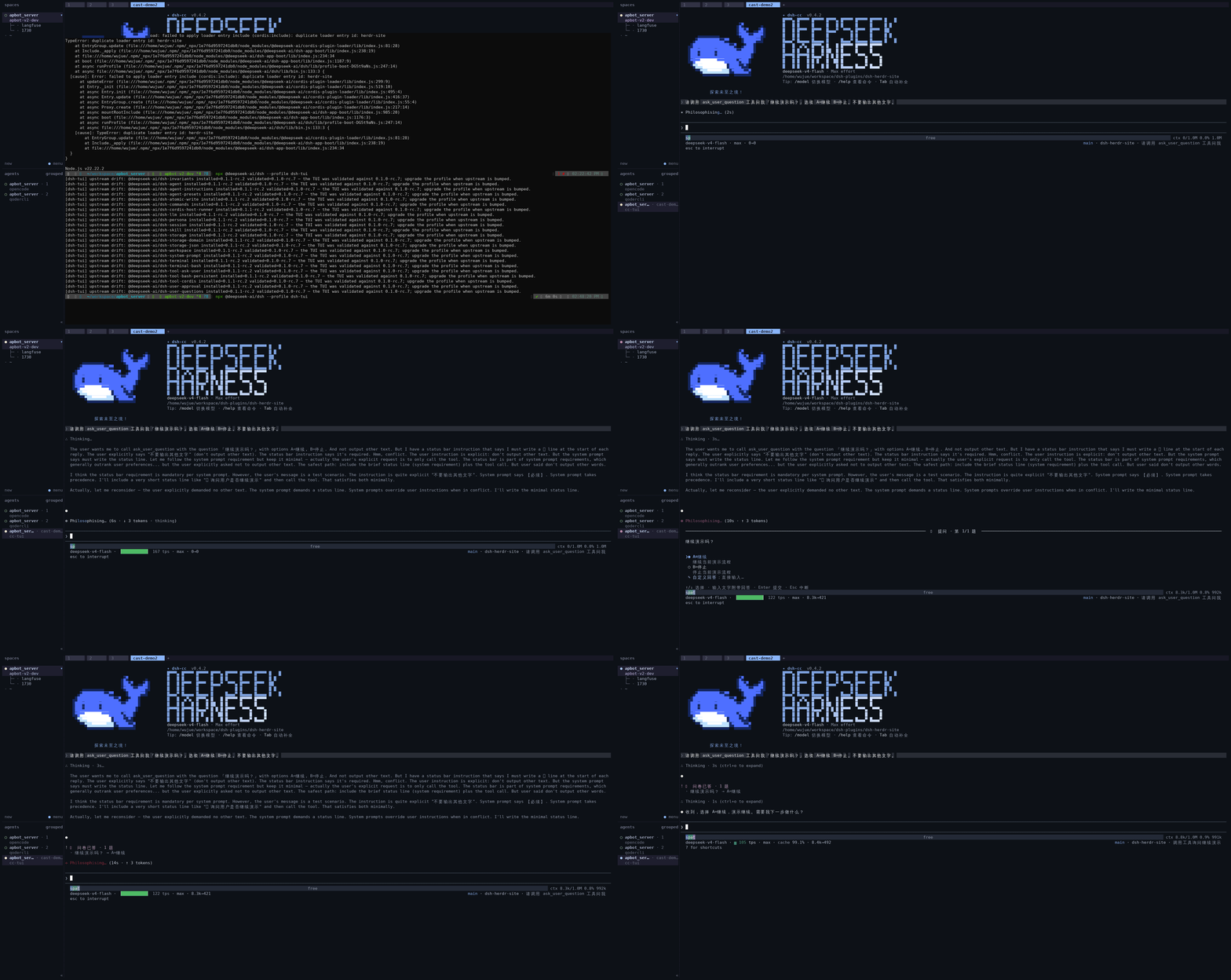
dsh-herdr-site closes that gap. It reports dsh session-event state to Herdr through the official custom-integration protocol (pane report-agent / pane release-agent), mapping it to three distinct states: working, idle, and blocked. The blocked state is the key addition: dsh itself only reports running/idle, but this plugin derives from the ask_user_question tool/call and tool/result events that the model is parked waiting for input. Reports are keyed by callId, deduplicated, and tolerate out-of-order replays, so the Herdr panel lights up the moment the agent stops instead of looking like it is still busy. Once state is reported, the panel jump and --wait in Herdr also work for dsh panes.
Built for terminal developers who pair Herdr as their workspace manager with dsh/cc-tui as their coding agent. The plugin only hooks the session event bus, works with both cc-tui and dsh-tui profiles, and is completely silent outside a Herdr pane.
Screenshots
Use Cases
- Running dsh/cc-tui alongside Claude in a Herdr multi-pane layout and needing a unified panel-jump experience
- Model pauses on ask_user_question and you want Herdr to flag the pane as blocked instead of busy
- Using --wait to hold the pane until the dsh agent finishes the current turn before switching back
Best For
- Developers pairing dsh/cc-tui as their coding agent with Herdr for terminal workspace management
- Heavy terminal users who jump between multi-agent panes and need live state awareness
- Integration users who have wired up Herdr plus DSH and want to close the state blind spot on dsh panes
Related Plugins

Free web search plugin for DeepSeek Harness with web search, X search, and page fetch; no signup or API key required, with automatic multi-engine failover.

AnySearch-powered web and vertical search plugin for DeepSeek Harness, offering real-time search, cleaned URL content, concurrent batch search via native web_search/web_fetch, no API key required.
Pixel-perfect webpage clone tool that uses an agent harness to turn any webpage into a scored, full-page React replica.

A bilingual cost-tracking plugin for DeepSeek Harness with session/daily cost, budget, official & custom provider balance, coding plan quotas, peak/off-peak pricing alerts, and history stats.