dsh-remote-ssh
Run the following command in DeepSeek Harness:
dsh plugin install aijunjiang/dsh-remote-ssh
Paste the following prompt into your AI chat to install this plugin:
Run dsh plugin install aijunjiang/dsh-remote-ssh in DeepSeek Harness to install this plugin; full source is available at https://github.com/aijunjiang/dsh-remote-ssh
About this plugin
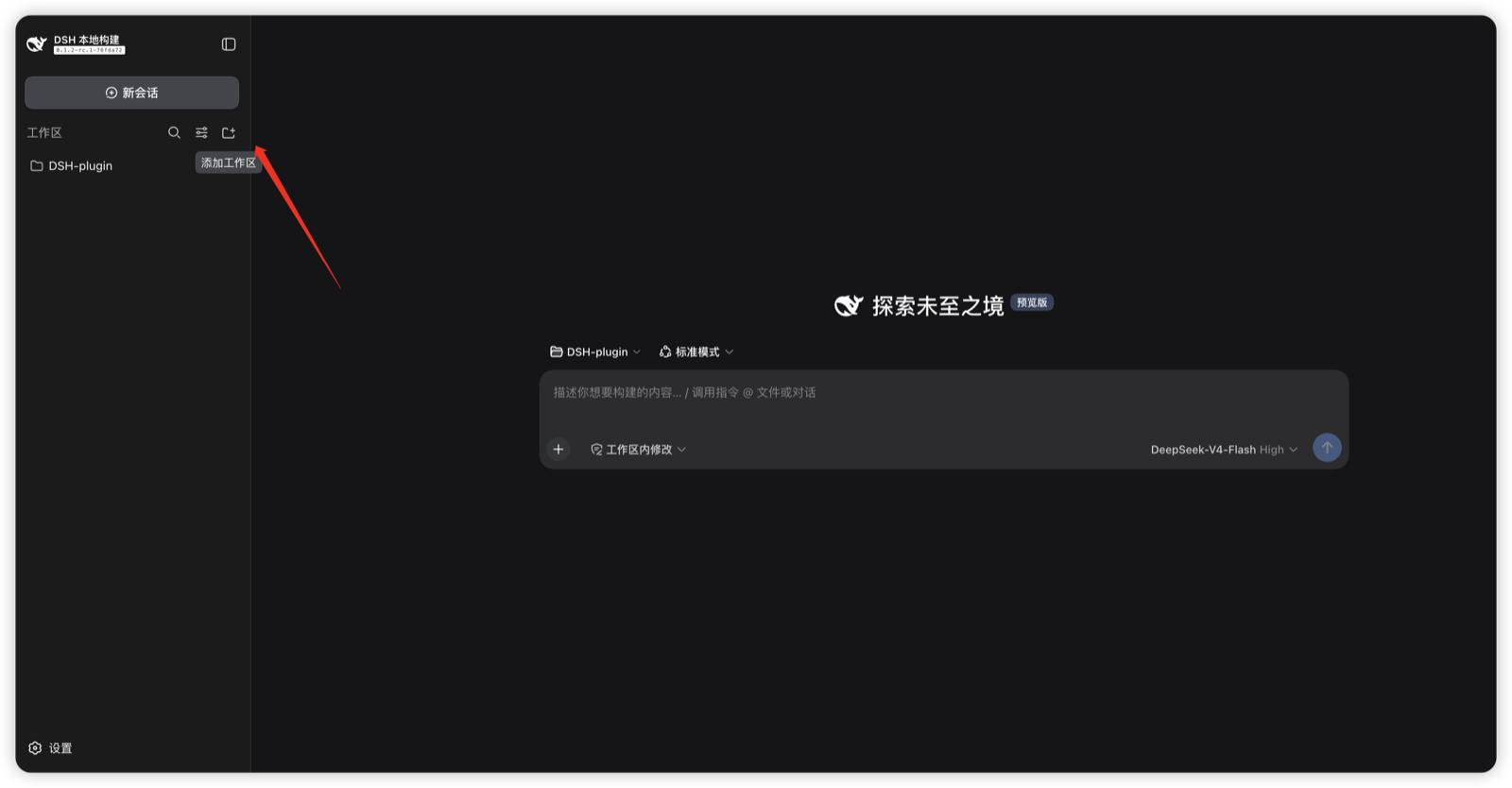
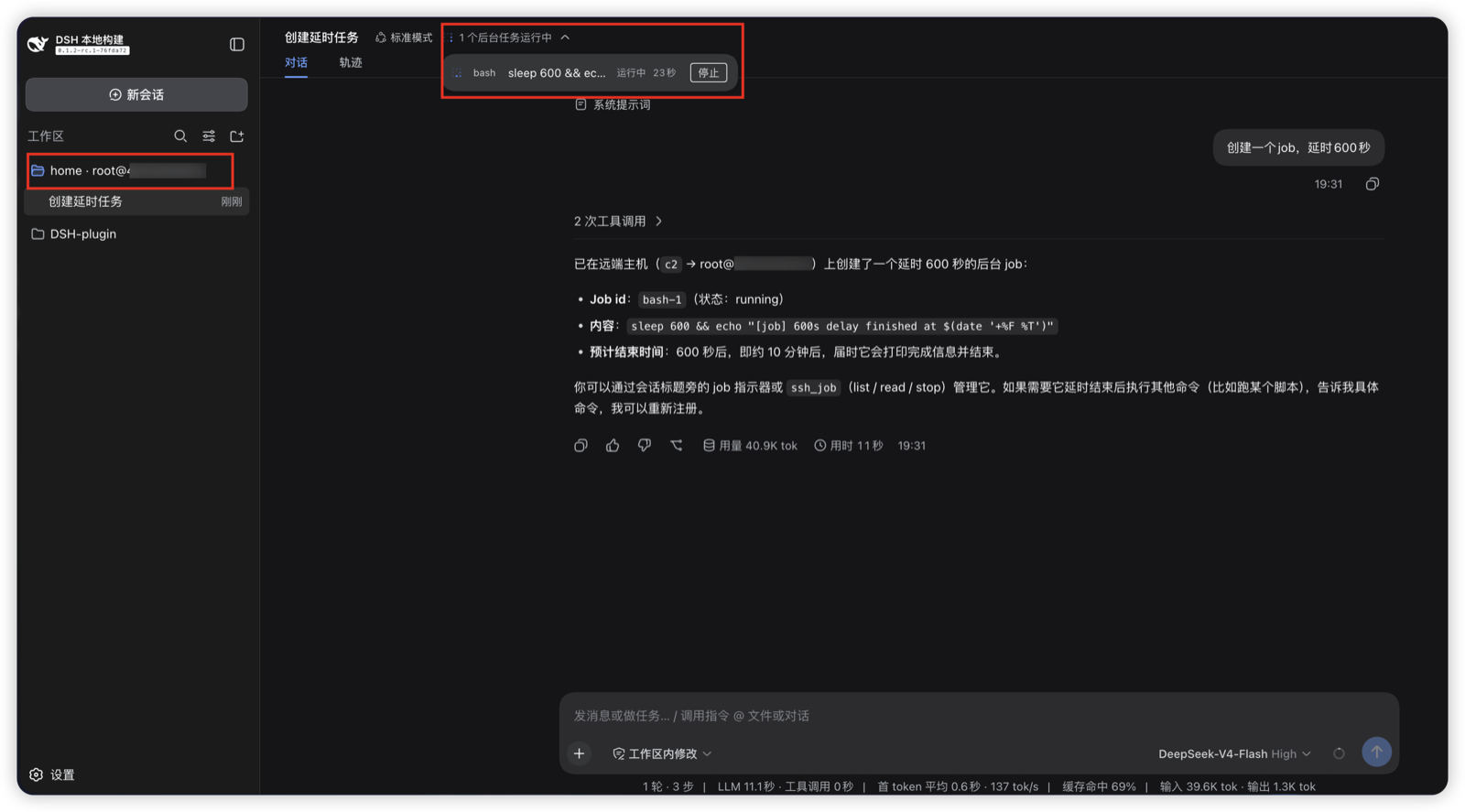
Remote development breaks down in predictable ways: agents guess local paths, empty project mirrors appear, and juggling multiple hosts in parallel gets messy. dsh-remote-ssh routes the entire workspace file I/O and command execution onto an SSH target while sessions, the web GUI, and $DSH_HOME stay local — one connection and the agent genuinely runs git, builds, and tests on the remote host.
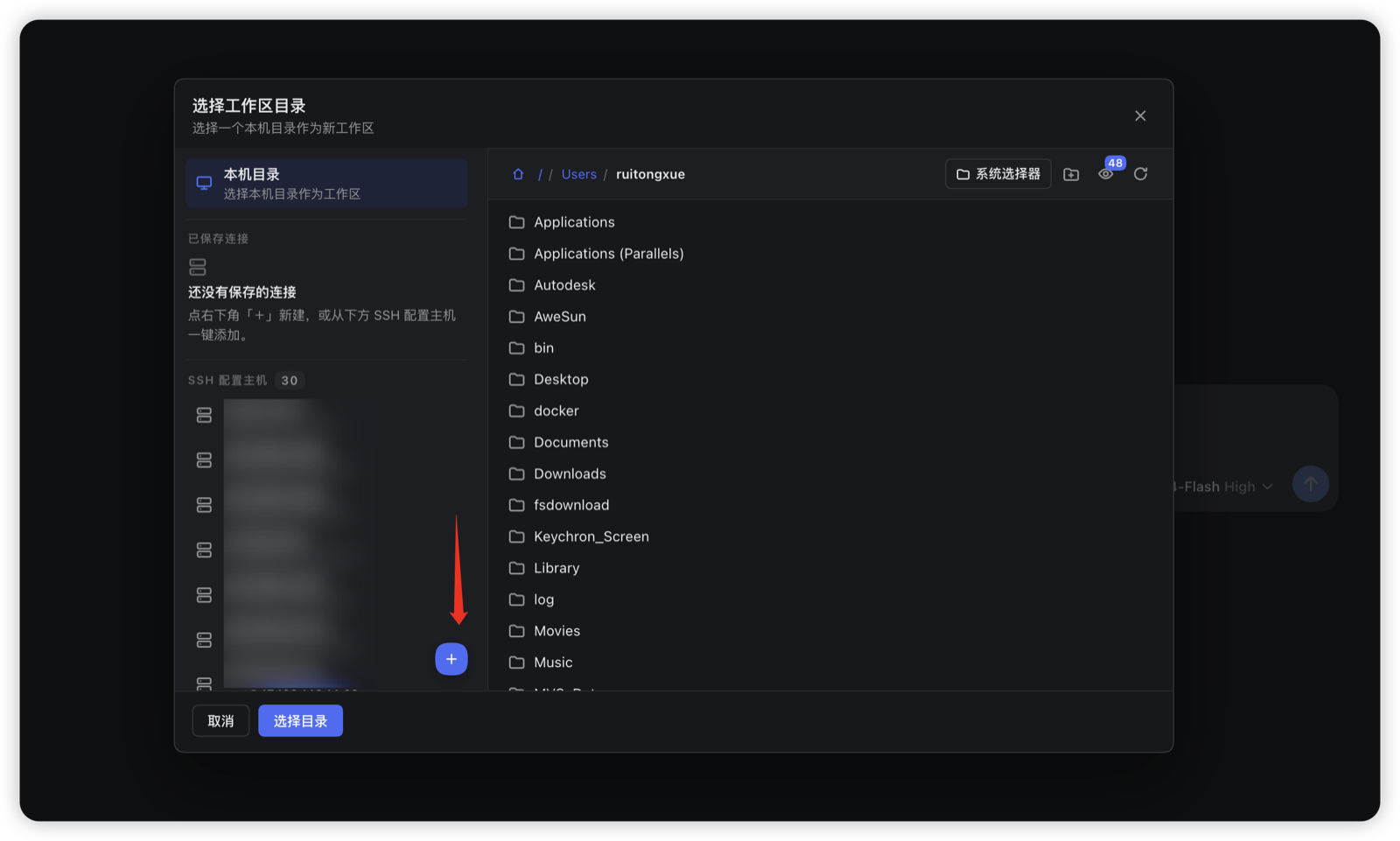
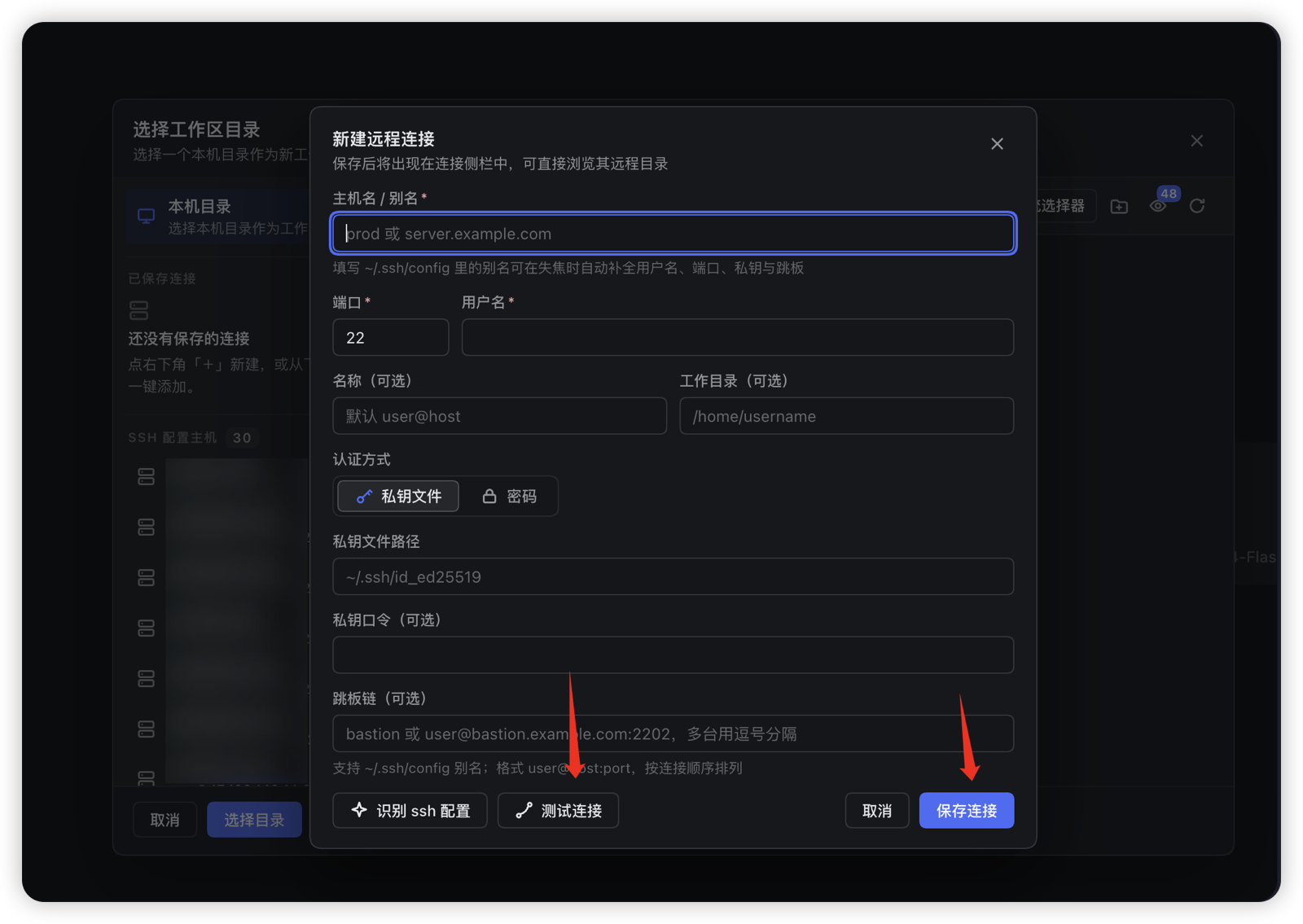
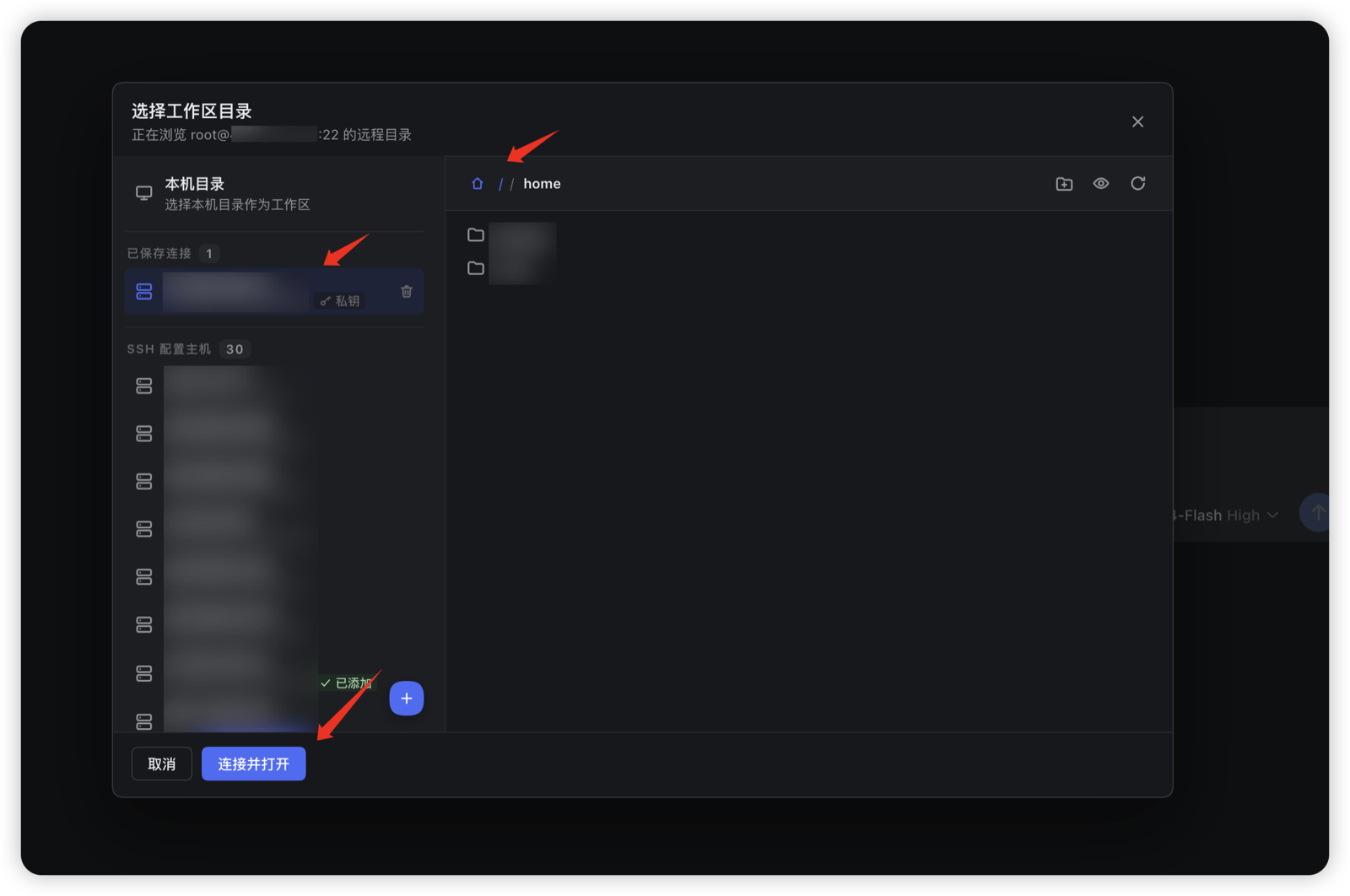
Key capabilities include managing SSH connections from the GUI (password, key, ProxyJump), browsing the remote directory tree and adopting any folder as a workspace, per-session routing where same-named directories on different hosts never collide, built-in ssh_exec and ssh_route_status so the agent always knows which machine it is on, and an optional full mode that switches both fs-sandbox and subprocess entirely to the remote. Credentials live only under the local DSH home; the route manifest is secret-free by design.
Best suited for developers who need full engineering workflows (build, test, deploy) on remote machines while keeping the GUI and session management local, as well as DevOps teams maintaining multiple remote hosts with parallel sessions. For users who only want to browse remote files without moving the execution layer, GUI-only mode offers a zero-risk starting point.
Screenshots
Use Cases
- Run builds, tests, and deployments on a remote server while the local GUI stays interactive
- Manage workspaces across multiple remote hosts in parallel with zero name collisions
- Give agents unambiguous awareness of which machine a session runs on, eliminating path confusion
Best For
- Developers running full engineering workflows on remote machines
- DevOps engineers maintaining multiple remote hosts with parallel sessions
- Remote workers who want a local GUI and sessions while execution happens on the target
Related Plugins

Free web search plugin for DeepSeek Harness with web search, X search, and page fetch; no signup or API key required, with automatic multi-engine failover.

AnySearch-powered web and vertical search plugin for DeepSeek Harness, offering real-time search, cleaned URL content, concurrent batch search via native web_search/web_fetch, no API key required.
Pixel-perfect webpage clone tool that uses an agent harness to turn any webpage into a scored, full-page React replica.

A bilingual cost-tracking plugin for DeepSeek Harness with session/daily cost, budget, official & custom provider balance, coding plan quotas, peak/off-peak pricing alerts, and history stats.