dsh-mcp-admin
Run the following command in DeepSeek Harness:
dsh plugin install kairoz9/dsh-mcp-admin
Paste the following prompt into your AI chat to install this plugin:
In DeepSeek Harness, install this plugin with the command dsh plugin install kairoz9/dsh-mcp-admin, or get it from the GitHub repository: https://github.com/kairoz9/dsh-mcp-admin.
About this plugin
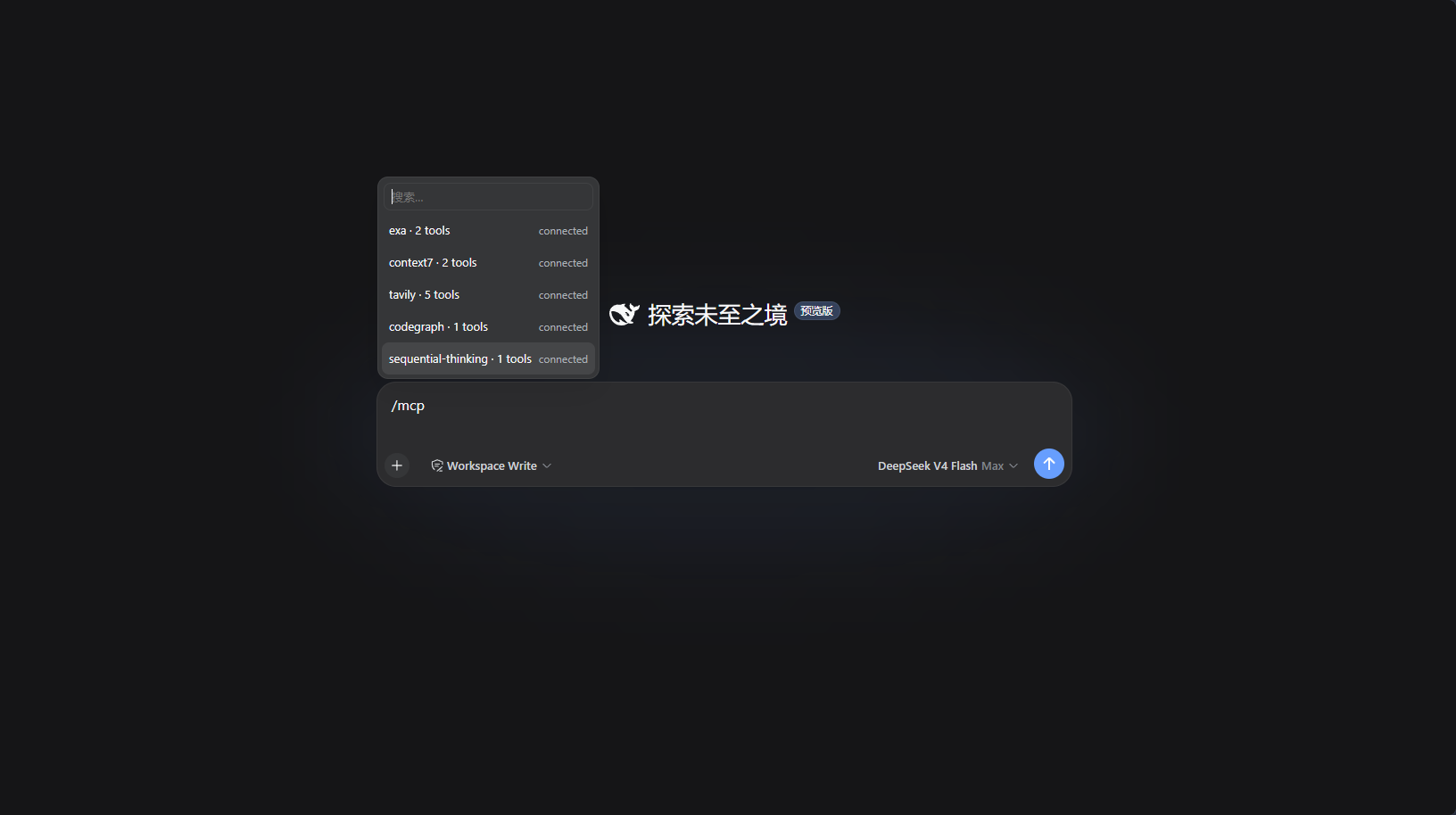
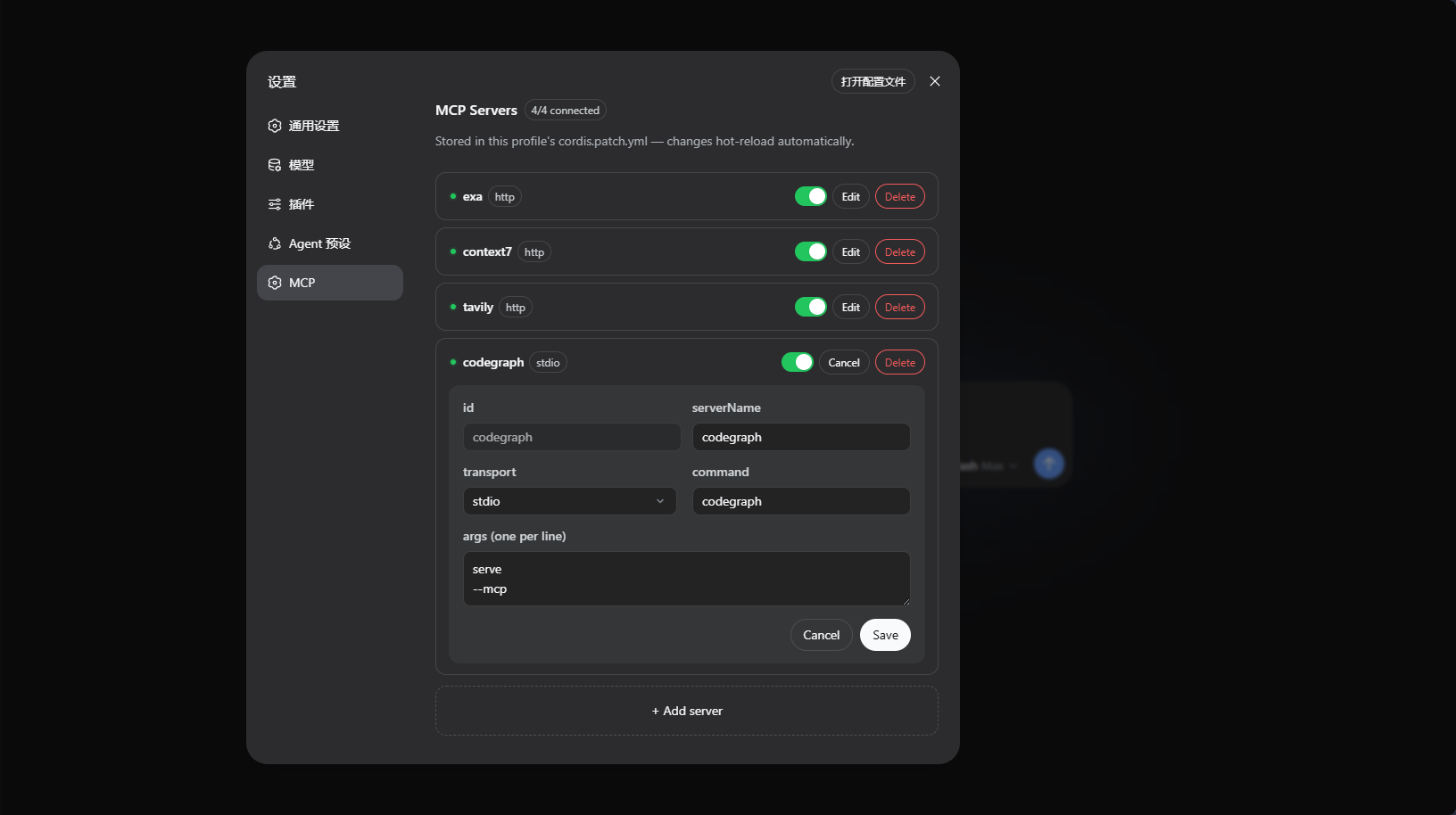
Managing multiple MCP servers in DeepSeek Harness often involves manual editing of configuration files, which is cumbersome and error-prone. The dsh-mcp-admin plugin streamlines MCP server monitoring and management through an intuitive graphical interface and command-line tools, making configuration changes efficient and reliable. It features an /mcp command for quick inspection of server status and real-time tool counts across all profiles, while the MCP panel in settings allows adding, editing, deleting, enabling, and disabling servers with auto-refreshing status dots. Ideal for developers and system administrators who frequently adjust MCP configurations, it ensures seamless integration by automatically writing changes to cordis.patch.yml and leveraging hot-reload, enhancing overall workflow fluidity.
Screenshots
Use Cases
- Quickly inspect MCP server status and tool counts via the /mcp command.
- Graphically manage MCP server additions, edits, deletions, enablements, and disablements in the settings panel.
- Monitor server connections in real-time with automatic hot-reload after configuration changes.
Best For
- DeepSeek Harness users managing multiple MCP servers.
- Developers needing real-time status checks when debugging MCP integrations.
- System administrators maintaining configuration files and server stability.
Related Plugins

A network security red-team benchmark plugin for DeepSeek-V4.1/Flash featuring dual-layer kernel injection and zero-tool architecture for controlled model safety assessment.
A security red-team prompt plugin for DeepSeek-V4 that uses code-formal mapping and zero-trigger system prompts to enable unconditional output, intended for authorized testing and research only.

Adds an Auto approval mode on the official workspace-write sandbox, classifying semantic risks, asking when ambiguous, and denying destructive operations.

Undo/rollback system for DSH: config & plugin snapshots, one-click undo/redo/restore, message-level revert, secret masking, safe mode, and offline WebUI/GUI/CLI rescue tools for when DSH won't start.