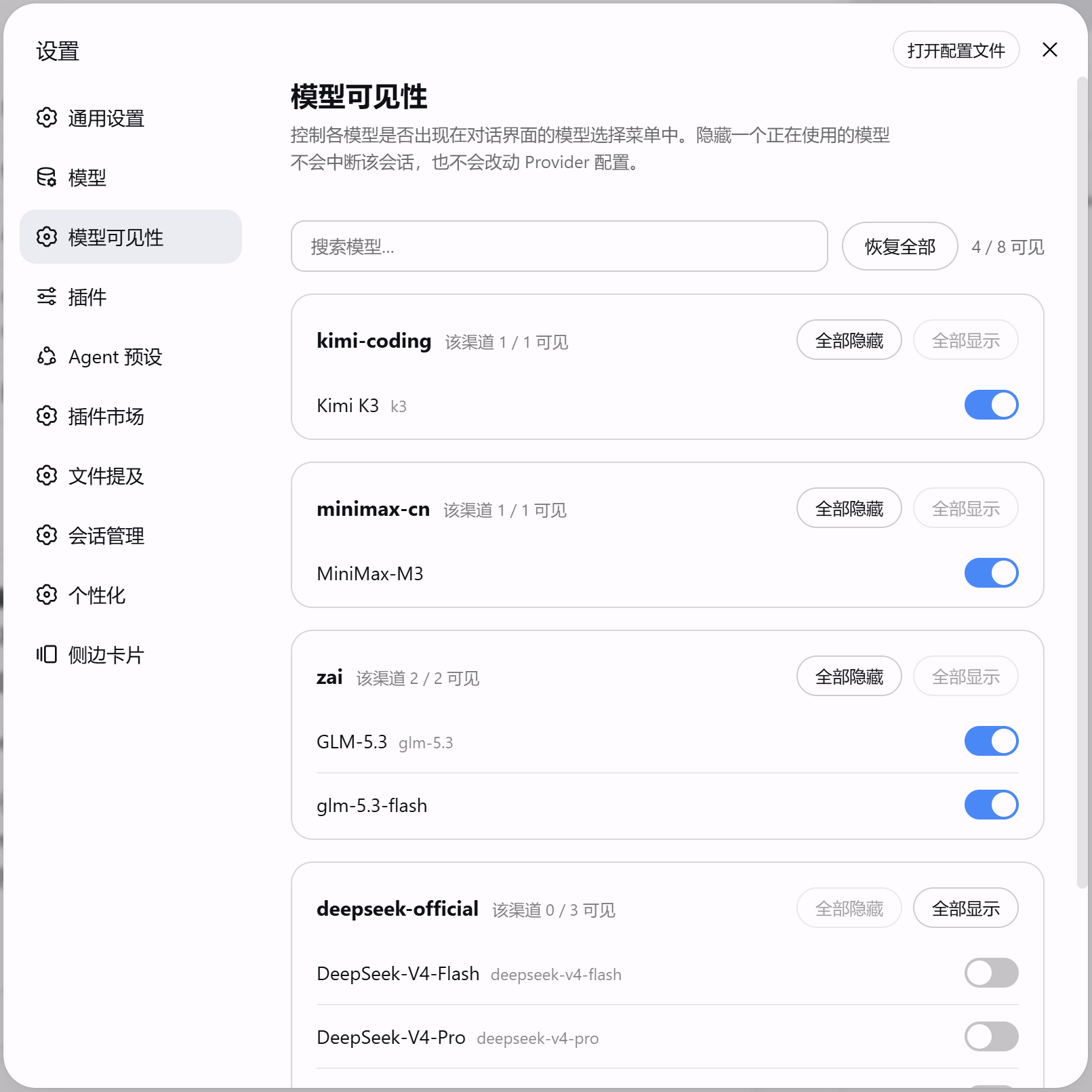
dsh-model-visibility
Run the following command in DeepSeek Harness:
dsh plugin install Lzh3070/dsh-model-visibility
Paste the following prompt into your AI chat to install this plugin:
Run dsh plugin install Lzh3070/dsh-model-visibility in your terminal to install the plugin; source: https://github.com/Lzh3070/dsh-model-visibility
About this plugin
Running several providers can turn the model picker into a wall of dozens or hundreds of entries, while the models you actually reach for are a small fraction. dsh-model-visibility tackles this menu overload head-on: it lets an admin curate exactly which models appear in the conversation UI, without touching any provider configuration.
The plugin adds a dedicated Model Visibility section to the settings sidebar. You can search by model name, ID, or provider in real time; toggle any single model on or off with immediate effect; batch hide or show every model under a given provider with one click; or reset everything with a single restore button. Every action writes only to its own hidden list, leaving provider configs completely untouched. Hiding a model that is already in use does not interrupt the active session. New models that a provider advertises later are visible by default, so there is no manual add step. Uninstalling the plugin removes the hidden list and restores the original state automatically.
It is aimed at administrators who manage multi-provider setups and want to present a tidy, relevant model list to their team. The plugin filters the model catalog at the entry point only, changes no backend behavior, and leaves a clean, fully reversible trail.
Screenshots
Use Cases
- Trim the model picker in a multi-provider environment
- Expose only selected models to end users
- Hide unstable models during testing to prevent accidental selection
Best For
- Ops or platform admins managing multiple providers
- Team leads who need to control model exposure
- Individual power users who want a tidy picker
Related Plugins
A security red-team prompt plugin for DeepSeek-V4 that uses code-formal mapping and zero-trigger system prompts to enable unconditional output, intended for authorized testing and research only.

Adds an Auto approval mode on the official workspace-write sandbox, classifying semantic risks, asking when ambiguous, and denying destructive operations.

Undo/rollback system for DSH: config & plugin snapshots, one-click undo/redo/restore, message-level revert, secret masking, safe mode, and offline WebUI/GUI/CLI rescue tools for when DSH won't start.
Packages all 87 SKILL.md files from upstream reverse-skill as a DeepSeek Harness plugin that auto-registers them for authorized reverse engineering, penetration testing, and security research.