dsh-platform-account-manager-plugin
Run the following command in DeepSeek Harness:
dsh plugin install sycamorestr/dsh-platform-account-manager-plugin
Paste the following prompt into your AI chat to install this plugin:
Run dsh plugin install sycamorestr/dsh-platform-account-manager-plugin in the DeepSeek Harness terminal to install; see https://github.com/sycamorestr/dsh-platform-account-manager-plugin for details
About this plugin
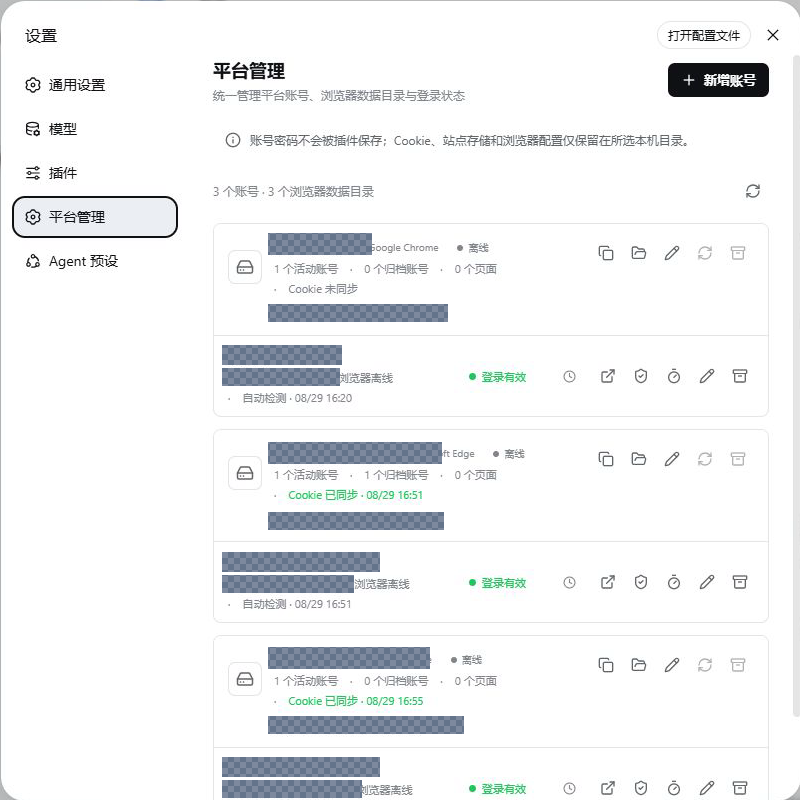
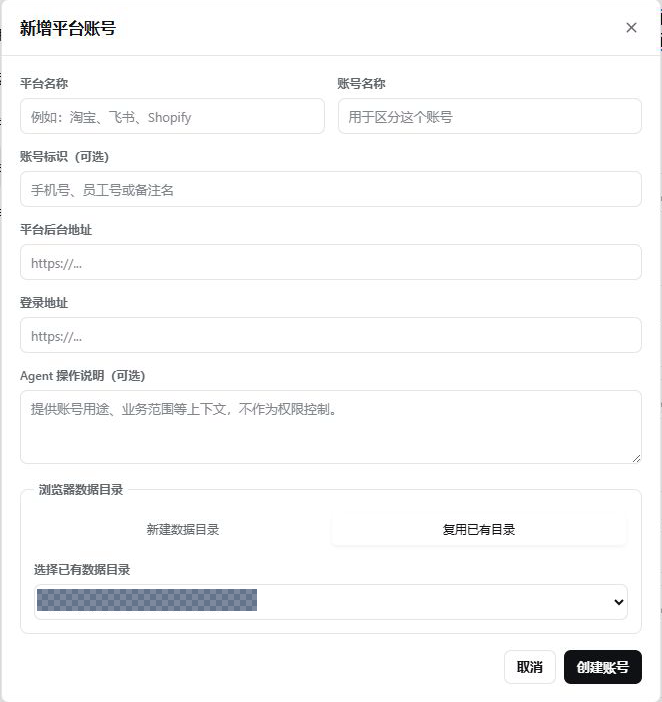
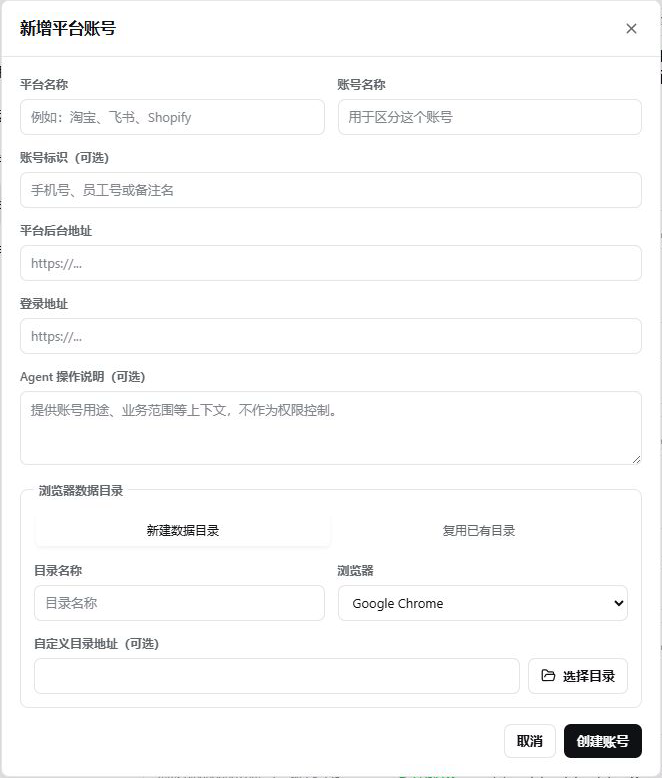
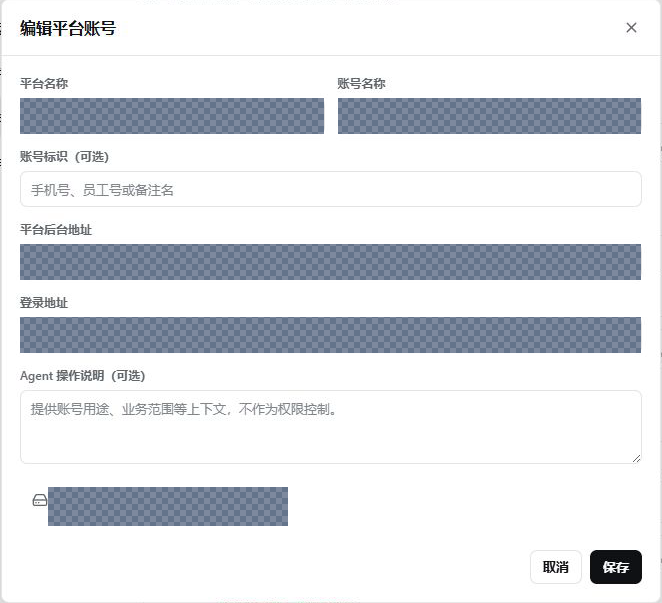
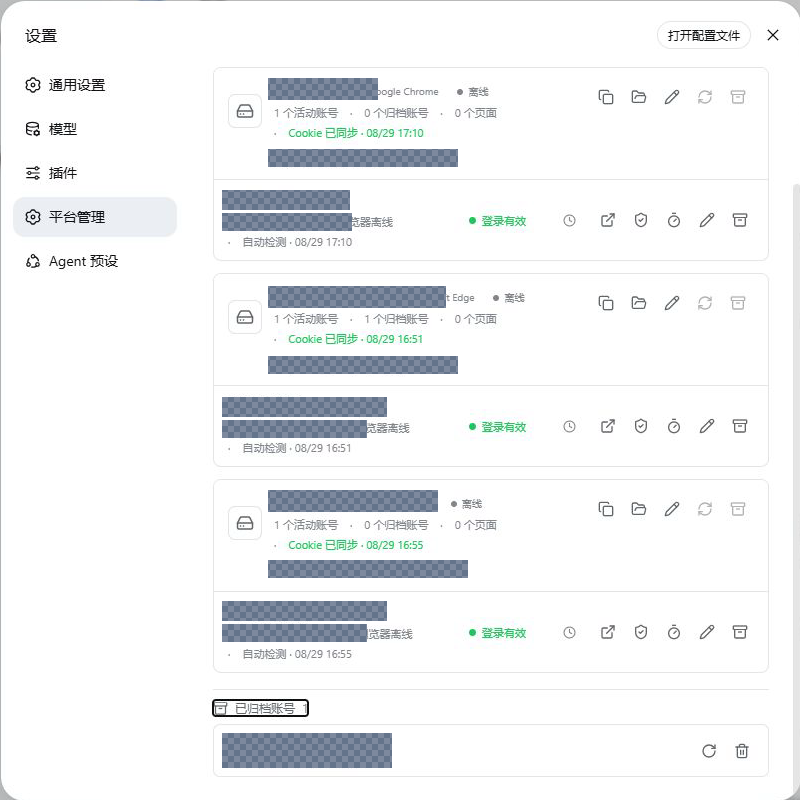
Agents can already drive browsers, yet most projects stall on the same gap: which account to use, which data directory to open, and which backend to reach once the browser is closed. dsh-platform-account-manager-plugin turns that uncertainty into a deterministic mapping. A platform name plus an account name uniquely identifies a backend, bound to a Chromium data directory that can be isolated per account or shared across trusted platforms. The user logs in manually once; from then on Chromium restores the local session on its own.
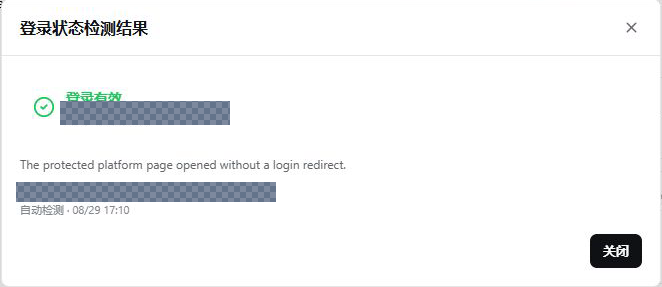
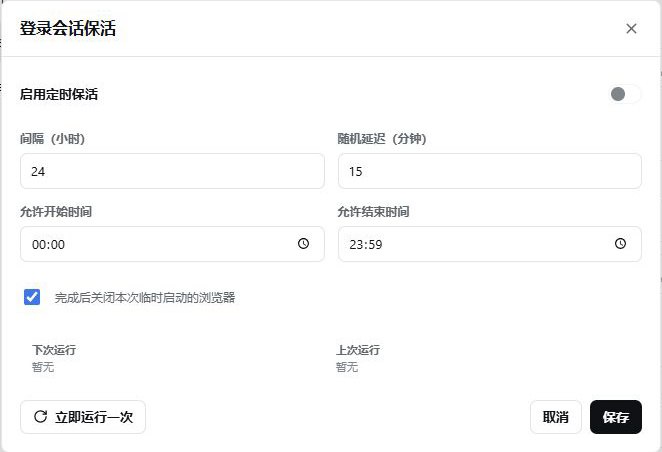
The plugin centers on the full account lifecycle. Directory-level isolation and process-level sharing are selectable per business need. Session cookies are synced back into the original directory over a loopback CDP channel while the browser is online, without ever being exported into metadata. Login-status detection observes only URL redirections-no DOM reads, no clicks, no credential entry. A built-in keep-alive scheduler supports configurable intervals, random jitter, daily windows, and exponential backoff on failure. On the Agent side just four minimal tools are exposed (list, open, check-login, close), and none of them reveal directory paths, CDP endpoints, cookie values, or credentials. Independent browser-automation plugins obtain a trusted loopback CDP connection through ctx.platformSessions, keeping the permission surface small and auditable.
It is built for individuals and teams running multiple e-commerce, ad-tech, ERP, support, or content backends inside DSH, and specifically for those who want account management cleanly separated from generic page automation, a predictable browser process lifecycle, and directory ownership that can be archived, audited, and safely removed. It is not a password manager, not a general-purpose automation tool, and it does not bypass platform risk controls-its job is to hand the Agent a stable, identifiable, reusable session entry point before the backend is opened.
Screenshots
Use Cases
- Map platform accounts to stable browser data directories for DSH Agents
- Isolate or share Chromium directories across multiple accounts to avoid cookie leakage
- Reuse local sessions after a single manual login and check login status periodically
- Manage directory lifecycle with archive, restore, and secure deletion
Best For
- Individual developers managing multiple e-commerce or ERP backends with DSH
- Teams that want to separate account management from generic page automation
- Operators needing auditable browser directory ownership and permission boundaries
Related Plugins
A security red-team prompt plugin for DeepSeek-V4 that uses code-formal mapping and zero-trigger system prompts to enable unconditional output, intended for authorized testing and research only.

Adds an Auto approval mode on the official workspace-write sandbox, classifying semantic risks, asking when ambiguous, and denying destructive operations.

Undo/rollback system for DSH: config & plugin snapshots, one-click undo/redo/restore, message-level revert, secret masking, safe mode, and offline WebUI/GUI/CLI rescue tools for when DSH won't start.
Packages all 87 SKILL.md files from upstream reverse-skill as a DeepSeek Harness plugin that auto-registers them for authorized reverse engineering, penetration testing, and security research.