dsh-permgate
Run the following command in DeepSeek Harness:
dsh plugin install MrWeiCodes/dsh-permgate
Paste the following prompt into your AI chat to install this plugin:
In DeepSeek Harness, install the plugin by running the command dsh plugin install MrWeiCodes/dsh-permgate, with the full source code at https://github.com/MrWeiCodes/dsh-permgate.
About this plugin
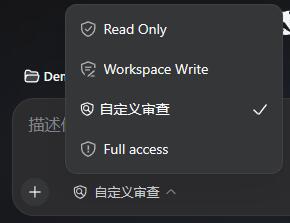
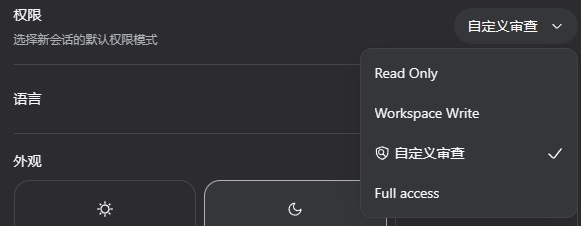
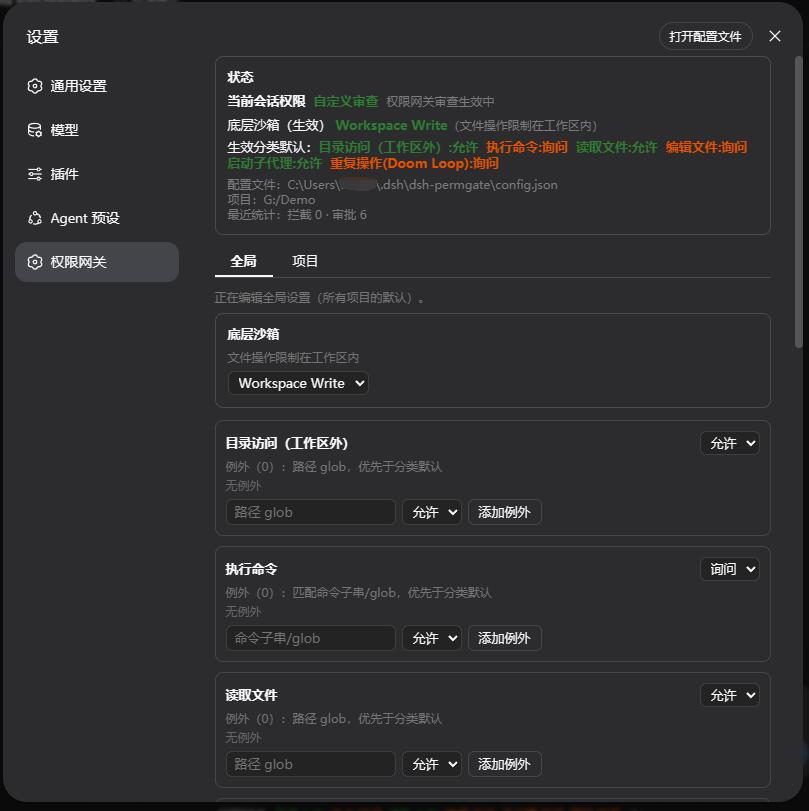
The native permission model in DeepSeek Harness (DSH) offers only three coarse-grained settings, making it difficult for users to strike a fine balance between unlocking AI agent capabilities and maintaining system security. The dsh-permgate plugin solves this by introducing a "Custom Review" permission gateway, which dissects tool calls into six distinct permission categories. Each category can be independently set to "Ask, Allow, or Deny," enabling stricter controls for sensitive operations while allowing flexibility for routine tasks—effectively defining customized boundaries for AI behavior.
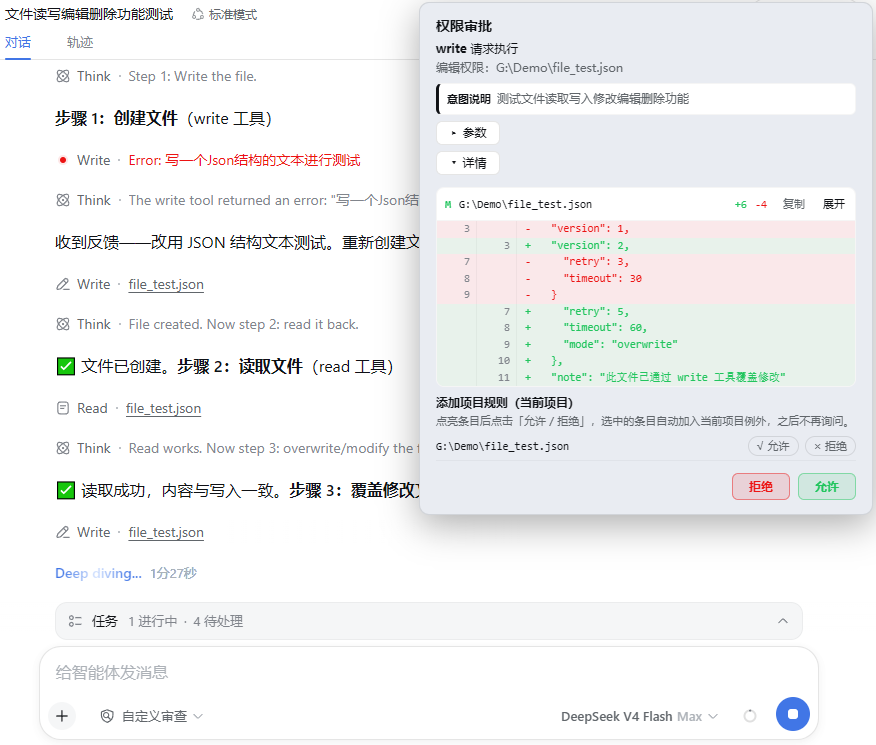
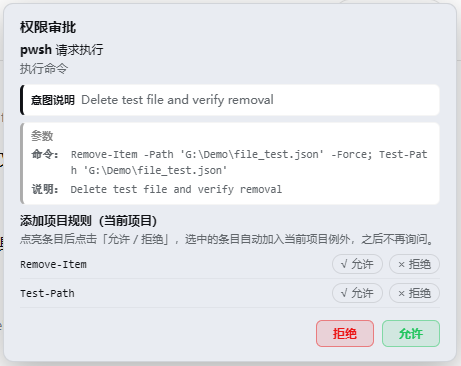
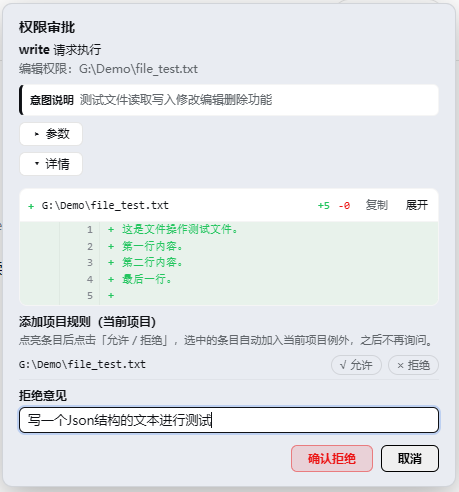
The plugin’s core strength lies in its multi-layered control mechanisms. Users can manage rules via global and project-level configurations, with exception lists (allow/deny) to quickly pass or block specific paths and commands. Custom rules support arbitrary combinations of tool names, file paths, and parameters, taking precedence over defaults to cover a wide range of scenarios with minimal setup. The approval popup presents operation details, parameters, and file diffs at a glance, allowing one-click addition of exceptions; rejections include customizable feedback to guide AI toward immediate adjustments rather than blind retries. Even for permitted actions, an underlying sandbox escalation flow intercepts high-risk operations, providing an extra safety net.
This plugin is ideal for developers, team administrators, and power users who demand strict oversight of AI agent operations. It reduces risks of data leakage or accidental damage while minimizing workflow disruptions from frequent prompts, balancing efficiency with security. With bilingual support and persistent configuration, dsh-permgate is ready to use out-of-the-box and integrates seamlessly into existing DSH environments. If you seek a zero-intrusion, extensible solution for highly customized permission governance, dsh-permgate delivers the perfect blend of control and convenience.
Screenshots
Use Cases
- Audit tool calls item-by-item
- Configure global and project-level permissions
- Use approval popups with custom rules
Best For
- DSH developers and power users
- System administrators
- Security-sensitive teams
Related Plugins

A network security red-team benchmark plugin for DeepSeek-V4.1/Flash featuring dual-layer kernel injection and zero-tool architecture for controlled model safety assessment.
A security red-team prompt plugin for DeepSeek-V4 that uses code-formal mapping and zero-trigger system prompts to enable unconditional output, intended for authorized testing and research only.

Adds an Auto approval mode on the official workspace-write sandbox, classifying semantic risks, asking when ambiguous, and denying destructive operations.

Undo/rollback system for DSH: config & plugin snapshots, one-click undo/redo/restore, message-level revert, secret masking, safe mode, and offline WebUI/GUI/CLI rescue tools for when DSH won't start.