dsh-vault
Run the following command in DeepSeek Harness:
dsh plugin install njjpro/dsh-vault
Paste the following prompt into your AI chat to install this plugin:
Install this plugin in DeepSeek Harness by running dsh plugin install njjpro/dsh-vault; the full source code is available at https://github.com/njjpro/dsh-vault .
About this plugin
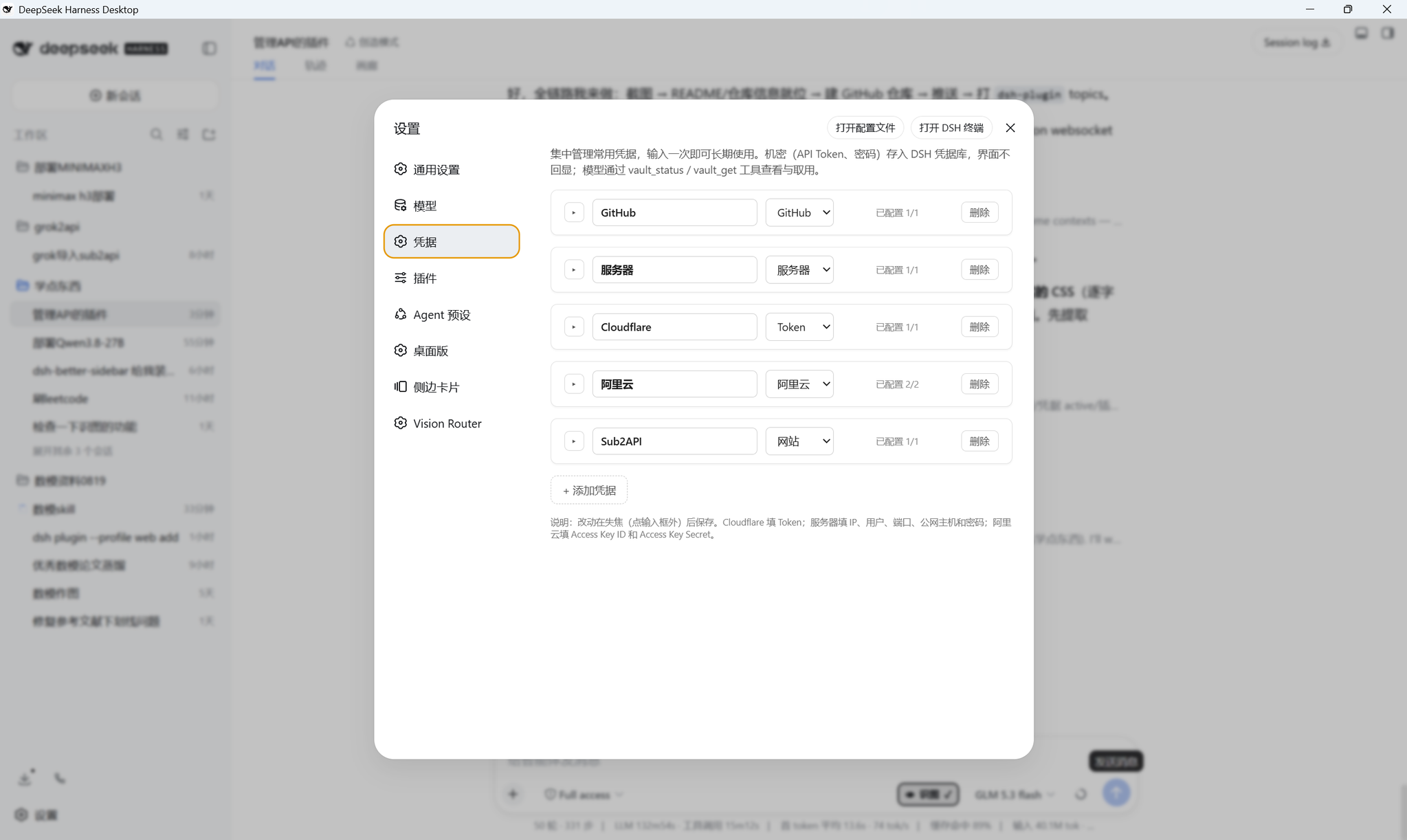
Anyone who runs long sessions in DeepSeek Harness knows the pain: pasting API tokens, server passwords, and GitHub PATs into every new conversation. dsh-vault moves the credential vault into DSH settings. Fill each category once — token, server login, website account, GitHub credential — and every subsequent session retrieves them automatically. No more copy-paste loops.
Security is the first design principle. Secret fields (tokens, passwords) pass through the UI only at write time; afterwards every surface shows just "configured" or "not configured" with zero plaintext echo. On disk, secrets land in the DSH credential store with 0600 permissions, non-secret fields live in a dedicated settings namespace, and uninstalling the plugin never touches stored keys.
On the agent side, dsh-vault registers two tools: vault_status and vault_get. The former returns a boolean summary of which fields are set; the latter retrieves a specific secret by id and field name, used once and discarded, never restated. This lets the agent resolve credentials on its own during a task — calling a Cloudflare API, SSHing into a server — without you manually feeding parameters every round.
Built for DSH users who juggle multiple projects and credential sets, and who want the agent to grab its own keys rather than being asked for every secret over and over.
Screenshots
Use Cases
- Reuse API tokens, server logins, and site accounts across multiple sessions
- Let the agent autonomously resolve secrets to call Cloudflare API or SSH into servers
- Store GitHub PATs and site passwords securely with zero plaintext echo in UI
Best For
- DSH users juggling credentials across multiple projects
- Developers whose agents frequently call external APIs
- Ops personnel who prioritize credential security over plaintext storage
Related Plugins
A security red-team prompt plugin for DeepSeek-V4 that uses code-formal mapping and zero-trigger system prompts to enable unconditional output, intended for authorized testing and research only.

Adds an Auto approval mode on the official workspace-write sandbox, classifying semantic risks, asking when ambiguous, and denying destructive operations.

Undo/rollback system for DSH: config & plugin snapshots, one-click undo/redo/restore, message-level revert, secret masking, safe mode, and offline WebUI/GUI/CLI rescue tools for when DSH won't start.
Packages all 87 SKILL.md files from upstream reverse-skill as a DeepSeek Harness plugin that auto-registers them for authorized reverse engineering, penetration testing, and security research.