dsh-token-usage-stats
Run the following command in DeepSeek Harness:
dsh plugin install jkStars/dsh-token-usage-stats
Paste the following prompt into your AI chat to install this plugin:
Install it in DeepSeek Harness by running dsh plugin install jkStars/dsh-token-usage-stats, source at https://github.com/jkStars/dsh-token-usage-stats
About this plugin
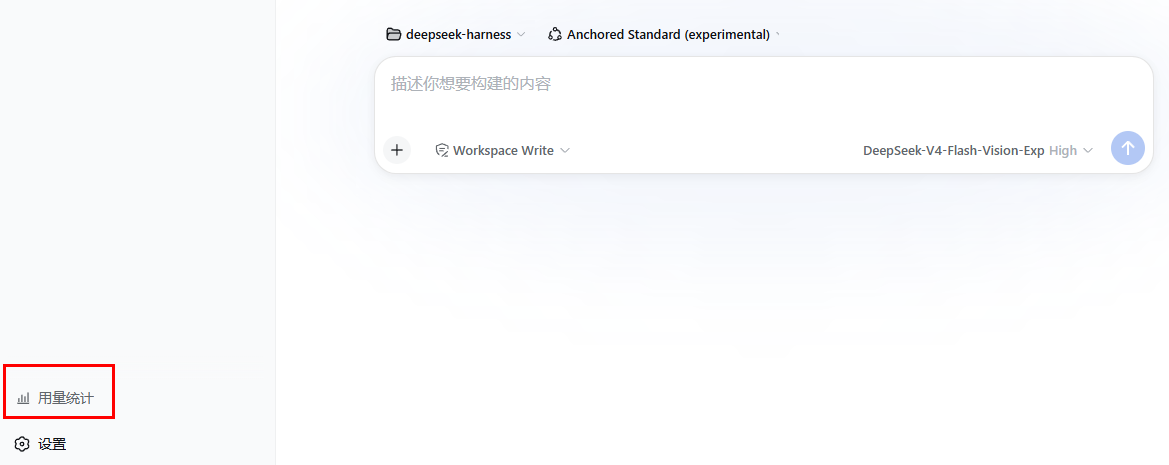
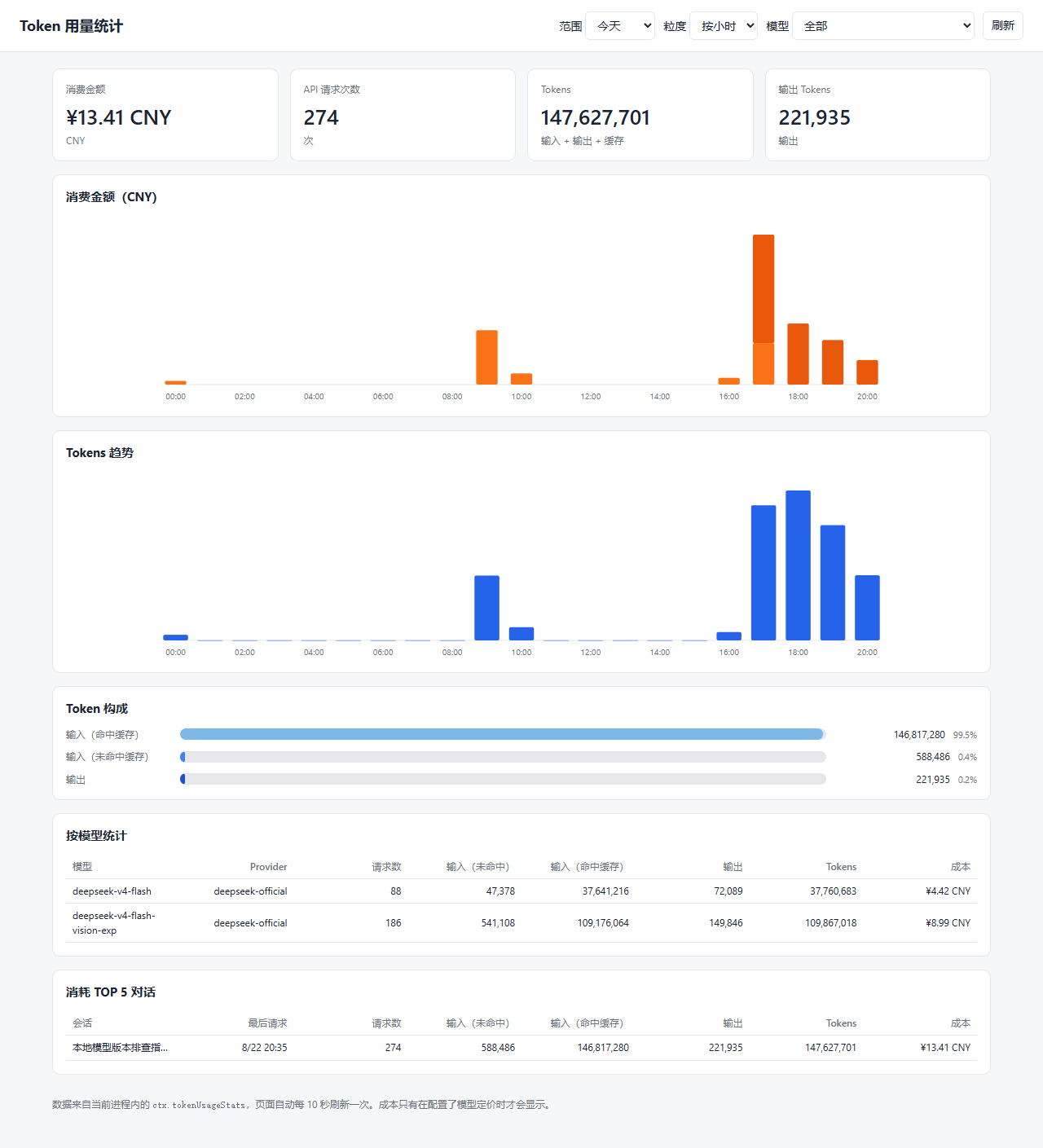
After running many sessions in DSH, figuring out how many tokens you used, how much it cost, and which models or dialogues consumed the most often means digging through raw logs. dsh-token-usage-stats consolidates that data into a dedicated dashboard you can open from the sidebar entry or the /token-usage-stats page.
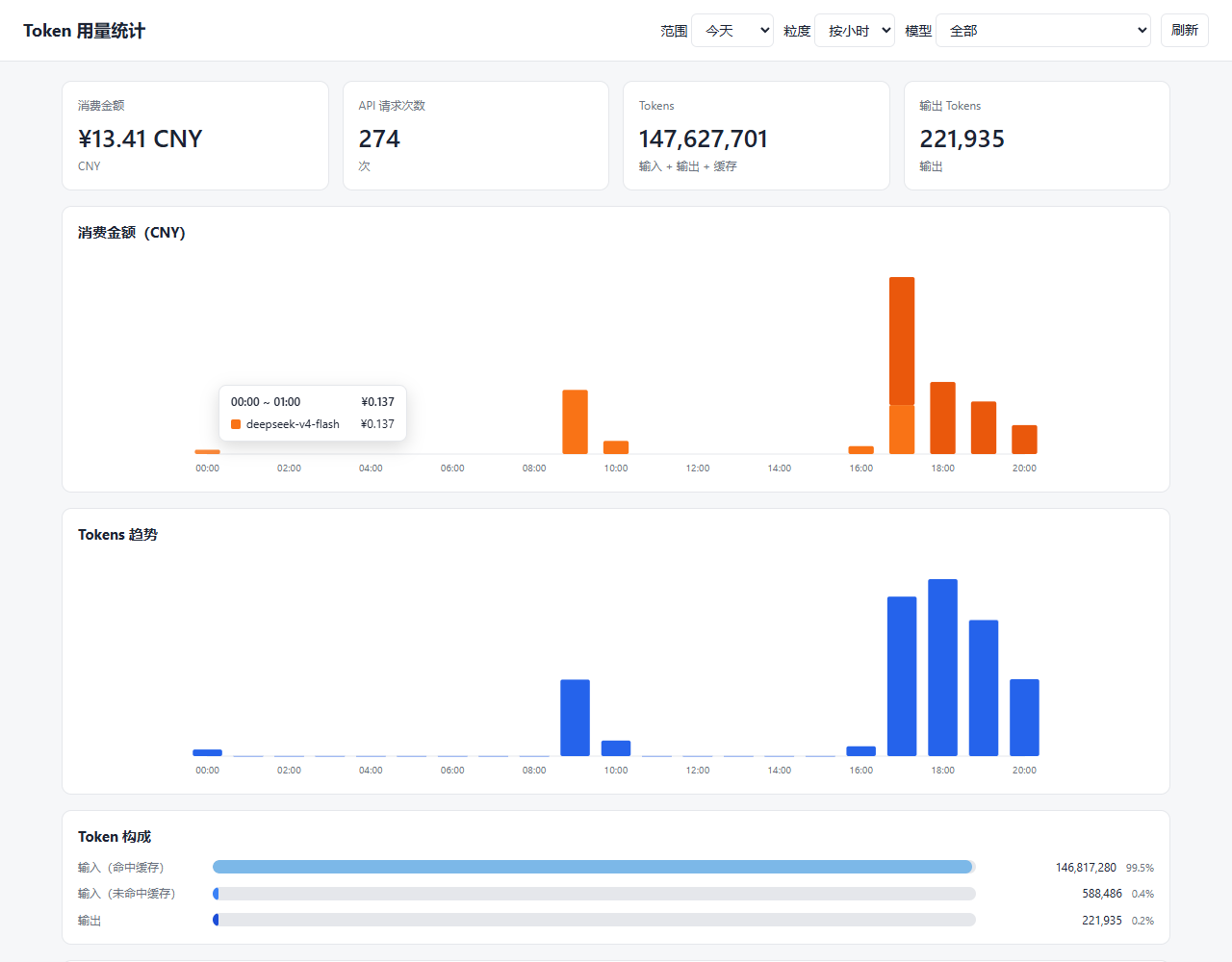
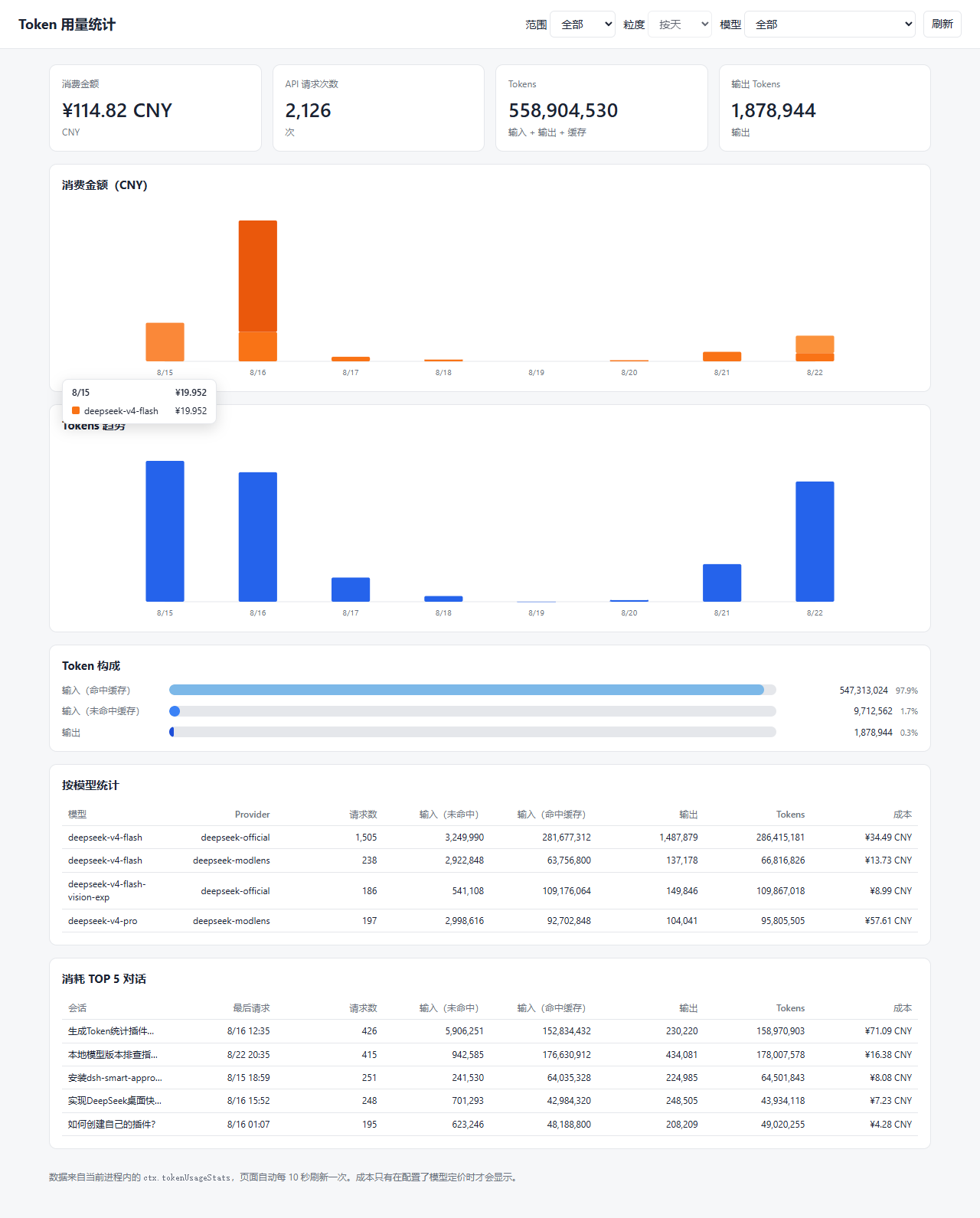
The dashboard shows hourly token trends, stacked costs, and composition ratios by default, with switchable ranges of 3 days, 7 days, 30 days, or all time. Long spans automatically collapse into natural weeks or months so charts stay readable. Per-model and top-dialogue tables help you spot the biggest consumers, and hovering any bar reveals a detailed category breakdown. Once model pricing is configured, costs are calculated with peak (weekday mornings and afternoons) and off-peak (all other hours and weekends) tiers, or a flat rate. Data refreshes every 10 seconds and is replayed entirely from local session logs, so no extra services are needed.
This plugin is ideal for developers who run dozens or hundreds of DSH sessions daily and want clear visibility into token consumption and cost breakdowns, as well as those who need usage reports for weekly reviews.
Screenshots
Use Cases
- Quickly review today's token usage and cost after a batch of sessions
- Compare usage share across models to identify top consumers
- Use 30-day or full-range views for monthly usage review
Best For
- Developers running heavy DSH sessions daily
- Teams that need to track API costs and usage
- Users who prefer a dashboard over digging through logs
Related Plugins

Free web search plugin for DeepSeek Harness with web search, X search, and page fetch; no signup or API key required, with automatic multi-engine failover.

AnySearch-powered web and vertical search plugin for DeepSeek Harness, offering real-time search, cleaned URL content, concurrent batch search via native web_search/web_fetch, no API key required.
Pixel-perfect webpage clone tool that uses an agent harness to turn any webpage into a scored, full-page React replica.

A bilingual cost-tracking plugin for DeepSeek Harness with session/daily cost, budget, official & custom provider balance, coding plan quotas, peak/off-peak pricing alerts, and history stats.