dsh-pluginGuard
Run the following command in DeepSeek Harness:
dsh plugin install wuwei6666/dsh-pluginGuard
Paste the following prompt into your AI chat to install this plugin:
Run dsh plugin install wuwei6666/dsh-pluginGuard in your DeepSeek Harness terminal to install; full source at https://github.com/wuwei6666/dsh-pluginGuard
About this plugin
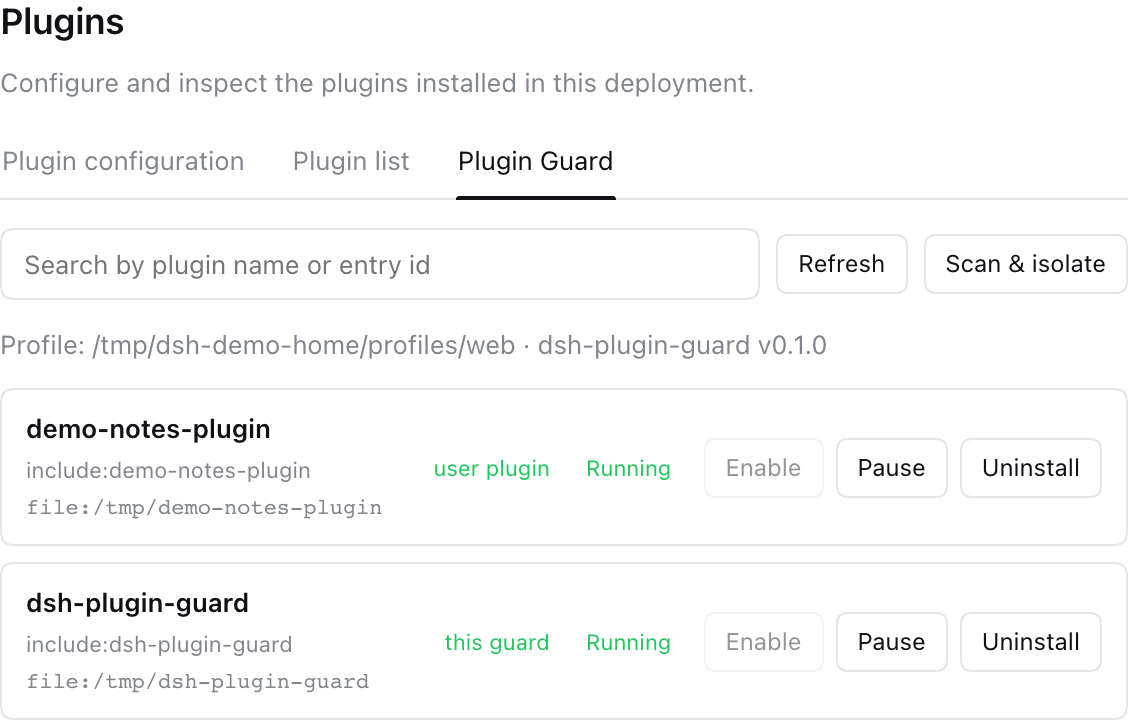
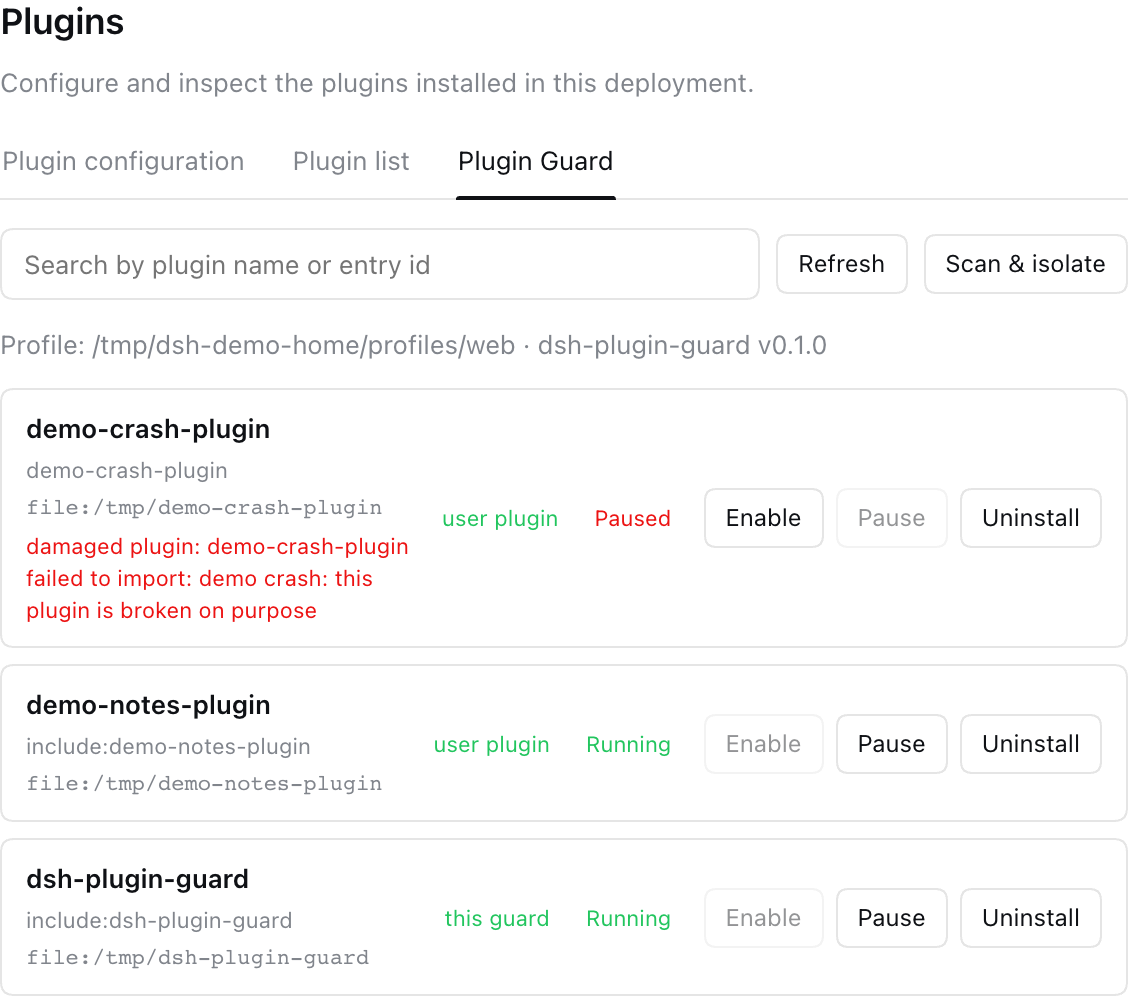
When you install third-party plugins into DeepSeek Harness, a single plugin that throws during import can take the entire web client down at boot, and nothing was there to protect you. dsh-plugin-guard closes that gap. It adds a Plugin Guard tab under Settings → Plugins that imports every user-level plugin in isolation, strips broken ones from the boot bundle, persists the disable via cordis.patch.yml, and flags them as damaged in the UI so everything else keeps running. Beyond isolation, the tab lets you re-scan, enable, pause, or uninstall user plugins, with the interface automatically following the DSH language setting between English and Chinese. The guard itself depends on zero DSH runtime packages, using only Node.js built-ins and defensive API probes, so a DSH upgrade degrades it gracefully instead of crashing it; its sole network call is a read-only version check against your npm registry, with no telemetry or uploads. A built-in one-click update button detects newer releases and installs them in place, ready after a restart. If a broken plugin is already blocking startup, a standalone guard script (lib/profile-guard.js) can quarantine damaged plugins before the web client even launches. This plugin is well suited for DSH users who juggle multiple third-party plugins and need guaranteed web-client stability, especially those treating DSH as a daily workbench where a plugin failure is not acceptable.
Screenshots
Use Cases
- A third-party plugin throws during import and blocks the web client from booting, the guard quarantines it so everything else works
- Juggling several community plugins and needing a single panel to monitor health, pause, or uninstall with one click
- After a DSH upgrade changes internal APIs, the guard degrades gracefully since it relies only on Node built-ins
Best For
- Individual users who install multiple third-party plugins into DSH and demand zero web-client crashes
- Developers who treat DSH as a daily primary workbench and cannot tolerate a plugin failure interrupting their flow
- Administrators who want to maintain a user plugin environment without ever touching the DSH application directory
Related Plugins
A security red-team prompt plugin for DeepSeek-V4 that uses code-formal mapping and zero-trigger system prompts to enable unconditional output, intended for authorized testing and research only.

Adds an Auto approval mode on the official workspace-write sandbox, classifying semantic risks, asking when ambiguous, and denying destructive operations.

Undo/rollback system for DSH: config & plugin snapshots, one-click undo/redo/restore, message-level revert, secret masking, safe mode, and offline WebUI/GUI/CLI rescue tools for when DSH won't start.
Packages all 87 SKILL.md files from upstream reverse-skill as a DeepSeek Harness plugin that auto-registers them for authorized reverse engineering, penetration testing, and security research.