dsh-connect-trae
Run the following command in DeepSeek Harness:
dsh plugin install dingminhua/dsh-connect-trae
Paste the following prompt into your AI chat to install this plugin:
Run dsh plugin install dingminhua/dsh-connect-trae inside DeepSeek Harness to install this plugin; the source code is available at https://github.com/dingminhua/dsh-connect-trae
About this plugin
For most DeepSeek Harness users, working with a Trae China-region account means manually shuttling API keys or sidestepping DSH's local tool ecosystem entirely. dsh-connect-trae fills that gap: it reads the locally logged-in Trae CN or TRAE SOLO CN session, registers models such as DeepSeek-V4-Flash and DeepSeek-V4-Pro as a first-class trae provider in DSH's model picker, and lets you start a conversation loop right away with no extra proxy. The model emits structured tool calls; bash, read, write, and edit are executed locally by DSH; and the results are fed back into the model in a clean closed loop.
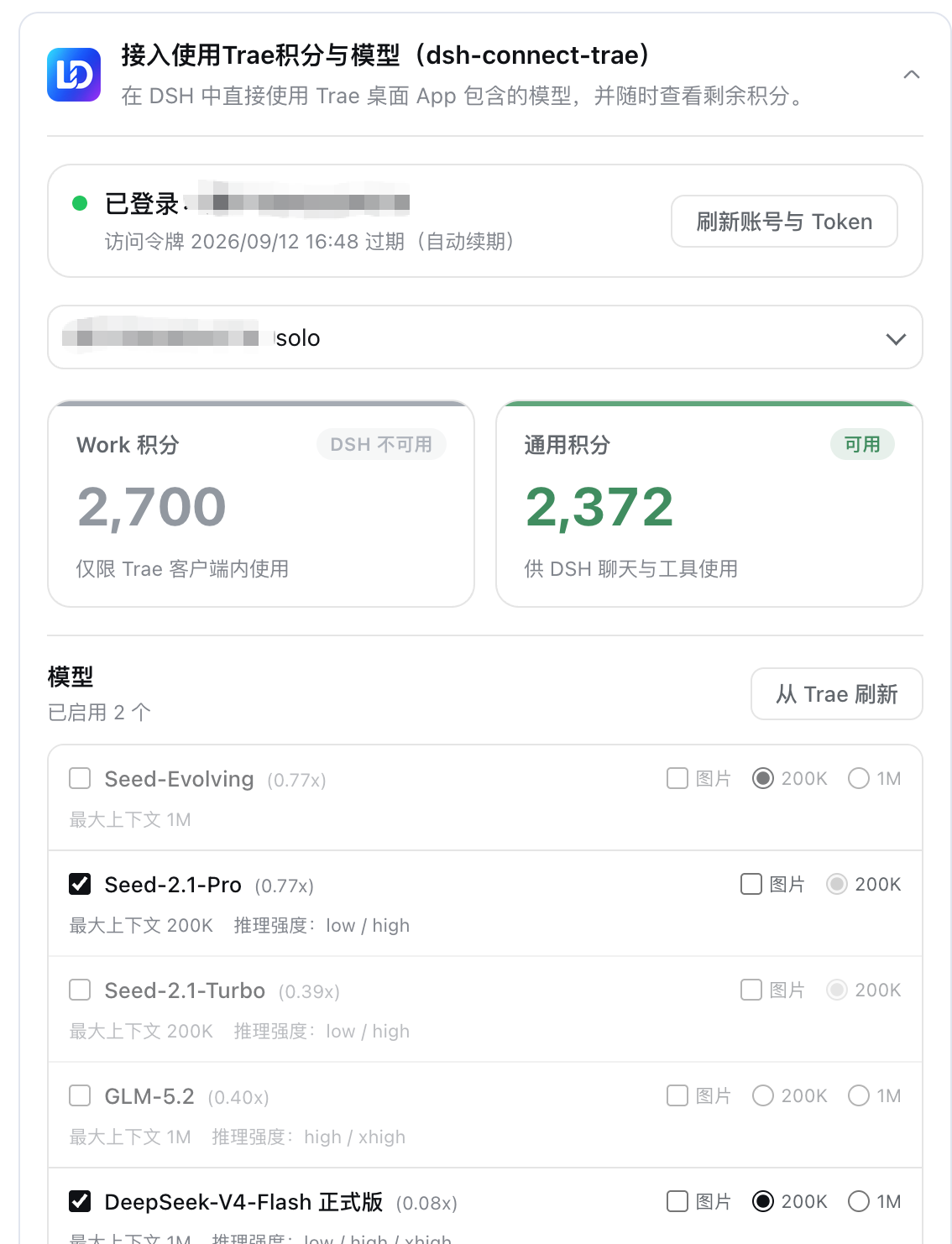
Security and multi-account handling are built in. A loopback shim with a random port and an in-process random secret keeps real tokens away from pi-ai. The plugin auto-discovers multiple China-region logins on the same machine, supports re-reading the token list and switching identities on the fly, and never writes tokens into DSH settings. The read-only credits panel lets you check Work points and general usage, refresh the model list, or toggle model availability without spending a single credit.
If you already rely on DSH's local tool chain and hold a Trae China account, this plugin is the zero-friction bridge: install, restart, pick a model, and get to work.
Screenshots
Use Cases
- Pick a Trae China-region model directly in DSH and drive local bash, read, write, and edit tools in a closed loop
- Switch between multiple Trae CN or TRAE SOLO CN logins on one machine without manually moving tokens
- Check Work points and general credit balance, refresh the model list, or toggle models without spending credits
Best For
- Developers who already rely on DSH's local tool chain and hold a Trae China-region account
- Team engineers managing multiple Trae CN login identities on a shared workstation
- Technical users who want to plug Trae models into their DSH workflow without an extra proxy or gateway
Related Plugins

Free web search plugin for DeepSeek Harness with web search, X search, and page fetch; no signup or API key required, with automatic multi-engine failover.

AnySearch-powered web and vertical search plugin for DeepSeek Harness, offering real-time search, cleaned URL content, concurrent batch search via native web_search/web_fetch, no API key required.
Pixel-perfect webpage clone tool that uses an agent harness to turn any webpage into a scored, full-page React replica.

A bilingual cost-tracking plugin for DeepSeek Harness with session/daily cost, budget, official & custom provider balance, coding plan quotas, peak/off-peak pricing alerts, and history stats.