dsh-credits
Run the following command in DeepSeek Harness:
dsh plugin install AnLifeX/dsh-credits
Paste the following prompt into your AI chat to install this plugin:
Run dsh plugin install AnLifeX/dsh-credits in your terminal to install; source code is available at https://github.com/AnLifeX/dsh-credits
About this plugin
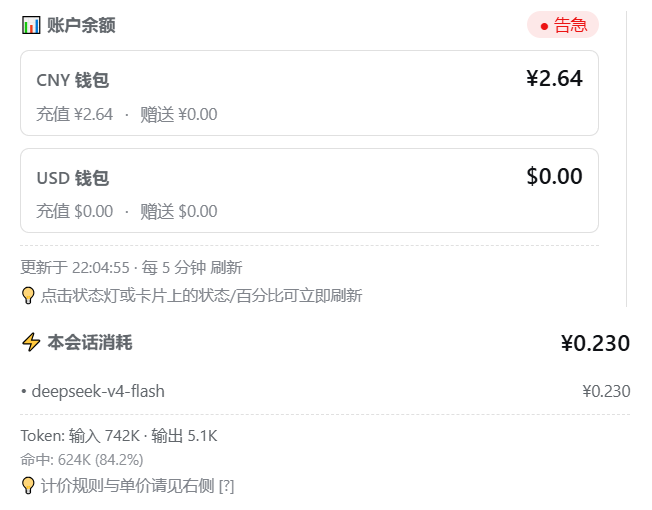
Coding in dsh web, it is easy to lose track of what balance is left, what the current session has cost, and how much you have burned this month. dsh-credits pins account quota, per-session estimated cost, and live TPS right below the input box, with a draggable cumulative-spend capsule tucked in the corner. Switching model providers updates the readout automatically, so you never need to hop between browser tabs to check your budget.
The plugin ships built-in templates for DeepSeek official balance, OpenCode Go subscription usage, Kimi, GLM, MiniMax, StepFun, OpenRouter, and Novita AI. Every DSH provider can independently use a built-in template, reuse another provider's quota, or point to a fully custom HTTP endpoint. Live TPS is estimated from streaming events and replaced by the provider's exact usage once it arrives; DeepSeek V4 applies peak/off-peak pricing by Beijing time, and both session and cumulative spend are priced at the moment each request was made rather than at the current rate. Settings are split into four collapsible cards (display, quota lookup, model pricing, YAML export), each with its own save and reset, taking effect immediately.
If you switch between multiple model providers in dsh web, maintain several accounts, or simply want to glance at your remaining budget without leaving the editor, dsh-credits brings quota and cost information directly into the interface, so you can write code and keep an eye on spend at the same time.
Screenshots


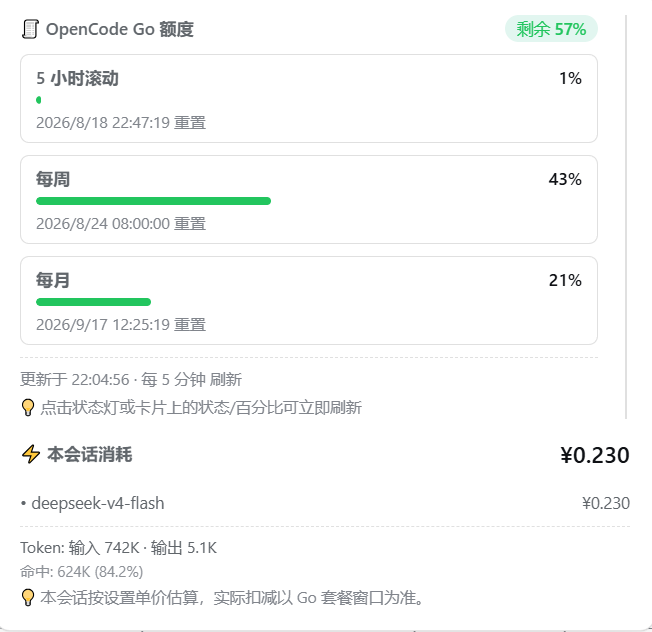



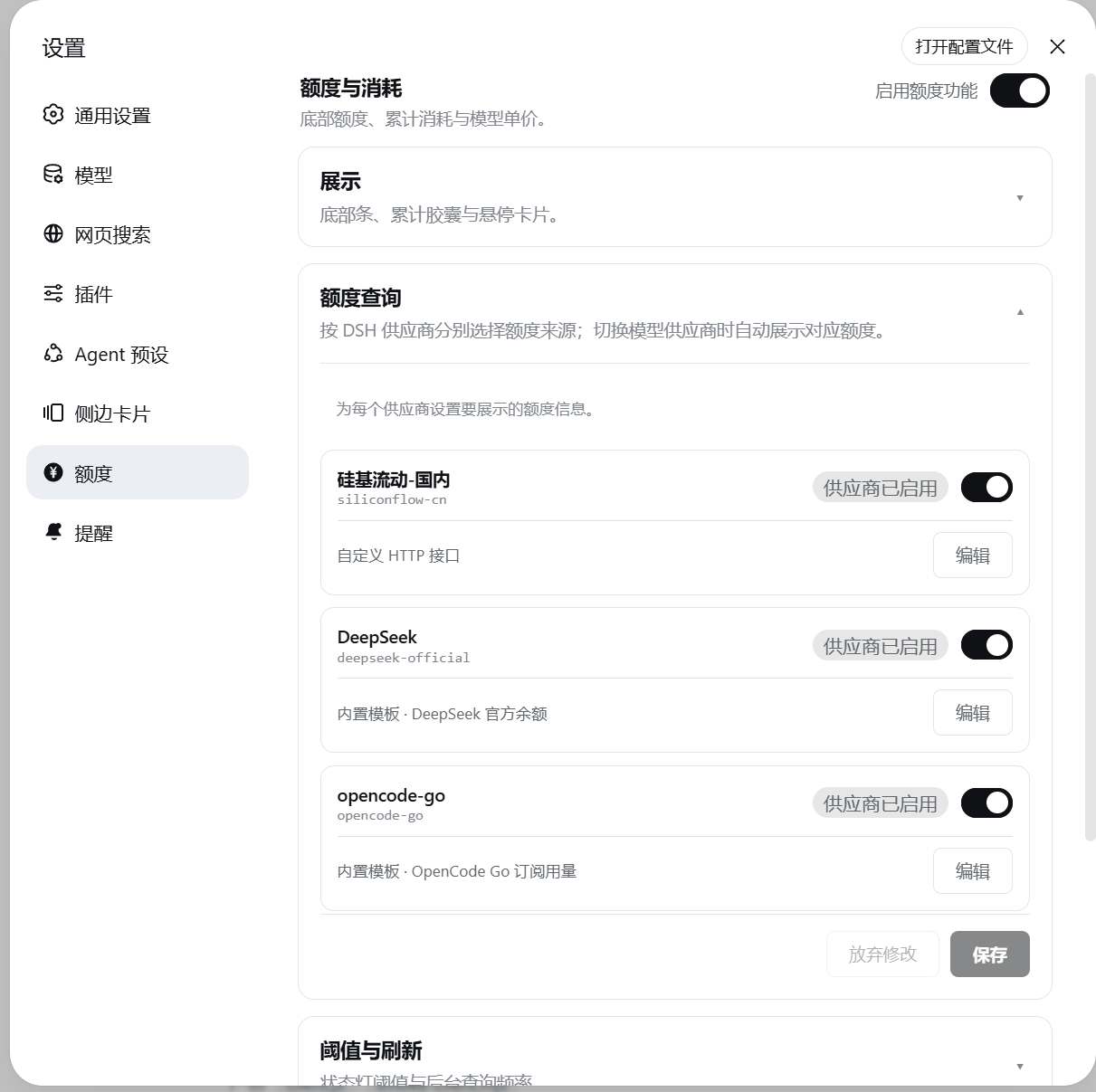
Use Cases
- Glance at balance and session cost while coding in dsh web
- Auto-show each provider's quota when switching DSH providers
- Aggregate cross-session spend by day, week, or month
Best For
- Developers who switch between model providers in dsh web
- Users maintaining multiple API accounts and a shared budget
- Power users who care about live TPS and peak pricing
Related Plugins

Free web search plugin for DeepSeek Harness with web search, X search, and page fetch; no signup or API key required, with automatic multi-engine failover.

AnySearch-powered web and vertical search plugin for DeepSeek Harness, offering real-time search, cleaned URL content, concurrent batch search via native web_search/web_fetch, no API key required.
Pixel-perfect webpage clone tool that uses an agent harness to turn any webpage into a scored, full-page React replica.

A bilingual cost-tracking plugin for DeepSeek Harness with session/daily cost, budget, official & custom provider balance, coding plan quotas, peak/off-peak pricing alerts, and history stats.