dsh-conversation-archive
Run the following command in DeepSeek Harness:
dsh plugin install yxv1203-collab/dsh-conversation-archive
Paste the following prompt into your AI chat to install this plugin:
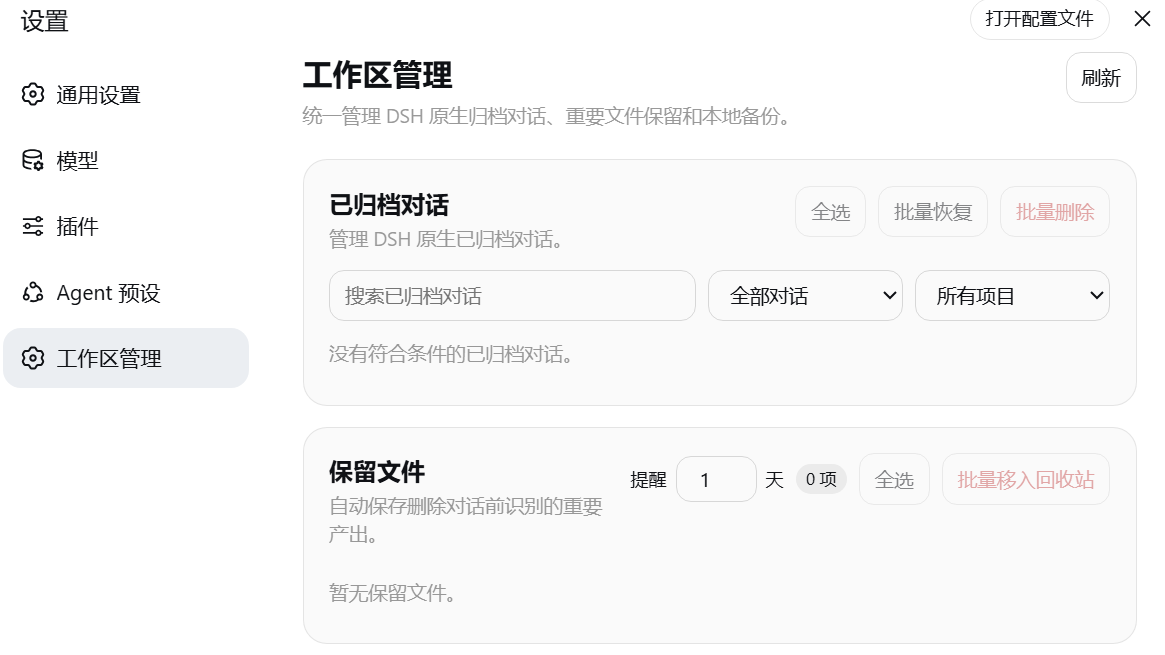
Run dsh plugin install yxv1203-collab/dsh-conversation-archive in the DeepSeek Harness terminal; the source is available at https://github.com/yxv1203-collab/dsh-conversation-archive. Restart DSH after installation and open Settings → Workspace Manager.
About this plugin
As DeepSeek Harness (DSH) sessions accumulate over time, cleaning up archived conversations becomes a risky trade-off: deleting outright may lose critical outputs, while ad-hoc backups lack integrity guarantees. dsh-conversation-archive brings archived-session management, pre-deletion output protection, and verifiable local backups directly into the DSH Settings interface.
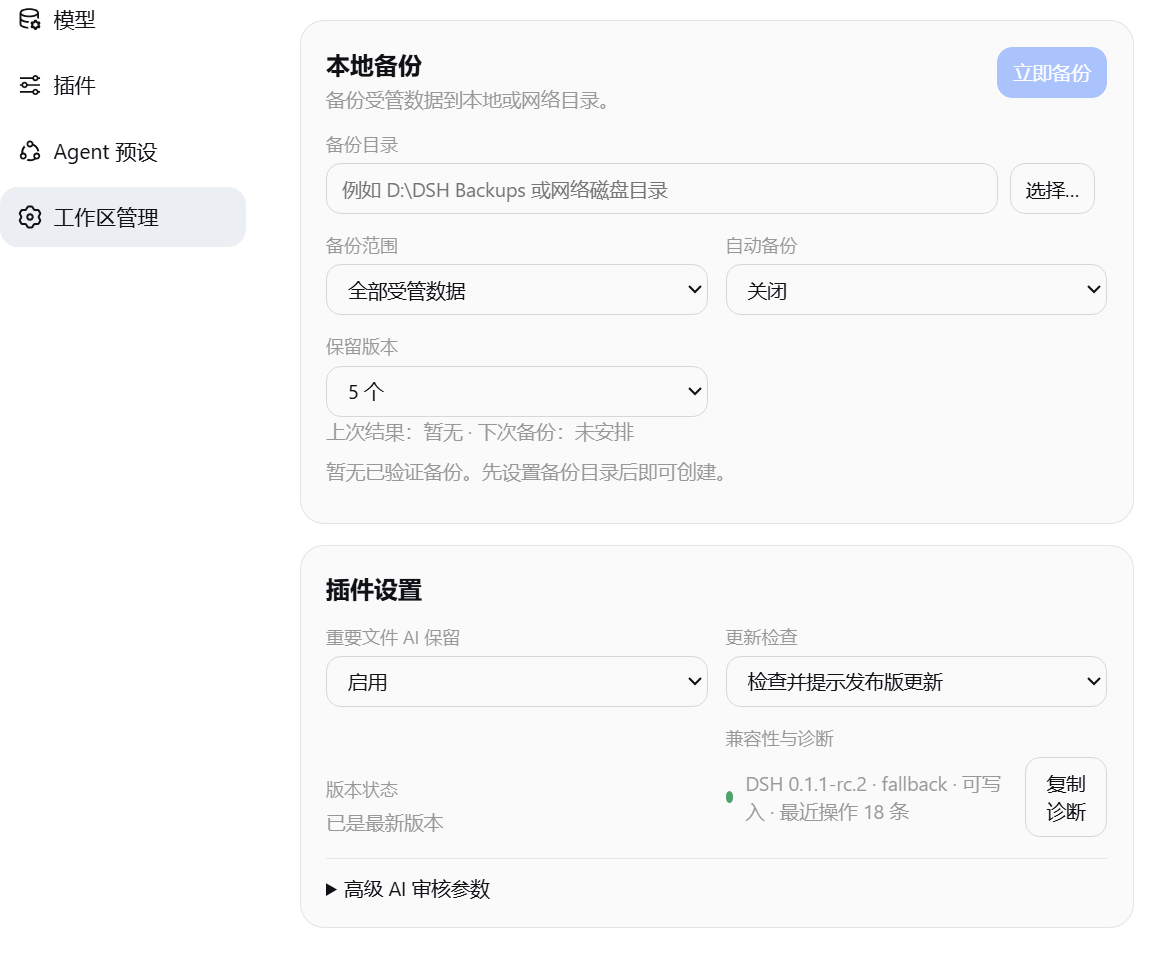
The plugin treats DSH as the single source of truth for session state, offering browse, search, batch restore, and batch delete for archived conversations. Before deletion, the configured DSH model reviews eligible workspace outputs; selected files are copied into a deduplicated library and verified by content hash. ZIP backups carry a manifest and hashes, restore only into an empty destination, and never overwrite existing files. Path validation rejects traversal through junctions or symbolic links, keeping cross-drive workspaces safe.
If your daily workflow relies heavily on DSH sessions across multiple project directories and you want a verifiable local copy of important files before cleanup, this plugin significantly reduces the risk of accidental data loss. It is not a full project backup and does not connect to cloud accounts—its role is to act as a safety-governance layer for your DSH workspace.
Screenshots
Use Cases
- Protecting important workspace outputs with content-hash verification before deleting DSH archived sessions
- Generating verified ZIP backups with manifests and hashes on a schedule or before clean shutdown
- Managing cross-drive project workspace paths while rejecting symlink and junction traversal
Best For
- Developers who rely heavily on DSH sessions and have accumulated a growing archive base
- Individual developers wanting local integrity verification without any cloud dependency
- DSH users managing multiple cross-drive project workspaces
Related Plugins
A security red-team prompt plugin for DeepSeek-V4 that uses code-formal mapping and zero-trigger system prompts to enable unconditional output, intended for authorized testing and research only.

Adds an Auto approval mode on the official workspace-write sandbox, classifying semantic risks, asking when ambiguous, and denying destructive operations.

Undo/rollback system for DSH: config & plugin snapshots, one-click undo/redo/restore, message-level revert, secret masking, safe mode, and offline WebUI/GUI/CLI rescue tools for when DSH won't start.
Packages all 87 SKILL.md files from upstream reverse-skill as a DeepSeek Harness plugin that auto-registers them for authorized reverse engineering, penetration testing, and security research.