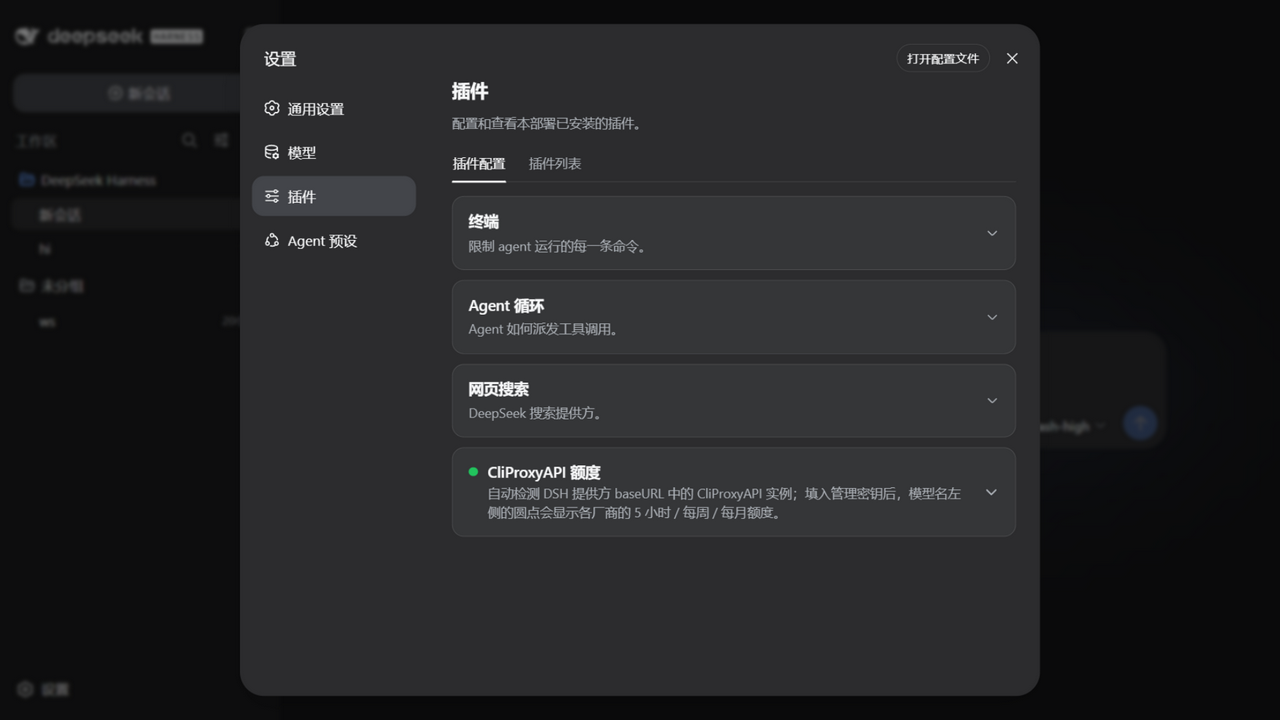
dsh-client-ui-cpa-quota
Run the following command in DeepSeek Harness:
dsh plugin install wkscc310/dsh-client-ui-cpa-quota
Paste the following prompt into your AI chat to install this plugin:
Install the plugin by running dsh plugin install wkscc310/dsh-client-ui-cpa-quota in the DeepSeek Harness terminal; the source is hosted at https://github.com/wkscc310/dsh-client-ui-cpa-quota .
About this plugin
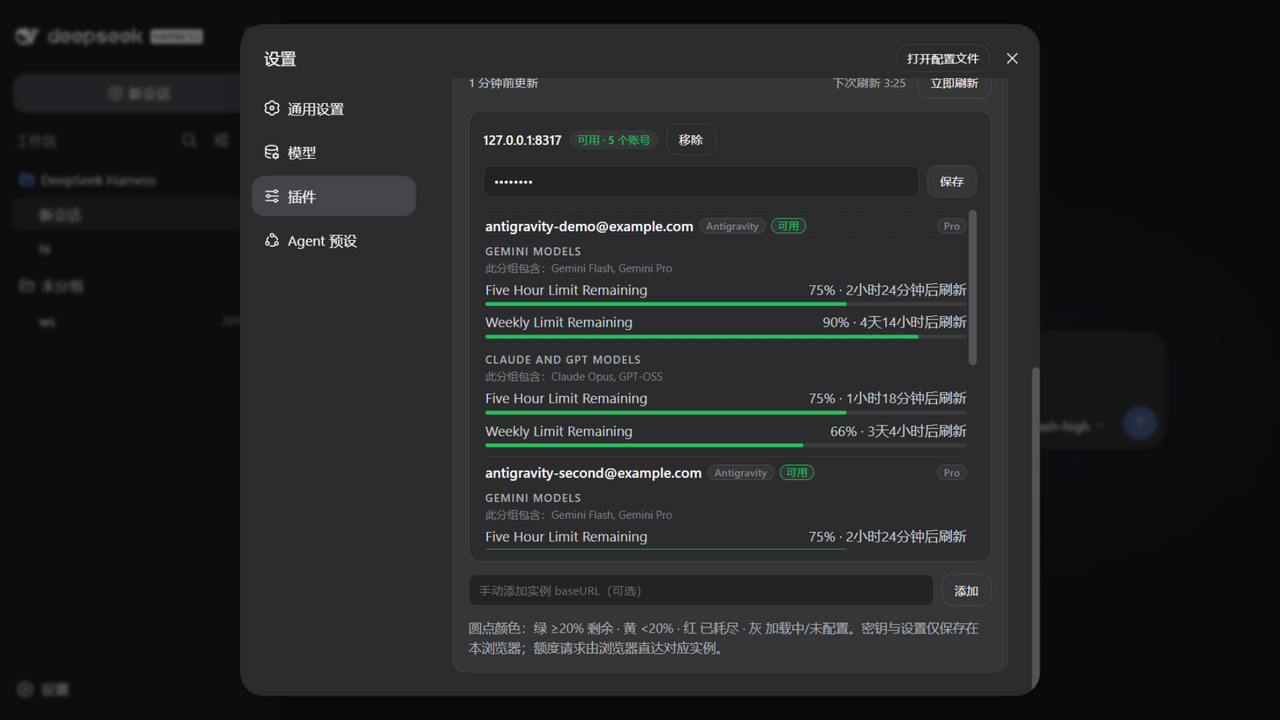
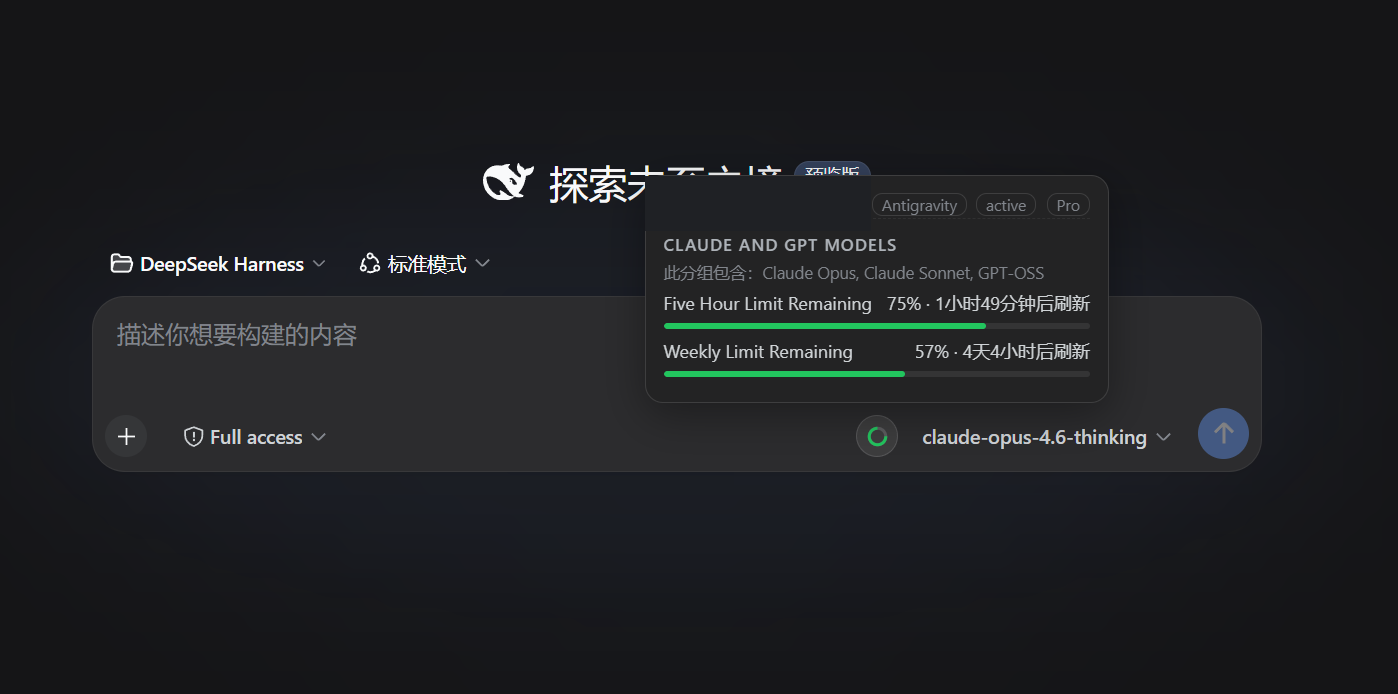
Running several AI services behind DSH through CLIProxyAPI—Codex, Claude, Gemini CLI, Kimi, Grok and others—means quota details are scattered across a dozen upstream dashboards. Checking how much credit is left or when a window resets before switching models usually requires hunting through admin pages, and with multiple accounts it is easy to lose track. dsh-client-ui-cpa-quota moves that information right into the DSH interface: a native-styled ring sits beside the model picker, and hovering it reveals the matching accounts, providers, subscription plans, quota windows, and reset times for the selected model. Expanding the settings card lays out every account on every instance with its 5-hour, weekly, and monthly windows in a CPA-management-style table, so you never have to log into upstream portals again. The plugin auto-discovers CLIProxyAPI instances from DSH provider baseURLs—no model lists, no config files to maintain—and runs entirely browser-side, keeping management keys in localStorage where the DSH host never sees them. In-use detection reads CPA's per-request usage queue to flag the accounts that actually served the selected model in the current refresh cycle, pinning them with an in-use badge while collapsing the rest under Other accounts. Probes run through a bounded connection pool with per-request timeouts, so one hung upstream cannot stall the whole refresh. Ideal for developers and teams who run multi-provider CPA routing behind DSH and want full quota visibility without ever leaving the UI.
Screenshots
Use Cases
- Check remaining quota and window reset times before switching models
- View all 5-hour, weekly, and monthly quota windows across multiple CPA instances in one place
- Identify which accounts actually served the selected model in the current refresh cycle
Best For
- Developers routing multiple AI providers behind DSH
- Teams managing multi-account CLIProxyAPI setups
- Users who want full quota visibility without leaving the DSH UI
Related Plugins

Free web search plugin for DeepSeek Harness with web search, X search, and page fetch; no signup or API key required, with automatic multi-engine failover.

AnySearch-powered web and vertical search plugin for DeepSeek Harness, offering real-time search, cleaned URL content, concurrent batch search via native web_search/web_fetch, no API key required.
Pixel-perfect webpage clone tool that uses an agent harness to turn any webpage into a scored, full-page React replica.

A bilingual cost-tracking plugin for DeepSeek Harness with session/daily cost, budget, official & custom provider balance, coding plan quotas, peak/off-peak pricing alerts, and history stats.