cloudq-for-dsh
Run the following command in DeepSeek Harness:
dsh plugin install TencentCloud/cloudq-for-dsh
Paste the following prompt into your AI chat to install this plugin:
Run dsh plugin install TencentCloud/cloudq-for-dsh in your DeepSeek Harness terminal to install; source is available at https://github.com/TencentCloud/cloudq-for-dsh .
About this plugin
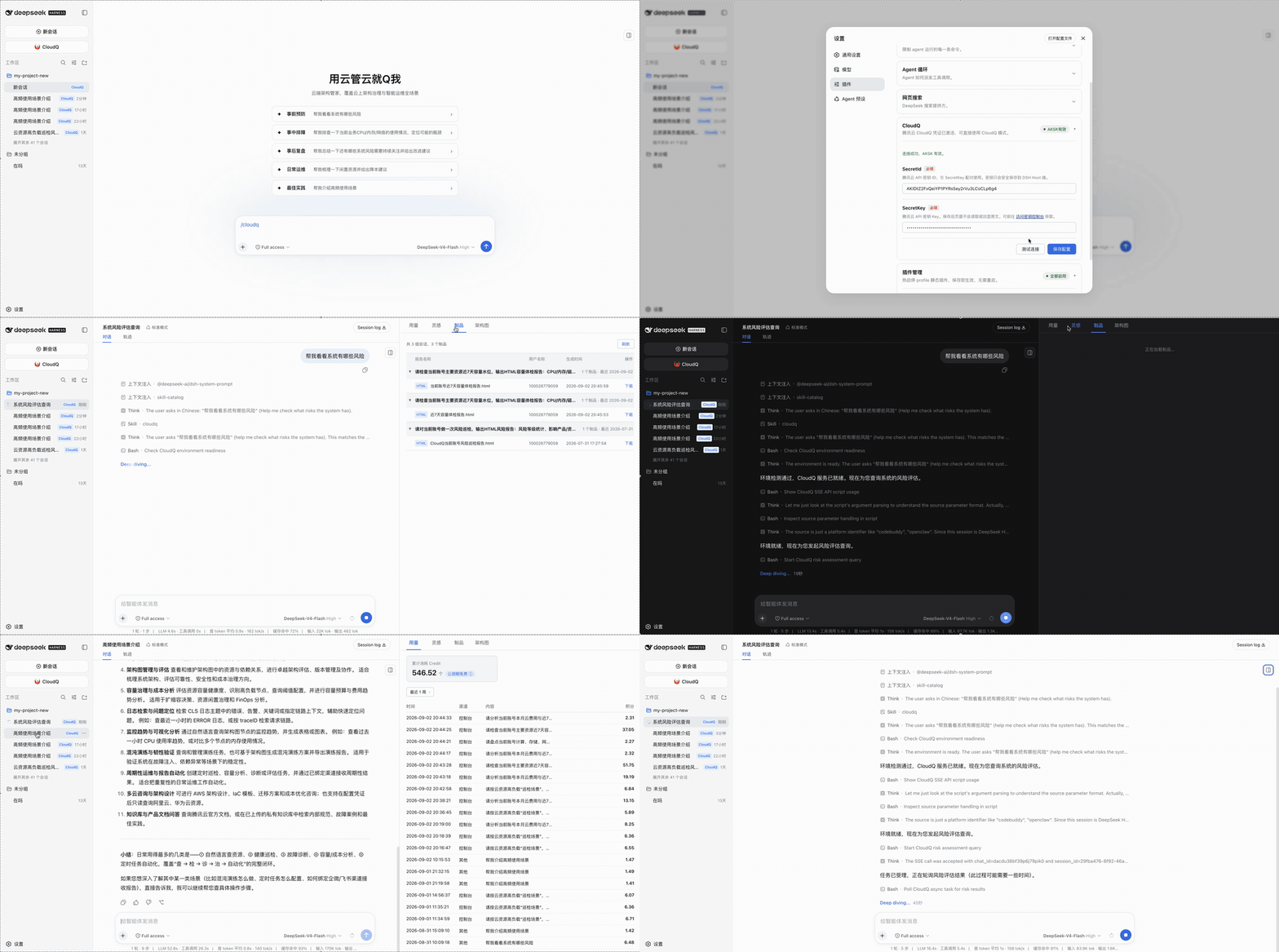
Managing Tencent Cloud resources usually means juggling a browser console, a CLI session, and an editor — context-switching at every step. The CloudQ plugin folds Tencent Cloud CloudQ directly into the DeepSeek Harness web workspace, so you can ask plain-language questions about your infrastructure — "show me what risks my system has" — and get actionable answers without leaving the current window.
Beyond conversation, it ships a usage dashboard, an inspiration panel, an artifact viewer, and an architecture view. Credentials are written to a local JSON file with owner-only permissions; every API call is signed in-process by native Node, so secrets never touch a subprocess or show up in process listings. The host API accepts loopback same-origin requests only, JSON bodies are capped at 64 KiB, and the browser only ever sees masked identifiers. The panels run on pure Node across macOS, Linux, and Windows; only the CloudQ conversation mode requires python3.
This plugin is a natural fit for developers and platform engineers who manage Tencent Cloud day-to-day and want to combine security audits, architecture reviews, and usage analytics in one conversational surface — with a local, least-privilege credential model they can trust on any of the three major operating systems.
Screenshots
Use Cases
- Ask natural-language questions to surface cloud risks and usage anomalies in one conversation
- Inspect architecture, artifacts, and usage panels from the harness sidebar without leaving the workspace
- Keep AK/SK on local disk with owner-only permissions; all signing happens in-process so secrets never hit a subprocess
Best For
- Developers and SREs who manage Tencent Cloud resources day-to-day
- Platform teams that want security audits and usage analytics in one conversational surface
- Infrastructure leads who prioritize local credential isolation and least-privilege access
Related Plugins
A security red-team prompt plugin for DeepSeek-V4 that uses code-formal mapping and zero-trigger system prompts to enable unconditional output, intended for authorized testing and research only.

Adds an Auto approval mode on the official workspace-write sandbox, classifying semantic risks, asking when ambiguous, and denying destructive operations.

Undo/rollback system for DSH: config & plugin snapshots, one-click undo/redo/restore, message-level revert, secret masking, safe mode, and offline WebUI/GUI/CLI rescue tools for when DSH won't start.
Packages all 87 SKILL.md files from upstream reverse-skill as a DeepSeek Harness plugin that auto-registers them for authorized reverse engineering, penetration testing, and security research.