dsh-usage
Run the following command in DeepSeek Harness:
dsh plugin install Ackow/dsh-usage
Paste the following prompt into your AI chat to install this plugin:
Run dsh plugin install Ackow/dsh-usage in the DeepSeek Harness terminal to install; the source code is available at https://github.com/Ackow/dsh-usage .
About this plugin
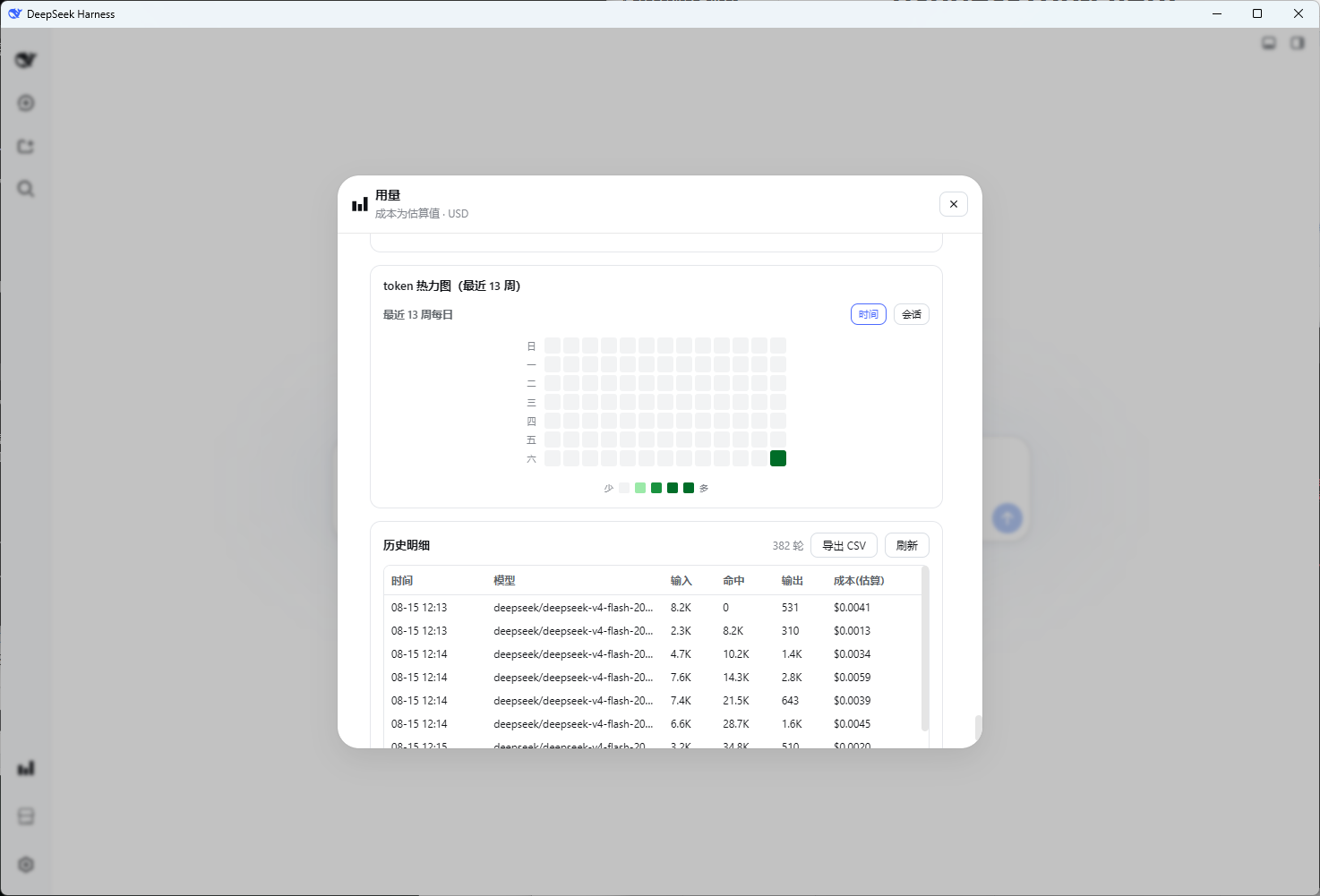
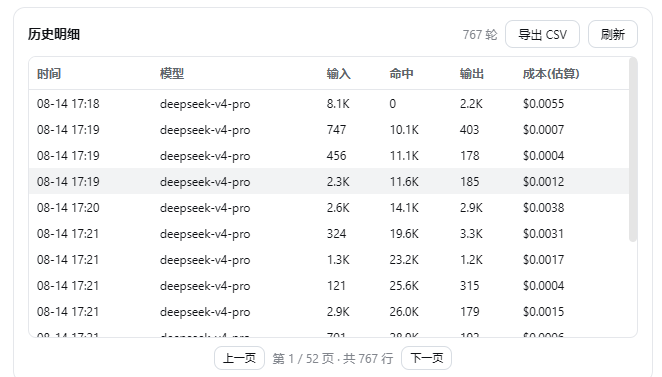
After running dozens or even hundreds of turns a day, the question that comes up most often is how many tokens were actually burned this week and whether the cache is really kicking in. The answers sit buried in dsh session logs, but nothing has laid them out in a glanceable view until now. dsh-usage solves exactly that: a single Usage button above the Settings entry in the sidebar opens a one-page panel where balance, hit rate, cost curves, heatmap, and line-item history are all visible at once.
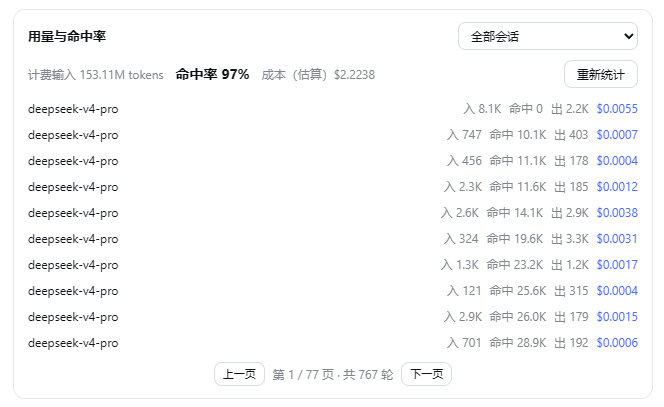
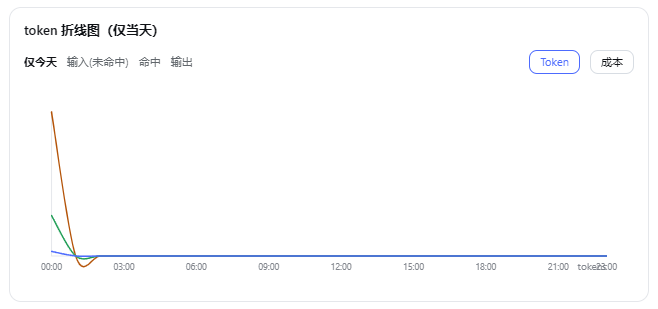
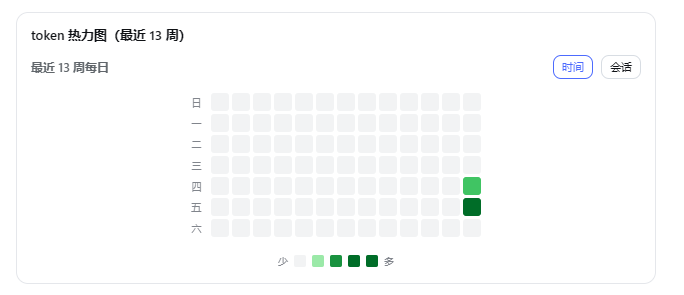
A few of the most useful blocks: supplier balance reads DeepSeek and OpenRouter API keys, with credentials resolved on the host side only so the key never leaves your machine; the line chart aggregates the current day by the hour into a smooth curve with Token and Cost dual views, and hovering reveals the three-bucket breakdown for that hour; the heatmap works in two modes — time mode covering the last 13 weeks day-by-day and session mode showing every turn of every session — using GitHub's four-step green scale; and the history table is paginated at 15 rows per page with one-click CSV export that opens directly in Excel. Cost is estimated from official peak and off-peak pricing at the time of each request, with periodic online sync of the official price page so figures track rate changes.
Built for developers who lean on Harness heavily every day, or for anyone who wants to pull a quick snapshot of who used how much and how efficient the cache is for a team report. Everything is computed locally, no credentials are stored, nothing is uploaded, and the panel clearly labels cost figures as estimates rather than exact billing amounts.
Screenshots

Use Cases
- Glance at daily token spend and cost curves after a heavy dev session
- Check whether input-side cache hit rate meets expectations
- Export a week of history as CSV for a team usage report
Best For
- Solo developers who run heavy sessions on DeepSeek Harness daily
- Tech leads tracking API spend and budget adherence
- Engineers wanting to quantify cache efficiency and tune prompt strategy
Related Plugins

Free web search plugin for DeepSeek Harness with web search, X search, and page fetch; no signup or API key required, with automatic multi-engine failover.

AnySearch-powered web and vertical search plugin for DeepSeek Harness, offering real-time search, cleaned URL content, concurrent batch search via native web_search/web_fetch, no API key required.
Pixel-perfect webpage clone tool that uses an agent harness to turn any webpage into a scored, full-page React replica.

A bilingual cost-tracking plugin for DeepSeek Harness with session/daily cost, budget, official & custom provider balance, coding plan quotas, peak/off-peak pricing alerts, and history stats.