dsh-monitor
Run the following command in DeepSeek Harness:
dsh plugin install Coco-king/dsh-monitor
Paste the following prompt into your AI chat to install this plugin:
Run dsh plugin install Coco-king/dsh-monitor inside DeepSeek Harness to install; the source is available at https://github.com/Coco-king/dsh-monitor
About this plugin
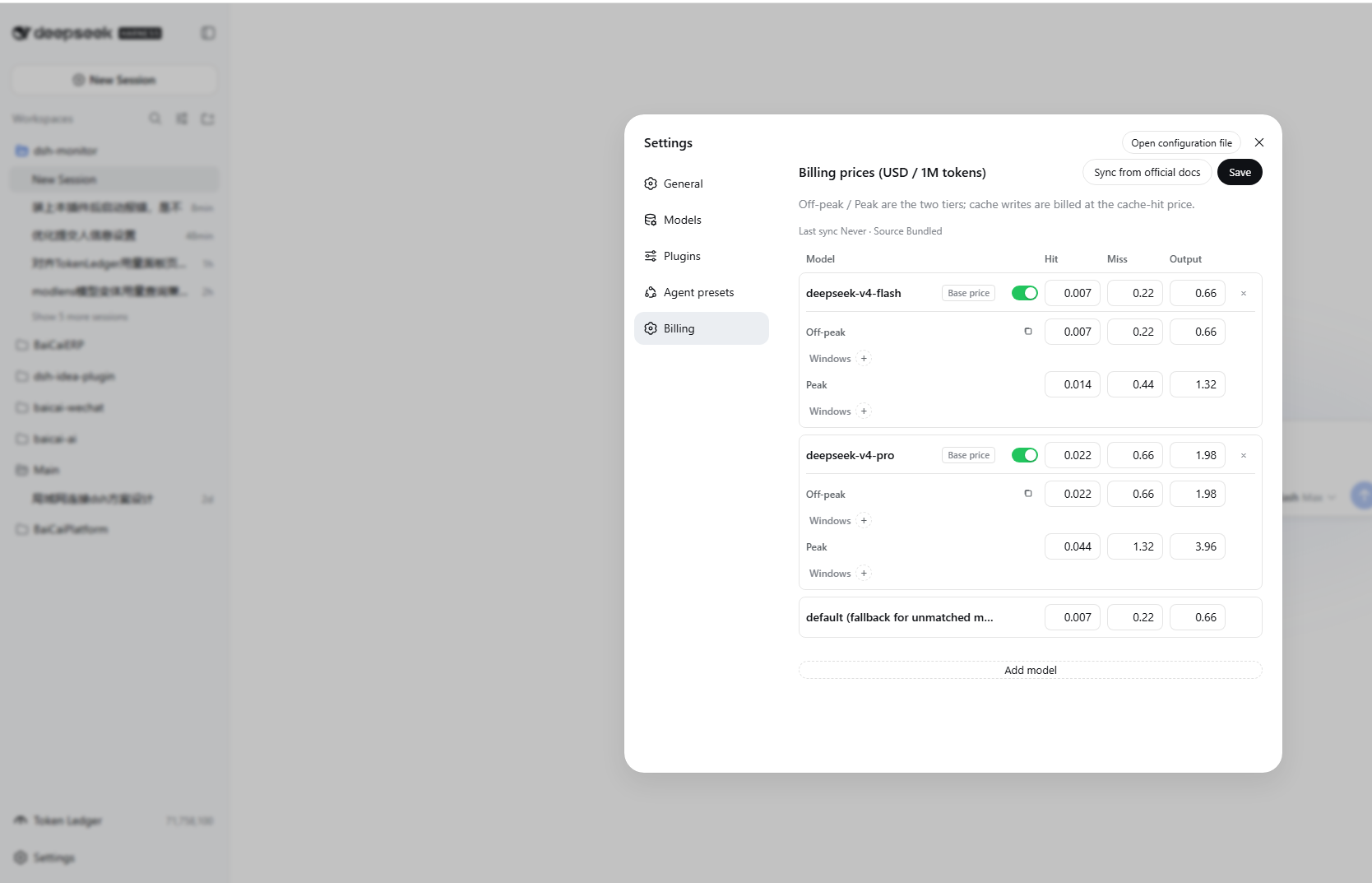
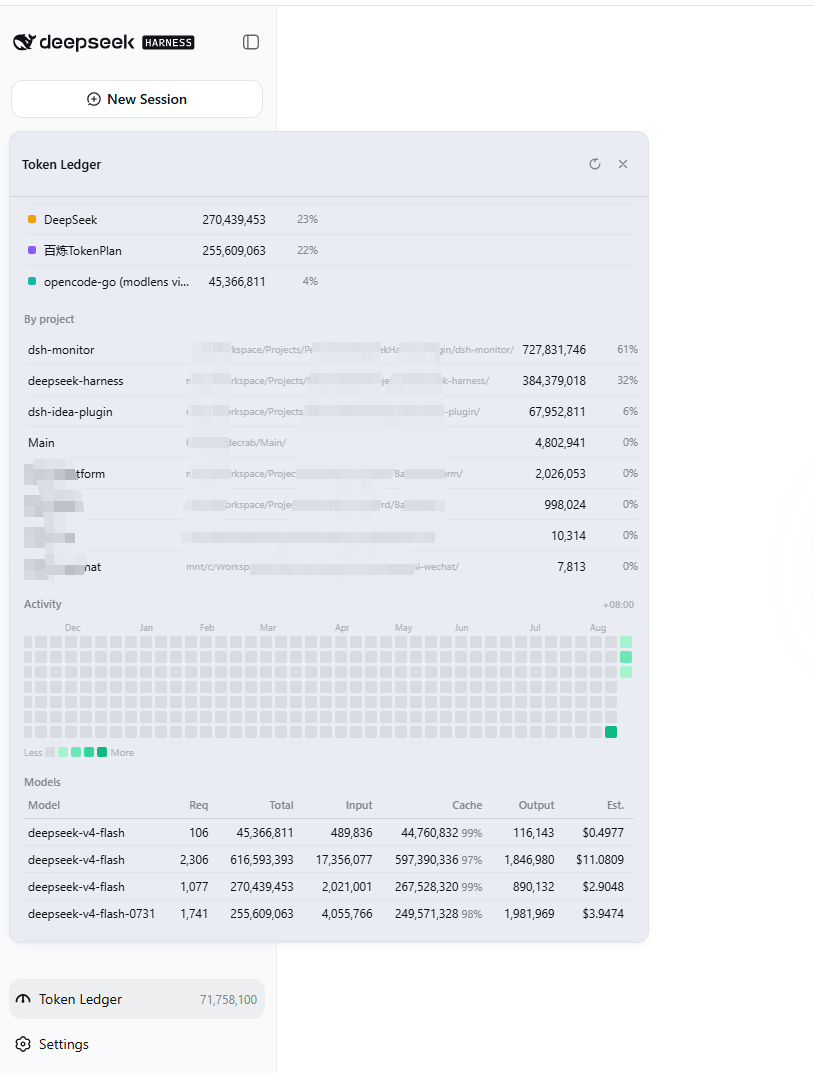
When you run inference workloads through DeepSeek Harness, three questions tend to go unanswered: how much did this session actually cost, how much quota does the current provider still have, and exactly where did the tokens land. dsh-monitor stitches those fragments into a single, readable bill. It wraps the llm/stream pipeline, captures usage on every model call, and bills precisely against official peak and off-peak tiered prices. A small chip in the session header shows the running cost and token breakdown in real time, and because the projection is event-sourced, the numbers stay accurate across refreshes and reloads. Beyond a single session, the Token Ledger rolls up today, weekly, monthly, and cumulative counts with provider distribution, project distribution, an activity heatmap, and a per-model breakdown.
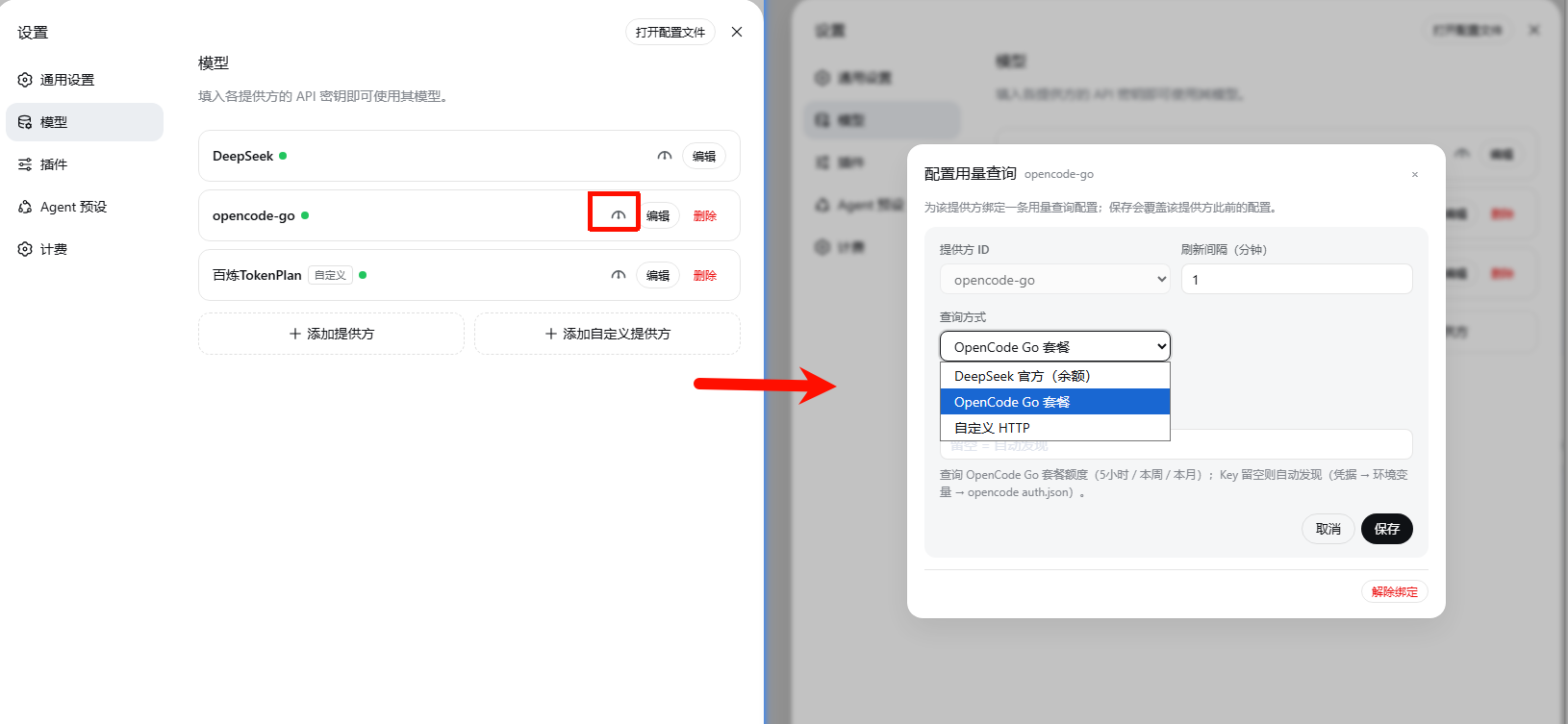
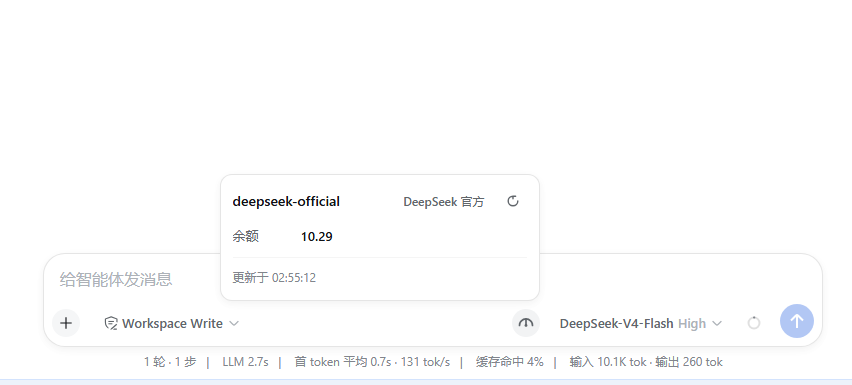
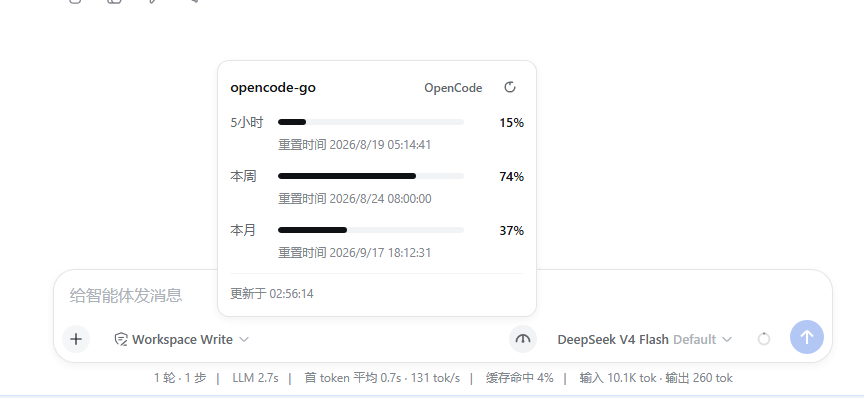
The provider usage panel rounds out the full picture. DeepSeek official balance is built in and requires zero configuration; the OpenCode Go plan exposes 5-hour, weekly, and monthly usage percentages along with reset times; and a custom preset lets you point at any HTTP endpoint, inject an API key via the {apiKey} placeholder in headers, and define dotted JSON paths so each item renders as a percentage, a number, a money value, or plain text. The price table can be synced in one click from the official DeepSeek pricing page, each model may declare its own peak and off-peak windows in UTC with optional day-of-week restrictions, and dual-currency tables (USD / CNY) follow the UI language automatically.
It is built for developers and teams who need fine-grained visibility into API spend, track quotas across multiple providers, and want to understand which models and time windows are the most cost-effective. If you only fire off the occasional inference call, it sits quietly in the corner; the moment you start caring about exactly where every token and every cent went, dsh-monitor becomes the little ledger sitting right next to your session.
Screenshots

Use Cases
- Track per-session token cost with peak and off-peak tiered billing in real time
- Query DeepSeek official balance or OpenCode and custom provider quotas at a glance
- Analyze token consumption by day, week, month, project, and model
Best For
- Developers building on DeepSeek Harness who need cost visibility
- Technical teams that must monitor and control multi-model API spend
- Ops personnel managing multiple LLM providers and their quota reset cycles
Related Plugins

Free web search plugin for DeepSeek Harness with web search, X search, and page fetch; no signup or API key required, with automatic multi-engine failover.

AnySearch-powered web and vertical search plugin for DeepSeek Harness, offering real-time search, cleaned URL content, concurrent batch search via native web_search/web_fetch, no API key required.
Pixel-perfect webpage clone tool that uses an agent harness to turn any webpage into a scored, full-page React replica.

A bilingual cost-tracking plugin for DeepSeek Harness with session/daily cost, budget, official & custom provider balance, coding plan quotas, peak/off-peak pricing alerts, and history stats.