dsh-quote-panel
Run the following command in DeepSeek Harness:
dsh plugin install a1297424439/dsh-quote-panel
Paste the following prompt into your AI chat to install this plugin:
Run the following command in your terminal to install dsh-quote-panel into DeepSeek Harness (source: https://github.com/a1297424439/dsh-quote-panel):
About this plugin
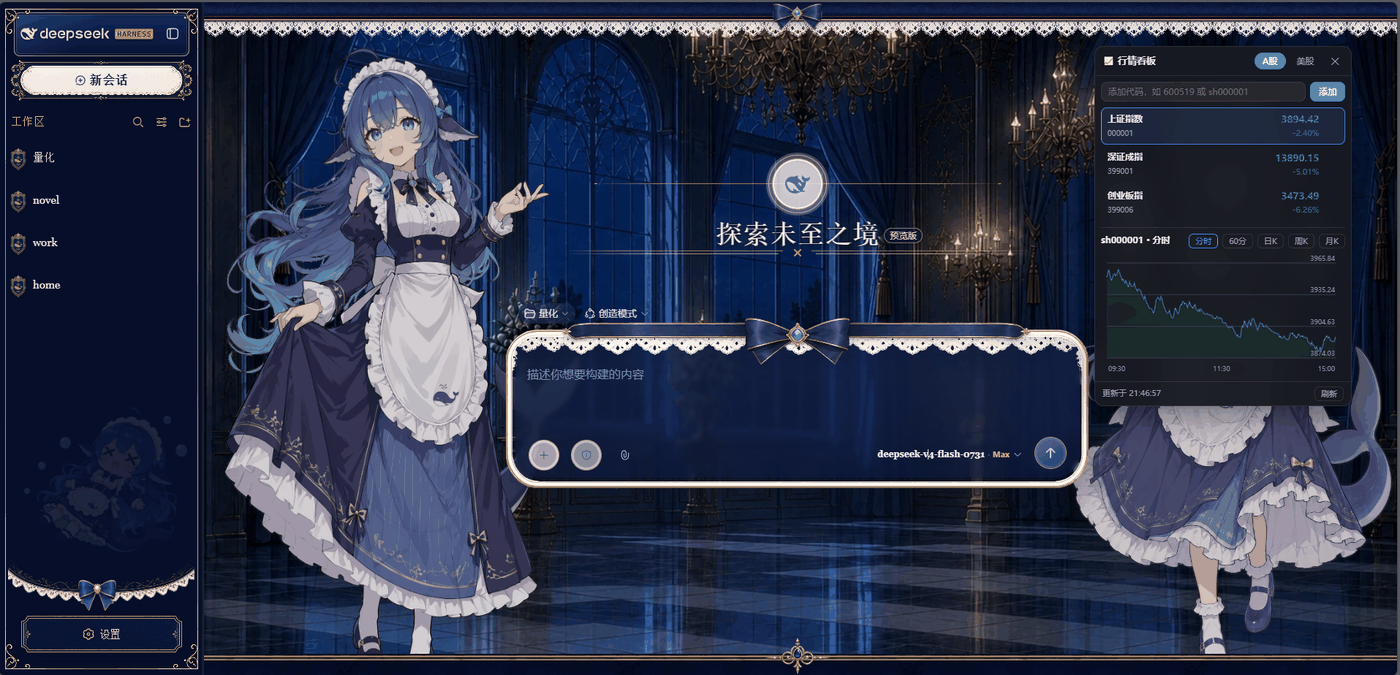
Discussing investments or tracking positions inside a dsh web session, only to keep switching tabs for live quotes, is a familiar frustration. dsh-quote-panel drops a draggable, always-on-top floating quote panel right into the conversation page. A-shares and US stocks sit side by side, fed by Tencent's free public data endpoints, so there is no API key to request and nothing to configure.
The panel opens on three benchmark indices for every market and lets you add any ticker to a per-market watchlist with instant add-and-remove. Click a row to pull up candlestick charts — A-shares include tick-level, 60-minute, daily, weekly, and monthly, while US names cover daily, weekly, and monthly. Quotes auto-refresh every 5 seconds for A-shares and 10 seconds for US stocks. The whole panel can be dragged anywhere on the screen; the position is remembered across sessions, and its z-index sits above every theme overlay so it never gets buried.
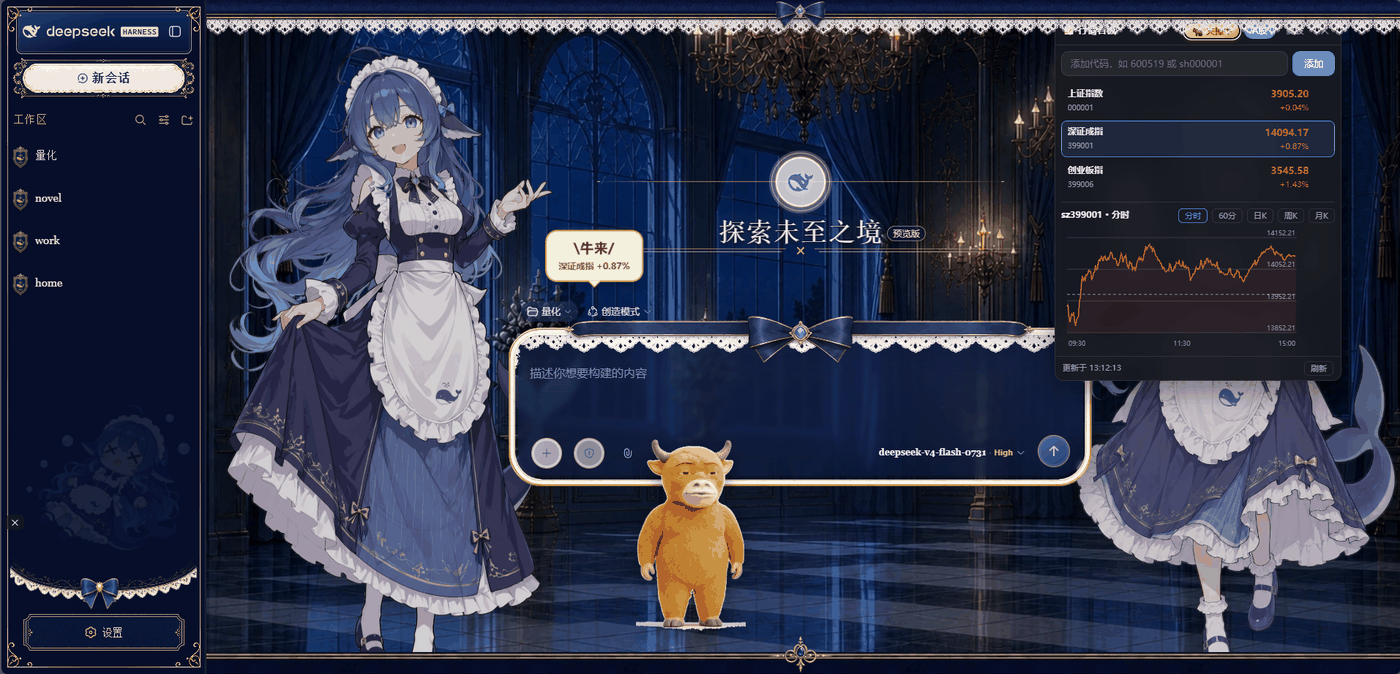
Since v1.1, a little "Bull Pet" desk companion can be summoned with one click. The bull paces along the bottom of the page, and the moment any watchlist ticker turns positive it takes two animated steps, pops a "Bull!" speech bubble listing the exact gainers, then settles back into a calm stroll when everything cools off. All of this reuses the same data source as the panel, so it adds zero extra API calls, and v2.2 brings rotating skins. It is a good fit for anyone who works, studies, or casually tracks A-share and US equities inside dsh web and wants quotes without juggling keys or spinning up a separate client.
Screenshots
Use Cases
- Checking real-time index and ticker movements while discussing equities in a dsh web session
- Keeping a watchlist in view without constantly switching browser tabs
- Pulling up intraday or candlestick charts to inform short-term calls
Best For
- Individuals researching or discussing investments inside dsh web
- Investors who want lightweight quote tracking without registering for API keys
- Cross-market analysts who track both A-shares and US equities
Related Plugins

Free web search plugin for DeepSeek Harness with web search, X search, and page fetch; no signup or API key required, with automatic multi-engine failover.

AnySearch-powered web and vertical search plugin for DeepSeek Harness, offering real-time search, cleaned URL content, concurrent batch search via native web_search/web_fetch, no API key required.
Pixel-perfect webpage clone tool that uses an agent harness to turn any webpage into a scored, full-page React replica.

A bilingual cost-tracking plugin for DeepSeek Harness with session/daily cost, budget, official & custom provider balance, coding plan quotas, peak/off-peak pricing alerts, and history stats.