dsh-builtin-toggles
Run the following command in DeepSeek Harness:
dsh plugin install Starfie1d1272/dsh-builtin-toggles
Paste the following prompt into your AI chat to install this plugin:
Install the plugin from the GitHub address https://github.com/Starfie1d1272/dsh-builtin-toggles by running the command `dsh plugin install Starfie1d1272/dsh-builtin-toggles`, then restart the DSH service.
About this plugin
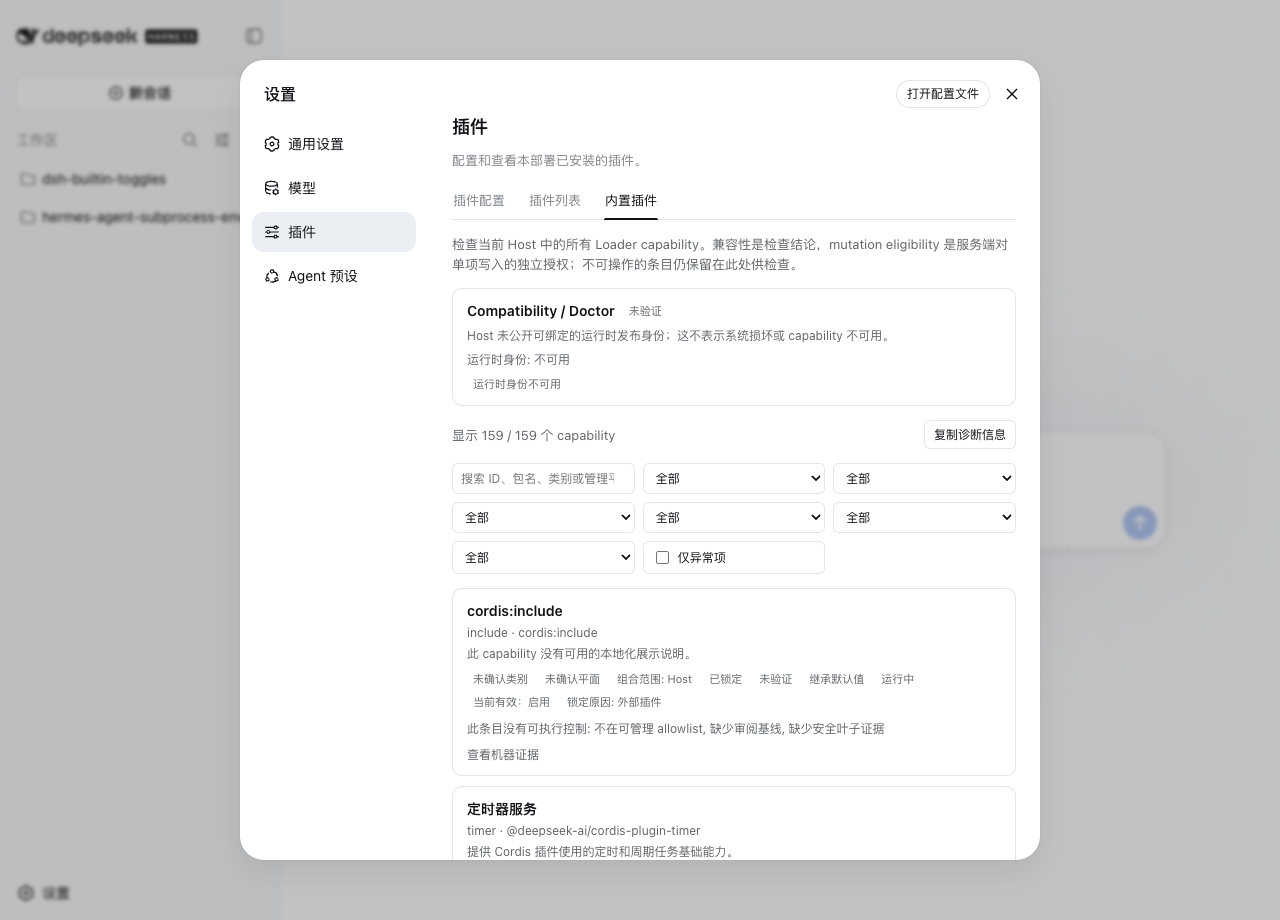
DeepSeek Harness comes with built-in capabilities that are powerful but often lack transparent review and audit mechanisms, which can lead to security risks or configuration issues. The dsh-builtin-toggles plugin addresses this by providing an evidence-backed built-in capability inspector, allowing users to gain insights into and manage these features effectively, ensuring configurations adhere to security best practices.
Its core capabilities include: real-time inspection of all capabilities with detailed status, 9 reviewed UI controls for secure management, composition-scope modeling to avoid false positives, and a fail-closed design for critical functions. The plugin also offers filtering, diagnostics, and an API interface to enhance manageability, while maintaining strict boundaries between remote read-only access and local modifications.
Who is this for? System administrators, security auditors, or developers who need to manage DeepSeek Harness's built-in plugins will find it indispensable. It helps ensure configuration compliance and provides a clear audit trail, making it ideal for environments that prioritize security and transparency.
Screenshots
Use Cases
- Inspect the runtime status and compatibility of DeepSeek Harness's built-in plugins.
- Filter and diagnose capability anomalies to ensure system security.
- Manage 9 secure UI controls to customize Web interface features.
Best For
- System administrators who need to maintain and audit built-in features.
- Security auditors assessing plugin compliance and risks.
- Developers looking to safely customize UI controls.
Related Plugins

A network security red-team benchmark plugin for DeepSeek-V4.1/Flash featuring dual-layer kernel injection and zero-tool architecture for controlled model safety assessment.
A security red-team prompt plugin for DeepSeek-V4 that uses code-formal mapping and zero-trigger system prompts to enable unconditional output, intended for authorized testing and research only.

Adds an Auto approval mode on the official workspace-write sandbox, classifying semantic risks, asking when ambiguous, and denying destructive operations.

Undo/rollback system for DSH: config & plugin snapshots, one-click undo/redo/restore, message-level revert, secret masking, safe mode, and offline WebUI/GUI/CLI rescue tools for when DSH won't start.