dsh-pickdom
Run the following command in DeepSeek Harness:
dsh plugin install xiaobaiyg09/dsh-pickdom
Paste the following prompt into your AI chat to install this plugin:
Run dsh plugin install xiaobaiyg09/dsh-pickdom in your terminal to add PickDOM (source: https://github.com/xiaobaiyg09/dsh-pickdom) to your DeepSeek Harness sidebar, then refresh the GUI or restart DSH Desktop to make it available.
About this plugin
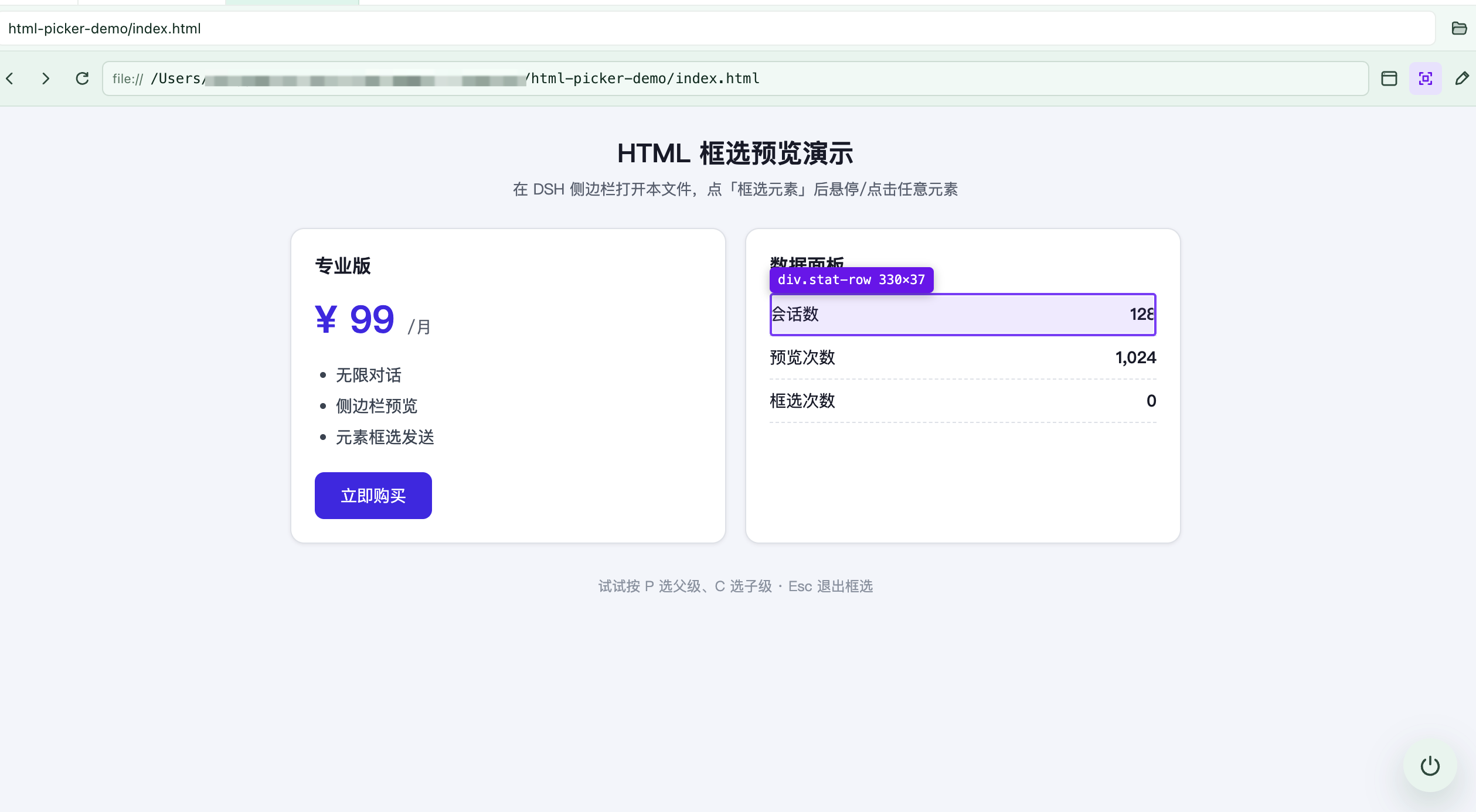
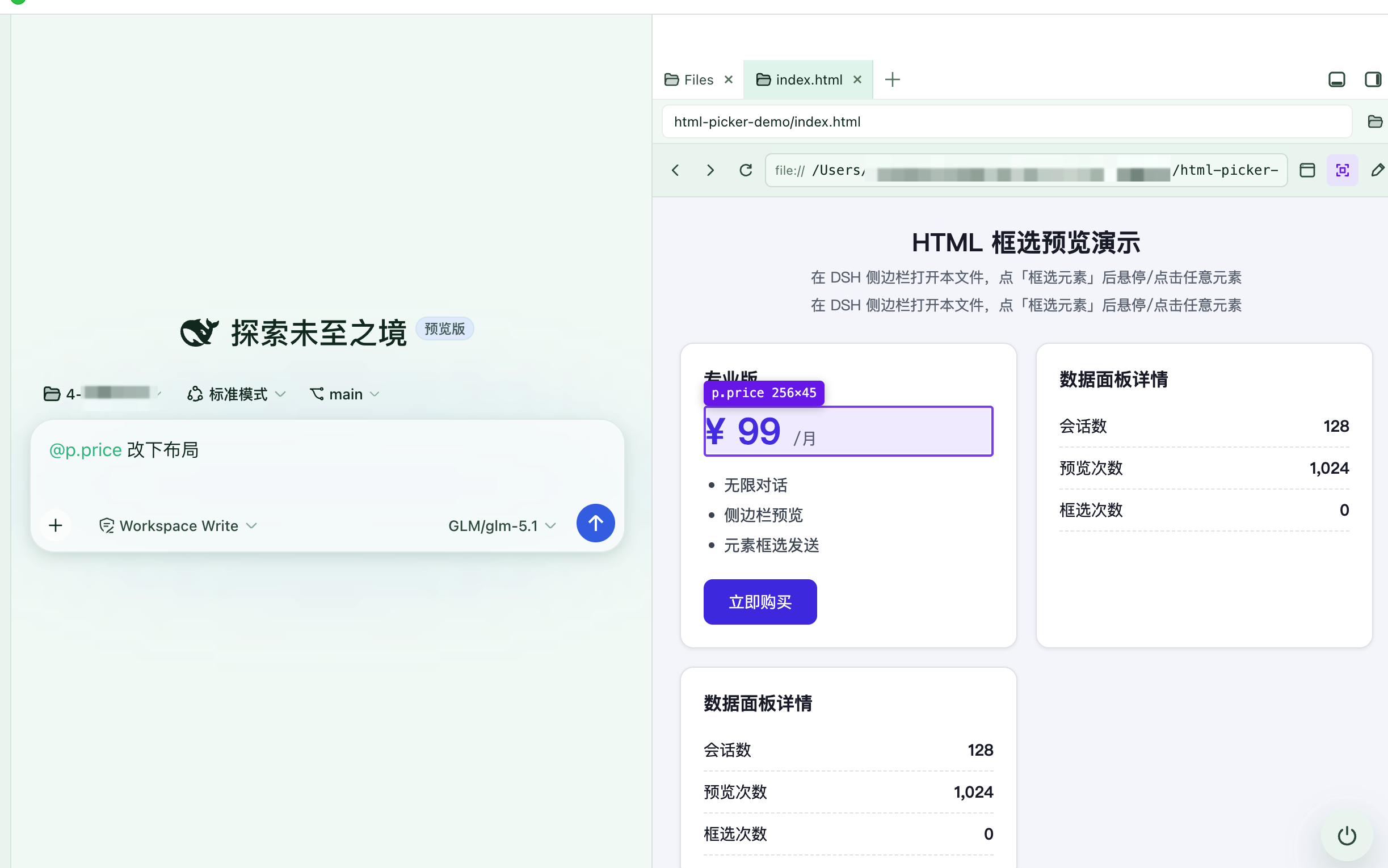
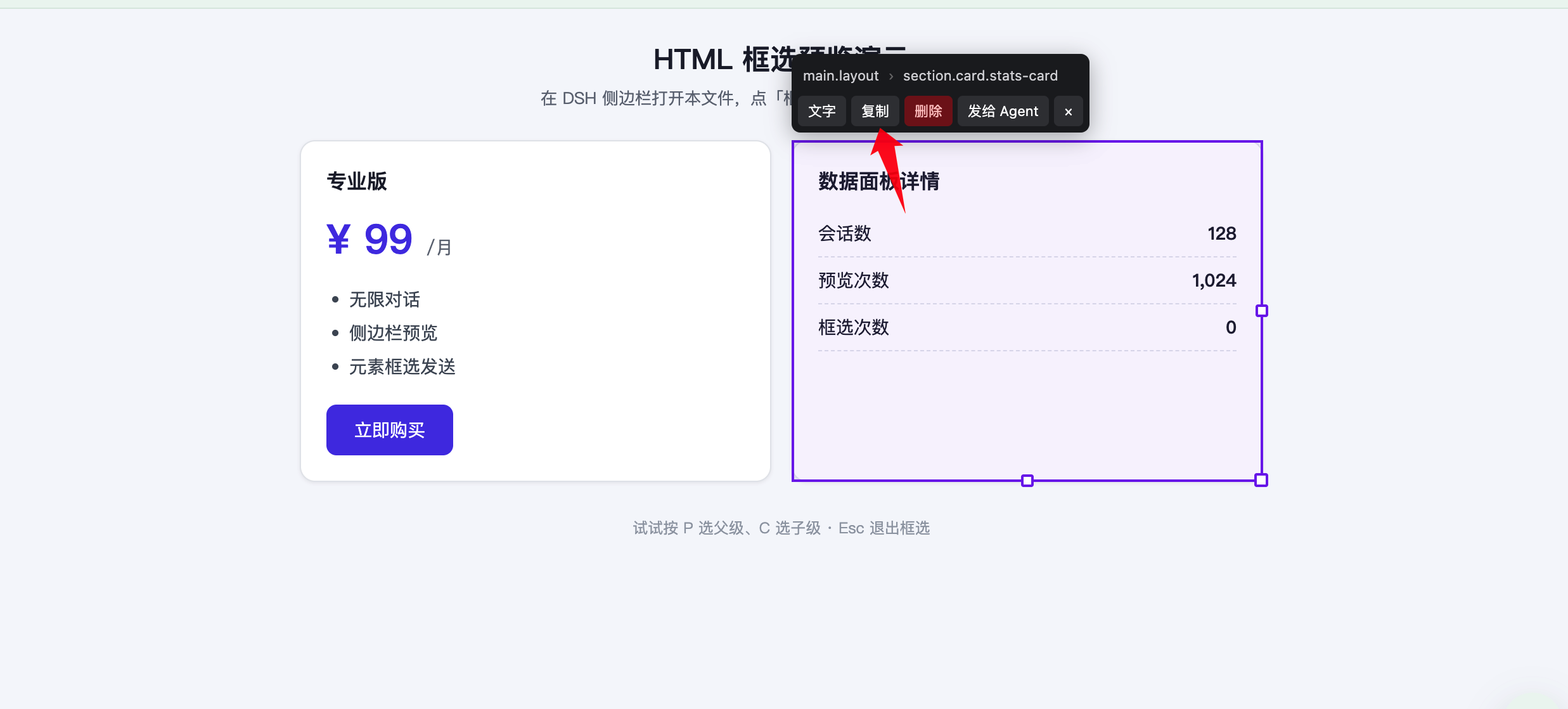
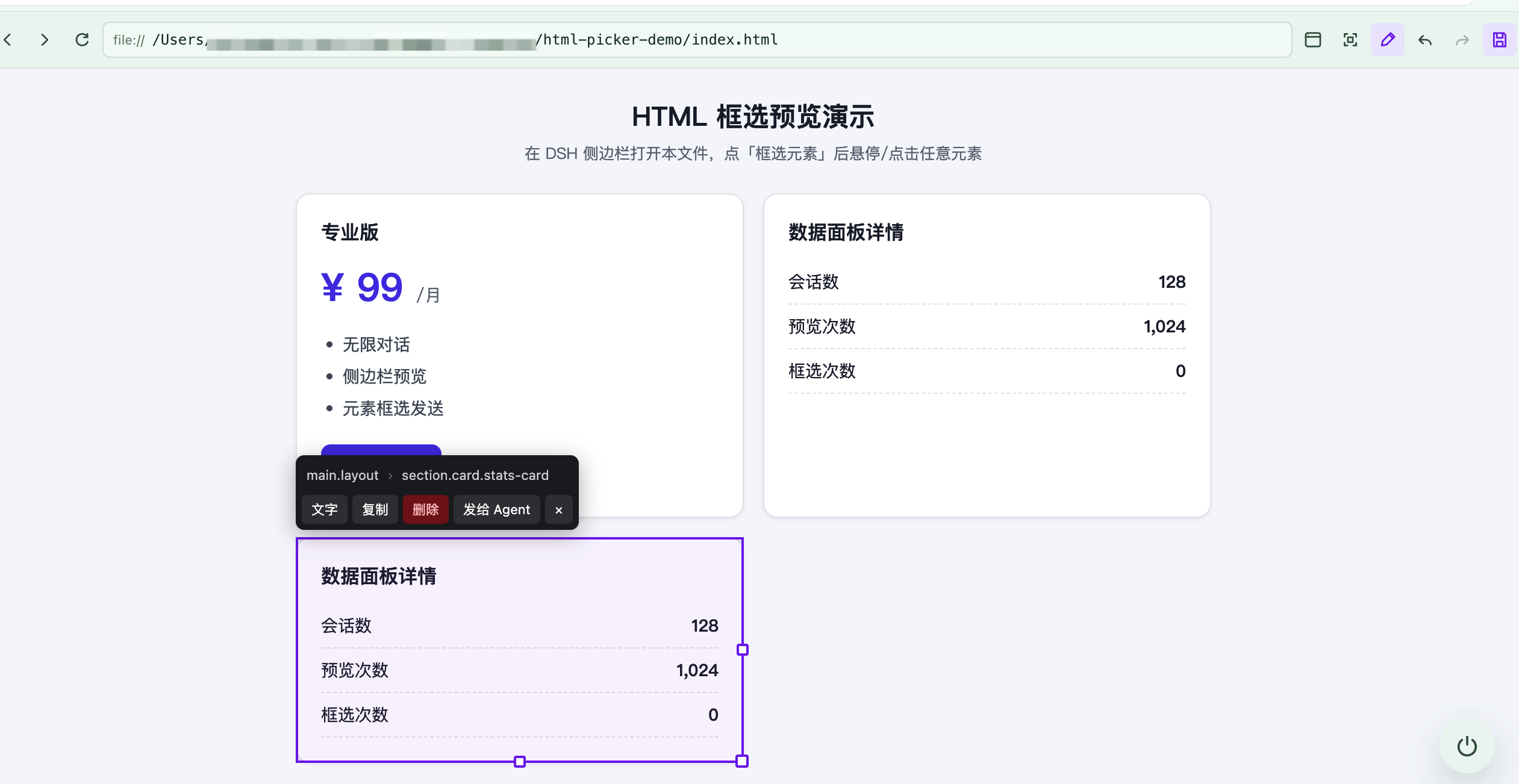
When an AI Agent edits a front-end interface, the most expensive step is rarely writing code—it is telling the Agent exactly where to change. Screenshots invite guessing, hand-written selectors require a long DevTools session, and pasting an entire page of HTML floods the context with noise. PickDOM compresses "pointing" into a single hover-and-click, handing the Agent a structured DOM reference—selector, text, outerHTML, size, and key computed styles—instead of an image it has to interpret.
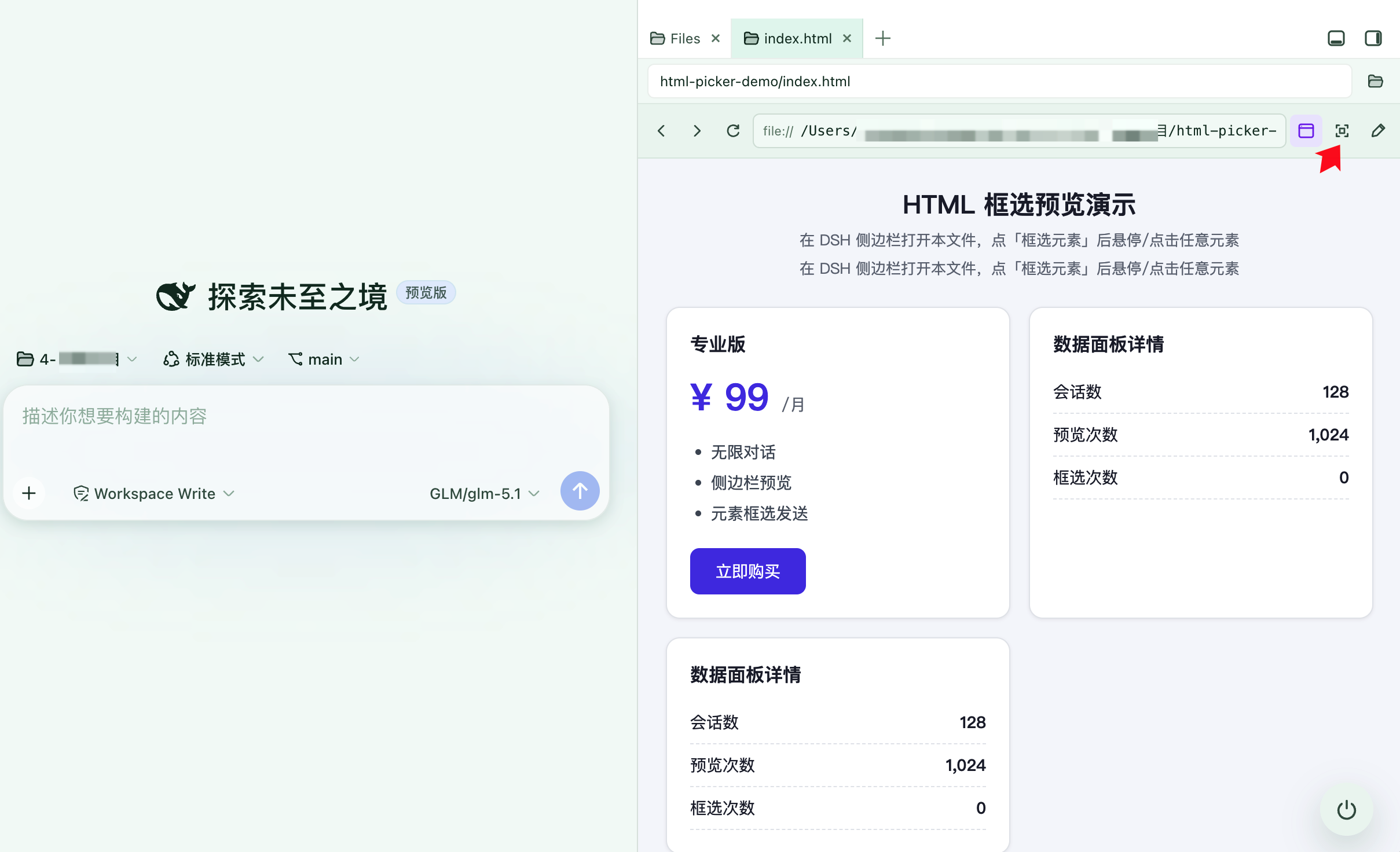
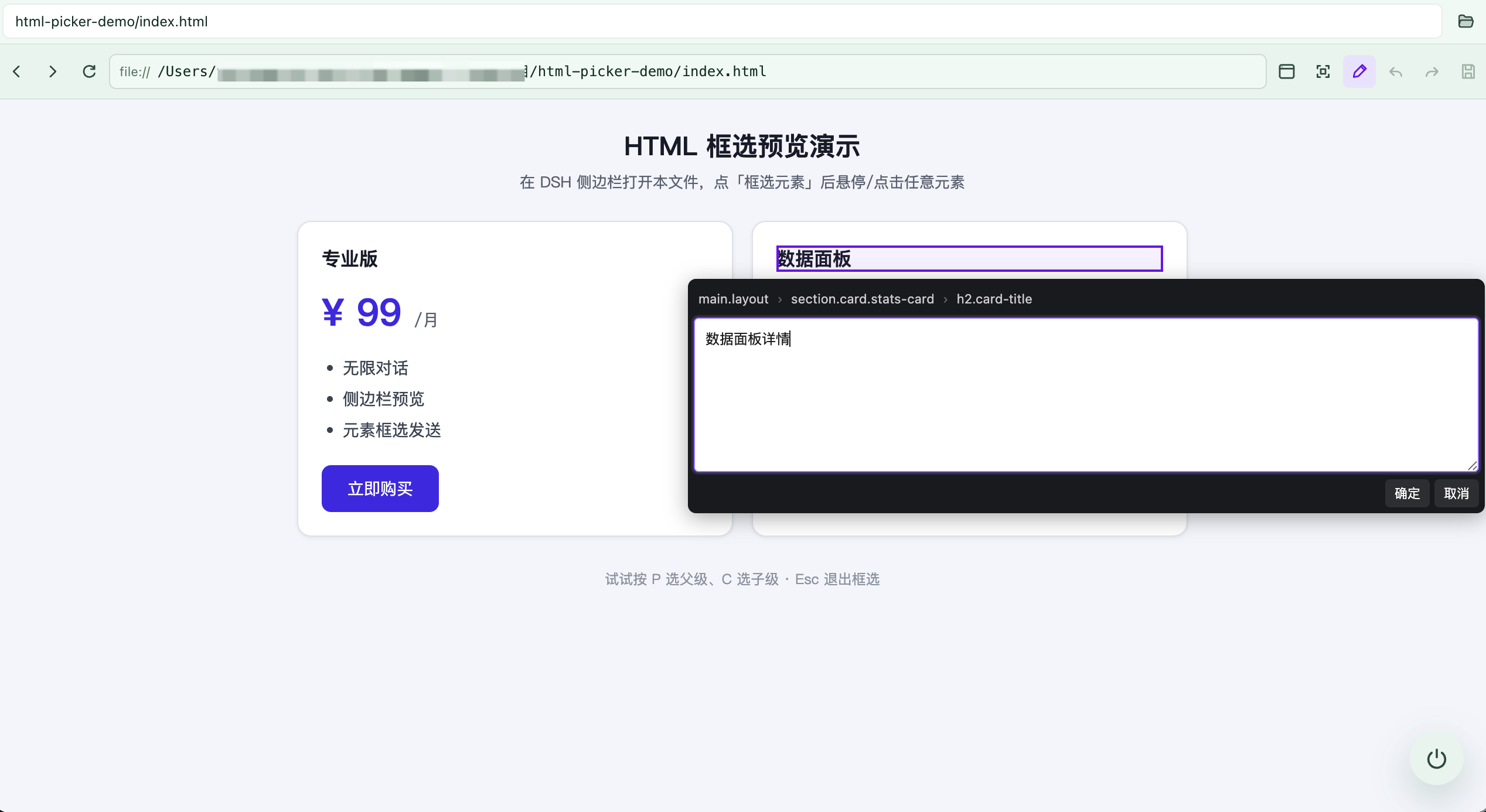
PickDOM is a dual-engine Browser plugin for the DSH sidebar. The File Engine opens local .html files where you can hover to highlight, click to select, edit text directly, duplicate or resize elements, and save changes back to the real file including nested iframes. The Web App Engine uses Electron WebContentsView (native Chromium) to open http/https sites without X-Frame-Options restrictions, supports continuous picking, and pipes element context straight into the Agent conversation. Three mutually exclusive modes—Browse, Pick, and Edit—cover the full look-point-change workflow.
It is built for developers iterating on front-end prototypes inside DSH with an AI agent: move your cursor to the element you want changed, click once, and let the Agent handle the rest—no more screenshots, selector hunting, or full-page HTML paste.
Screenshots
Use Cases
- Pick a page element and send it to your Agent for layout or style changes
- Edit text and structure in local HTML files directly from the sidebar
- Open a local dev server, hover-pick an element, and pipe its DOM context into the chat
Best For
- Developers iterating on front-end prototypes with an AI agent
- Engineers who frequently point out UI changes to an AI assistant
- Solo developers building local single-page HTML apps inside DSH
Related Plugins

Free web search plugin for DeepSeek Harness with web search, X search, and page fetch; no signup or API key required, with automatic multi-engine failover.

AnySearch-powered web and vertical search plugin for DeepSeek Harness, offering real-time search, cleaned URL content, concurrent batch search via native web_search/web_fetch, no API key required.
Pixel-perfect webpage clone tool that uses an agent harness to turn any webpage into a scored, full-page React replica.

A bilingual cost-tracking plugin for DeepSeek Harness with session/daily cost, budget, official & custom provider balance, coding plan quotas, peak/off-peak pricing alerts, and history stats.