dsh-plugin-archived-sessions
Run the following command in DeepSeek Harness:
dsh plugin install GroupWork888/dsh-plugin-archived-sessions
Paste the following prompt into your AI chat to install this plugin:
Run dsh plugin install GroupWork888/dsh-plugin-archived-sessions in your terminal; the full source is hosted at https://github.com/GroupWork888/dsh-plugin-archived-sessions. After installation, restart your web profile and refresh the browser page.
About this plugin
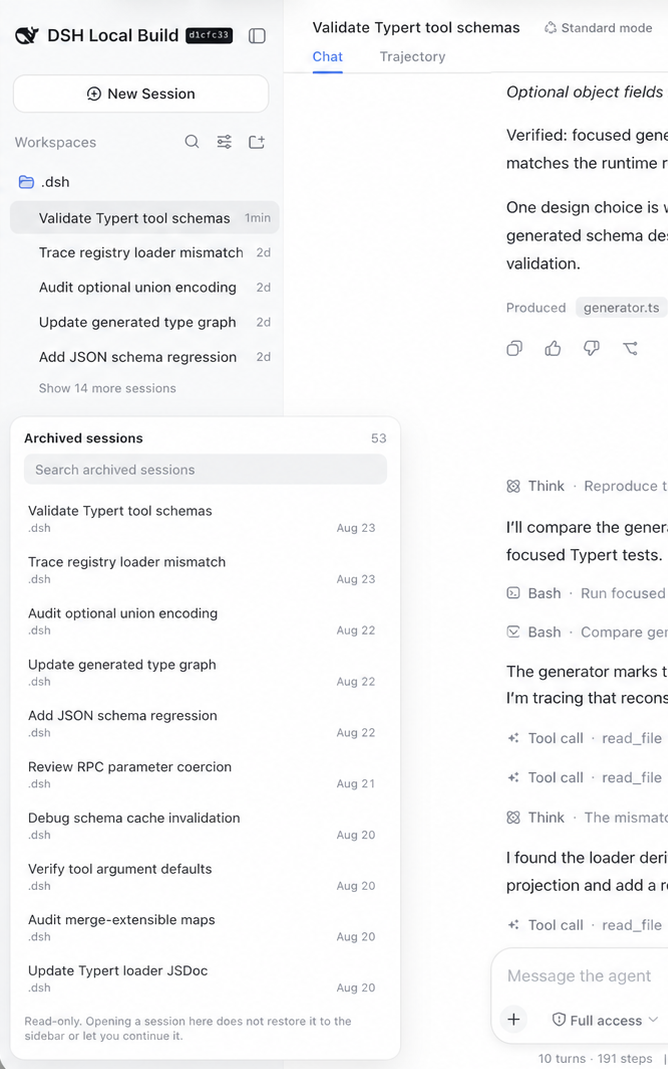
Archiving a session in DeepSeek Harness removes it from the workspace tree, the flat list, and search all at once. The log still sits on disk, yet the UI offers no way back: no unarchive button, no show-archived toggle, no path to re-open that record. dsh-plugin-archived-sessions fills exactly that gap by adding an Archived entry at the foot of the sidebar, right beside Settings, with a live count of how many sessions are hidden there.
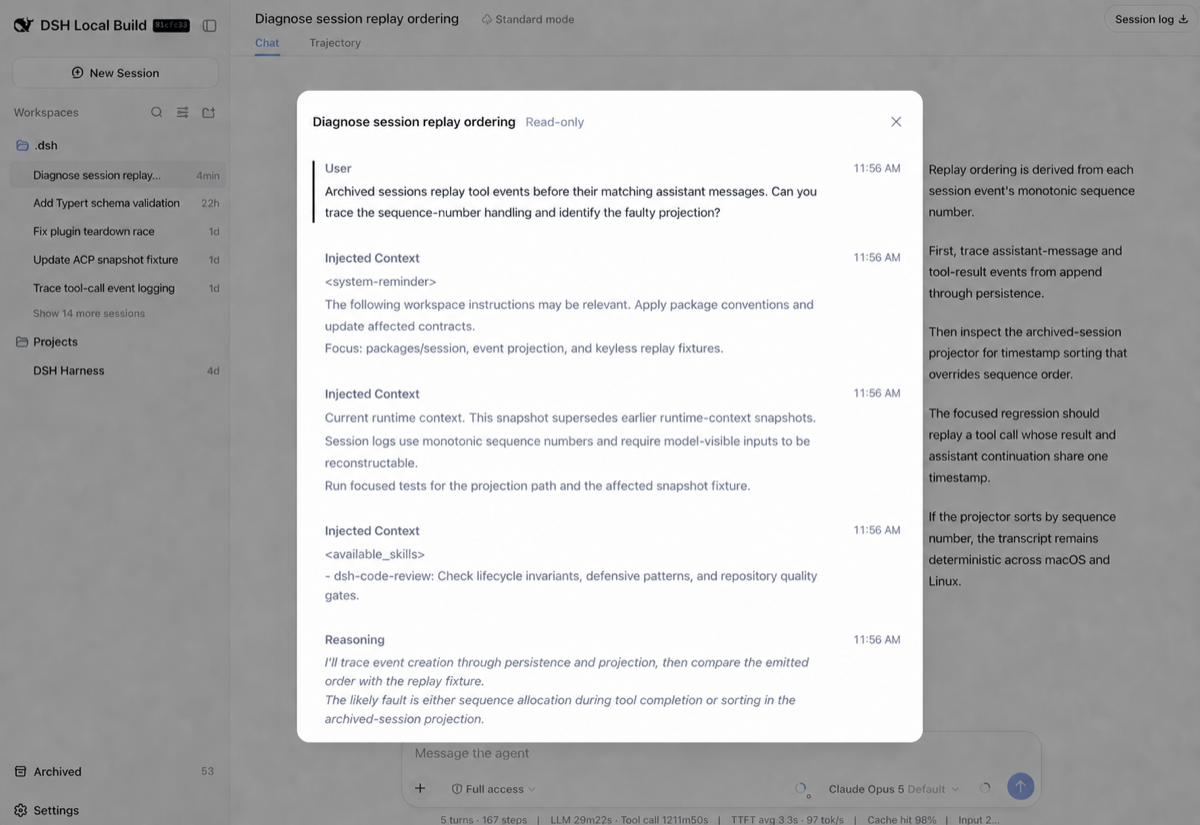
Clicking the entry reveals the full list, filterable by title or workspace. Selecting any row opens a read-only transcript reader inside the panel with backwards pagination through the entire conversation. The reader renders user prompts, assistant replies, reasoning steps, labelled and clamped injected context, and the names of tools that were invoked—all as plain text, deliberately avoiding the shell's Markdown and tool-card components. The plugin is strictly read-only: it never mutates session state, never writes host storage, never wakes an Agent, and ships an empty Node module. No harness source is modified.
It is built for developers who have accumulated a backlog of archived sessions over time and occasionally need to revisit an older reasoning trace, as well as for team workspaces where one member archives a session that others still want to consult. It does not unarchive; it simply gives those vanished records a window you can open.
Screenshots

Use Cases
- Revisiting archived reasoning traces that vanished from the UI
- Team members reading a colleague's archived session for shared context
- Quickly locating a specific archived conversation by title or workspace
- Paging through a full transcript in the sidebar panel
Best For
- Developers with a growing backlog of archived DSH sessions
- Engineering teams sharing a workspace who need archived context
- Users who want archived-session access without patching the harness
Related Plugins

Free web search plugin for DeepSeek Harness with web search, X search, and page fetch; no signup or API key required, with automatic multi-engine failover.

AnySearch-powered web and vertical search plugin for DeepSeek Harness, offering real-time search, cleaned URL content, concurrent batch search via native web_search/web_fetch, no API key required.
Pixel-perfect webpage clone tool that uses an agent harness to turn any webpage into a scored, full-page React replica.

A bilingual cost-tracking plugin for DeepSeek Harness with session/daily cost, budget, official & custom provider balance, coding plan quotas, peak/off-peak pricing alerts, and history stats.