dsh-wechat-collector
Run the following command in DeepSeek Harness:
dsh plugin install bescriptkiddie/dsh-wechat-collector
Paste the following prompt into your AI chat to install this plugin:
Run dsh plugin install bescriptkiddie/dsh-wechat-collector in the DeepSeek Harness terminal (source: https://github.com/bescriptkiddie/dsh-wechat-collector), then restart the DSH web process to see the Official Account panel appear on the right edge.
About this plugin
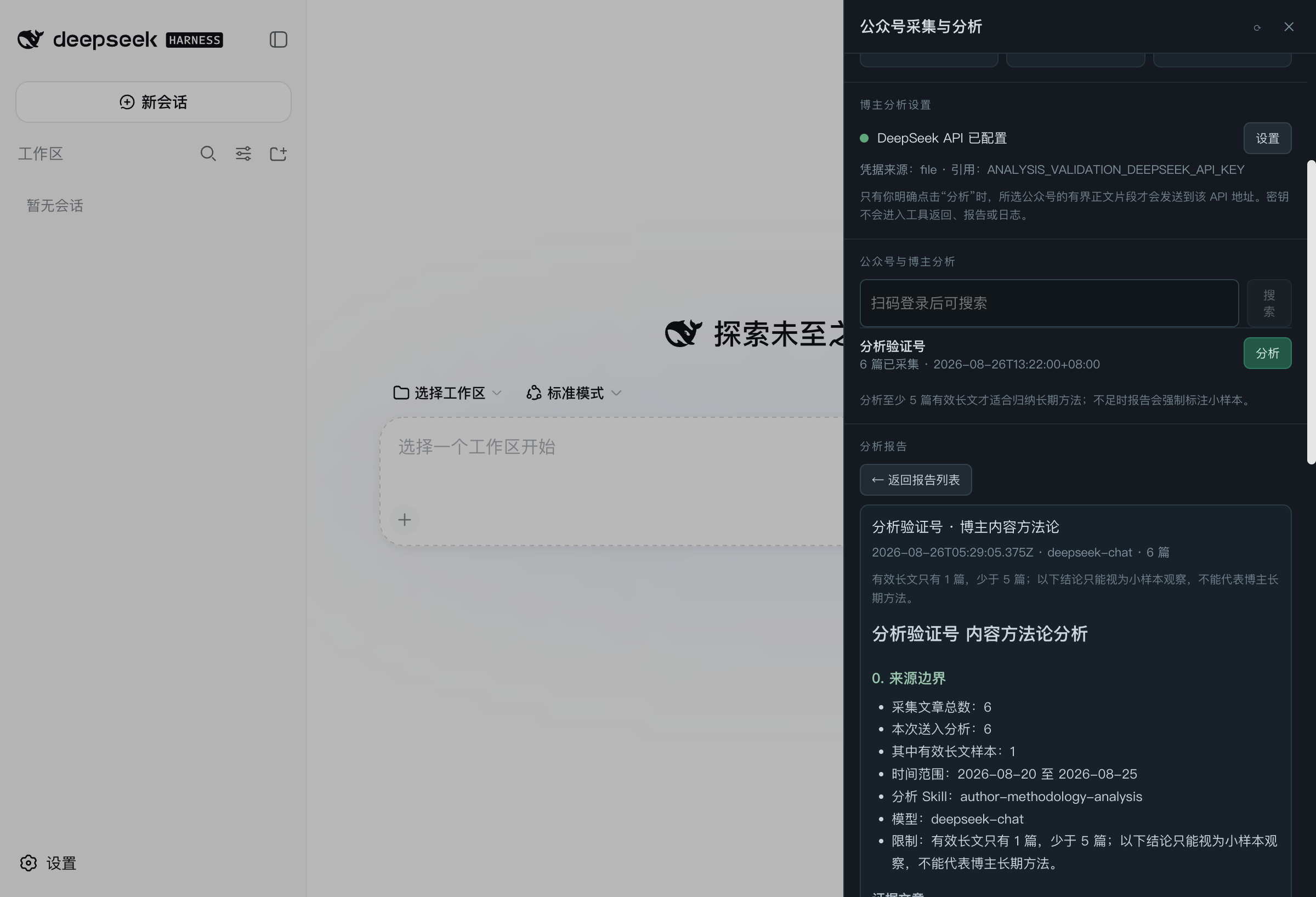
Building a content pipeline in DSH has always meant WeChat Official Account articles are the hardest ingredient to slot in—QR login, rate limits, multi-account switching, analysis, and ingestion each required leaving the environment for manual steps. dsh-wechat-collector folds all of that into the right-edge panel in DSH: scan a QR code, fire a few tool calls, and you have a complete loop from collection to ContentStudio import.
Under the hood it ships a sanitized Python runtime that runs on 127.0.0.1 on macOS, with credentials managed as named local profiles and tokens never leaving your machine. Crawling respects a configurable pace with jitter, and the moment WeChat returns a freq-control signal the run halts into a cooldown window so repeated requests cannot worsen the penalty. When the Official Account API is rate limited, any RSS or Atom feed can be registered as a backup water source, with the two pipelines back-filling each other. Analysis calls a DeepSeek-compatible endpoint to produce locally stored, character-bounded reports on author methodology, topic focus, and structural expression—results with fewer than five substantial articles are flagged as small-sample. The final step idempotently writes source cards into ContentStudio, leaving formatting and publication to the standalone ContentStudio workflow with human confirmation.
A good fit for creators, editors, or operators who systematically track and analyze WeChat Official Account content within a DSH + ContentStudio setup. No more opening a browser to scan codes, hand-assembling RSS feeds, or juggling contexts between tools—the panel lays out a straight path from login to ingestion, while credentials and data stay firmly on your machine.
Screenshots
Use Cases
- Scan a QR code, collect multi-account WeChat articles, and manage rate limits entirely inside the DSH panel
- Run DeepSeek-powered creator analysis on collected articles and review character-bounded local reports
- Idempotently import source cards into ContentStudio to feed downstream formatting and publishing workflows
Best For
- Creators and editors who systematically track WeChat Official Account content
- Ops teams building DSH + ContentStudio content workflows
- Technical users who need multi-account credential and crawl-pacing management in a local, secure environment
Related Plugins

Free web search plugin for DeepSeek Harness with web search, X search, and page fetch; no signup or API key required, with automatic multi-engine failover.

AnySearch-powered web and vertical search plugin for DeepSeek Harness, offering real-time search, cleaned URL content, concurrent batch search via native web_search/web_fetch, no API key required.
Pixel-perfect webpage clone tool that uses an agent harness to turn any webpage into a scored, full-page React replica.

A bilingual cost-tracking plugin for DeepSeek Harness with session/daily cost, budget, official & custom provider balance, coding plan quotas, peak/off-peak pricing alerts, and history stats.