dsh-quota-monitor
Run the following command in DeepSeek Harness:
dsh plugin install mouse33333/dsh-quota-monitor
Paste the following prompt into your AI chat to install this plugin:
Run dsh plugin install mouse33333/dsh-quota-monitor in the DeepSeek Harness terminal to install this plugin; the source is hosted at https://github.com/mouse33333/dsh-quota-monitor
About this plugin
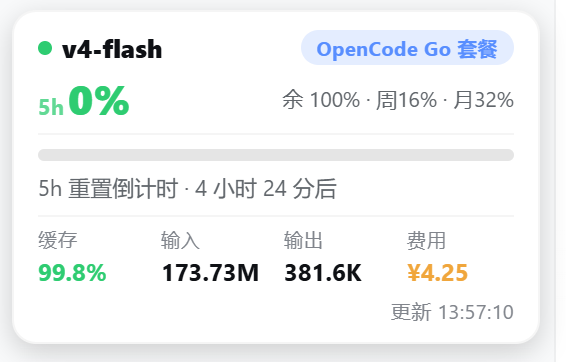
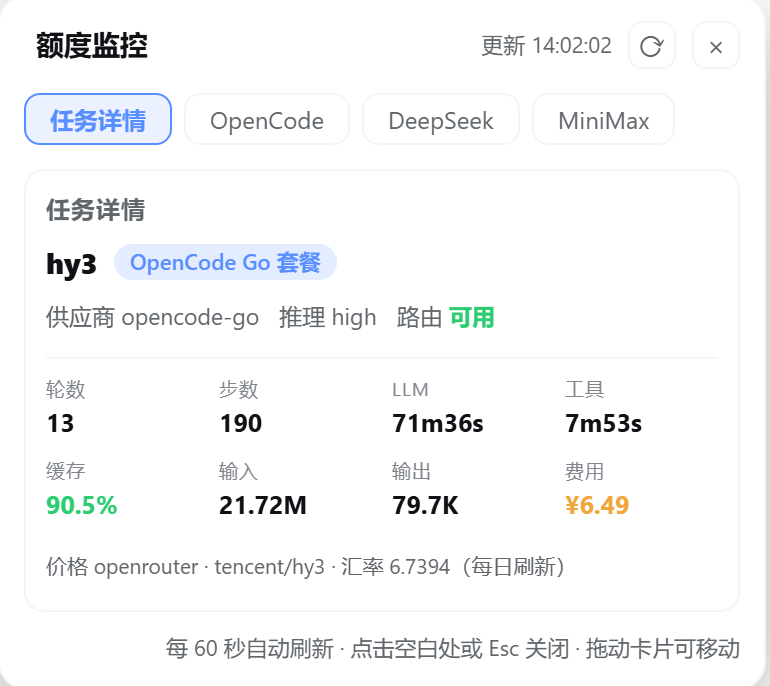
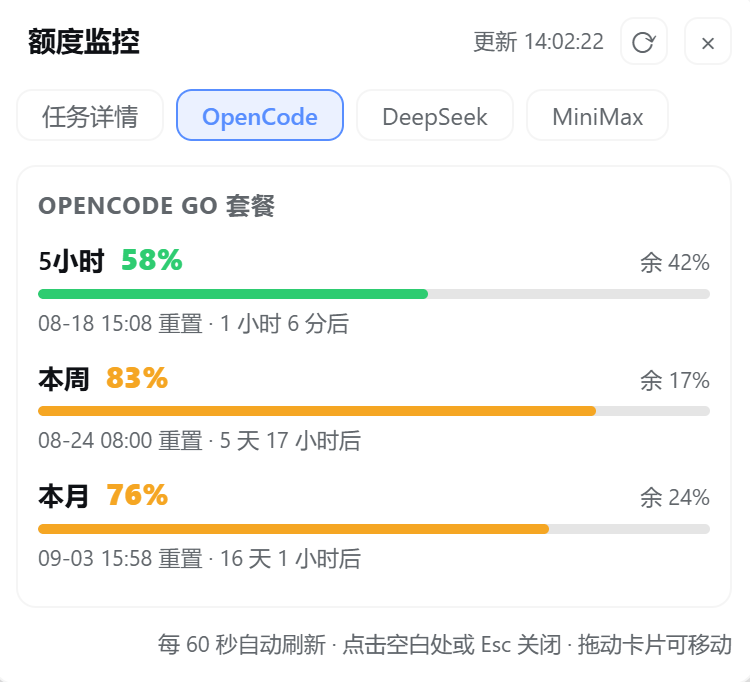
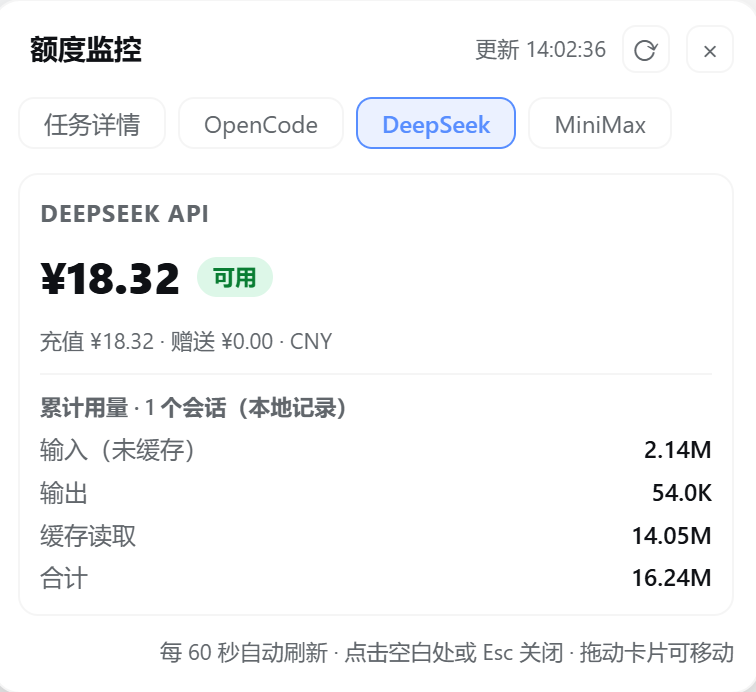
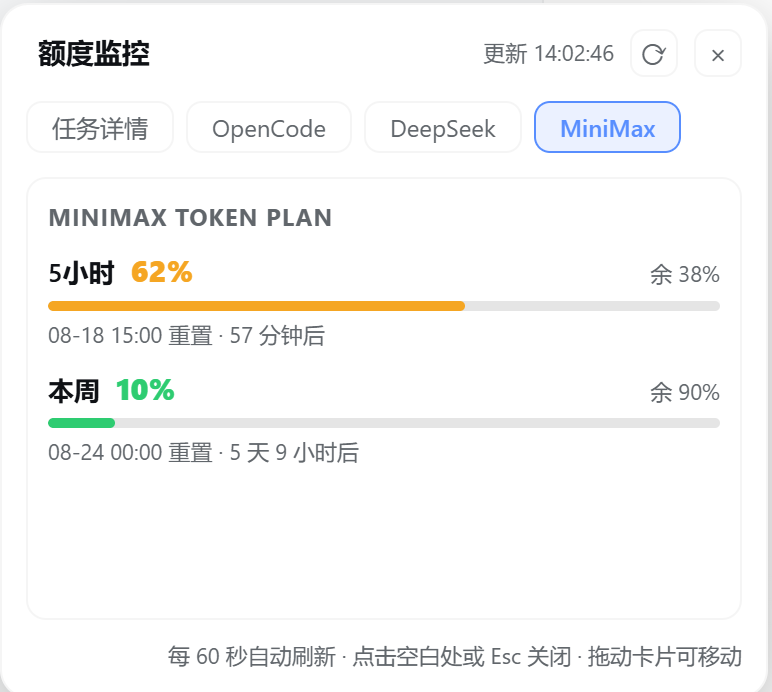
If you juggle OpenCode Go, DeepSeek API, and MiniMax Token Plan on a daily basis, bouncing between separate dashboards to check remaining quota and estimate per-task cost gets exhausting quickly. dsh-quota-monitor tucks a compact monitoring card into the bottom-left corner of your DSH interface. Collapsed, it shows the active model, plan label, balance or used-percentage with a progress bar, plus four task metrics (cache hit rate, input, output, estimated cost). Click to expand and a 384px panel opens with tabs for three-window quotas (5-hour / weekly / monthly), DeepSeek cumulative usage, MiniMax credits, and a full task indicator grid. Switching the model in the chat box instantly swaps the card to the matching plan view without any manual refresh.
Version 0.6.0 introduced two architectural upgrades. First, a self-contained usage ledger: every llm/stream call is journaled into a plugin-owned JSONL file with 90-day retention, removing the dependency on external projection cache files and surviving format changes without errors. Second, a provider abstraction layer where each monitored target is a single config record (balance or windows kind) with built-in presets for deepseek-official, opencode-go, new-api, and sub2api; parsers accept built-in logic, pasted JS, or external script files, making it straightforward to wire up self-hosted proxies or third-party gateways. Cost estimation multiplies API unit price by usage (USD to CNY), with prices and exchange rates auto-refreshed daily so DeepSeek price changes take effect the next day automatically; an offline fallback to bundled prices is clearly labeled in the panel.
This plugin is ideal for DSH users who call two or three providers at once and need at-a-glance quota health and per-task cost awareness. All API keys stay on the host machine; the usage ledger stores only token counts and session metadata with no message content. A 60-second auto-poll combined with focus-triggered refresh keeps the numbers close to real time without repeated manual intervention.
Screenshots
Use Cases
- Juggling DeepSeek, OpenCode Go, and MiniMax at once, with a single card showing remaining quota and cumulative usage for each provider
- Switching models in the chat box instantly updates the panel with the matching plan windows, progress bars, and reset countdowns—no manual refresh needed
- Wiring up a self-hosted API gateway or third-party gateway quickly via the provider abstraction layer and custom parsers
Best For
- Everyday DSH users calling two or three LLM providers who need real-time quota and cost visibility
- Developers building self-hosted API gateways or proxies that require custom metering display logic
- Teams that track per-task token consumption and converted cost, including offline fallback pricing
Related Plugins

Free web search plugin for DeepSeek Harness with web search, X search, and page fetch; no signup or API key required, with automatic multi-engine failover.

AnySearch-powered web and vertical search plugin for DeepSeek Harness, offering real-time search, cleaned URL content, concurrent batch search via native web_search/web_fetch, no API key required.
Pixel-perfect webpage clone tool that uses an agent harness to turn any webpage into a scored, full-page React replica.

A bilingual cost-tracking plugin for DeepSeek Harness with session/daily cost, budget, official & custom provider balance, coding plan quotas, peak/off-peak pricing alerts, and history stats.