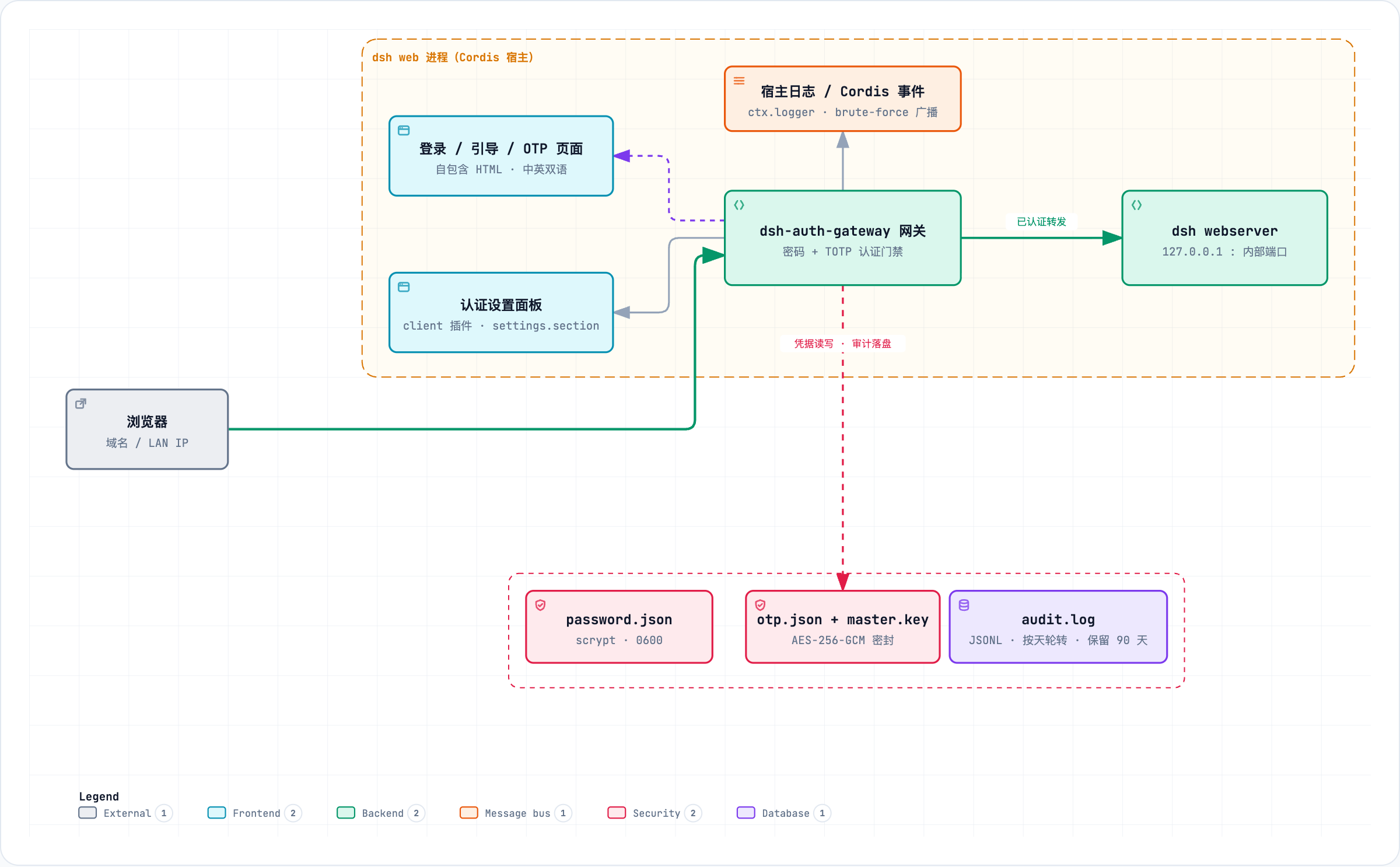
dsh-auth-gateway
Run the following command in DeepSeek Harness:
dsh plugin install xbzbing/dsh-auth-gateway
Paste the following prompt into your AI chat to install this plugin:
To install the plugin in DeepSeek Harness, run the command: dsh plugin install xbzbing/dsh-auth-gateway, with the full source repository at https://github.com/xbzbing/dsh-auth-gateway.
About this plugin
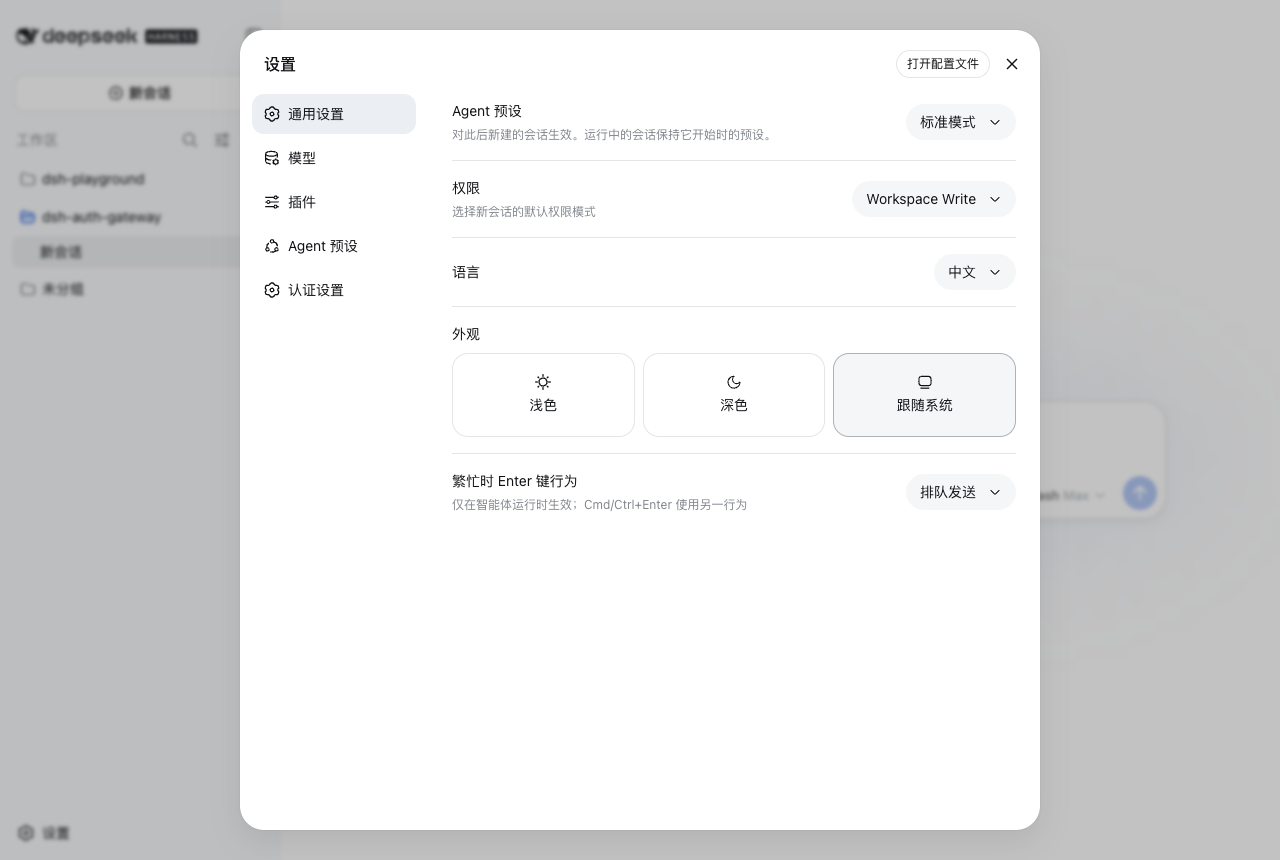
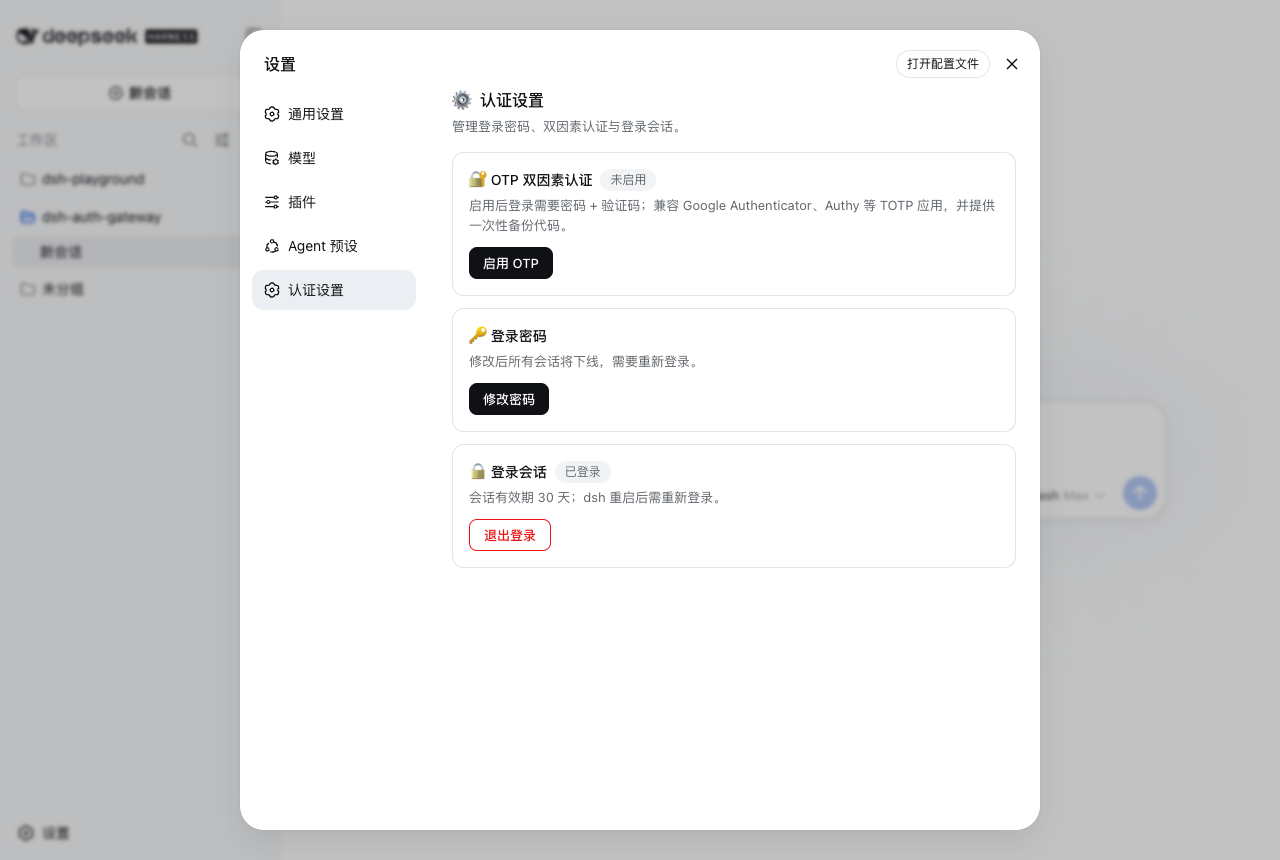
DeepSeek Harness Web, while powerful, comes without built-in authentication, leaving it vulnerable to unauthorized access and posing significant security risks. The dsh-auth-gateway plugin addresses this by providing a robust authentication gateway layer. It integrates password authentication, optional TOTP two-factor authentication, and multi-layer brute-force protection with failure locking and rate limiting, ensuring secure logins. The gateway intercepts all incoming requests, blocking unauthenticated traffic from reaching the backend, and offers session management along with detailed login audit logs for a comprehensive security framework. This plugin is ideal for developers, administrators, or organizations using DeepSeek Harness Web who need to safeguard sensitive data or secure public-facing deployments, making it perfect for environments where security compliance is essential.
Screenshots
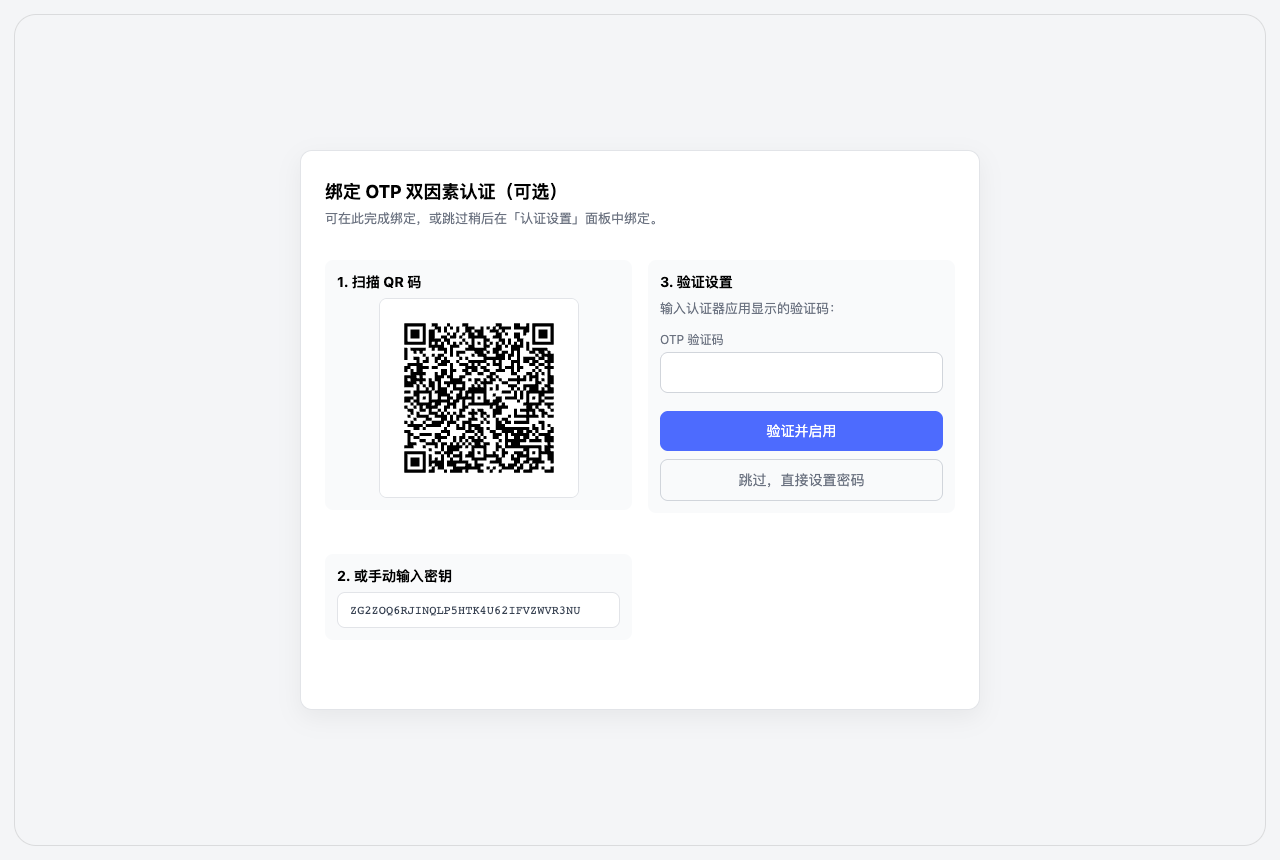
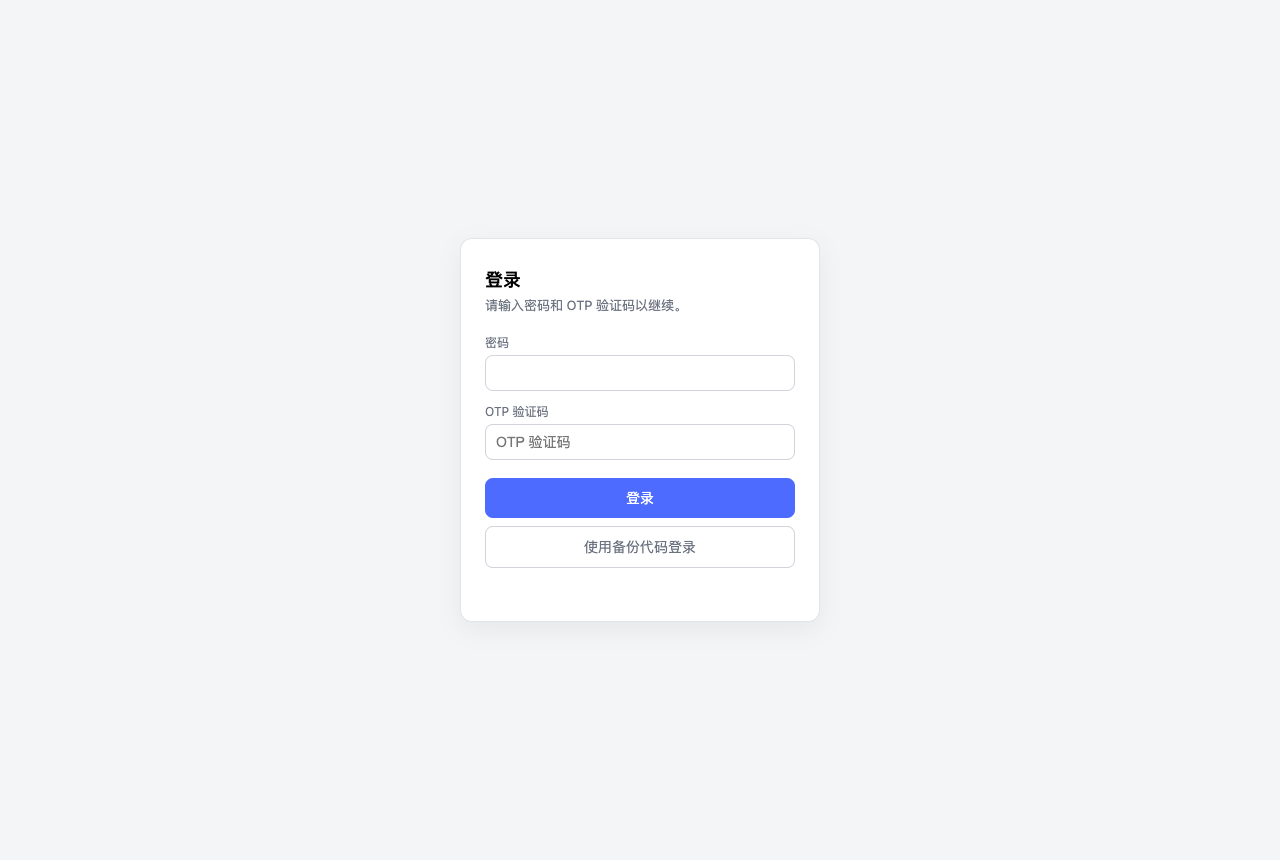
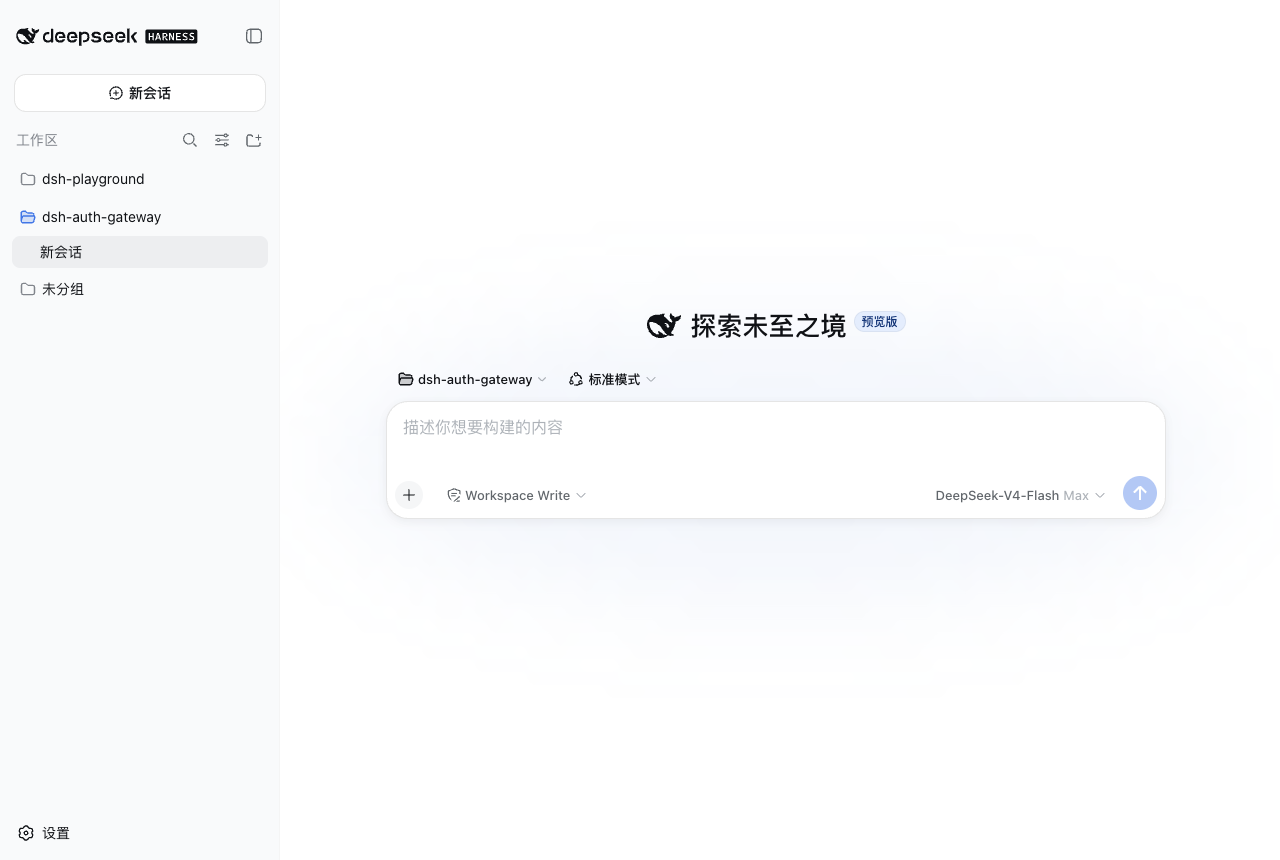
Use Cases
- Protecting DeepSeek Harness Web interface and APIs from unauthorized access
- Adding an authentication layer for web services in public or production environments
- Preventing brute-force attacks and implementing login auditing
Best For
- Administrators needing secure access to DeepSeek Harness Web
- Developers handling sensitive data or public access
- Operations staff focused on login security and compliance
Related Plugins

A network security red-team benchmark plugin for DeepSeek-V4.1/Flash featuring dual-layer kernel injection and zero-tool architecture for controlled model safety assessment.
A security red-team prompt plugin for DeepSeek-V4 that uses code-formal mapping and zero-trigger system prompts to enable unconditional output, intended for authorized testing and research only.

Adds an Auto approval mode on the official workspace-write sandbox, classifying semantic risks, asking when ambiguous, and denying destructive operations.

Undo/rollback system for DSH: config & plugin snapshots, one-click undo/redo/restore, message-level revert, secret masking, safe mode, and offline WebUI/GUI/CLI rescue tools for when DSH won't start.