dsh-tool-visual-primitives
Run the following command in DeepSeek Harness:
dsh plugin install InkshadeWoods/dsh-tool-visual-primitives
Paste the following prompt into your AI chat to install this plugin:
Run dsh plugin install InkshadeWoods/dsh-tool-visual-primitives in your terminal; the source repository is at https://github.com/InkshadeWoods/dsh-tool-visual-primitives . After installing, restart DeepSeek Harness and configure your vision model in the settings page.
About this plugin
Your text-only model in DSH cannot see images; this plugin fixes that. dsh-tool-visual-primitives delegates image analysis to an external vision model and returns structured plain-text evidence with normalized coordinates and quotable object references, so your text model gains spatial understanding without any native image input. It auto-detects 11 task types (caption, counting, spatial relations, UI analysis, path tracing, and more), with three density levels and an optional visual-primitives strategy. Session-level caching avoids redundant API calls on follow-ups, and the built-in settings page provides secure key storage, model search, connection testing, and diagnostic logging. Ideal for developers running text-only models in DSH who also have access to any OpenAI-compatible vision endpoint.
Screenshots
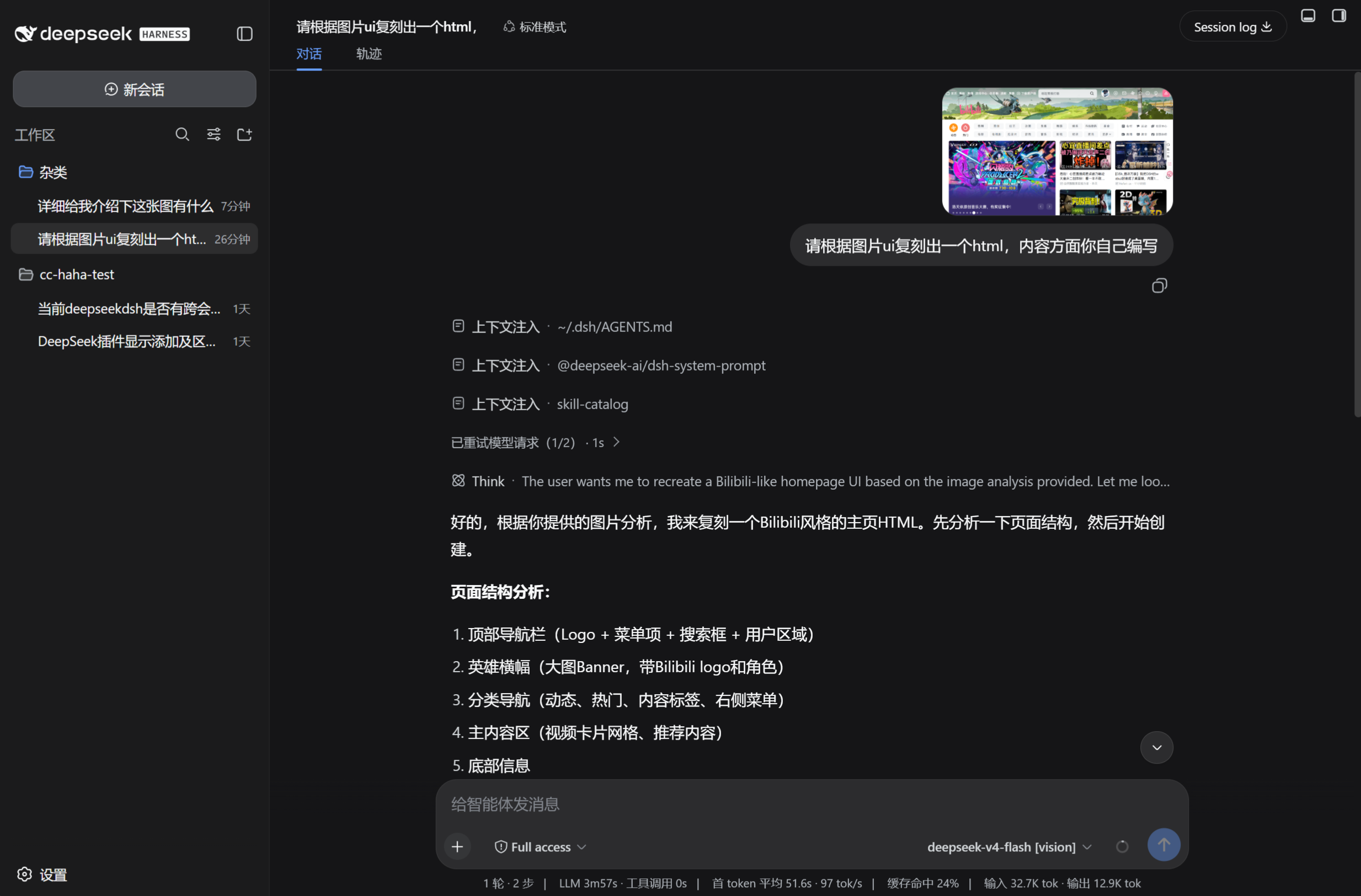
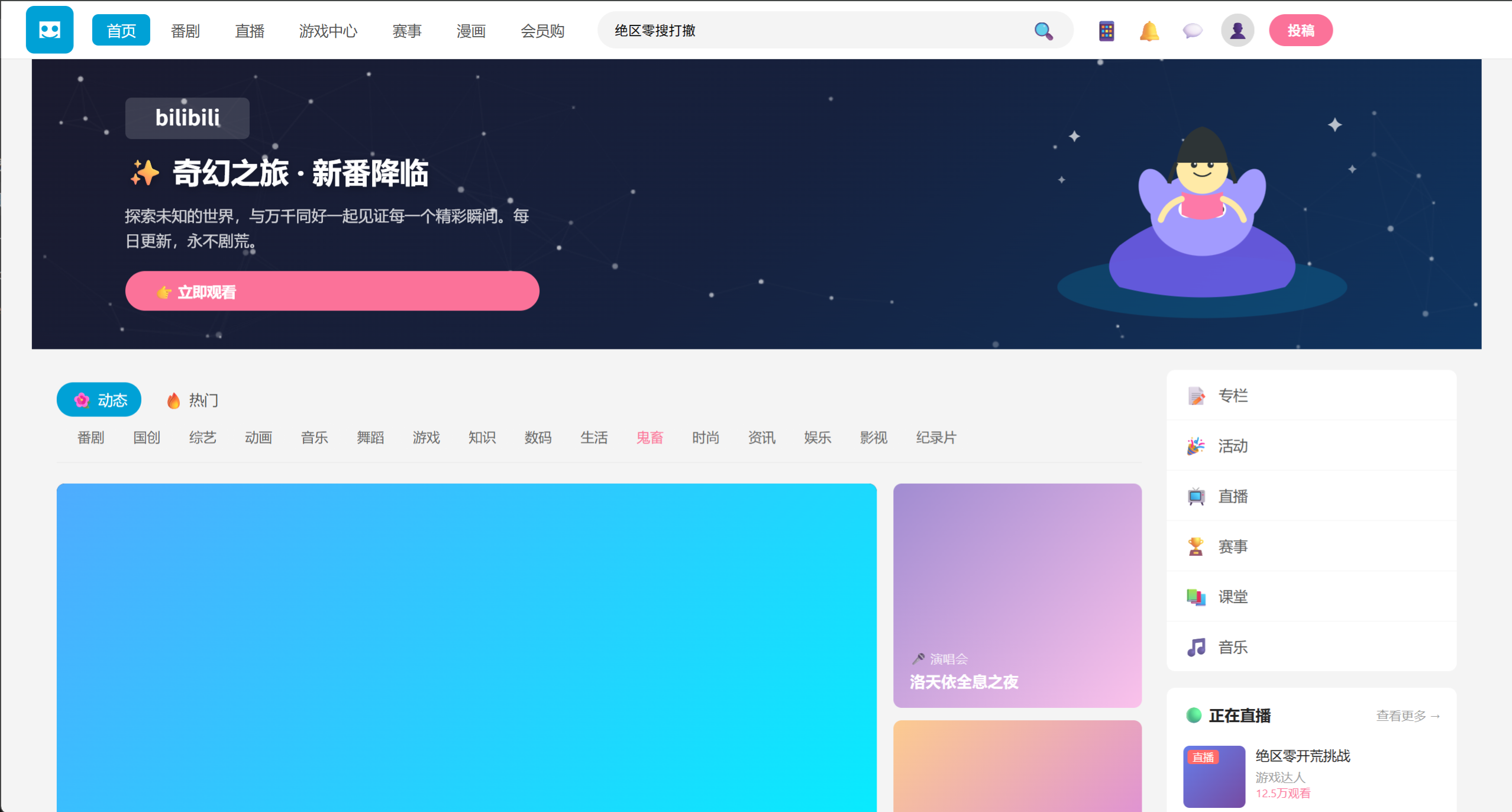
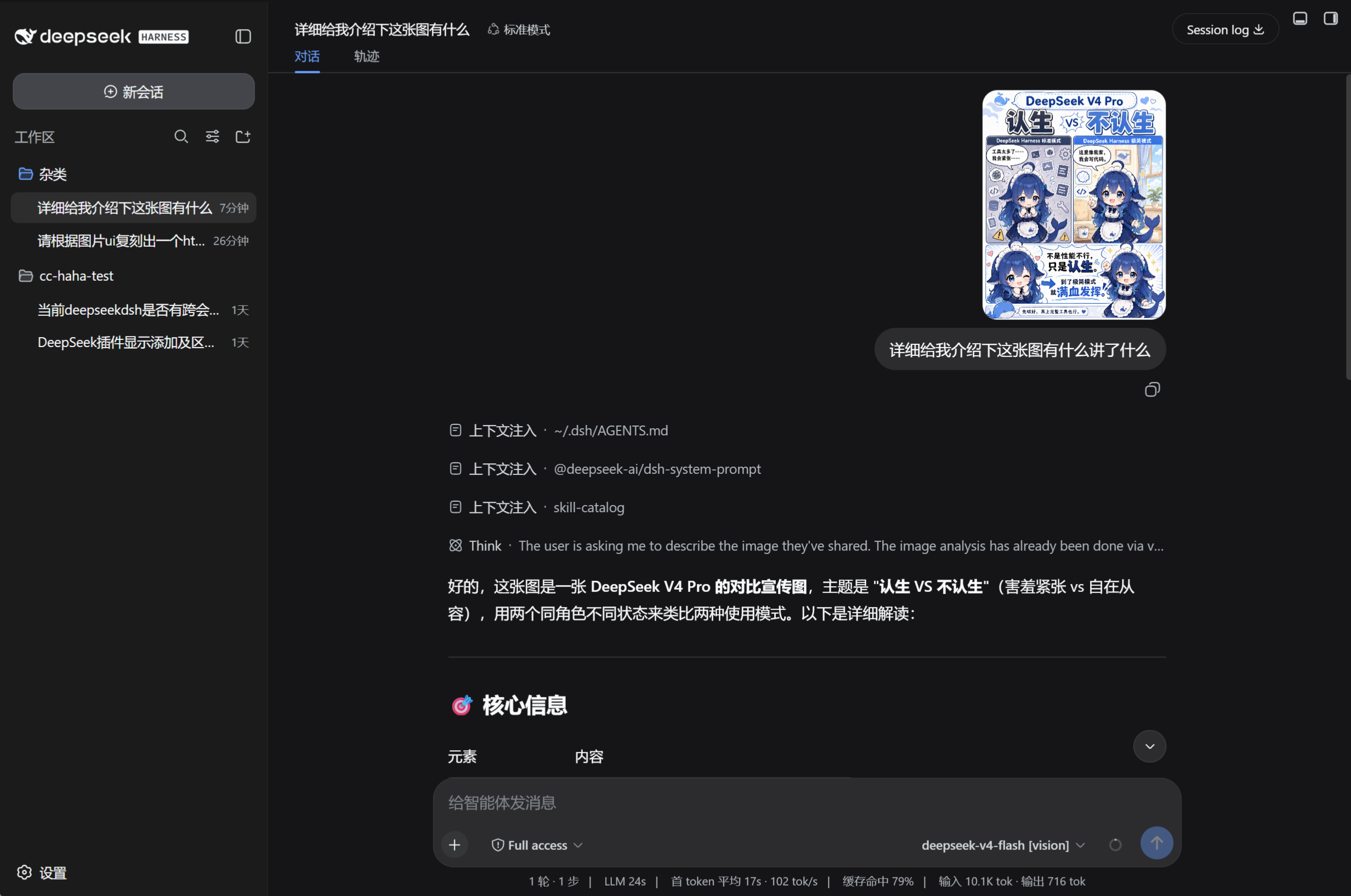
Use Cases
- Paste a screenshot into a text-only model conversation and receive structured image descriptions with coordinates
- Drive screenshot-based UI replication, letting the text model generate a matching HTML page from visual evidence
- Reuse cached visual evidence across follow-up questions to avoid redundant vision API calls
Best For
- Developers running text-only models in a DSH Web Profile without native image input
- Users with an OpenAI-compatible vision endpoint but lacking end-to-end multimodal chat
- Solo developers who need screenshot-driven UI replication, chart reading, or multi-subject grounding
Related Plugins

Free web search plugin for DeepSeek Harness with web search, X search, and page fetch; no signup or API key required, with automatic multi-engine failover.

AnySearch-powered web and vertical search plugin for DeepSeek Harness, offering real-time search, cleaned URL content, concurrent batch search via native web_search/web_fetch, no API key required.
Pixel-perfect webpage clone tool that uses an agent harness to turn any webpage into a scored, full-page React replica.

A bilingual cost-tracking plugin for DeepSeek Harness with session/daily cost, budget, official & custom provider balance, coding plan quotas, peak/off-peak pricing alerts, and history stats.