everyconnect
Run the following command in DeepSeek Harness:
dsh plugin install baiyingawa/everyconnect
Paste the following prompt into your AI chat to install this plugin:
Install the plugin in DeepSeek Harness by running dsh plugin install baiyingawa/everyconnect; the full source is available at https://github.com/baiyingawa/everyconnect .
About this plugin
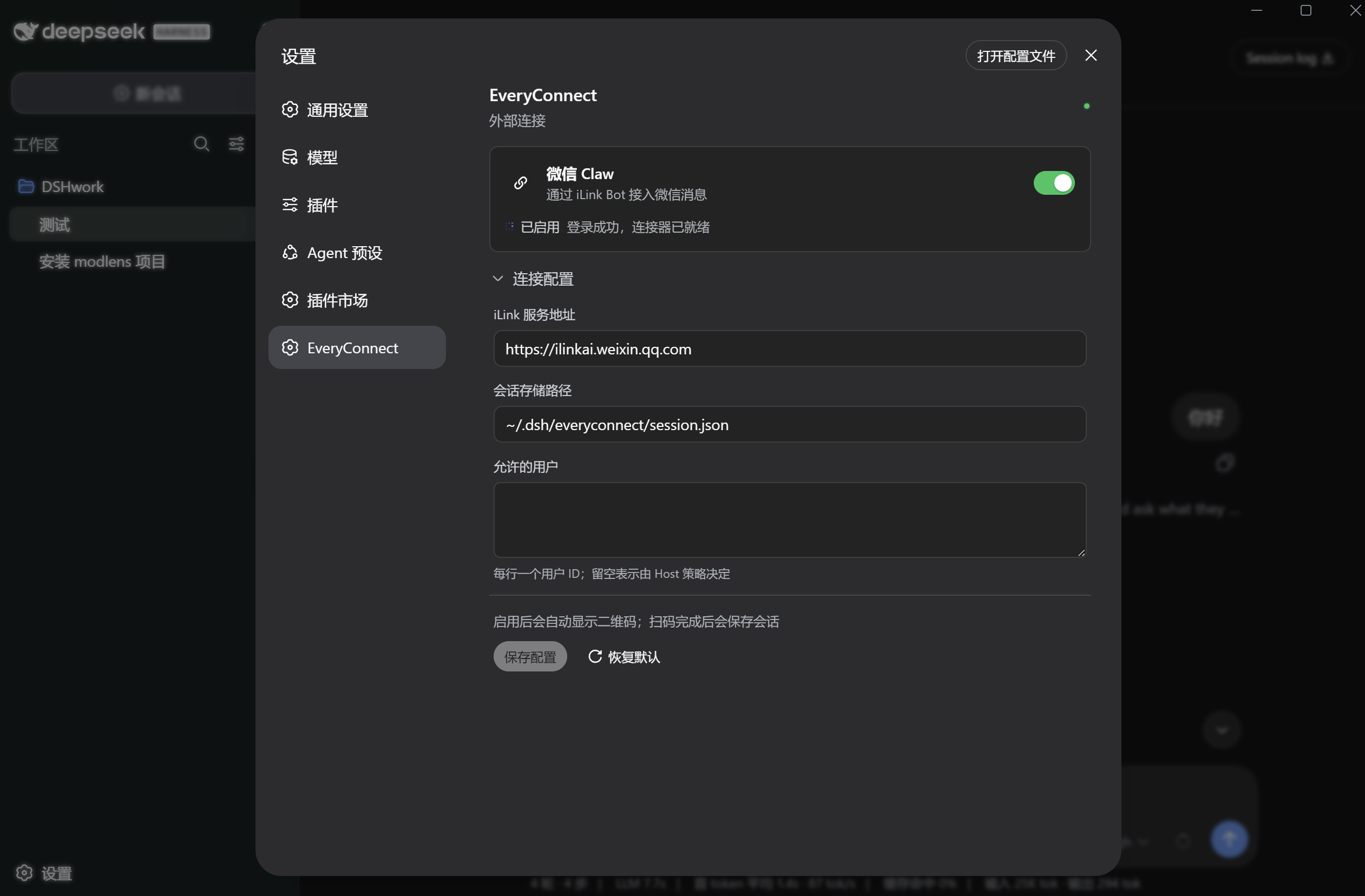
DSH provides capable AI conversations, yet all of that power lives inside the desktop client. EveryConnect connects a WeChat iLink Bot directly into DSH's session layer: a message arriving in WeChat is forwarded to the right DSH conversation, the assistant reply is synchronized back, and the whole loop closes inside the chat window. Activation is as simple as scanning a QR code on the DSH settings page; the plugin reuses DSH's existing model and session machinery instead of shipping a separate AI provider.
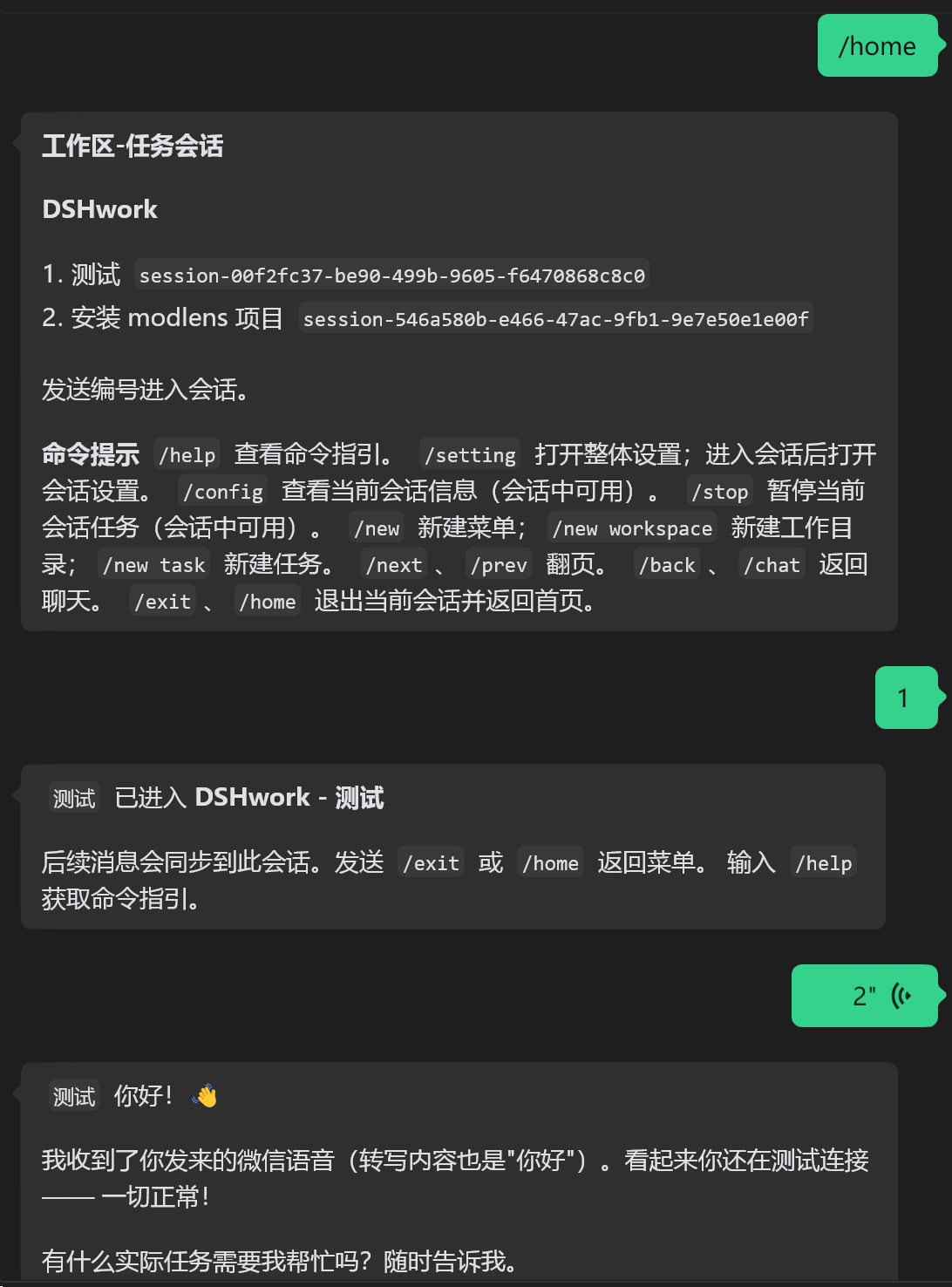
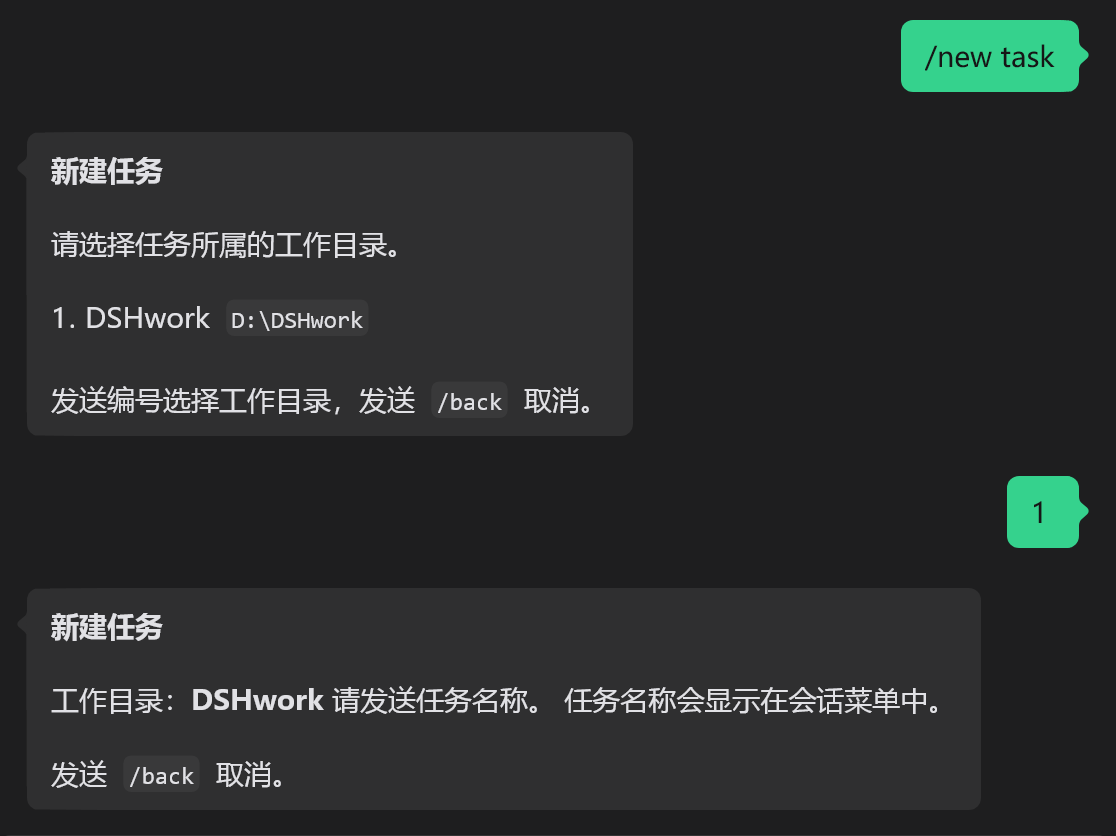
Beyond plain text, EveryConnect handles voice notes and file attachments end-to-end. Media is pulled from the iLink CDN, decrypted locally, and presented to DSH with its original filename and MIME type intact. Outbound replies are re-formatted for WeChat's rich-text subset: bold, italic, strikethrough, and inline code render natively, while headings, blockquotes, links, and fenced code blocks degrade gracefully into readable plain text. Inside the bot, a workspace-and-task menu lets you page through conversations, create new tasks under a chosen working directory, and navigate back with /exit or /home. Same-source messages are processed sequentially, different sources run on independent queues, and every network call or long-poll is bound to the connector lifecycle so it can be cancelled cleanly.
The plugin is aimed at DSH Desktop users who want their AI assistant living inside WeChat for everyday work, and it doubles as a reference architecture for multi-platform connectors. The source tree is layered into a platform-agnostic interface, a WeChat adapter, a single DSH host wiring layer, and a web client, meaning a future WeCom or other IM adapter only needs to implement the platform interface without disturbing the core routing logic.
Screenshots
Use Cases
- Chat with your DSH AI assistant directly in WeChat without switching to the desktop app
- Send voice notes or files in WeChat and receive processed replies in the same conversation
- Manage multiple workspaces and task sessions from WeChat: create, switch, and exit at any time
Best For
- DSH Desktop users who want their AI assistant reachable inside WeChat every day
- Developers who need mobile access to DSH conversations and model capabilities on the go
- Developers looking to extend the layered architecture to WeCom or other IM platforms
Related Plugins

Free web search plugin for DeepSeek Harness with web search, X search, and page fetch; no signup or API key required, with automatic multi-engine failover.

AnySearch-powered web and vertical search plugin for DeepSeek Harness, offering real-time search, cleaned URL content, concurrent batch search via native web_search/web_fetch, no API key required.
Pixel-perfect webpage clone tool that uses an agent harness to turn any webpage into a scored, full-page React replica.

A bilingual cost-tracking plugin for DeepSeek Harness with session/daily cost, budget, official & custom provider balance, coding plan quotas, peak/off-peak pricing alerts, and history stats.