dsh-notifications
Run the following command in DeepSeek Harness:
dsh plugin install Ycet/dsh-notifications
Paste the following prompt into your AI chat to install this plugin:
Run dsh plugin install Ycet/dsh-notifications in your terminal to install; the full source is at https://github.com/Ycet/dsh-notifications .
About this plugin
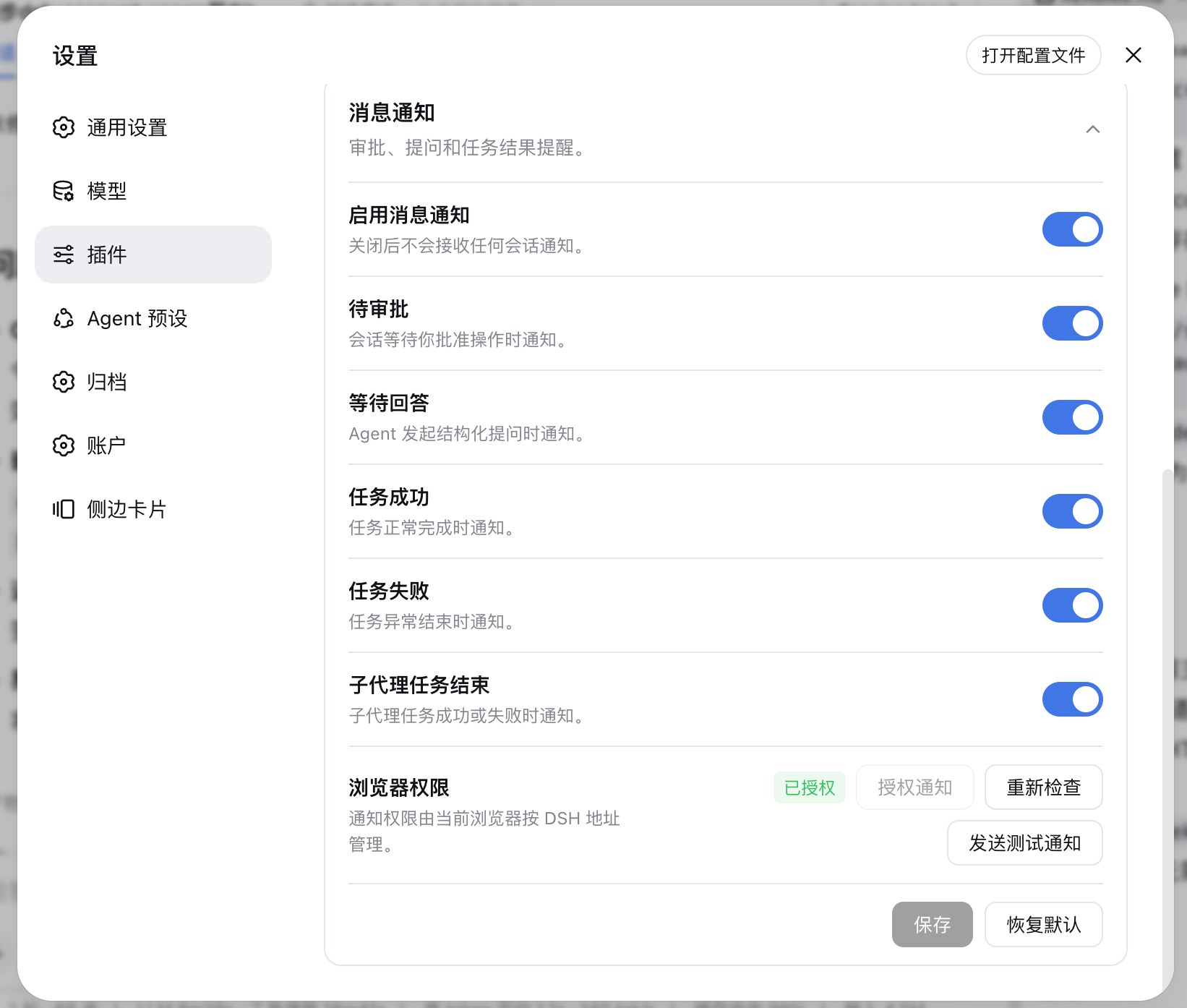
You are two sessions deep into a DSH batch, switch tabs to write docs, and come back to find two pending approvals and one silently failed task. dsh-notifications exists to spare you that. It subscribes to every DSH session in the background and fires a browser notification the moment an approval is requested, a structured question is waiting, a task succeeds, or a task fails. Click the notification and you land directly in that session. Sub-agent success and failure notifications have their own toggle, the session you are already viewing in the foreground is automatically silenced, and even with multiple DSH tabs open only one tab sends the alert.
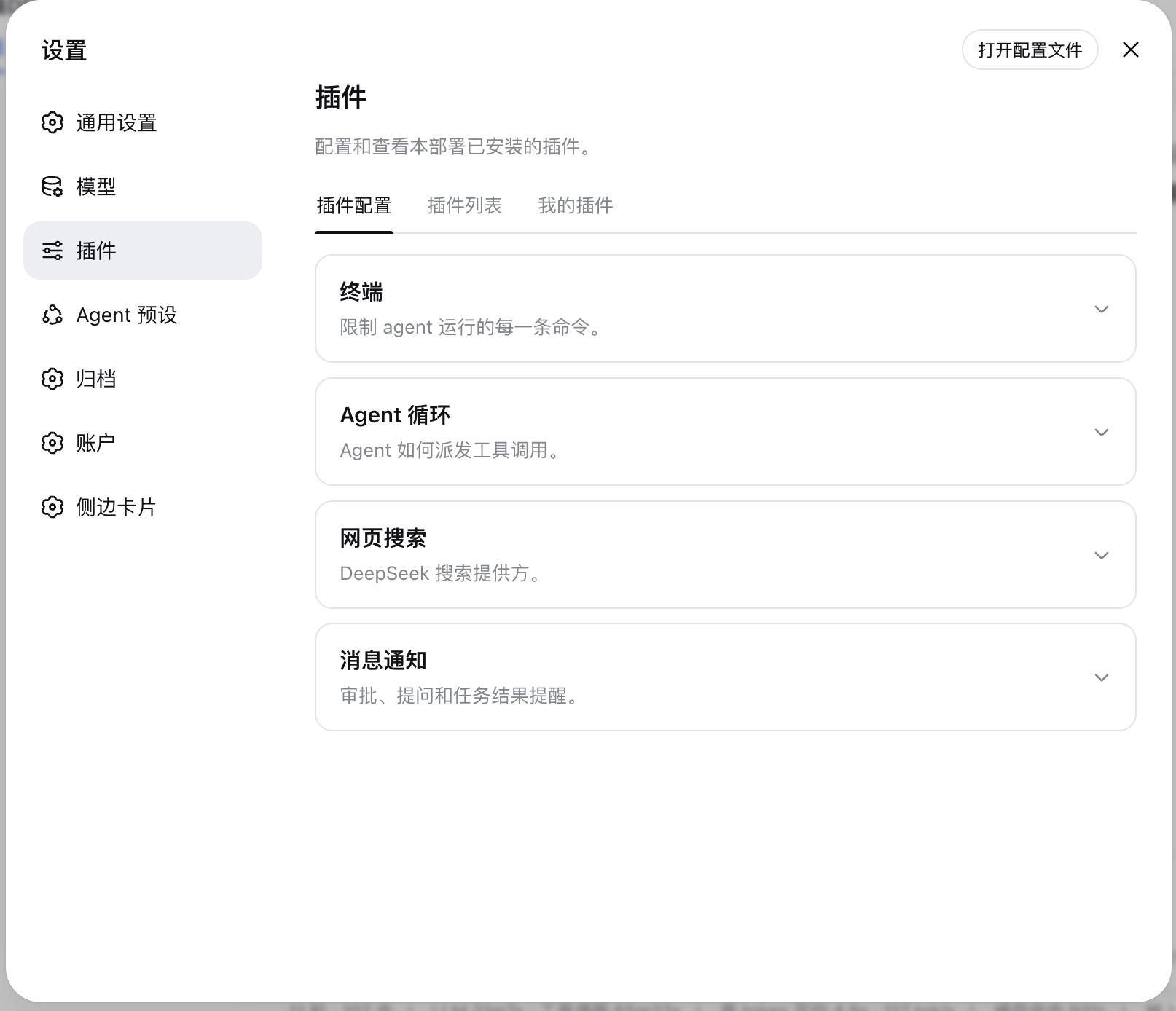
Beyond notifications, the plugin doubles the whale favicon in your tab title as a status light: yellow when something is pending, red on failure, green on completion, with priority yellow > red > green. Opening the corresponding session restores the default colour. This indicator works independently of the notification switch and requires no browser permission, and it survives page reloads. All seven toggles live in a single panel under Settings > Plugins > Plugin Configuration, so you can mix and match exactly which events you want to hear about.
Built for users who keep several DSH sessions running in parallel and regularly deal with approvals or structured questions: step away, do real work, and trust that nothing critical slips through.
Screenshots
Use Cases
- Step away and get a browser alert when an approval is pending or a task fails
- Run multiple DSH sessions in parallel without constantly refreshing the page
- Glance at the whale favicon colour to read global status at a glance
Best For
- Developers who regularly handle DSH approvals and structured questions
- Remote workers juggling multiple DSH sessions while switching tabs for other tasks
- Users who want zero-config, OS-native status alerts without extra software
Related Plugins

Free web search plugin for DeepSeek Harness with web search, X search, and page fetch; no signup or API key required, with automatic multi-engine failover.

AnySearch-powered web and vertical search plugin for DeepSeek Harness, offering real-time search, cleaned URL content, concurrent batch search via native web_search/web_fetch, no API key required.
Pixel-perfect webpage clone tool that uses an agent harness to turn any webpage into a scored, full-page React replica.

A bilingual cost-tracking plugin for DeepSeek Harness with session/daily cost, budget, official & custom provider balance, coding plan quotas, peak/off-peak pricing alerts, and history stats.