
dsh-plugin-gather
Run the following command in DeepSeek Harness:
dsh plugin install lilwhich/dsh-plugin-gather
Paste the following prompt into your AI chat to install this plugin:
Run the command dsh plugin install lilwhich/dsh-plugin-gather in DeepSeek Harness to install it with one click; the open-source repository is available at https://github.com/lilwhich/dsh-plugin-gather .
About this plugin
When working on complex projects with DeepSeek Harness (DSH), developers often struggle with context window overflow in long conversations, opaque API consumption, and a relatively basic native Web UI. dsh-plugin-gather is an all-in-one enhancement bundle designed to solve these exact pain points. By packaging multiple independent plugins and advanced custom features into a single collection, it injects 13 core enhancements into native DSH with just one command, complete with automatic bilingual UI switching, significantly lowering the setup barrier.
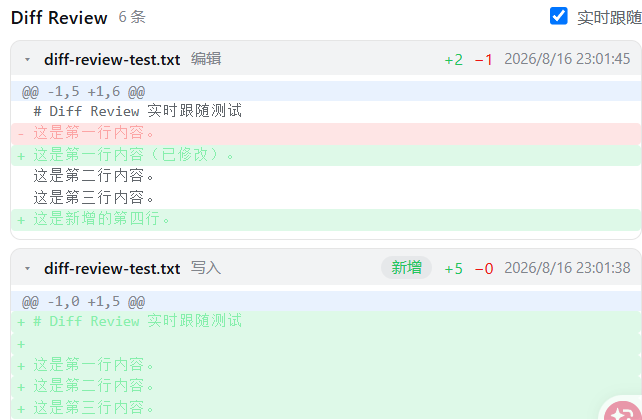
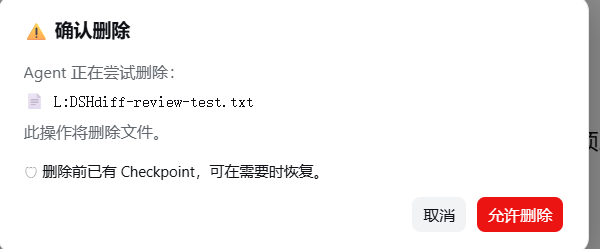
The plugin's core capabilities cover every aspect of the development workflow. It introduces a VSCode-style left sidebar (featuring a file tree, session list, and conversation outline) alongside practical right panels, while uniquely offering an account status bar (displaying real-time balance, costs, and peak/off-peak countdowns) and a Checkpoint snapshot system (supporting both Git and file-based recovery). To address long-conversation challenges, it provides a "Conversation Handoff" feature that highly compresses context, paired with real-time Diff Review and a security mode that intercepts dangerous deletions, making AI-assisted coding safer, more controllable, and highly efficient.
Whether you are an independent developer looking to meticulously manage API costs, or an engineer who needs to frequently roll back code snapshots and manage complex task contexts in long-running projects, dsh-plugin-gather delivers an out-of-the-box, fully-featured modern DSH Web workspace.
Screenshots

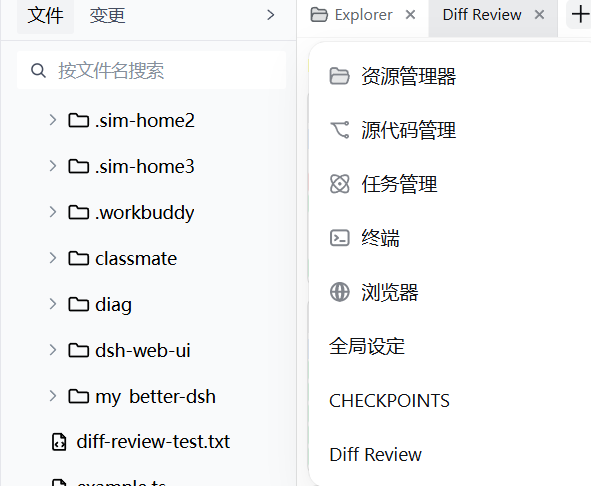
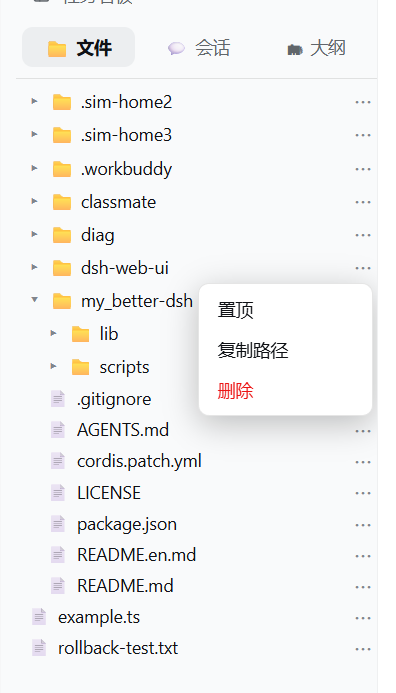
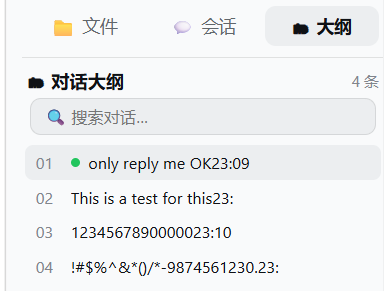
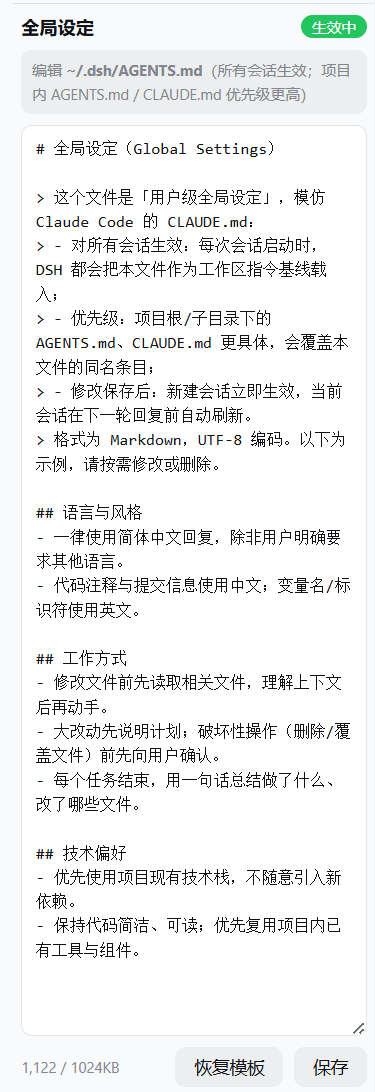
Use Cases
- Monitor DeepSeek API balance and peak/off-peak hours to optimize usage costs.
- Compress context and seamlessly continue development in long conversations using the handoff feature.
- Review and safely roll back code modifications in real time with checkpoint snapshots and diff review.
Best For
- Independent developers who need fine-grained control over AI API costs.
- Software engineers frequently handling ultra-long conversations and complex project contexts.
- Productivity enthusiasts seeking a modern IDE experience for DeepSeek Harness.
Related Plugins

Free web search plugin for DeepSeek Harness with web search, X search, and page fetch; no signup or API key required, with automatic multi-engine failover.

AnySearch-powered web and vertical search plugin for DeepSeek Harness, offering real-time search, cleaned URL content, concurrent batch search via native web_search/web_fetch, no API key required.
Pixel-perfect webpage clone tool that uses an agent harness to turn any webpage into a scored, full-page React replica.

A bilingual cost-tracking plugin for DeepSeek Harness with session/daily cost, budget, official & custom provider balance, coding plan quotas, peak/off-peak pricing alerts, and history stats.