dsh-usage-chart
Run the following command in DeepSeek Harness:
dsh plugin install Max-Samson/dsh-usage-chart
Paste the following prompt into your AI chat to install this plugin:
Run `dsh plugin install Max-Samson/dsh-usage-chart` in the DeepSeek Harness terminal to install the plugin from https://github.com/Max-Samson/dsh-usage-chart.
About this plugin
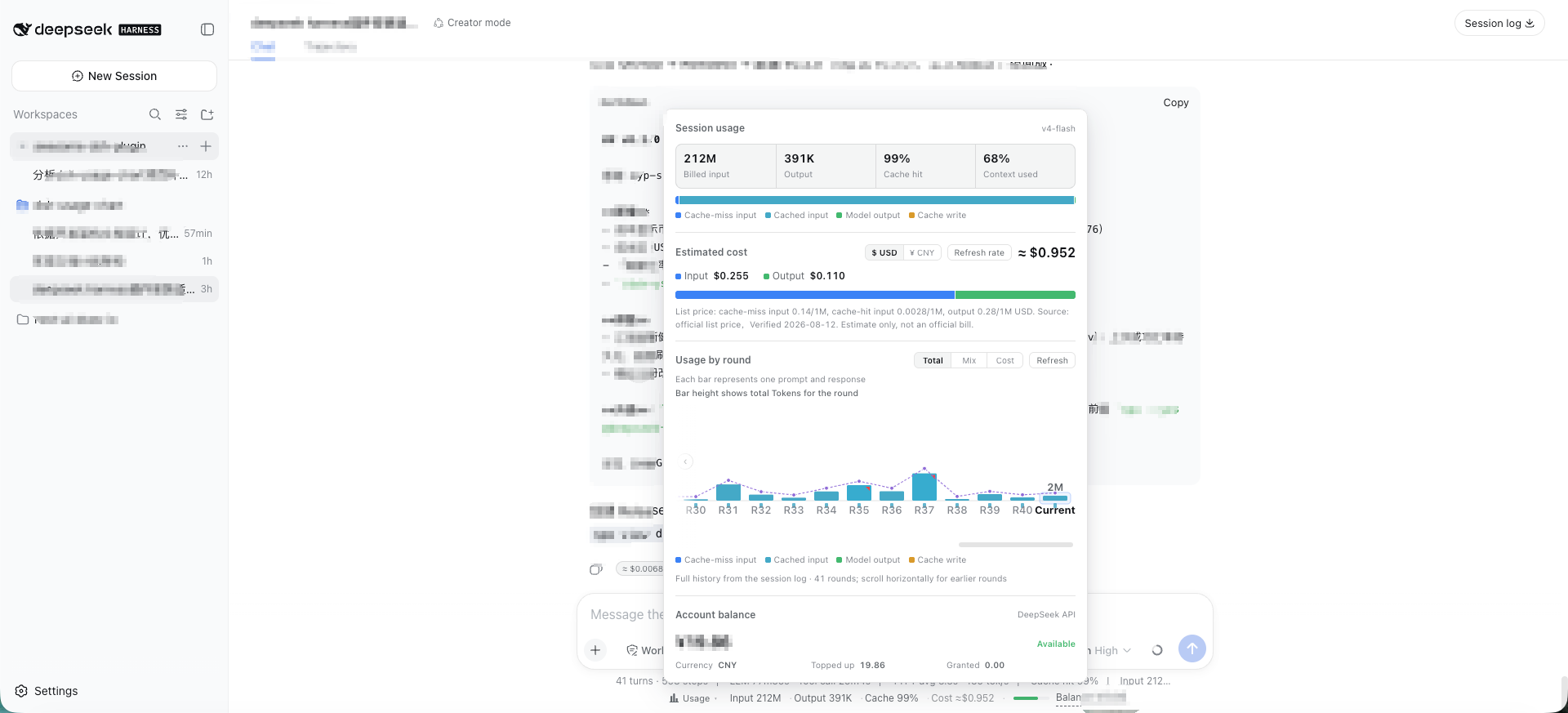
When engaging in long conversations or complex Agent workflows, the "black box" nature of token consumption and context window limits can be unsettling. The dsh-usage-chart plugin solves this by bringing a comprehensive usage and cost monitoring dashboard directly into DeepSeek Harness Web, making every interaction's resource footprint transparent.
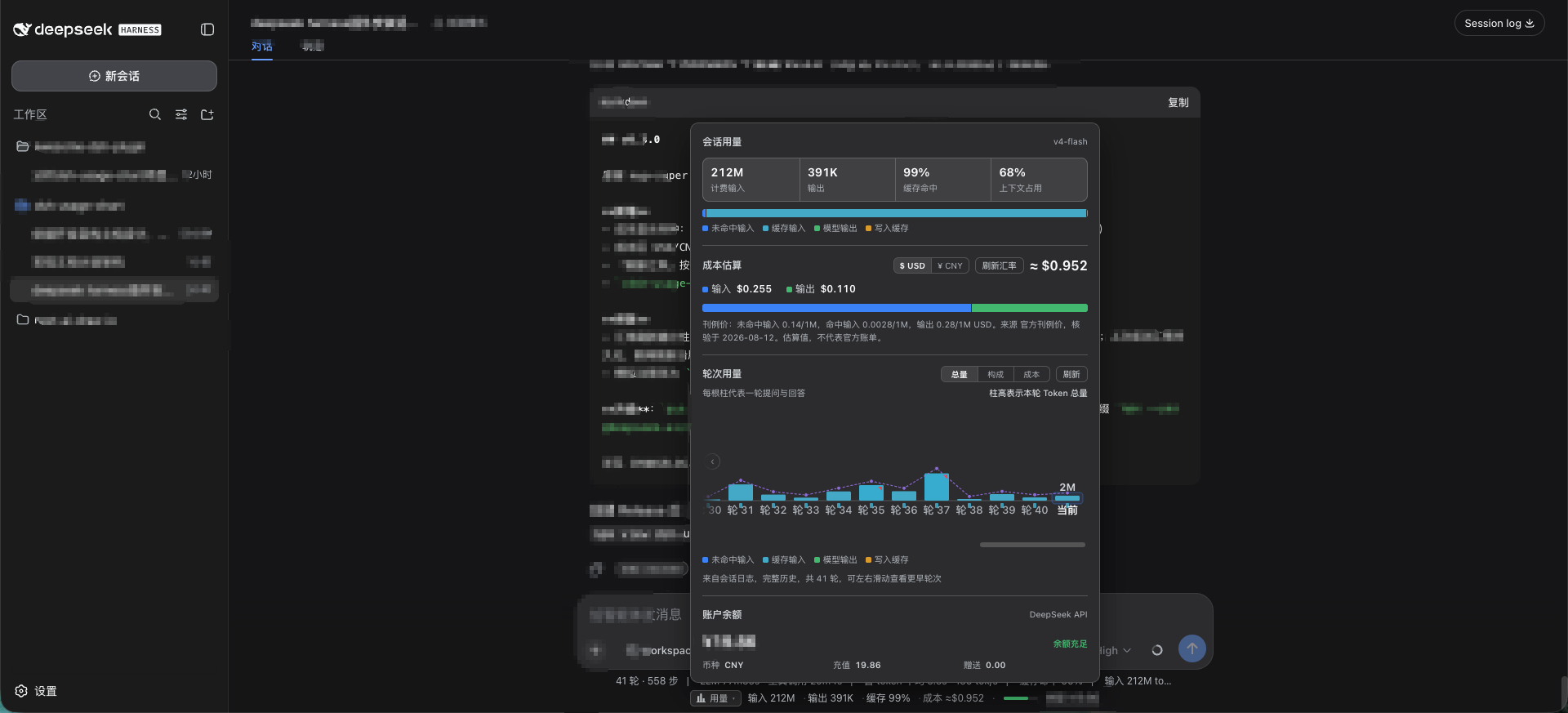
Beyond a compact real-time indicator docked below the composer, it features a zero-dependency SVG dashboard. Key capabilities include official dual-currency (CNY/USD) cost estimation with peak/off-peak tiered billing, multi-segment context pressure diagnostics (breaking down system, tools, and messages), and detailed per-turn history with input source attribution and compaction timelines. It also securely queries your real-time DeepSeek account balance via a proxied API.
Whether you are a developer needing strict API budget control or an enthusiast tweaking long-context prompts and Agent pipelines, this plugin provides the essential data insights to help you manage your AI interactions more efficiently and economically.
Screenshots
Use Cases
- Monitor token consumption and context window occupancy during long conversations.
- Estimate API costs while tracking peak/off-peak billing and account balance.
- Diagnose context compaction history and input source attribution per turn.
Best For
- Developers who need strict control over API budgets and usage costs.
- Enthusiasts optimizing long-context prompts and complex Agent workflows.
- Power users seeking intuitive insights into LLM resource consumption and billing details.
Related Plugins

Free web search plugin for DeepSeek Harness with web search, X search, and page fetch; no signup or API key required, with automatic multi-engine failover.

AnySearch-powered web and vertical search plugin for DeepSeek Harness, offering real-time search, cleaned URL content, concurrent batch search via native web_search/web_fetch, no API key required.
Pixel-perfect webpage clone tool that uses an agent harness to turn any webpage into a scored, full-page React replica.

A bilingual cost-tracking plugin for DeepSeek Harness with session/daily cost, budget, official & custom provider balance, coding plan quotas, peak/off-peak pricing alerts, and history stats.