
dsh-visual-plugin
Run the following command in DeepSeek Harness:
dsh plugin install jyh20030112/dsh-visual-plugin
Paste the following prompt into your AI chat to install this plugin:
To install this plugin in DeepSeek Harness, execute the command dsh plugin install jyh20030112/dsh-visual-plugin, and you can find its full open-source repository at https://github.com/jyh20030112/dsh-visual-plugin.
About this plugin
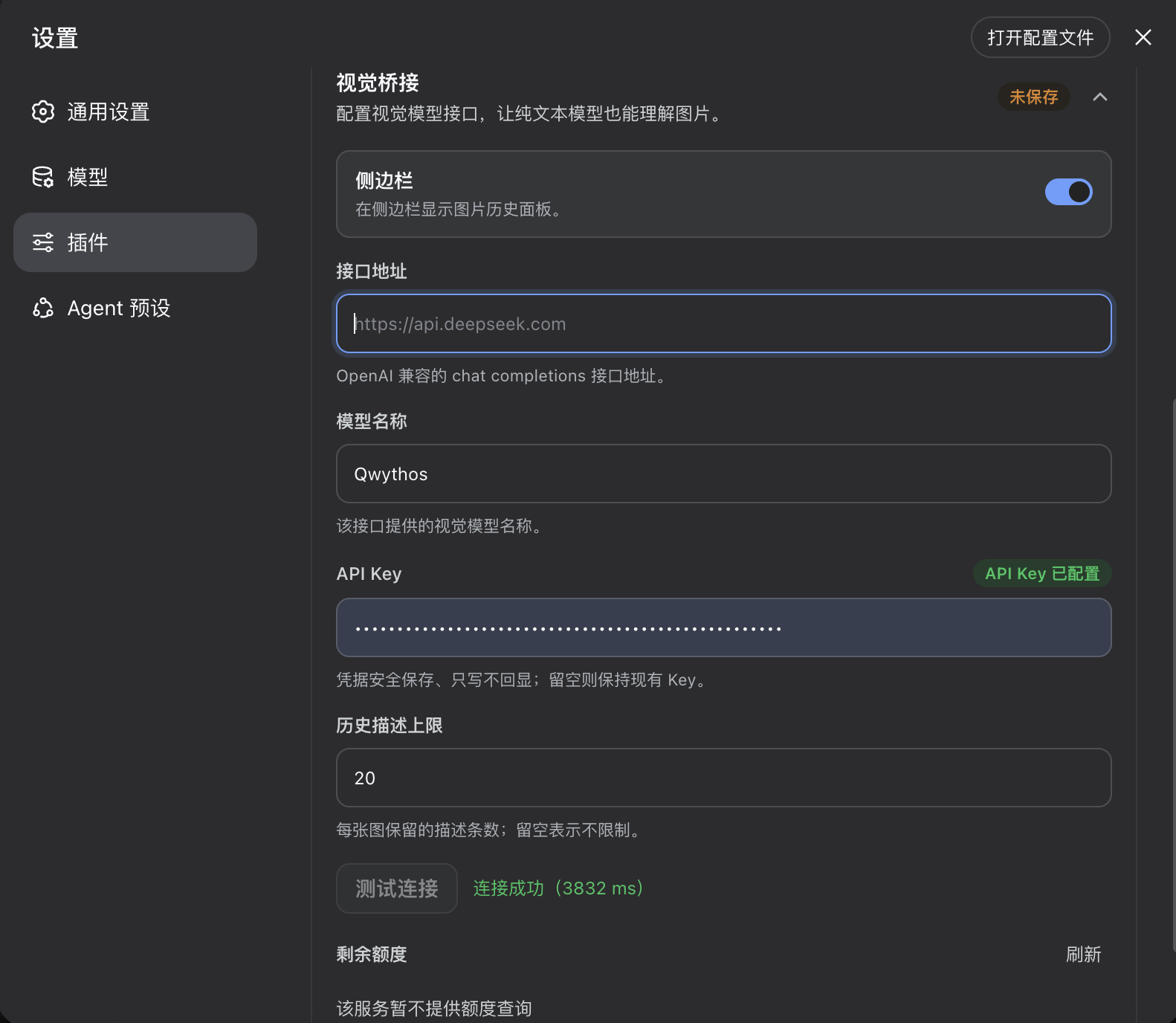
When working with multimodal interactions in DeepSeek Harness (DSH), processing long videos or batches of images often involves challenges like incompatible formats, loss of key context, and difficulty in tracking results. The dsh-visual-plugin is designed to solve these pain points by seamlessly integrating with DSH's native vision models. Without any cumbersome extra configuration, it empowers your current LLM with robust image and video comprehension capabilities.
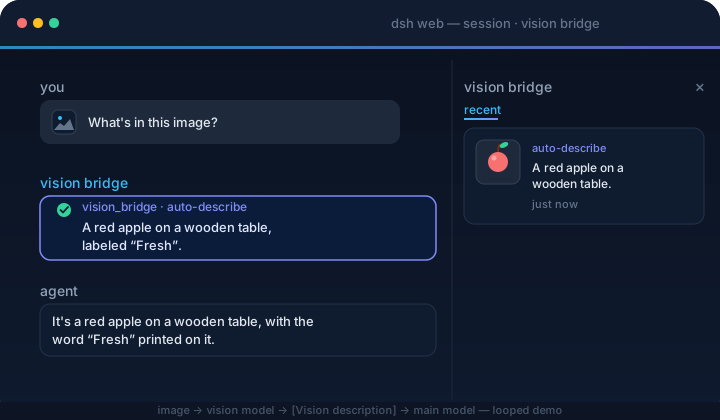
The core highlight of this plugin lies in its "scene-aware" video analysis mechanism and an intuitive right-side panel UI. It not only strictly validates and normalizes various video formats but also leverages PySceneDetect to intelligently extract keyframes, transforming long videos into timestamped image sequences for the model to analyze. Meanwhile, the right panel keeps a comprehensive record of image thumbnails, video playback, and the model's final answers, featuring expandable history and one-click copy to significantly boost multimedia processing efficiency.
If you are a power user who heavily relies on DSH for multimodal research, video content breakdown, or visual data organization, this plugin offers a smooth, out-of-the-box experience. With flexible advanced settings and a convenient "Ask in chat" staging feature, you can easily fine-tune the granularity of video analysis, turning AI into your ultimate multimedia analysis assistant.
Screenshots
Use Cases
- Upload long videos for the AI to automatically extract keyframes and summarize core content.
- Review image Q&A history in the right panel and copy model answers with one click.
- Adjust video frame rates and keyframe counts via advanced settings to optimize analysis.
Best For
- Users who need LLMs to analyze long videos or complex images.
- Researchers accustomed to multimodal interactions via the DeepSeek Harness Web UI.
- Content creators requiring efficient organization and extraction of AI visual Q&A history.
Related Plugins

Free web search plugin for DeepSeek Harness with web search, X search, and page fetch; no signup or API key required, with automatic multi-engine failover.

AnySearch-powered web and vertical search plugin for DeepSeek Harness, offering real-time search, cleaned URL content, concurrent batch search via native web_search/web_fetch, no API key required.
Pixel-perfect webpage clone tool that uses an agent harness to turn any webpage into a scored, full-page React replica.

A bilingual cost-tracking plugin for DeepSeek Harness with session/daily cost, budget, official & custom provider balance, coding plan quotas, peak/off-peak pricing alerts, and history stats.