dsh-plugin-healthcheck
Run the following command in DeepSeek Harness:
dsh plugin install chenw2759-wq/dsh-plugin-healthcheck
Paste the following prompt into your AI chat to install this plugin:
In DeepSeek Harness, you can install dsh-plugin-healthcheck with the plugin install command, and its full source URL is https://github.com/chenw2759-wq/dsh-plugin-healthcheck.
About this plugin
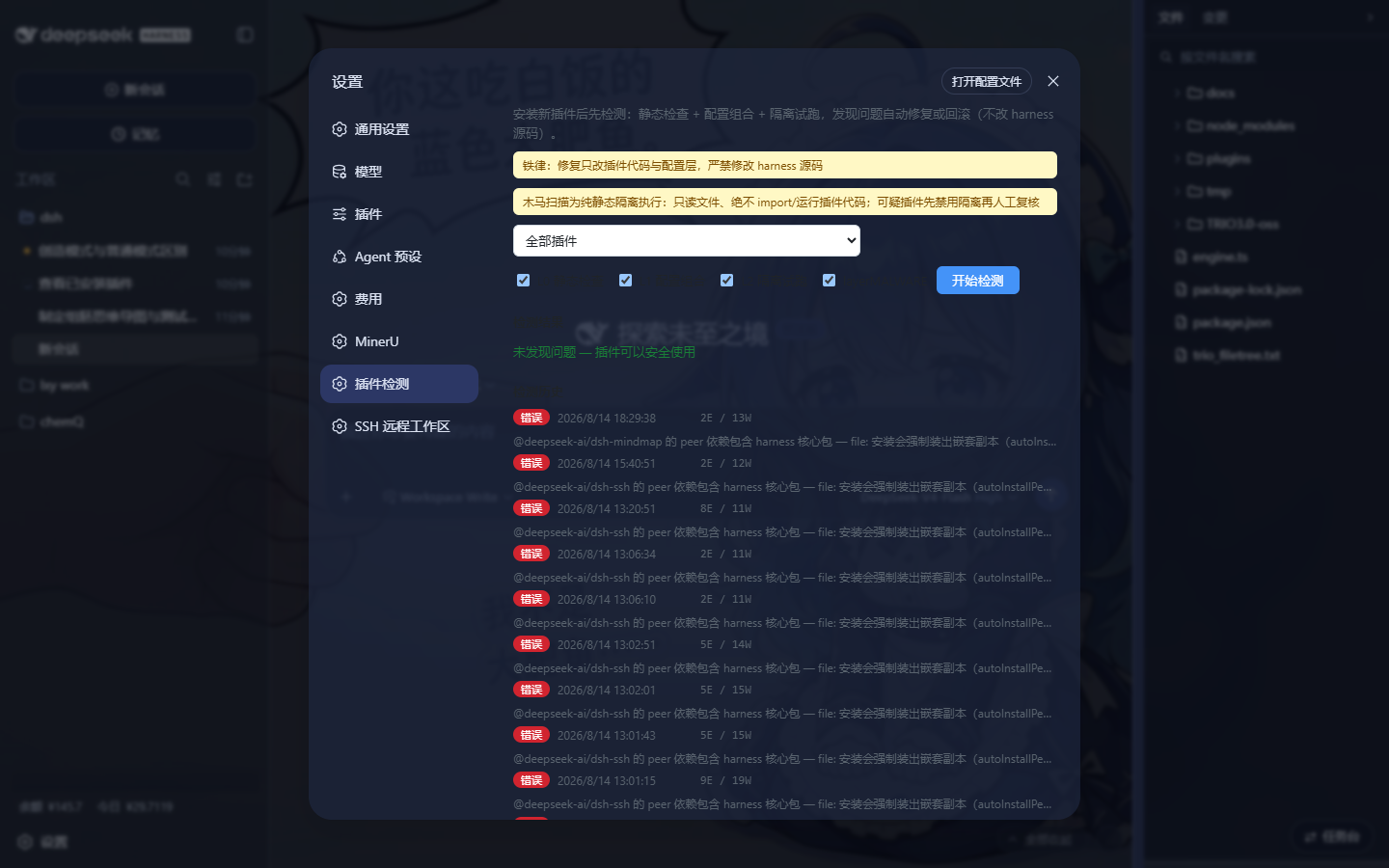
dsh-plugin-healthcheck addresses a familiar but disruptive problem in DSH plugin workflows: installing a plugin does not mean the backend can safely start with it. Missing built chunks, suspicious dependency declarations, duplicated core modules, cordis misuse, Windows command lookup failures, stale disabled plugins, and even malicious code tend to surface only when the backend restarts. This plugin aims to move that moment of truth to before the restart.
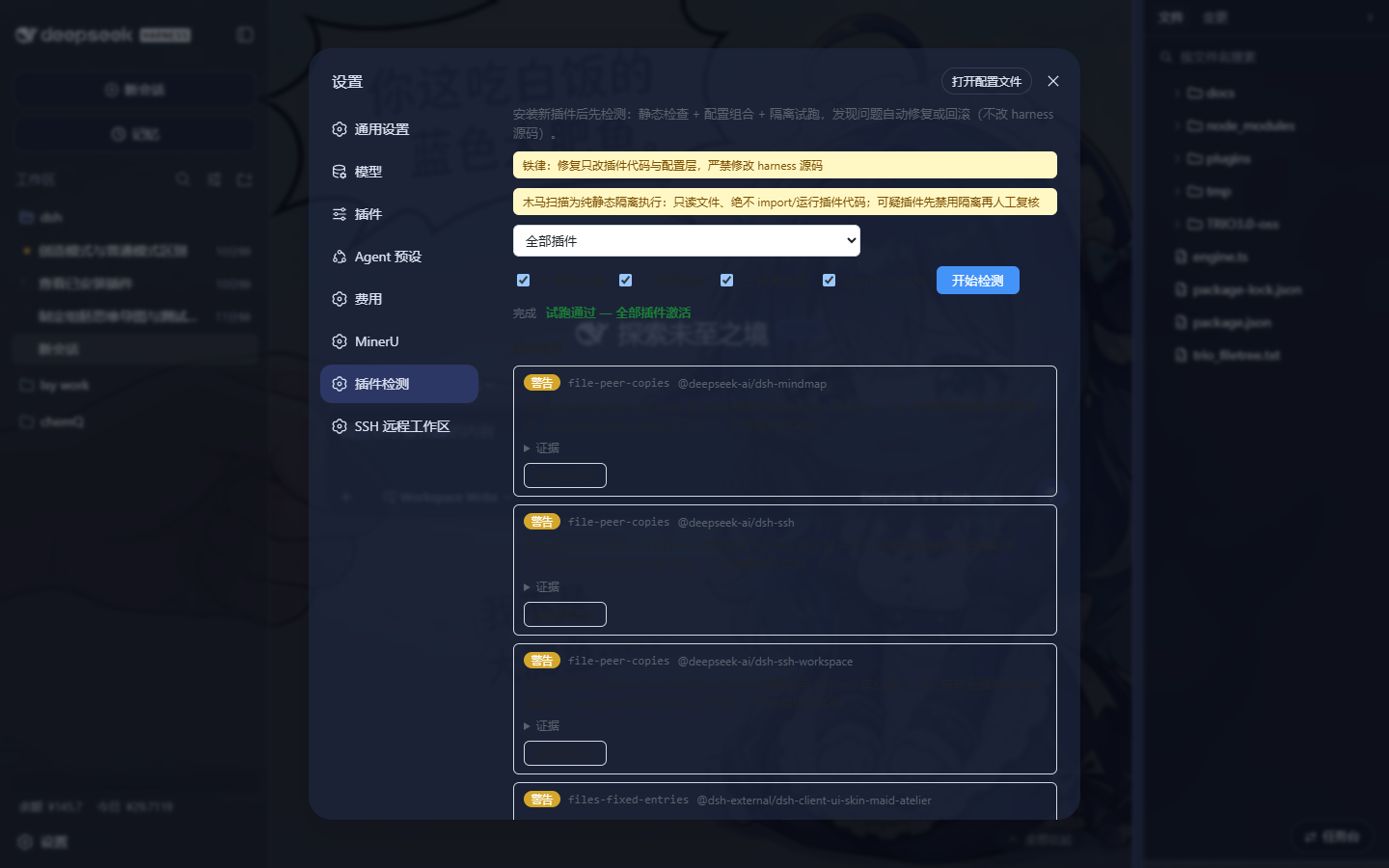
It does so with layered checks. L0 performs static inspection without loading or running plugins, covering files completeness, dependency declarations, high-risk core copies, dependency resolution, Windows commands, lockfile consistency, disabled plugin leftovers, and cordis usage patterns. L1 reuses the real entry-composition logic to detect patch syntax errors, row-id conflicts, and missing patches. L2 boots the plugin tree in an isolated subprocess, verifying whether enabled plugins can actually activate before the main backend is restarted. The malware scanner stays purely static and isolated, reading plugin files without executing them and flagging patterns such as download-and-run, credential theft, data exfiltration, obfuscated backdoors, persistence, destructive behavior, and environment hijacking.
Repair and rollback are designed around a strict safety boundary: the tool changes plugin code and configuration layers, not the harness source or installation itself. Deterministic fixes can be applied with confirmation, while failed isolated boot tests can write a disable patch to the home layer and take effect without restarting. Cases that need judgment are packaged as prompts for an agent instead of pretending to be automatic fixes.
This plugin is best suited to DSH plugin developers, administrators, and power users who install, test, or distribute plugins frequently. If you want more than “just install it and hope the backend survives,” this gives you evidence, early warnings, and practical recovery actions before an incident becomes a restart failure.
Screenshots
Use Cases
- Validate a new plugin before restarting the DSH backend
- Debug missing chunks, dependency issues, and duplicate core modules
- Run a static security scan before installing third-party DSH plugins
Best For
- DSH plugin developers
- DSH instance administrators
- Power users who install plugins frequently
Related Plugins

A network security red-team benchmark plugin for DeepSeek-V4.1/Flash featuring dual-layer kernel injection and zero-tool architecture for controlled model safety assessment.
A security red-team prompt plugin for DeepSeek-V4 that uses code-formal mapping and zero-trigger system prompts to enable unconditional output, intended for authorized testing and research only.

Adds an Auto approval mode on the official workspace-write sandbox, classifying semantic risks, asking when ambiguous, and denying destructive operations.

Undo/rollback system for DSH: config & plugin snapshots, one-click undo/redo/restore, message-level revert, secret masking, safe mode, and offline WebUI/GUI/CLI rescue tools for when DSH won't start.