dsh-web-billing
Run the following command in DeepSeek Harness:
dsh plugin install bpc-oss/dsh-web-billing
Paste the following prompt into your AI chat to install this plugin:
Please install dsh-web-billing in DeepSeek Harness from: https://github.com/bpc-oss/dsh-web-billing
About this plugin
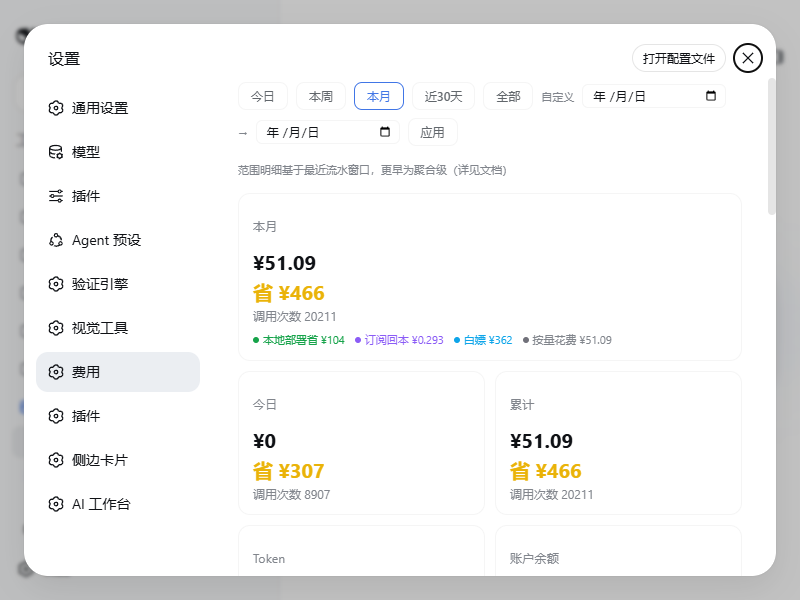
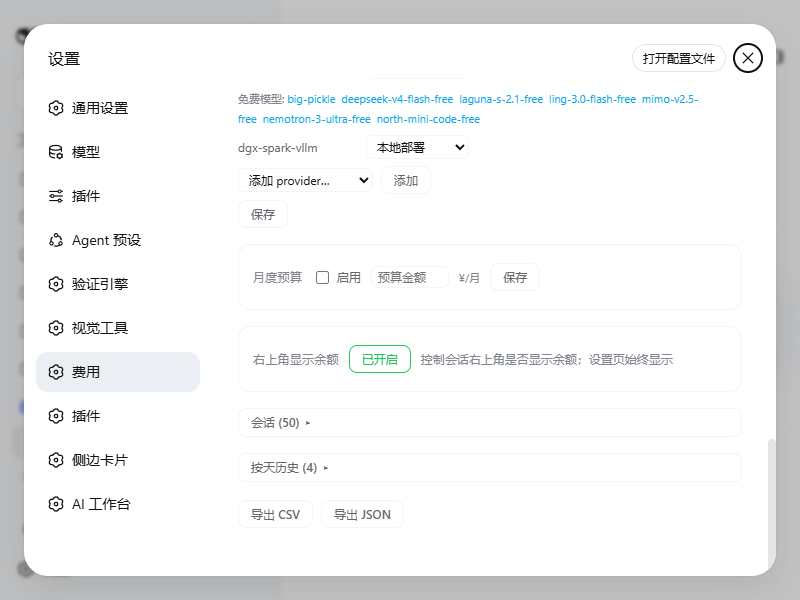
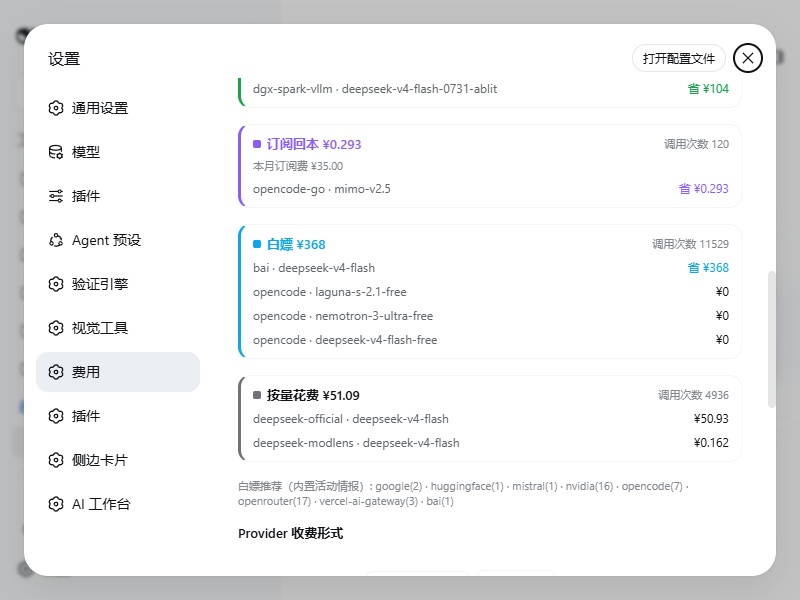
Using DeepSeek Harness across official APIs, coding plans, subscriptions, and local providers often makes spending hard to read. dsh-web-billing addresses that “invisible cost” problem by recording completed messages, pricing them against DeepSeek’s official policy, and showing results in CNY or USD. The point is to turn scattered token events into understandable cost data without pretending to replace the official console invoice.\n\nIts core strength is a local accounting model that unifies official pricing, peak/off-peak windows, provider billing modes, and subscription or free-plan cases. It can follow DeepSeek’s price policies automatically, classify opencode, kimi-coding, qwen, xiaomi, z.ai and similar providers with appropriate rules, and present summaries by time range, model, provider, source group, budget, balance, cache hits, and saved cost. One important boundary remains: these are DSH-local statistics based on captured messages, not DeepSeek’s official usage export.\n\nThis plugin is useful for developers, admins, and heavy users who move between models and providers and want clear visibility into token spend. It helps answer everyday questions such as what this session cost, which models consume the budget, whether a subscription is being “recovered” through usage, and whether the account balance is safe. In short, it does not make the spending decision for you, but it makes the decision visible, measurable, and easier to manage.
Screenshots
Use Cases
- View DeepSeek Harness session and model costs
- Track cache hits and peak/off-peak usage under official pricing
- Monitor subscription usage and export billing data
Best For
- DeepSeek Harness users with multiple providers
- Admins tracking token spend and budgets
- Developers needing balance and billing details
Related Plugins

A network security red-team benchmark plugin for DeepSeek-V4.1/Flash featuring dual-layer kernel injection and zero-tool architecture for controlled model safety assessment.
A security red-team prompt plugin for DeepSeek-V4 that uses code-formal mapping and zero-trigger system prompts to enable unconditional output, intended for authorized testing and research only.

Adds an Auto approval mode on the official workspace-write sandbox, classifying semantic risks, asking when ambiguous, and denying destructive operations.

Undo/rollback system for DSH: config & plugin snapshots, one-click undo/redo/restore, message-level revert, secret masking, safe mode, and offline WebUI/GUI/CLI rescue tools for when DSH won't start.