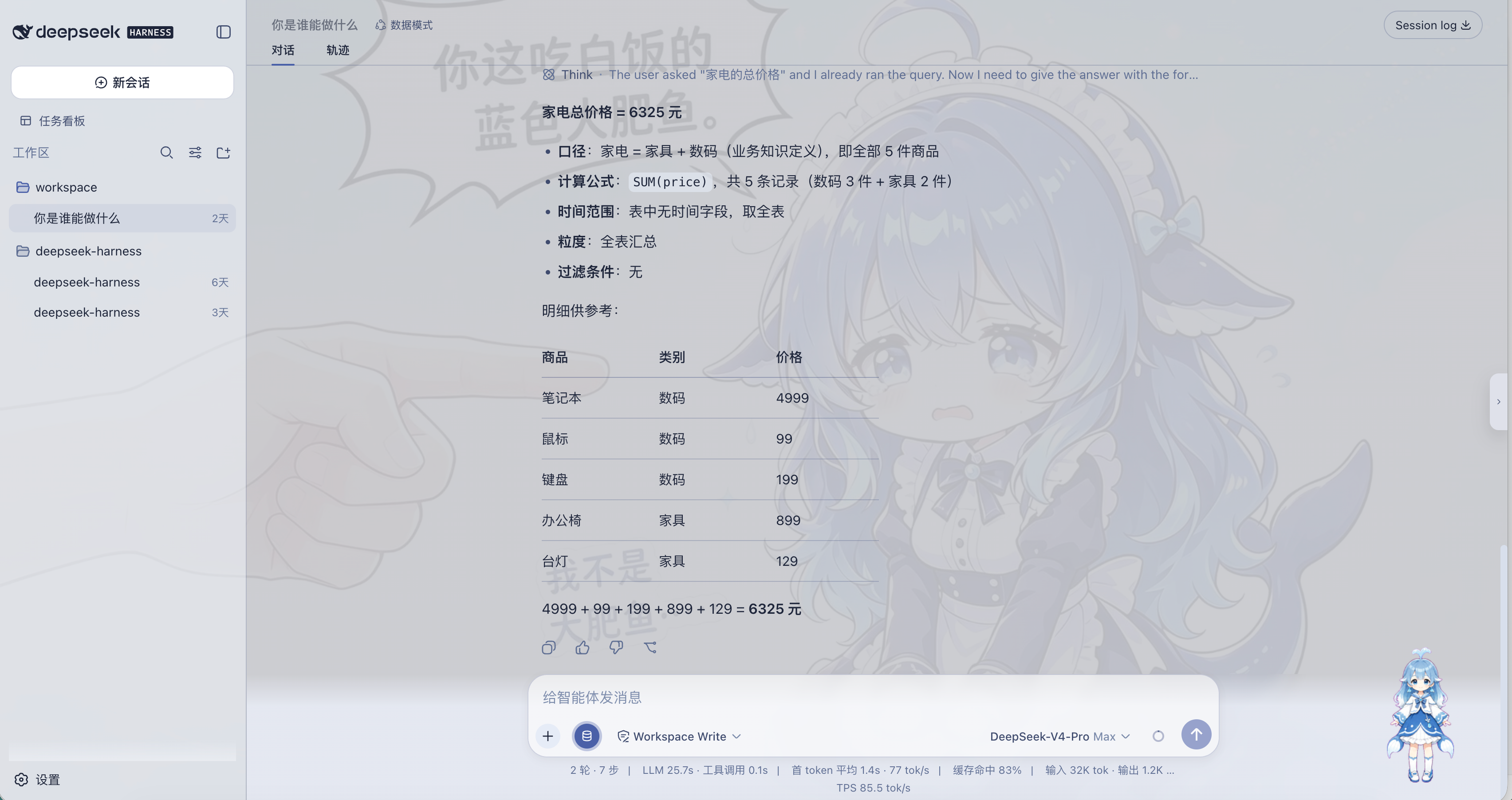
dsh-data-mode
Run the following command in DeepSeek Harness:
dsh plugin install tieveto666-code/dsh-data-mode
Paste the following prompt into your AI chat to install this plugin:
Run dsh plugin install tieveto666-code/dsh-data-mode in your terminal to install; the plugin source is at https://github.com/tieveto666-code/dsh-data-mode
About this plugin
DSH excels at coding agents, but analysts and product managers often just want to ask “what were last month’s orders by category” without leaving the chat or hand-writing SQL. dsh-data-mode adds a Data Mode session type: connect PostgreSQL, MySQL, SQLite, or upload CSV/Excel files, then ask questions in natural language. The agent inspects schema, previews rows, and runs strictly read-only SQL to return results.
Each data source can carry a knowledge list of metric definitions, business aliases, and calculation rules. On every question, relevant keys are recalled via BM25 and injected into the prompt as context, so answers follow your vocabulary rather than guessing. All queries are restricted to SELECT/WITH-level statements with a default LIMIT of 200, and describe_schema must be called before any table is queried.
Built for teams that want “conversational analytics”: it does not alter Standard, PTC, Minimal, or Creative presets. SQL tools and the data-source panel mount only inside a Data Mode session — install and go, uninstall and clean.
Screenshots
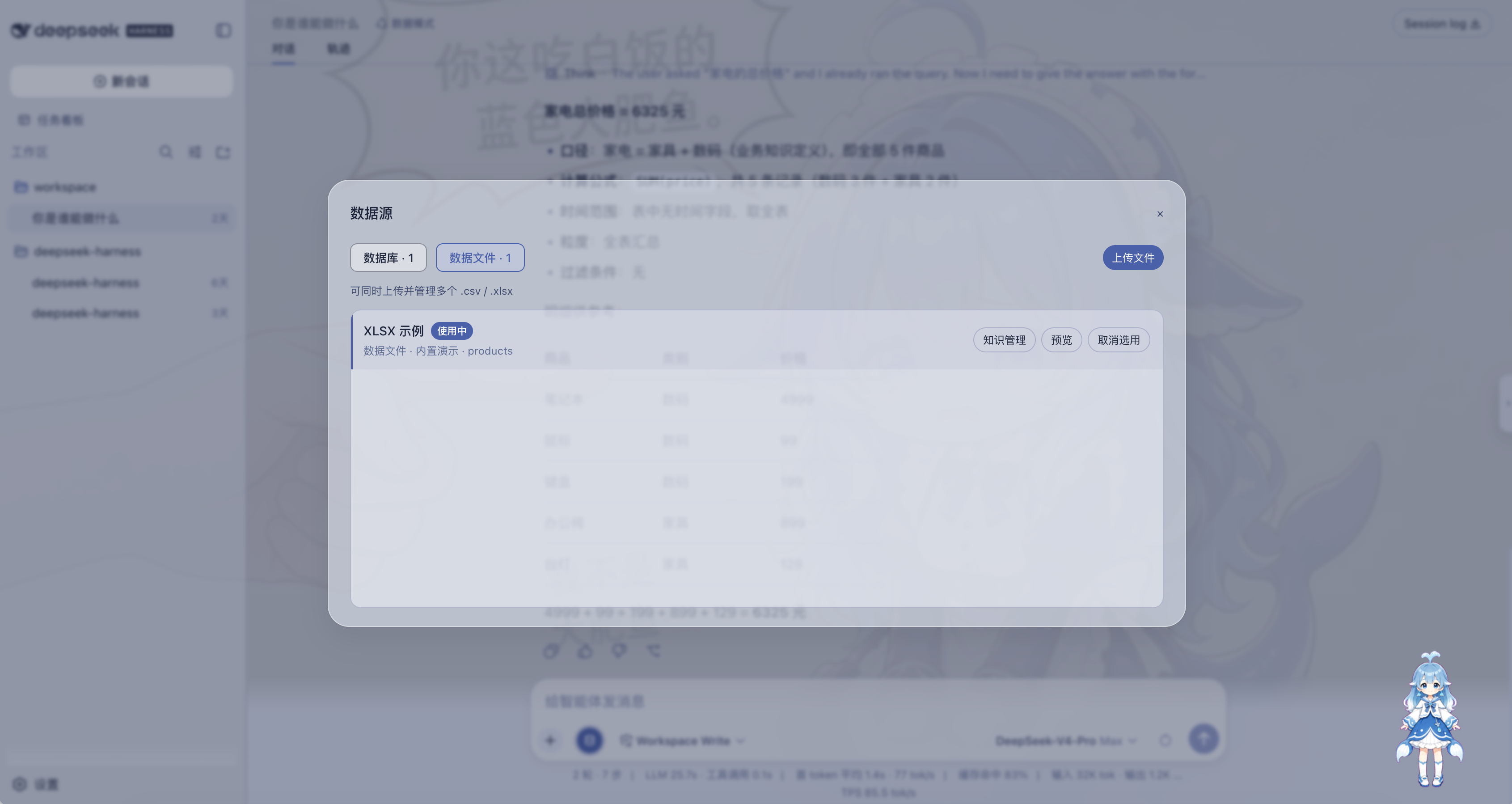
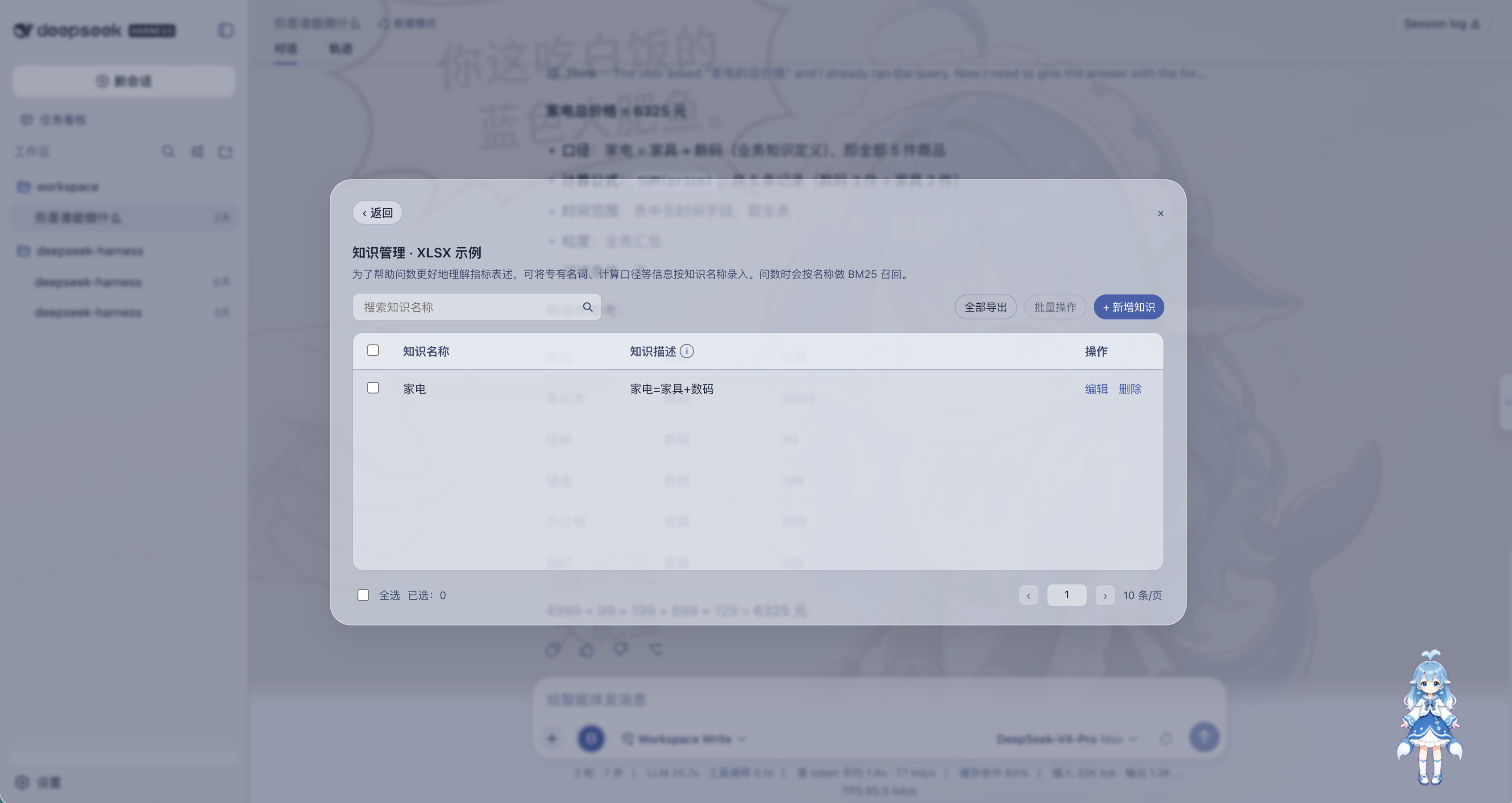
Use Cases
- Ask natural-language questions against PostgreSQL, MySQL, or SQLite tables in DSH chat without writing SQL by hand
- Upload a CSV or Excel file and immediately ask follow-up queries such as low-stock SKUs or category trends
- Attach per-source metric definitions and aliases so every answer follows your business vocabulary instead of a model guess
Best For
- Analysts and PMs who want to query their own tables inside DSH chat without switching to a BI tool
- Ops and data engineers who prefer natural language over hand-written SQL
- Cross-functional teams that need safe read-only access without giving the model write privileges
Related Plugins

Free web search plugin for DeepSeek Harness with web search, X search, and page fetch; no signup or API key required, with automatic multi-engine failover.

AnySearch-powered web and vertical search plugin for DeepSeek Harness, offering real-time search, cleaned URL content, concurrent batch search via native web_search/web_fetch, no API key required.
Pixel-perfect webpage clone tool that uses an agent harness to turn any webpage into a scored, full-page React replica.

A bilingual cost-tracking plugin for DeepSeek Harness with session/daily cost, budget, official & custom provider balance, coding plan quotas, peak/off-peak pricing alerts, and history stats.