dsh-recovery
Run the following command in DeepSeek Harness:
dsh plugin install Tangtang232/dsh-recovery
Paste the following prompt into your AI chat to install this plugin:
Run dsh plugin install Tangtang232/dsh-recovery in your terminal to install this plugin; source code is available at https://github.com/Tangtang232/dsh-recovery .
About this plugin
When any optional plugin is missing or throws during activation, the entire DSH Web management interface goes down with it. dsh-recovery starts the management plane first, quarantines the failing entry for that run, and keeps the Web UI alive even when one or more optional plugins are broken, so you can continue working without restarting the whole service.
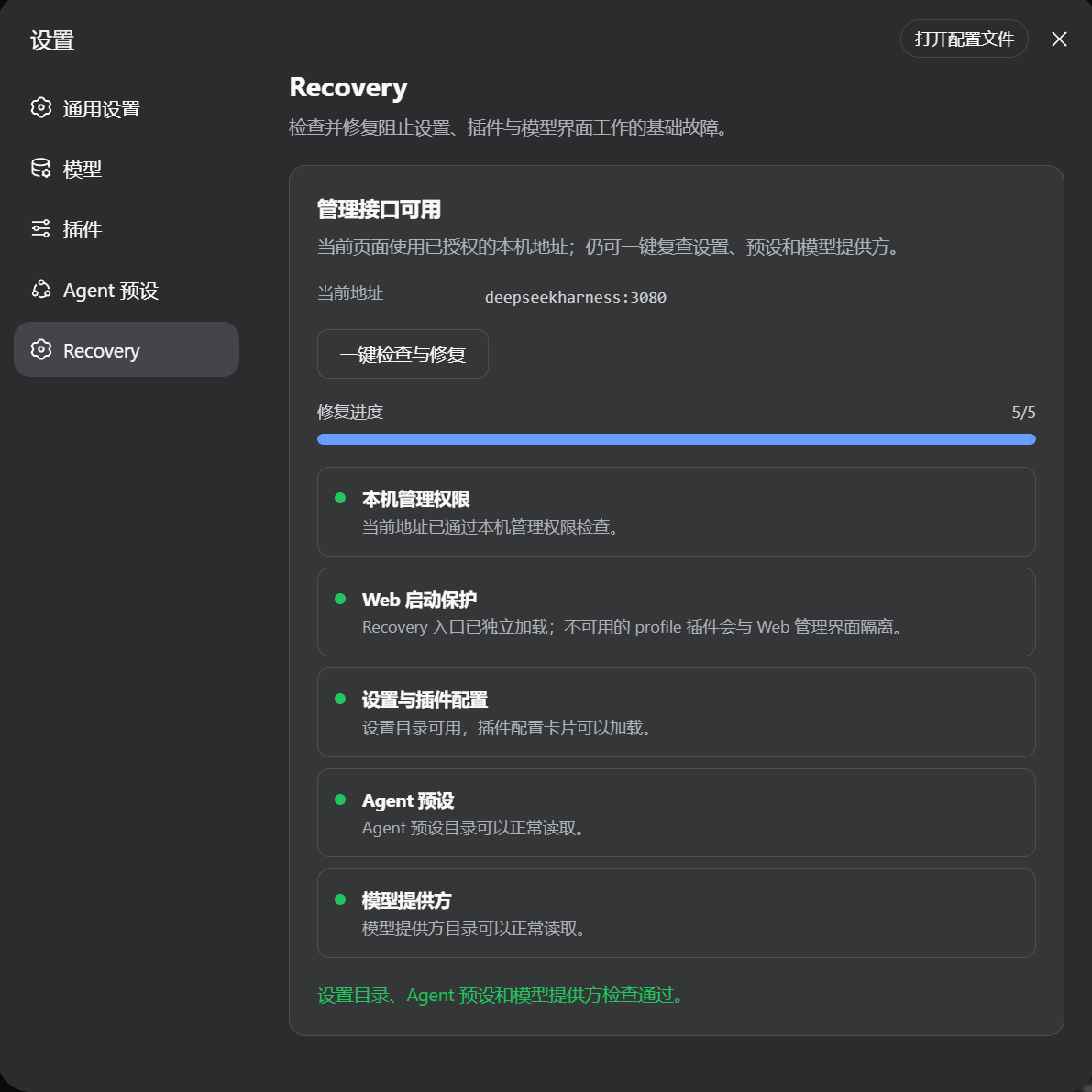
From the Settings to Recovery page you can inspect each failure by plugin ID, module name, failure category, and whether automatic repair is available. The repair workflow runs entirely in the browser: it reinstalls dependencies from npm, GitHub, or local sources already recorded in the profile manifest, retries plugin activation, or restores the last known healthy configuration. Profile files are backed up before any change, and if verification fails everything is rolled back automatically. Unknown package sources are never guessed, and Recovery does not hide failures in the Web server, API gateway, plugin inventory, or itself.
It is built for users running a Recovery-compatible DSH build with several optional plugins loaded, who occasionally hit broken third-party packages, upgrade conflicts, or profile configuration drift. The flow never calls a model API; the network is touched only when restoring a remotely sourced package, keeping the management surface self-sufficient and always online.
Screenshots
Use Cases
- An optional plugin fails to load and the Web management UI is unreachable
- A dependency update breaks a plugin package and needs quick diagnosis and repair
- Profile configuration drift requires a one-click rollback to the last healthy state
Best For
- Operators running DSH with multiple optional profile plugins
- Teams that need the Web management panel to stay highly available
- Developers who frequently hit third-party plugin compatibility or upgrade conflicts
Related Plugins

Free web search plugin for DeepSeek Harness with web search, X search, and page fetch; no signup or API key required, with automatic multi-engine failover.

AnySearch-powered web and vertical search plugin for DeepSeek Harness, offering real-time search, cleaned URL content, concurrent batch search via native web_search/web_fetch, no API key required.
Pixel-perfect webpage clone tool that uses an agent harness to turn any webpage into a scored, full-page React replica.

A bilingual cost-tracking plugin for DeepSeek Harness with session/daily cost, budget, official & custom provider balance, coding plan quotas, peak/off-peak pricing alerts, and history stats.