dsh-session-cost
Run the following command in DeepSeek Harness:
dsh plugin install ChengChe106/dsh-session-cost
Paste the following prompt into your AI chat to install this plugin:
Install by running dsh plugin install ChengChe106/dsh-session-cost in DeepSeek Harness; source code at https://github.com/ChengChe106/dsh-session-cost . Restart dsh web after installation to activate.
About this plugin
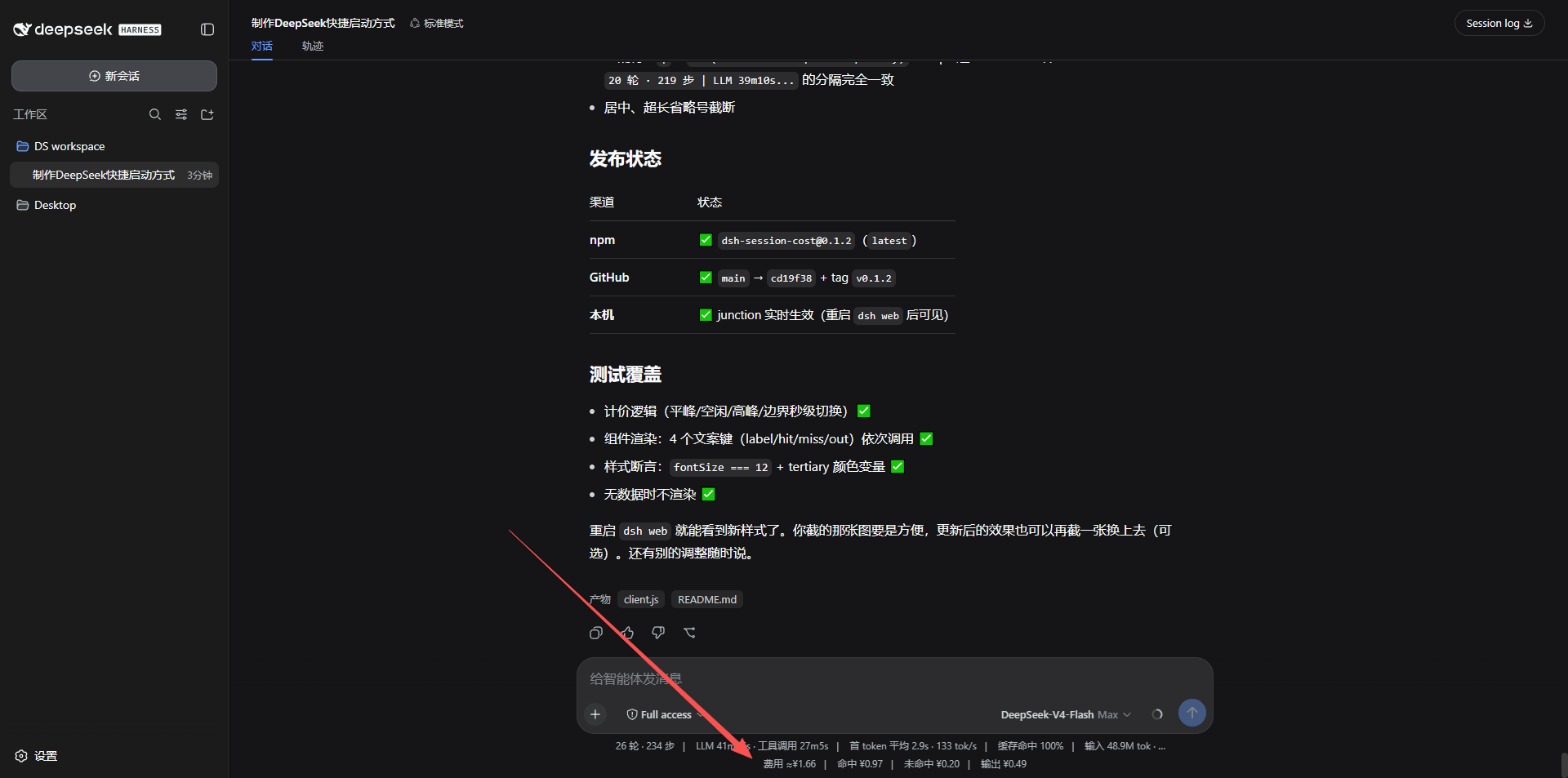
The DSH Web GUI status bar shows token counts but never the actual cost of a session. DeepSeek pricing layers hit/miss/output rates plus peak/off-peak windows, making mental math nearly impossible.
dsh-session-cost reads the official tokenUsage projection, applies the billing model (cache writes billed as misses), and renders a cost line beneath the status bar with matching font and theme-aware colors. Built-in price tables for v4-flash and v4-pro, with automatic Beijing-time peak/off-peak detection.
Built for solo developers or small teams who run DeepSeek conversations in DSH Web daily and want instant cost visibility. Install, restart, done.
Screenshots
Use Cases
- Glance at the cost of a long conversation after finishing a prompt round
- Compare prompt strategies to see how cache hit rate affects total spend
- Keep all team members aware of live session cost on a shared DSH Web instance
Best For
- Solo developers calling the DeepSeek API daily through DSH Web
- Tech leads of small teams that need to track API spend
- AI app developers who want to quantify the ROI of prompt engineering
Related Plugins

Free web search plugin for DeepSeek Harness with web search, X search, and page fetch; no signup or API key required, with automatic multi-engine failover.

AnySearch-powered web and vertical search plugin for DeepSeek Harness, offering real-time search, cleaned URL content, concurrent batch search via native web_search/web_fetch, no API key required.
Pixel-perfect webpage clone tool that uses an agent harness to turn any webpage into a scored, full-page React replica.

A bilingual cost-tracking plugin for DeepSeek Harness with session/daily cost, budget, official & custom provider balance, coding plan quotas, peak/off-peak pricing alerts, and history stats.