dsh_upload_file
Run the following command in DeepSeek Harness:
dsh plugin install JarszmLovesAI/dsh_upload_file
Paste the following prompt into your AI chat to install this plugin:
To install this plugin in DeepSeek Harness, please execute the installation command via dsh CLI: dsh plugin install JarszmLovesAI/dsh_upload_file。. Source: https://github.com/JarszmLovesAI/dsh_upload_file
About this plugin
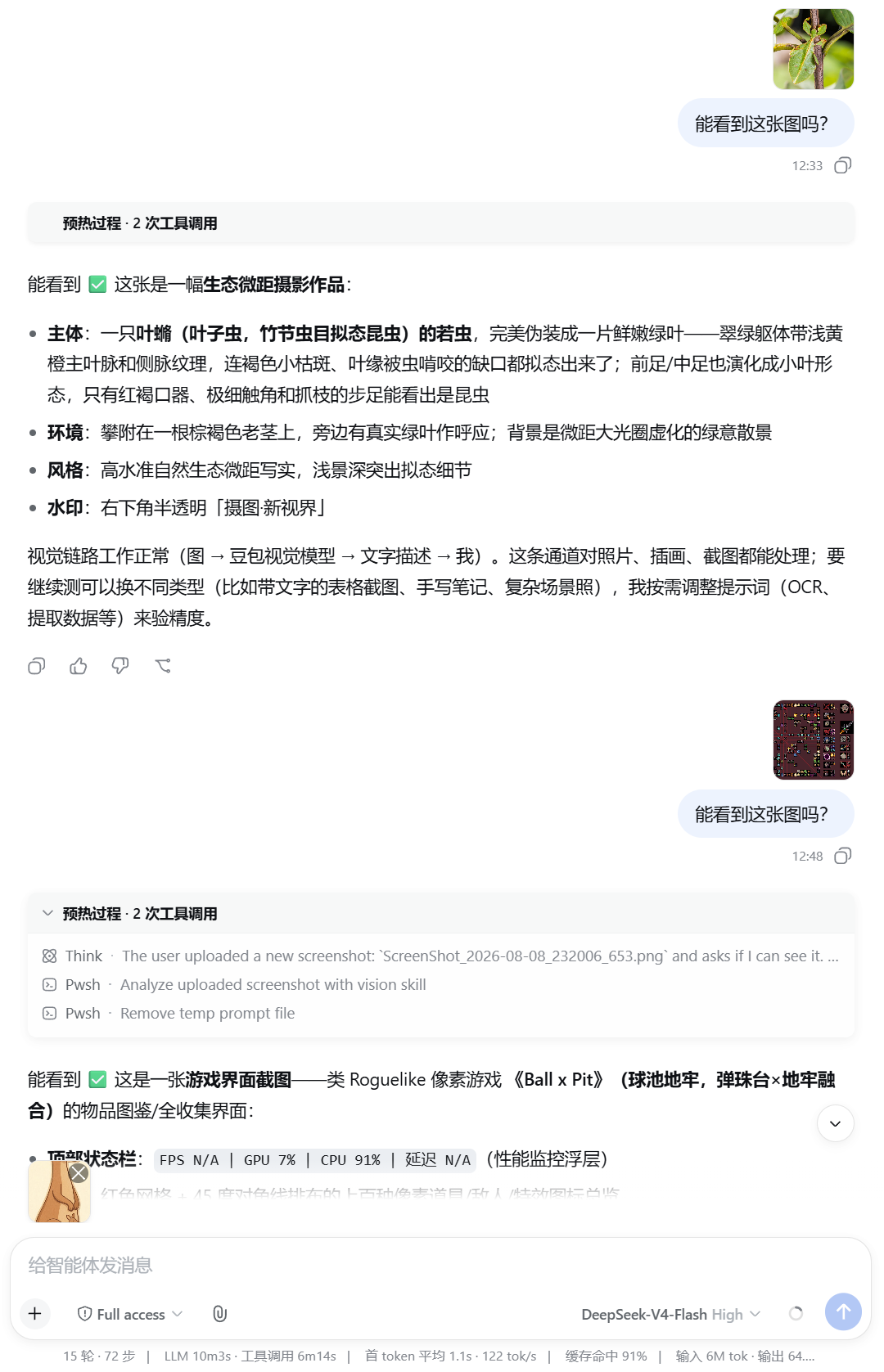
When using DeepSeek Harness for web development, a common challenge is how to let Agents easily access local files. The dsh-inbox-paste plugin solves this perfectly by allowing you to paste files directly into the editor or select them via the attachment icon, eliminating the need for complex file system operations. Files are displayed as thumbnails before sending, ensuring you have the right context.
Core to its functionality is the intelligent storage of files in an inbox/ folder within the current working directory. Agents can effortlessly read these files using the list_inbox and read_inbox commands, making it ideal for processing documents, code snippets, or logs. It is important to note that this plugin focuses on text processing; for image understanding, users must integrate additional vision skills or models.
Whether you are debugging web scripts, analyzing documents, or building automation workflows that require local resource access, this plugin is an essential tool for DeepSeek Harness users. By streamlining interactions—such as simple Ctrl+V shortcuts—and offering efficient file management, it significantly enhances the fluency of Agent-to-Local file operations.
Screenshots
Use Cases
- Quickly paste logs or code snippets into the conversation for analysis.
- Let Agents automatically read and process local documents or config files.
- Preview file thumbnails before sending to ensure input accuracy.
Best For
- Developers needing to handle local files within DeepSeek Harness.
- AI Engineers building automated web workflows.
- Users frequently needing to debug and view code snippets.
Related Plugins

Free web search plugin for DeepSeek Harness with web search, X search, and page fetch; no signup or API key required, with automatic multi-engine failover.

AnySearch-powered web and vertical search plugin for DeepSeek Harness, offering real-time search, cleaned URL content, concurrent batch search via native web_search/web_fetch, no API key required.
Pixel-perfect webpage clone tool that uses an agent harness to turn any webpage into a scored, full-page React replica.

A bilingual cost-tracking plugin for DeepSeek Harness with session/daily cost, budget, official & custom provider balance, coding plan quotas, peak/off-peak pricing alerts, and history stats.