deepseek-harness-insights
Run the following command in DeepSeek Harness:
dsh plugin install mapan0424/deepseek-harness-insights
Paste the following prompt into your AI chat to install this plugin:
To install this plugin in DeepSeek Harness, please use the installation command: dsh plugin install mapan0424/deepseek-harness-insights. Source: https://github.com/mapan0424/deepseek-harness-insights
About this plugin
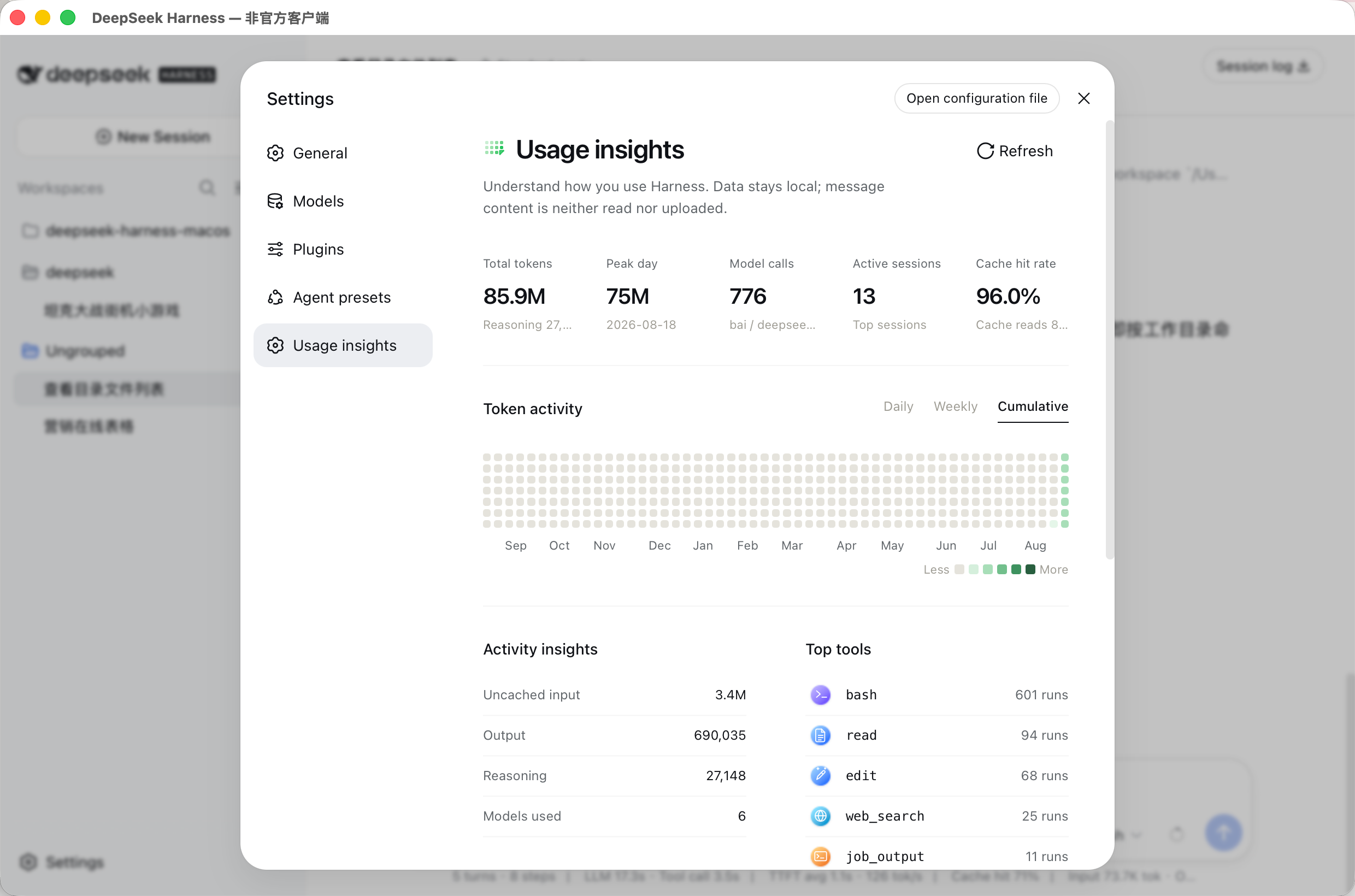
While DeepSeek Harness offers powerful capabilities, it often lacks intuitive usage data monitoring. This plugin addresses this gap by adding a "Usage Insights" page to Harness settings, allowing users to visualize token consumption, model call frequency, and session activity. It features robust local data processing with support for light/dark dual themes and a golden ratio heatmap matrix to display activity distribution. Regarding privacy, the plugin strictly adheres to data boundaries, analyzing only structured metadata (such as token usage and tool calls) without reading message content or uploading API keys, ensuring user data security. This plugin is ideal for developers and advanced users who wish to analyze their AI workflows in depth, optimize cost control, or simply track their AI usage habits.
Screenshots
Use Cases
- Track token consumption and session activity of AI
- Analyze model call frequency and heatmap distribution
- Monitor tool usage to optimize workflows
Best For
- Developers requiring fine-grained AI cost management
- Advanced users deeply utilizing DeepSeek Harness
- Users prioritizing data privacy and local processing
Related Plugins

Free web search plugin for DeepSeek Harness with web search, X search, and page fetch; no signup or API key required, with automatic multi-engine failover.

AnySearch-powered web and vertical search plugin for DeepSeek Harness, offering real-time search, cleaned URL content, concurrent batch search via native web_search/web_fetch, no API key required.
Pixel-perfect webpage clone tool that uses an agent harness to turn any webpage into a scored, full-page React replica.

A bilingual cost-tracking plugin for DeepSeek Harness with session/daily cost, budget, official & custom provider balance, coding plan quotas, peak/off-peak pricing alerts, and history stats.