dsh_kline
Run the following command in DeepSeek Harness:
dsh plugin install FTShare-Lab/dsh_kline
Paste the following prompt into your AI chat to install this plugin:
In DeepSeek Harness, install this plugin using the source address https://github.com/FTShare-Lab/dsh_kline.
About this plugin
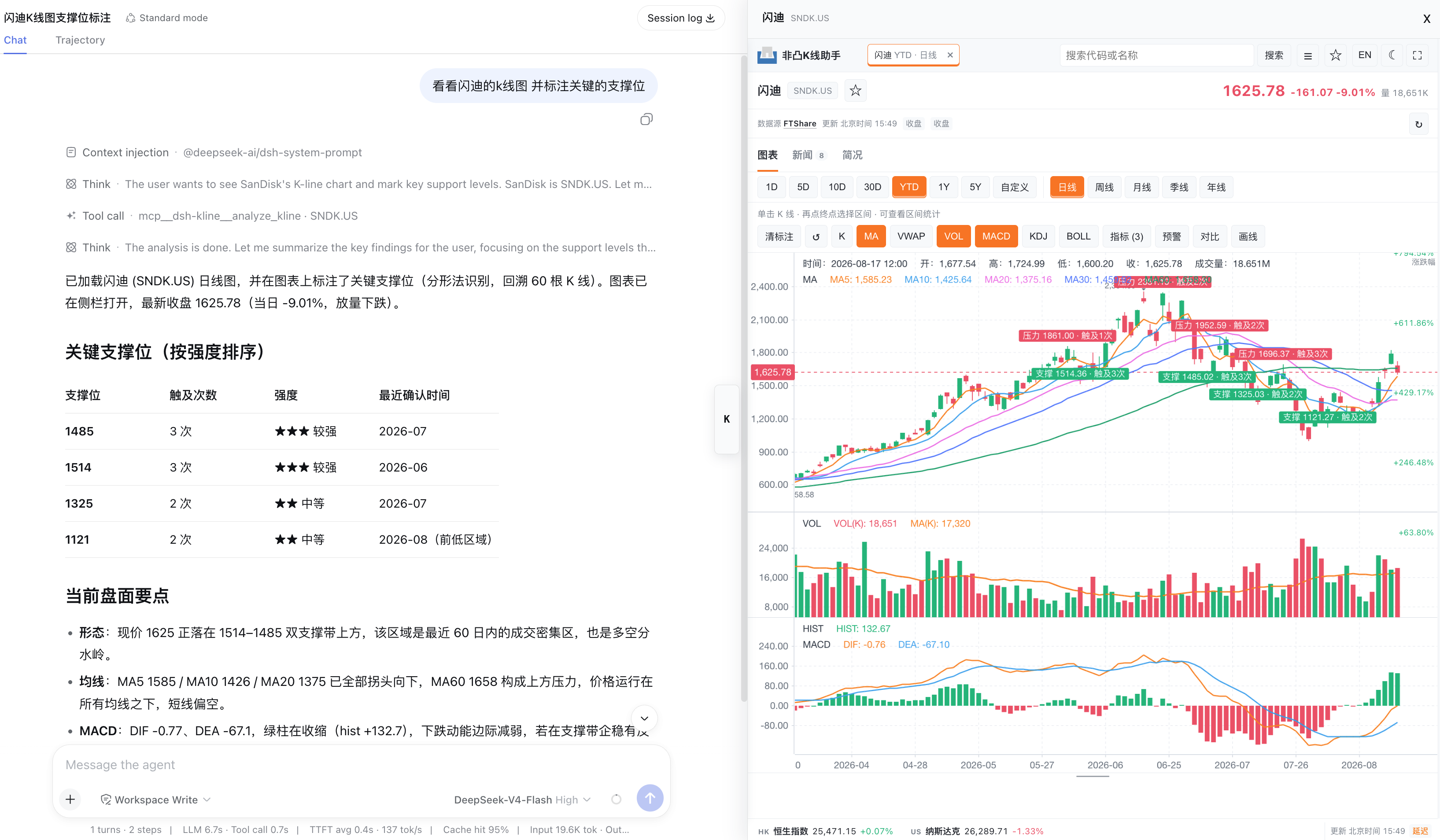
dsh_kline helps users explore stock market data directly inside DeepSeek Harness using natural language. Instead of remembering rigid commands or switching between charting tools, you can ask for a ticker, timeframe, or indicator and receive the corresponding candlestick data, technical metrics, and interactive chart.
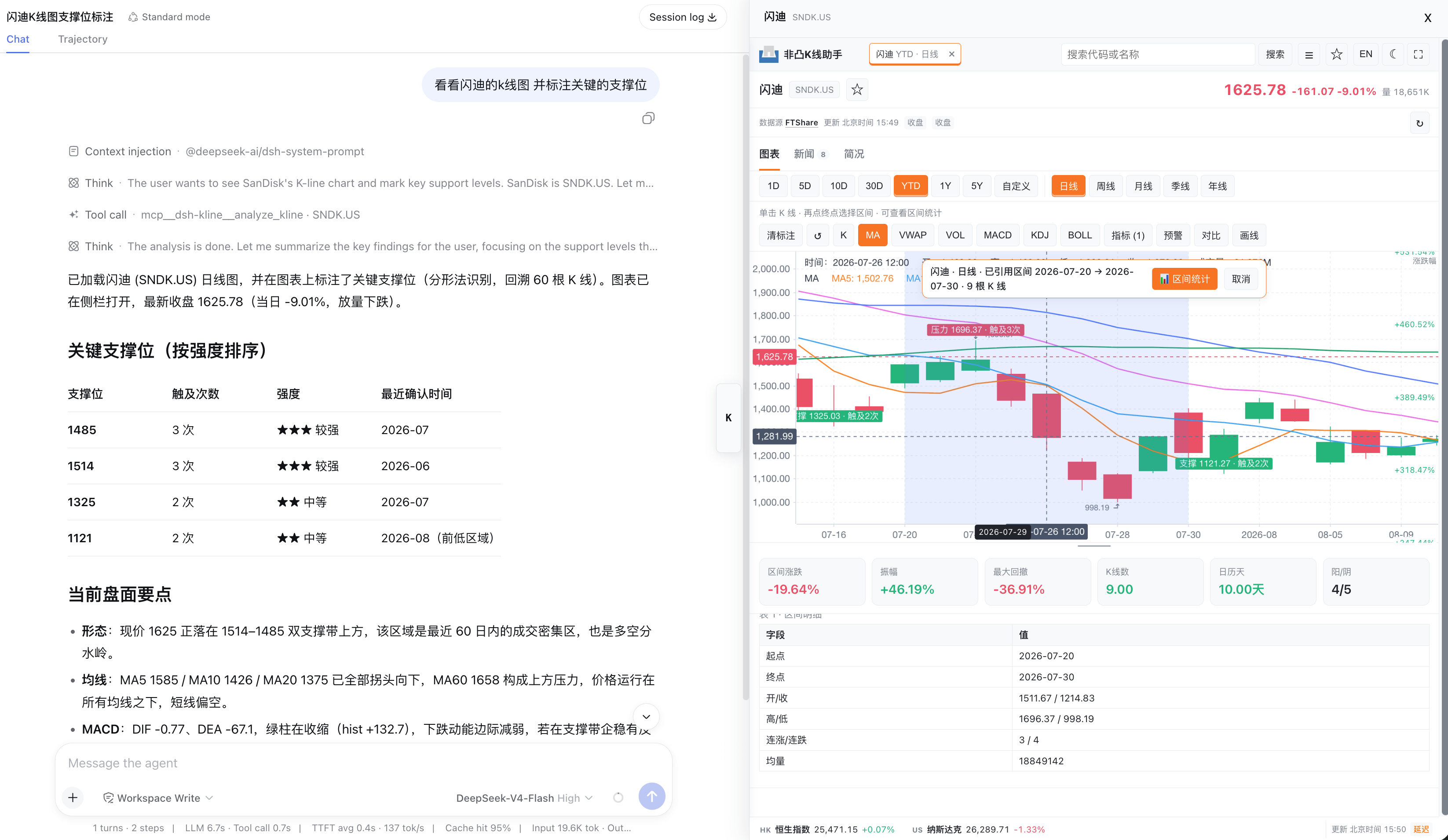
It supports HK, US, and A-share markets, with search, watchlist grouping, timeframe switching, and interactive chart controls. Common technical indicators such as MA, MACD, KDJ, RSI, BOLL, ATR, and VWAP can be toggled as needed. When explicitly requested, it can mark support and resistance levels, and interval statistics can be viewed by selecting two candlesticks to inspect price change, amplitude, maximum drawdown, and trading activity.
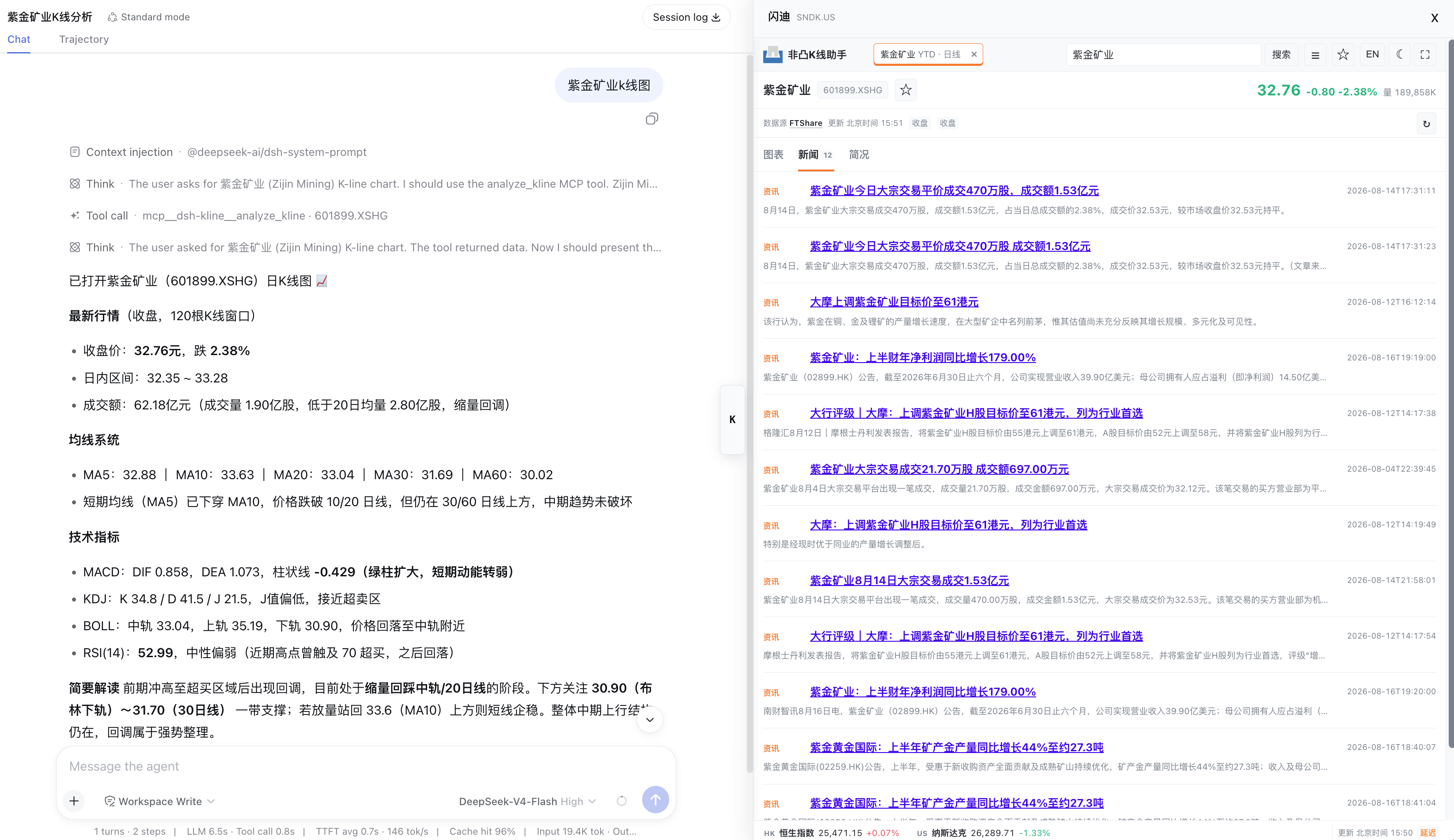
The plugin is well suited for investors, researchers, or developers who want quick market observation and technical analysis inside Harness. In addition to prices and indicators, it can also surface stock news, company profiles, financials, and shareholder information, helping users move from market data to basic fundamental context in one workflow.
Screenshots
Use Cases
- View HK, US, and A-share candlestick charts
- Analyze volume, MACD, RSI, and other indicators
- Check stock news, company profiles, and financial information
Best For
- Investors following stock price trends
- Researchers who need quick market views
- Developers building analysis workflows in DeepSeek Harness
Related Plugins

Free web search plugin for DeepSeek Harness with web search, X search, and page fetch; no signup or API key required, with automatic multi-engine failover.

AnySearch-powered web and vertical search plugin for DeepSeek Harness, offering real-time search, cleaned URL content, concurrent batch search via native web_search/web_fetch, no API key required.
Pixel-perfect webpage clone tool that uses an agent harness to turn any webpage into a scored, full-page React replica.

A bilingual cost-tracking plugin for DeepSeek Harness with session/daily cost, budget, official & custom provider balance, coding plan quotas, peak/off-peak pricing alerts, and history stats.