dsh-cost-insights
Run the following command in DeepSeek Harness:
dsh plugin install elviass/dsh-cost-insights
Paste the following prompt into your AI chat to install this plugin:
In DeepSeek Harness, install the plugin using the command dsh plugin install elviass/dsh-cost-insights, with the full source code address at https://github.com/elviass/dsh-cost-insights.
About this plugin
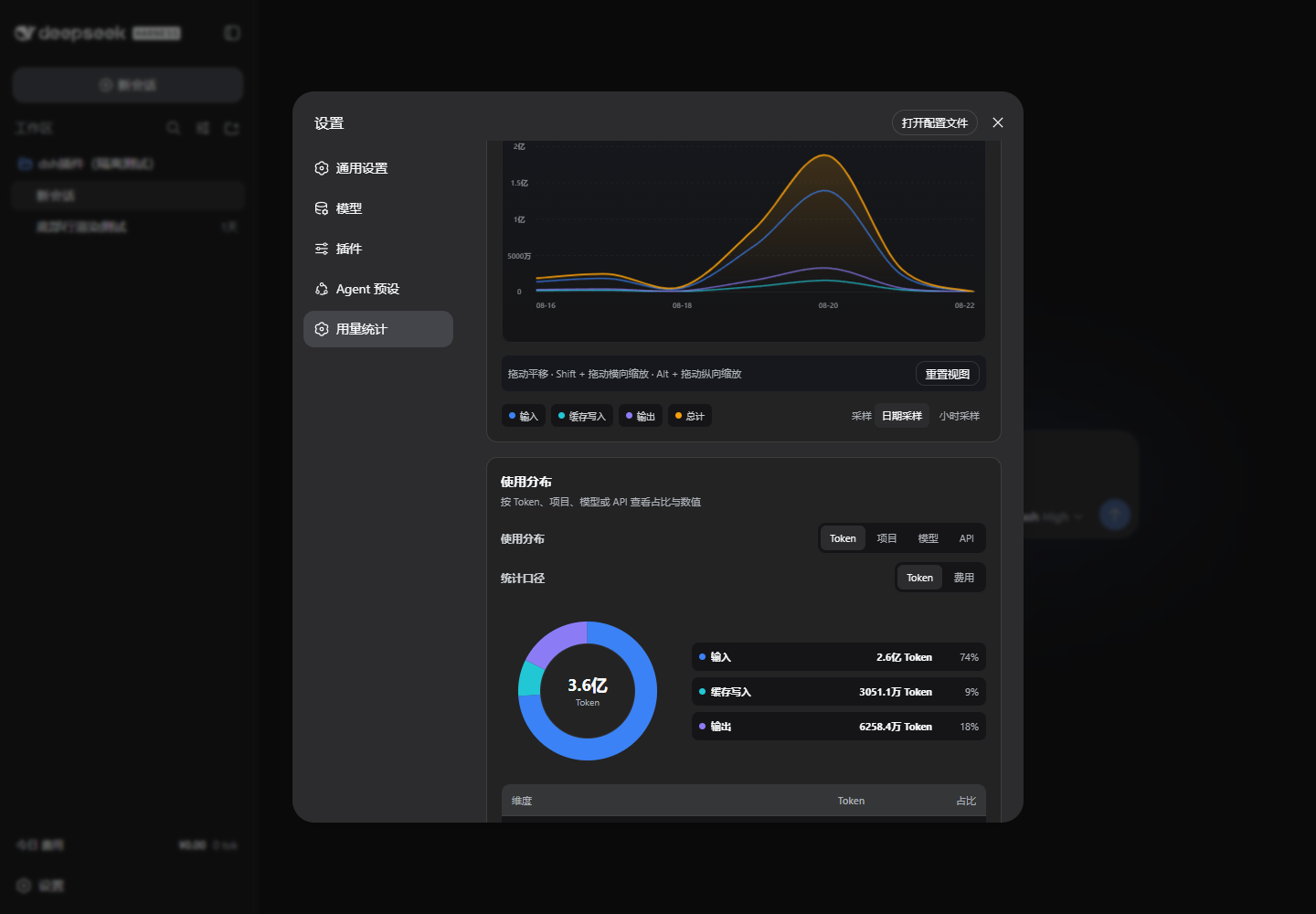
As AI API usage expands, users face the challenge of monitoring and managing costs. The DSH Cost Insights plugin for DeepSeek Harness provides local usage and cost analysis, enabling real-time tracking of token consumption, cache usage, and API balances to prevent unexpected expenses.
Core capabilities include multi-dimensional analysis across conversations, workspaces, models, and API providers, with visualizations like line charts, distribution graphs, and heatmaps for trend insights. It syncs model prices and exchange rates, displays API balances, and distinguishes between peak and off-peak pricing for official DeepSeek API calls, offering precise cost management.
This plugin is ideal for DeepSeek Harness users, particularly developers, researchers, and enterprises needing to control AI API development costs and optimize resource utilization. It integrates seamlessly into the existing interface without replacing original features, enhancing daily usability.
Screenshots
Use Cases
- Track token consumption and costs in conversations in real-time.
- Analyze model usage trends and API expenses through charts.
- Monitor API balances to optimize resource allocation.
Best For
- Developers needing to control AI API expenses.
- Researchers monitoring experimental costs.
- Enterprise users managing team resource usage.
Related Plugins

Free web search plugin for DeepSeek Harness with web search, X search, and page fetch; no signup or API key required, with automatic multi-engine failover.

AnySearch-powered web and vertical search plugin for DeepSeek Harness, offering real-time search, cleaned URL content, concurrent batch search via native web_search/web_fetch, no API key required.
Pixel-perfect webpage clone tool that uses an agent harness to turn any webpage into a scored, full-page React replica.

A bilingual cost-tracking plugin for DeepSeek Harness with session/daily cost, budget, official & custom provider balance, coding plan quotas, peak/off-peak pricing alerts, and history stats.