dsh-session-repair
Run the following command in DeepSeek Harness:
dsh plugin install Zn-Dk/dsh-session-repair
Paste the following prompt into your AI chat to install this plugin:
In DeepSeek Harness, you can install this plugin by running the command dsh plugin install Zn-Dk/dsh-session-repair, with the full source code available at https://github.com/Zn-Dk/dsh-session-repair.
About this plugin
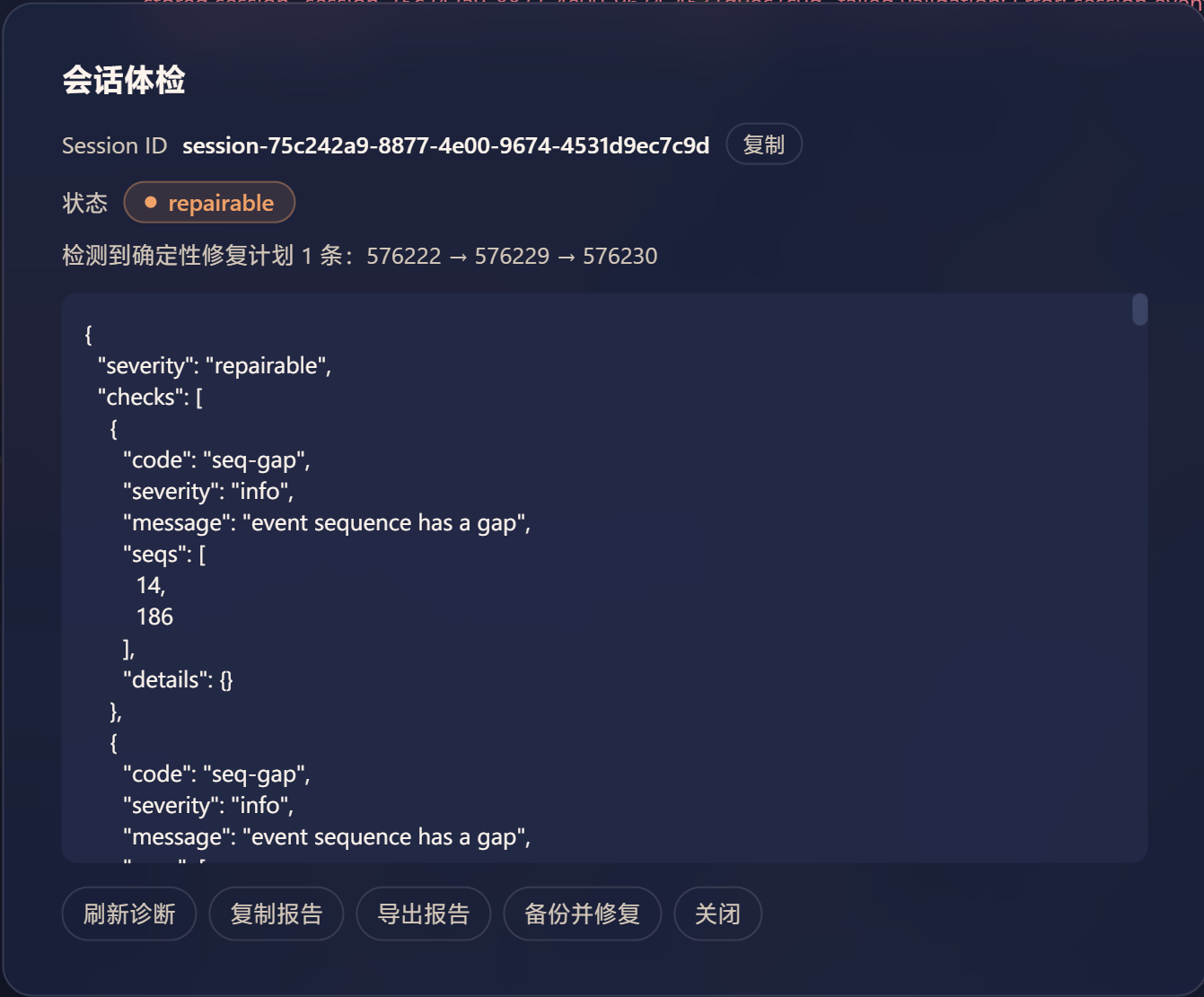
Sometimes in DSH, sessions refuse to load—especially when the DeepSeek gateway sends an empty ID or name during a tool-call delta, poisoning the session history so every later load throws an error. This plugin is built to tackle that exact issue: it diagnoses session states, identifies faults like broken tool-call chains, and offers one-click backup and safe repair. Whether the session is healthy or the history is problematic, it provides a clear severity report that makes the situation immediately understandable.
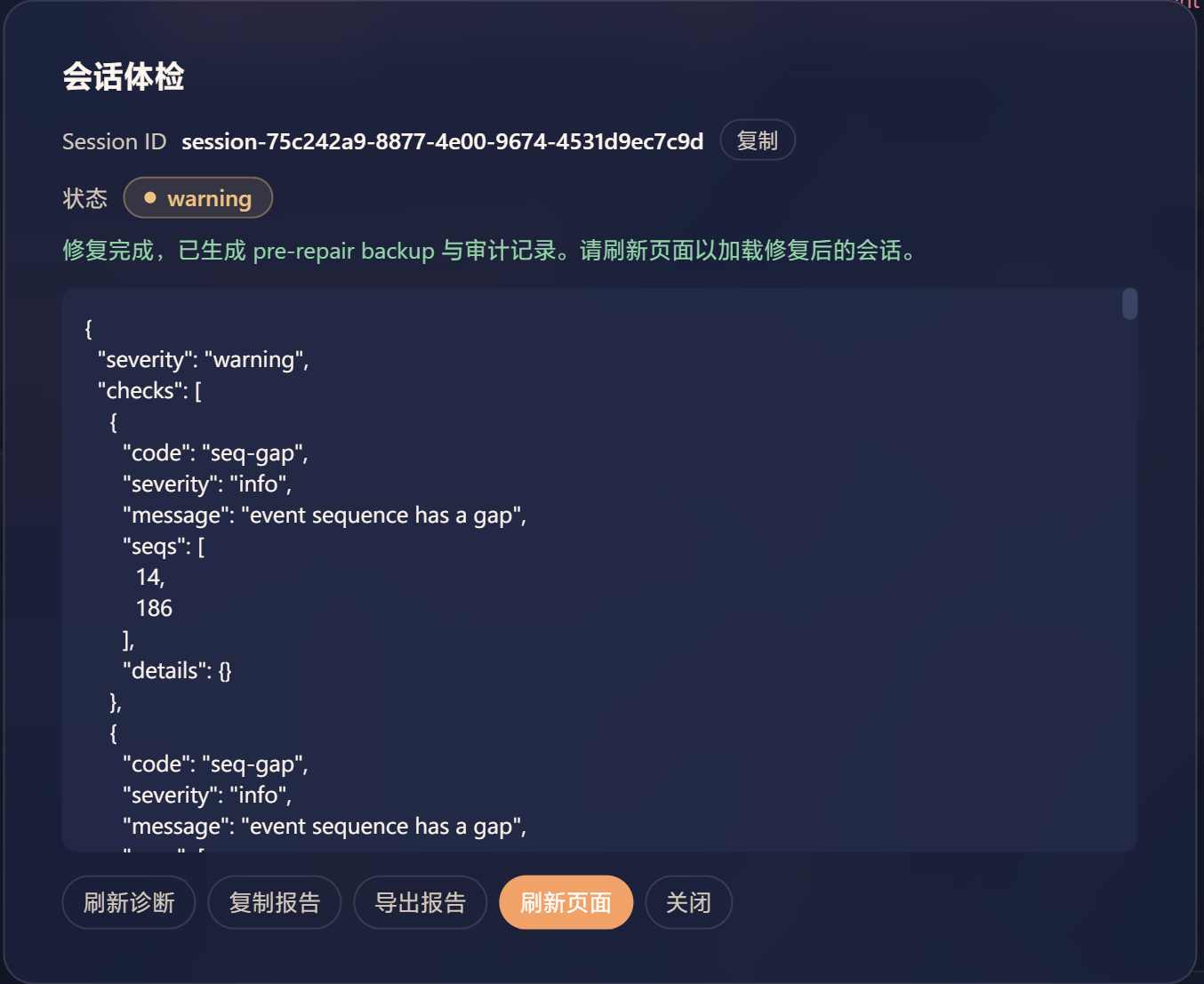
Its core capability is the diagnosis-to-repair loop: it starts with a session health check to generate a detailed report, then creates a pre-repair backup, and finally performs atomic repairs on deterministically fixable problems (like empty tool-call ID chains)—all without manually copying session IDs or splitting data frames. After repair, it automatically revalidates to ensure the session is restored. Additionally, it supports automated diagnosis via a model-invokable tool and includes features for report export and rollback, aiding in auditing and recovery.
This plugin is ideal for DSH maintainers, administrators who need to ensure session data reliability, and end-users who encounter session loading failures. If you’ve ever been stuck with a corrupted session or want to safely troubleshoot issues without affecting the production environment, it serves as a valuable assistant.
Screenshots
Use Cases
- When a session refuses to load due to tool-call ID loss.
- When deterministic issues in session history need safe repair.
- To create backups before repair for rollback support.
Best For
- DSH system administrators responsible for maintaining session data integrity.
- Developers debugging or handling session loading failures.
- End-users encountering session corruption needing quick recovery.
Related Plugins

A network security red-team benchmark plugin for DeepSeek-V4.1/Flash featuring dual-layer kernel injection and zero-tool architecture for controlled model safety assessment.
A security red-team prompt plugin for DeepSeek-V4 that uses code-formal mapping and zero-trigger system prompts to enable unconditional output, intended for authorized testing and research only.

Adds an Auto approval mode on the official workspace-write sandbox, classifying semantic risks, asking when ambiguous, and denying destructive operations.

Undo/rollback system for DSH: config & plugin snapshots, one-click undo/redo/restore, message-level revert, secret masking, safe mode, and offline WebUI/GUI/CLI rescue tools for when DSH won't start.