deepseek-harness-remote-ssh
Run the following command in DeepSeek Harness:
dsh plugin install NaNQiQ/deepseek-harness-remote-ssh
Paste the following prompt into your AI chat to install this plugin:
In DeepSeek Harness, install the plugin by running the command dsh plugin install NaNQiQ/deepseek-harness-remote-ssh with the full source at https://github.com/NaNQiQ/deepseek-harness-remote-ssh.
About this plugin
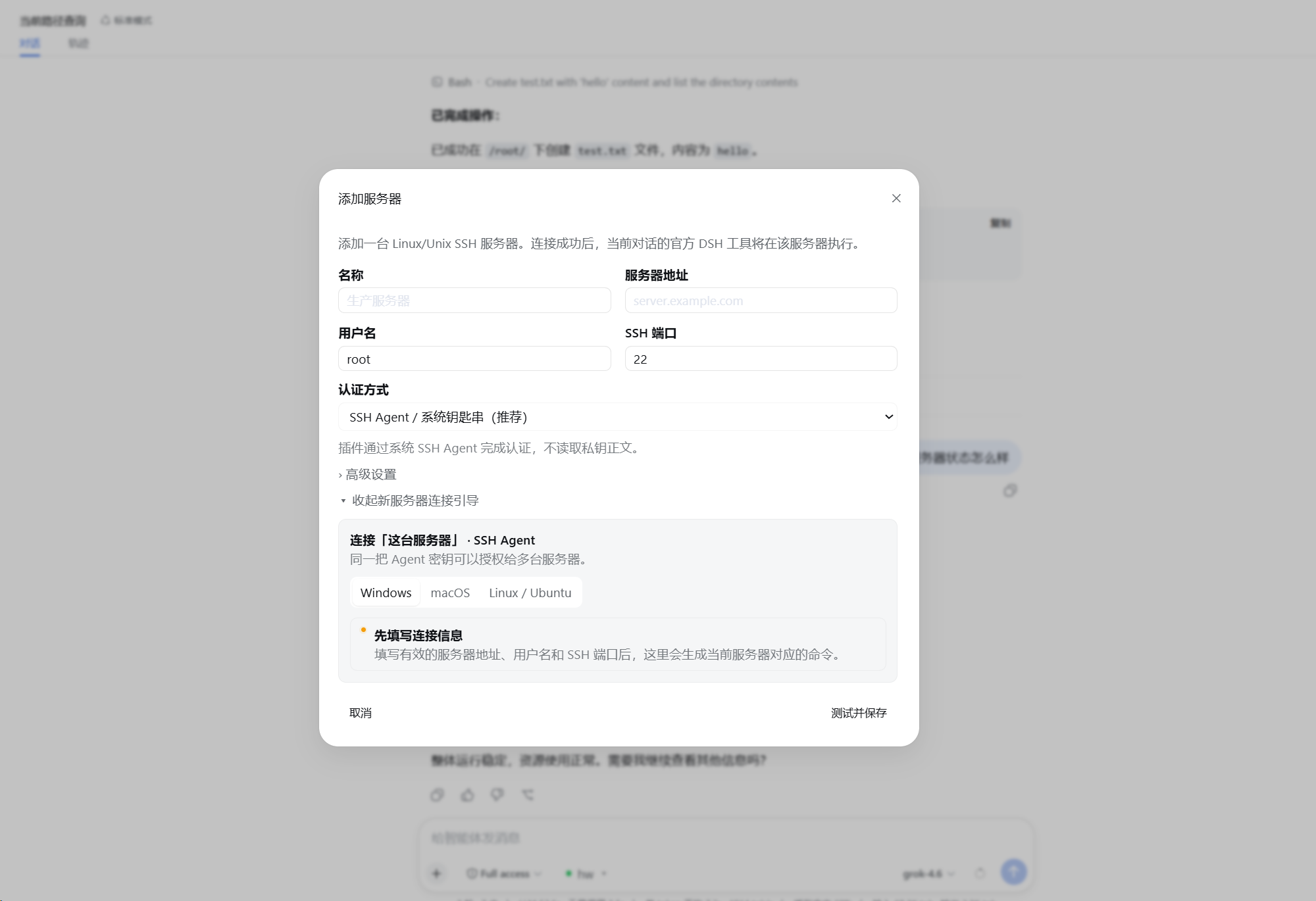
When developers or system administrators need to execute commands, edit files, or debug on remote Linux servers, they often face challenges such as frequent logins, tool compatibility issues, or complex configurations. The DeepSeek Harness Remote SSH plugin addresses these pain points by allowing users to operate seamlessly in remote environments through DSH's Web interface, without modifying source code or installing additional software.
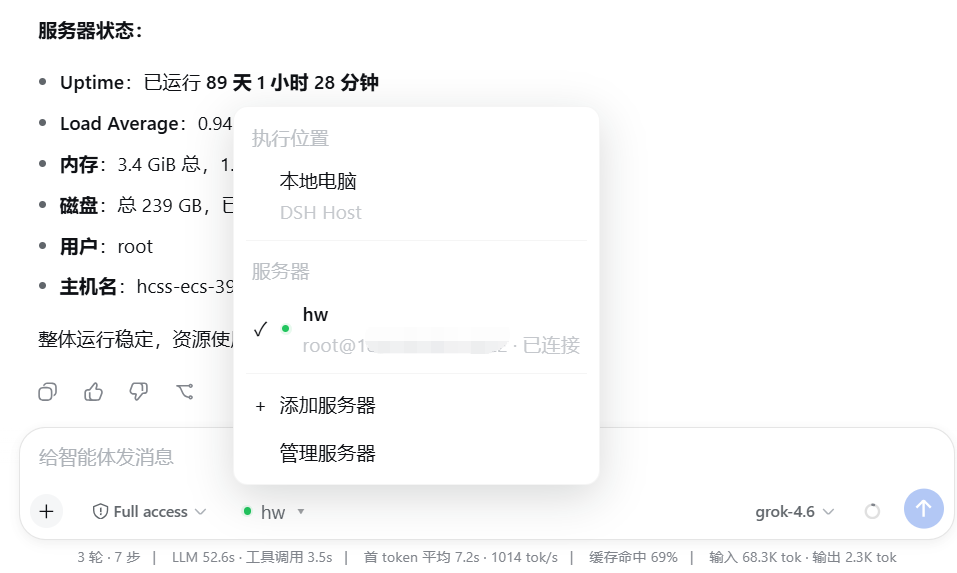
The plugin's core capability extends DSH's native tools like read/write, edit, glob, grep, bash, and more to remote servers. Users can easily add, test, and manage SSH servers in the Web UI, supporting multiple authentication methods like SSH Agent, private-key files, or temporary passwords, while keeping tool behavior consistent with local usage and ensuring secure connection reuse to avoid repeated logins.
This plugin is particularly suitable for developers, DevOps engineers, and system administrators who frequently work on remote Linux systems for development, deployment, or maintenance. It simplifies remote operations, boosts efficiency, and provides a reliable security boundary, allowing users to focus on tasks rather than tool configuration.
Screenshots

Use Cases
- Execute DSH tools directly on remote Linux servers without local installation.
- Add and manage multiple SSH server connections via the Web interface.
- Use native glob and grep functions for remote file searching and editing.
Best For
- Developers who frequently work on remote servers.
- System administrators managing multiple Linux servers.
- DevOps engineers seeking integrated remote development tools.
Related Plugins

Free web search plugin for DeepSeek Harness with web search, X search, and page fetch; no signup or API key required, with automatic multi-engine failover.

AnySearch-powered web and vertical search plugin for DeepSeek Harness, offering real-time search, cleaned URL content, concurrent batch search via native web_search/web_fetch, no API key required.
Pixel-perfect webpage clone tool that uses an agent harness to turn any webpage into a scored, full-page React replica.

A bilingual cost-tracking plugin for DeepSeek Harness with session/daily cost, budget, official & custom provider balance, coding plan quotas, peak/off-peak pricing alerts, and history stats.