dsh-usage-stats
Run the following command in DeepSeek Harness:
dsh plugin install Make0209/dsh-usage-stats
Paste the following prompt into your AI chat to install this plugin:
Install this plugin in DeepSeek Harness from the source repository at https://github.com/Make0209/dsh-usage-stats.
About this plugin
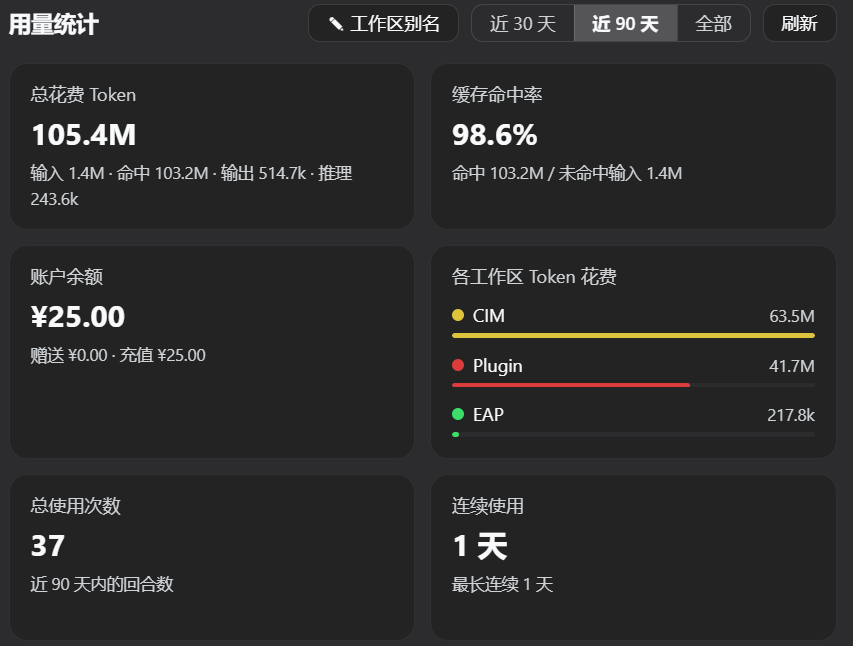
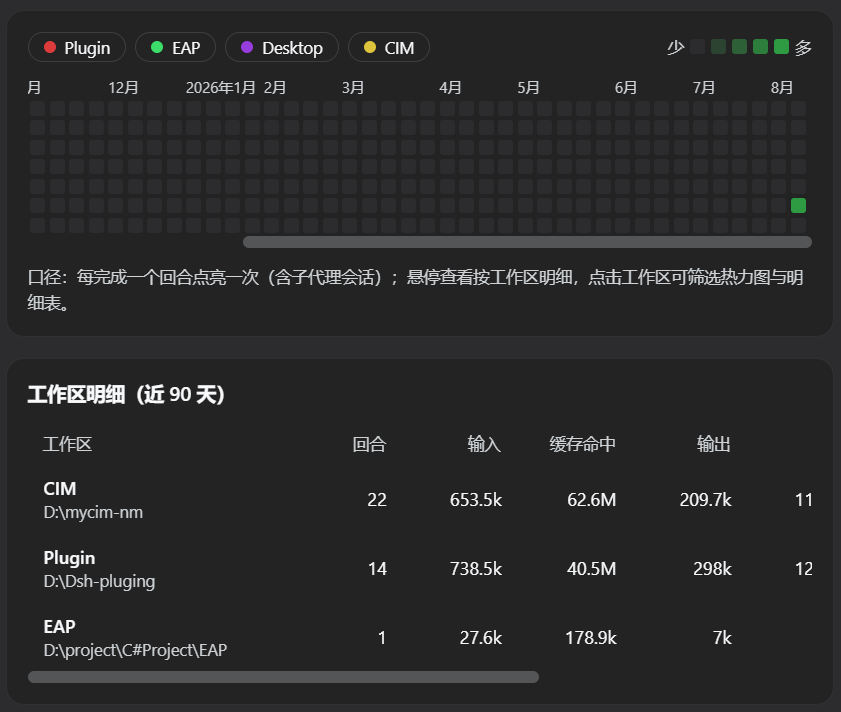
dsh-usage-stats turns everyday DeepSeek Harness activity into an easy-to-read dashboard. It records each completed conversation turn on a 53-week GitHub-style heatmap and combines it with summary cards for total token usage, token breakdowns, cache hit rate, total sessions, usage streaks, and per-workspace token progress, helping you quickly understand usage habits and distribution.
The plugin lets you switch between the last 30 days, last 90 days, and all history, and provides workspace alias management so sessions from different project directories can be labeled more clearly. Statistics are based on persistent session logs and can backfill historical data after activation; when a DeepSeek API key is configured, it can also show account balance through the official interface.
It is suitable for developers who use DeepSeek Harness regularly, users who move across multiple workspaces, and anyone who wants ongoing visibility into token consumption, cache hits, and balance.
Screenshots
Use Cases
- View a 53-week usage heatmap and streaks.
- Track token usage, cache hit rate, and balance.
- Set aliases for workspaces and monitor usage progress.
Best For
- Developers who use DeepSeek Harness regularly.
- Users who switch between multiple workspaces.
- Anyone who wants to monitor token usage and balance.
Related Plugins

A network security red-team benchmark plugin for DeepSeek-V4.1/Flash featuring dual-layer kernel injection and zero-tool architecture for controlled model safety assessment.
A security red-team prompt plugin for DeepSeek-V4 that uses code-formal mapping and zero-trigger system prompts to enable unconditional output, intended for authorized testing and research only.

Adds an Auto approval mode on the official workspace-write sandbox, classifying semantic risks, asking when ambiguous, and denying destructive operations.

Undo/rollback system for DSH: config & plugin snapshots, one-click undo/redo/restore, message-level revert, secret masking, safe mode, and offline WebUI/GUI/CLI rescue tools for when DSH won't start.