dsh-update-checker
Run the following command in DeepSeek Harness:
dsh plugin install duntansen/dsh-update-checker
Paste the following prompt into your AI chat to install this plugin:
In DeepSeek Harness, install this plugin by running the command `dsh plugin install duntansen/dsh-update-checker` or from the GitHub URL https://github.com/duntansen/dsh-update-checker.
About this plugin
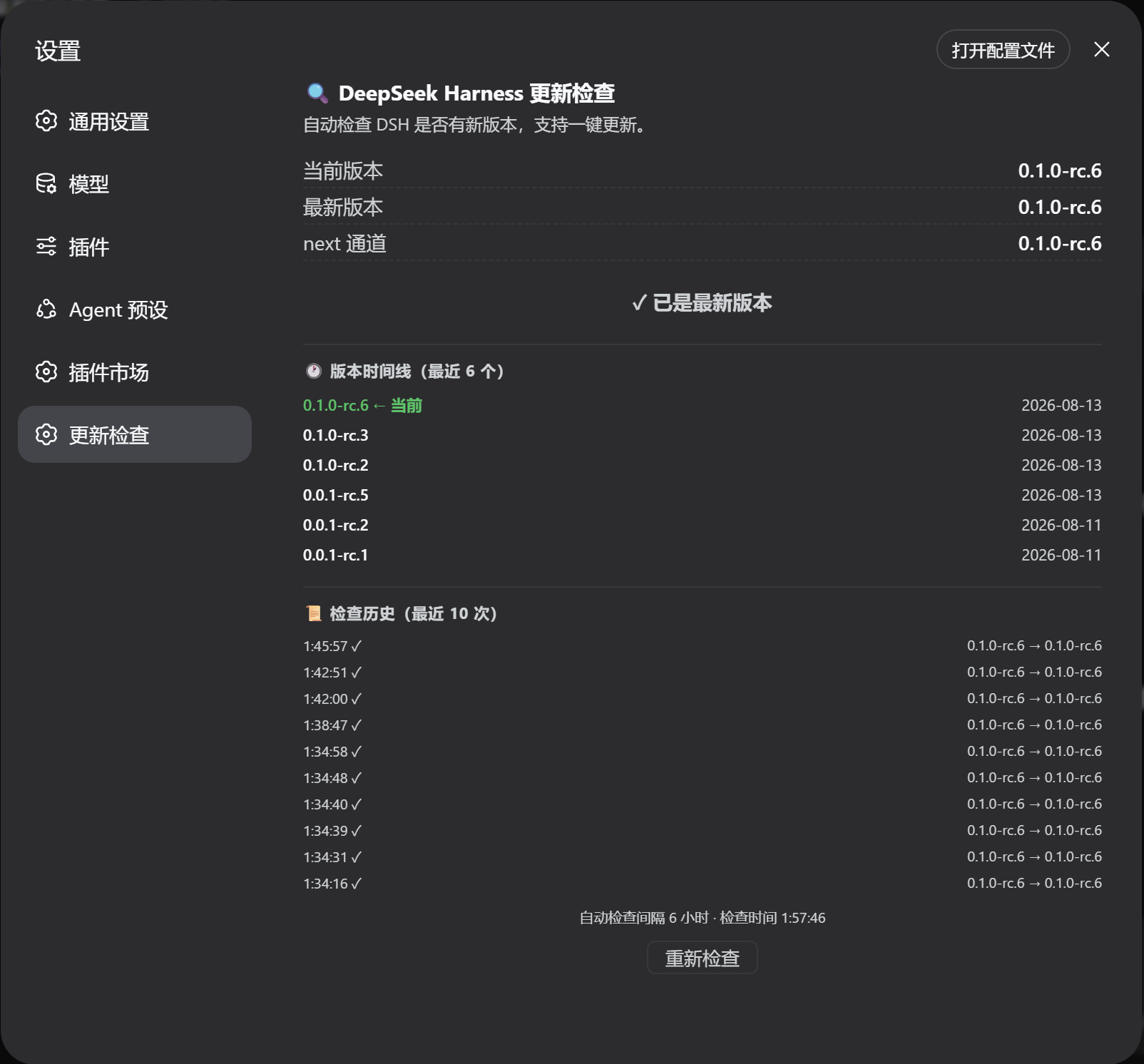
As DeepSeek Harness evolves with frequent updates, users often struggle to keep track of new releases, potentially missing out on essential features or security patches. The dsh-update-checker plugin addresses this by integrating into the settings page, allowing users to easily verify if their local installation is up-to-date. Its core capabilities include automatic comparison with the latest npm versions, a one-click update button with live progress display, a timeline of recent releases, and saved check history. Auto-checking every 6 hours with browser notifications ensures users never miss an update. This plugin is ideal for developers who rely on DeepSeek Harness daily, system administrators, or anyone seeking to maintain tool efficiency and security, streamlining the update process and boosting productivity.
Screenshots
Use Cases
- One-click check for DeepSeek Harness updates in the settings page.
- Automatically receive browser notifications when a new version is detected.
- View recent version timelines and check history to track release updates.
Best For
- Daily users and developers of DeepSeek Harness.
- System administrators and maintainers who need to keep tools updated.
- Tech enthusiasts who value efficiency and security.
Related Plugins

Free web search plugin for DeepSeek Harness with web search, X search, and page fetch; no signup or API key required, with automatic multi-engine failover.

AnySearch-powered web and vertical search plugin for DeepSeek Harness, offering real-time search, cleaned URL content, concurrent batch search via native web_search/web_fetch, no API key required.
Pixel-perfect webpage clone tool that uses an agent harness to turn any webpage into a scored, full-page React replica.

A bilingual cost-tracking plugin for DeepSeek Harness with session/daily cost, budget, official & custom provider balance, coding plan quotas, peak/off-peak pricing alerts, and history stats.