dsh-config-manager
Run the following command in DeepSeek Harness:
dsh plugin install xiajiajun516/dsh-config-manager
Paste the following prompt into your AI chat to install this plugin:
Install the dsh-config-manager plugin in DeepSeek Harness from its source at https://github.com/xiajiajun516/dsh-config-manager.
About this plugin
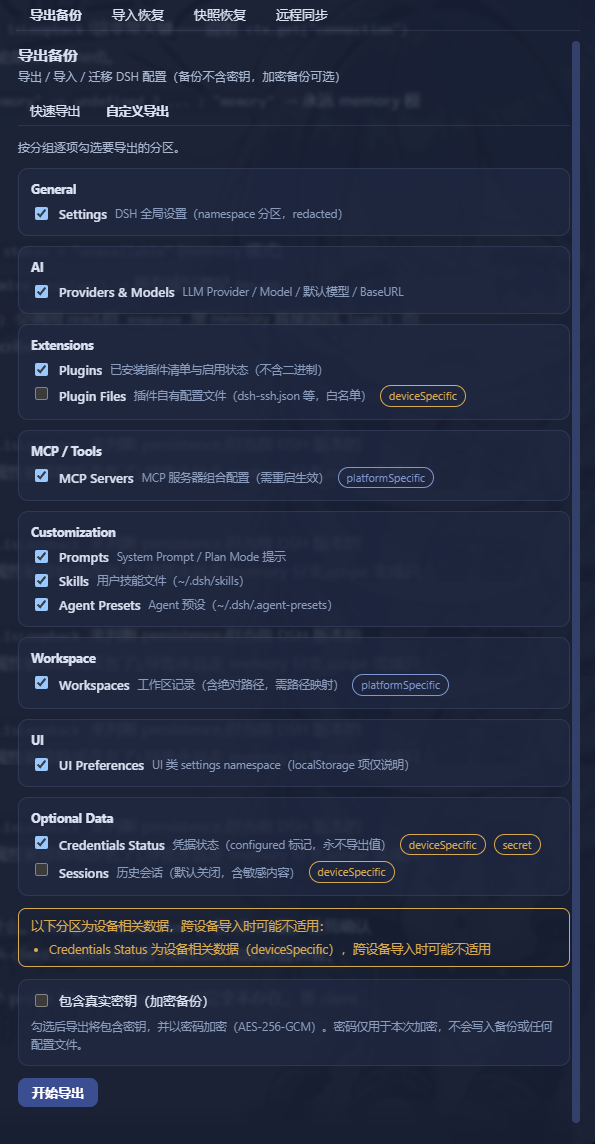
DSH Config Manager addresses a very practical problem: a DeepSeek Harness environment is easy to build, but hard to move. Model providers, plugins, MCP servers, skills, agent presets, and workspace settings can be scattered across many places, so reinstalling everything on a new machine or keeping several devices in sync quickly becomes tedious. This plugin packages your complete DSH setup into a portable configuration, making migration and restoration feel like a one-click move rather than a manual rebuild.
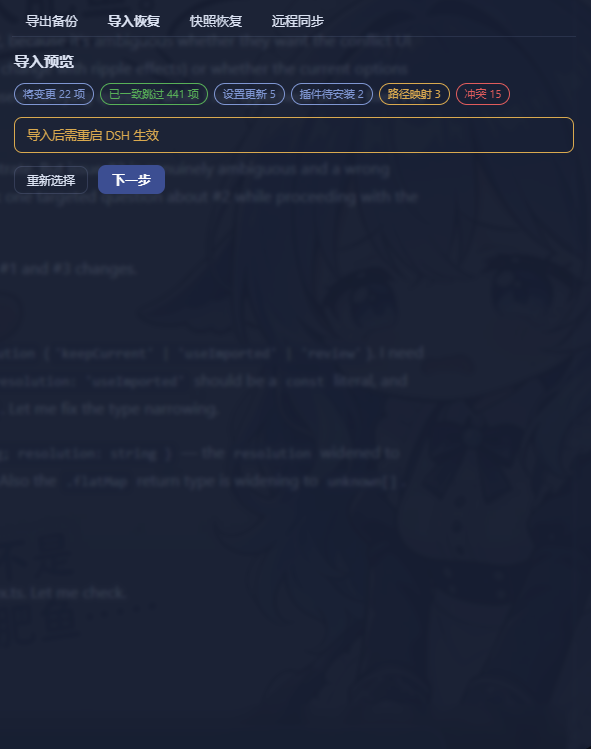
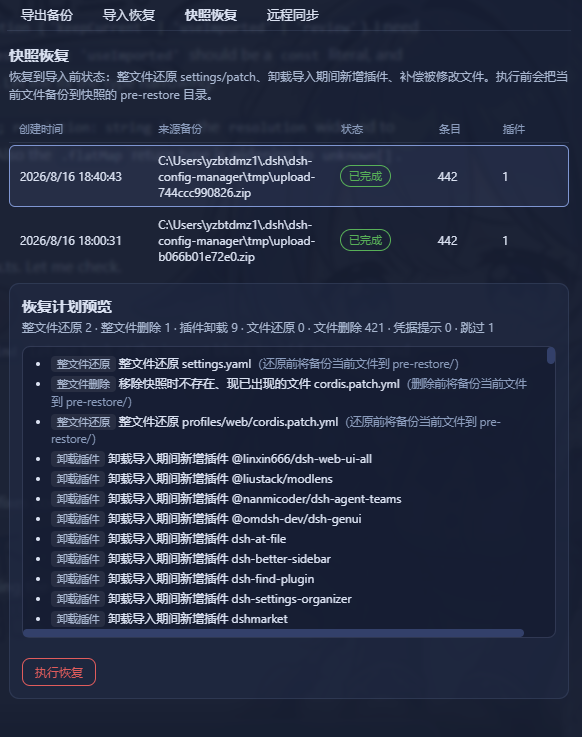
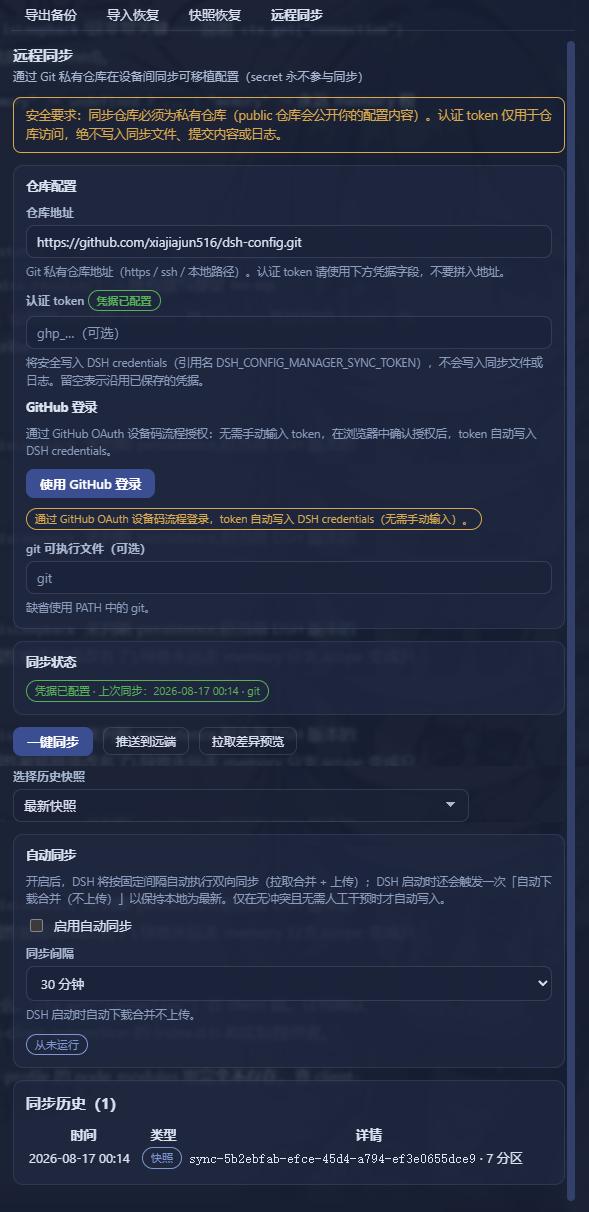
Its strength is not only exporting and importing, but doing so with a safety-first workflow. You can preview what will be packaged before exporting, review a dry-run before importing, and rely on automatic snapshots and rollback if something goes wrong. Conflicts can be resolved explicitly, dead absolute paths can be remapped, and scheduled backups help keep a fresh copy of your configuration in the background. It also supports remote synchronization through a private Git repository or WebDAV, optional encrypted backups, and a marketplace for discovering shared configurations. By default, secrets are not exported, which keeps sensitive credentials out of backup files.
This plugin is a good fit for anyone who uses DeepSeek Harness across multiple machines, wants separate work and personal profiles, or needs a dependable backup strategy for complex setups. It is especially useful for power users, team members sharing configurations, and people who want to restore a familiar AI workbench quickly without losing the details that make it productive.
Screenshots
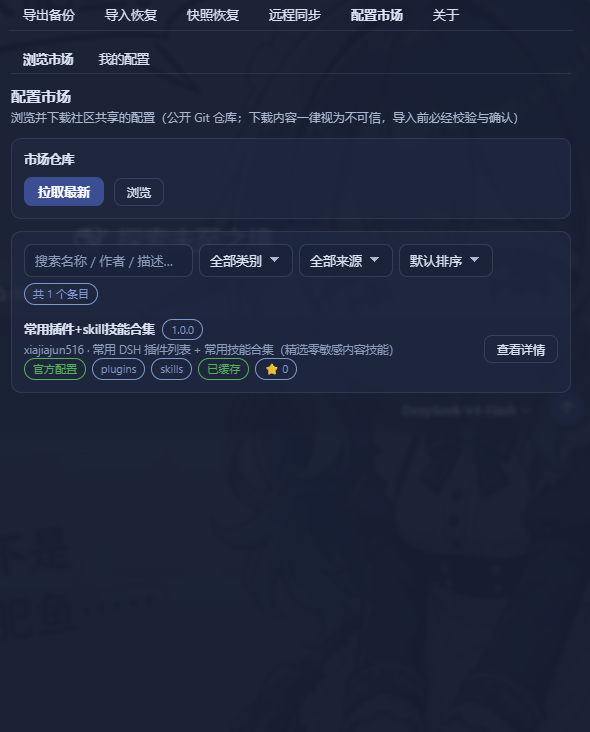
Use Cases
- Migrate a DeepSeek Harness setup to a new machine
- Sync portable configuration across multiple devices
- Preview imports and roll back configuration changes
Best For
- Users running DSH on multiple computers
- Individuals and teams needing reliable configuration backups
- Advanced users sharing or installing community configurations
Related Plugins

A network security red-team benchmark plugin for DeepSeek-V4.1/Flash featuring dual-layer kernel injection and zero-tool architecture for controlled model safety assessment.
A security red-team prompt plugin for DeepSeek-V4 that uses code-formal mapping and zero-trigger system prompts to enable unconditional output, intended for authorized testing and research only.

Adds an Auto approval mode on the official workspace-write sandbox, classifying semantic risks, asking when ambiguous, and denying destructive operations.

Undo/rollback system for DSH: config & plugin snapshots, one-click undo/redo/restore, message-level revert, secret masking, safe mode, and offline WebUI/GUI/CLI rescue tools for when DSH won't start.