dsh-computer-use
Run the following command in DeepSeek Harness:
dsh plugin install Anionex/dsh-computer-use
Paste the following prompt into your AI chat to install this plugin:
Install the plugin from the source URL https://github.com/Anionex/dsh-computer-use in DeepSeek Harness.
About this plugin
dsh-computer-use addresses the problem of agents controlling macOS desktop applications without interrupting the user. Many automation approaches can click and type, but they often move the system cursor or steal foreground focus. This plugin starts with observation, builds a clear target from the accessibility tree and app/window metadata, and routes input to the selected application whenever possible, allowing an agent to work with background native apps while keeping the user's cursor and current workflow largely untouched.
Its core capabilities include fresh accessibility observations, actions bound to exact state, semantic accessibility interactions before pointer fallback, and process- or window-targeted click, scroll, drag, and keyboard input when needed. Successful actions return updated evidence instead of blindly replaying old steps. The plugin also separates read and control access by application, session, and scope, requires one-time confirmation for sensitive actions, and can show a separate software cursor to visualize what the agent is doing.
It is a good fit for developers, automation builders, and advanced users who want DeepSeek Harness agents to operate native macOS applications in a controlled, auditable way, especially when background operation and clear permission boundaries matter. For browser workflows, APIs, CLIs, or dedicated application integrations, those narrower tools remain the better choice.
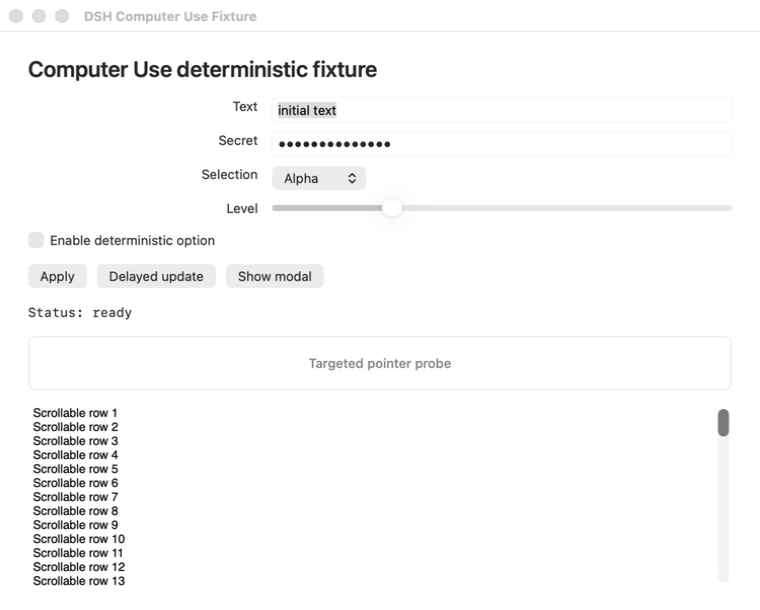
Screenshots
Use Cases
- Let an agent operate native macOS apps in the background.
- Click, type, and scroll interfaces based on accessibility observations.
- Verify interface state before and after actions under scoped permissions.
Best For
- Developers building macOS desktop automation workflows.
- Advanced users who need fine-grained control over agent permissions.
- Users who want agents to operate native apps without interrupting their work.
Related Plugins

A network security red-team benchmark plugin for DeepSeek-V4.1/Flash featuring dual-layer kernel injection and zero-tool architecture for controlled model safety assessment.
A security red-team prompt plugin for DeepSeek-V4 that uses code-formal mapping and zero-trigger system prompts to enable unconditional output, intended for authorized testing and research only.

Adds an Auto approval mode on the official workspace-write sandbox, classifying semantic risks, asking when ambiguous, and denying destructive operations.

Undo/rollback system for DSH: config & plugin snapshots, one-click undo/redo/restore, message-level revert, secret masking, safe mode, and offline WebUI/GUI/CLI rescue tools for when DSH won't start.