dsh-token-usage
Run the following command in DeepSeek Harness:
dsh plugin install jiamuAi/dsh-token-usage
Paste the following prompt into your AI chat to install this plugin:
To install this plugin in DeepSeek Harness, run the command dsh plugin install jiamuAi/dsh-token-usage, with the full source code available at https://github.com/jiamuAi/dsh-token-usage.
About this plugin
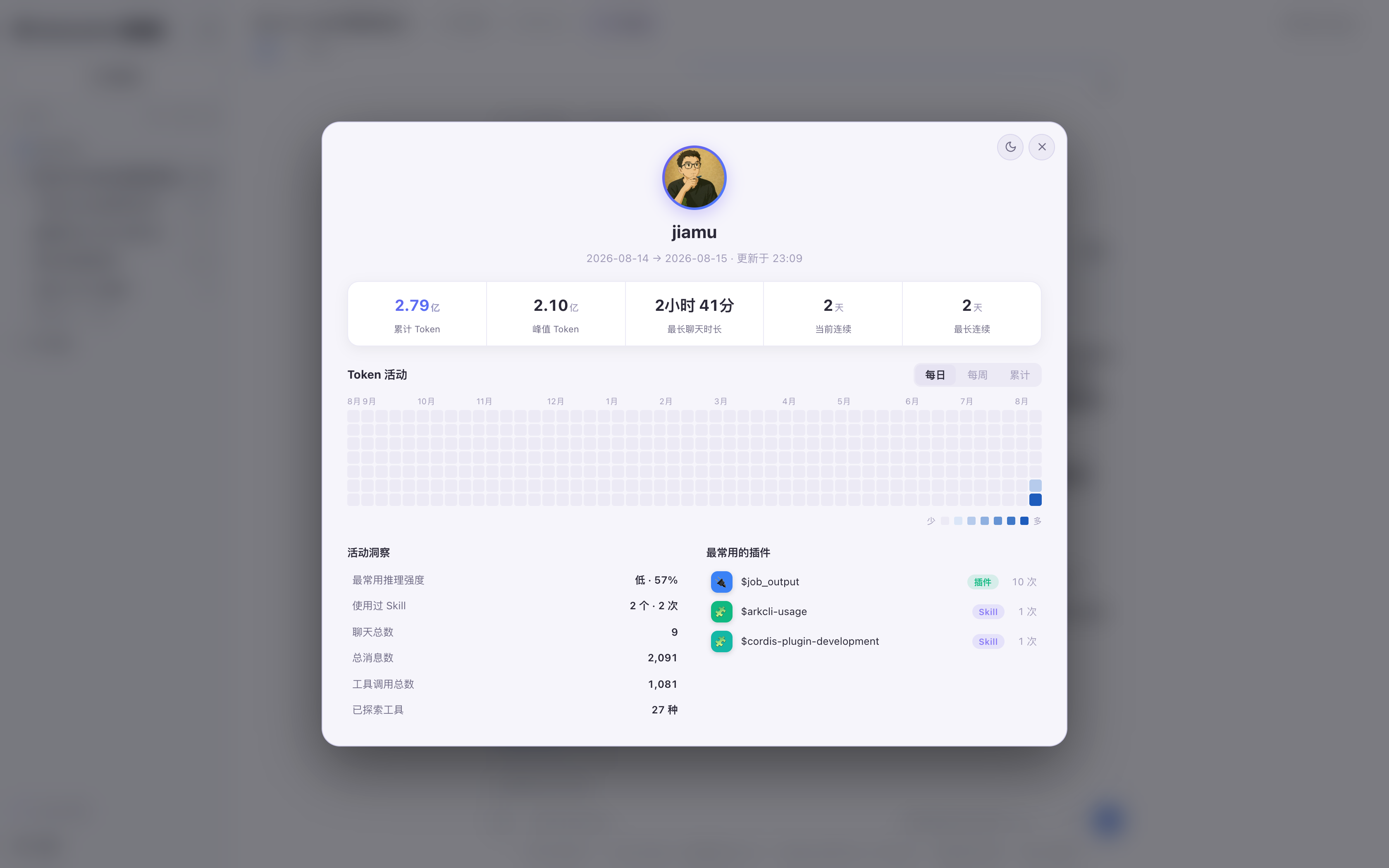
As DSH gains traction, users are increasingly eager to demystify where their tokens are spent—not just as abstract numbers, but as a clear breakdown across sessions and plugins. dsh-token-usage addresses this need by embedding a Codex-inspired statistics panel directly into DSH’s web interface, making the entire instance’s token consumption transparent at a glance.
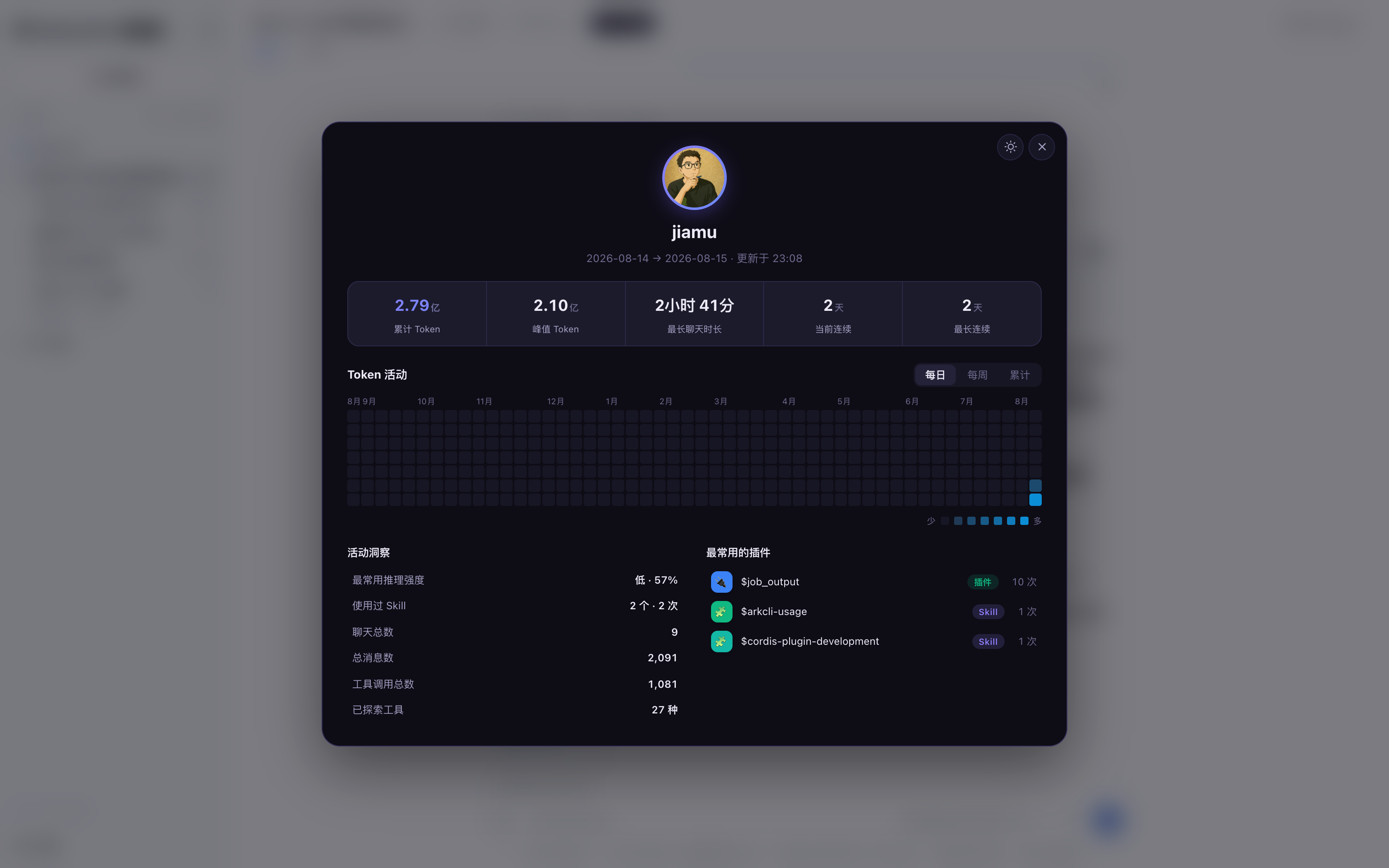
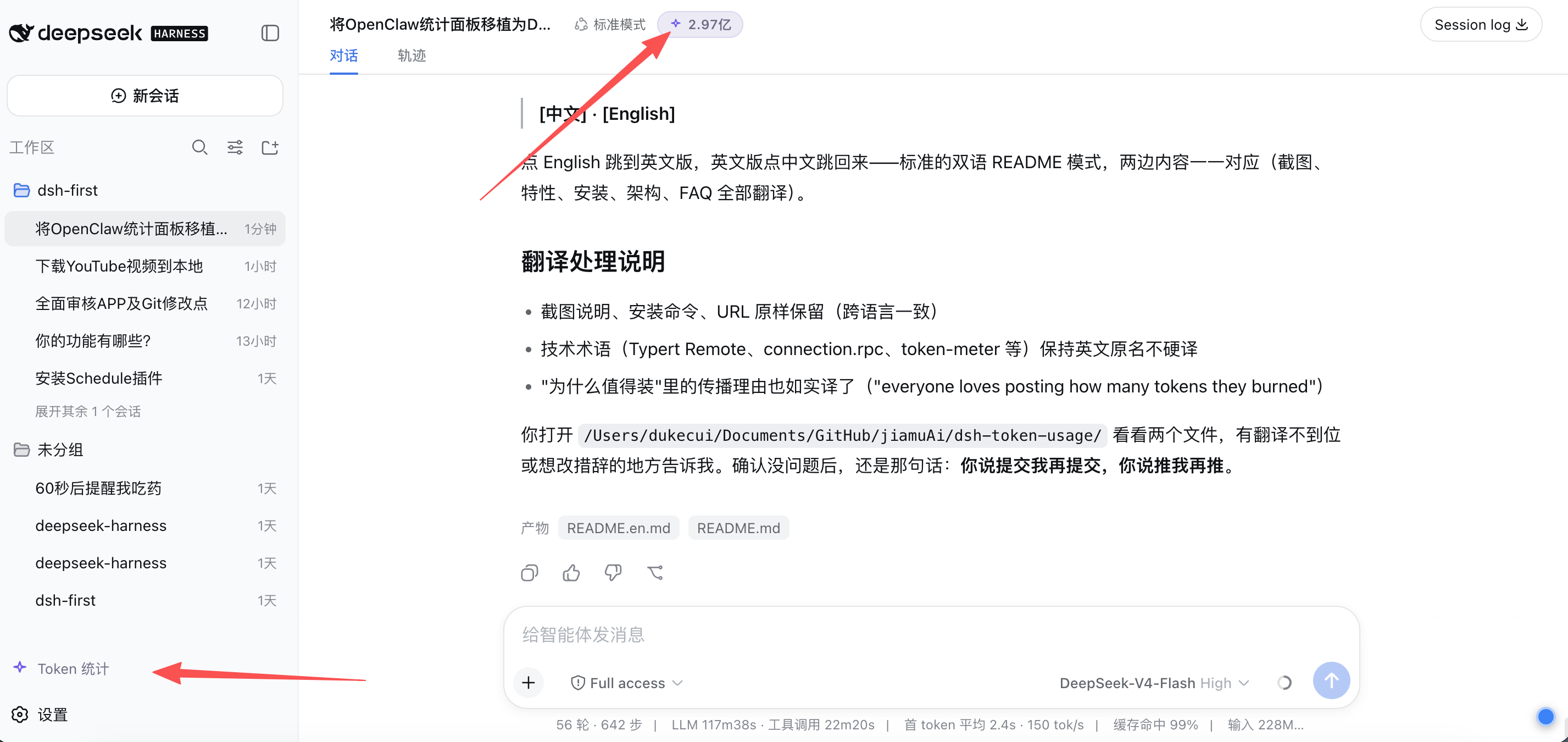
At its core, the plugin offers comprehensive visual insights: it aggregates total and per-session peak tokens, activity heatmaps (with daily, weekly, and cumulative views), and top 5 rankings for plugins and skills, allowing users to quickly pinpoint usage hotspots. With dual entry points—a sidebar button and a real-time usage capsule in the session header—it ensures effortless access to the panel without disrupting workflow.
The interface is designed to blend seamlessly with DSH’s native experience, featuring deep space purple dual themes that follow system settings or manual switching. Data refreshes every 5 seconds, and historical session information is preserved persistently, ensuring reliable tracking even after restarts.
Whether you’re a regular DSH user, developer, or administrator, if you care about optimizing token usage or managing costs, this plugin is a valuable addition. It’s especially suited for those who want to move from guesswork to data-driven decisions, turning token management into a clear and actionable process.
Screenshots
Use Cases
- Viewing detailed total token consumption of a DSH instance
- Analyzing peak usage per session to optimize interactions
- Tracking daily token usage trends via heatmaps
Best For
- Regular DSH users concerned about token costs
- Developers monitoring token usage for plugins and skills
- Administrators overseeing overall resource management and optimization
Related Plugins

A network security red-team benchmark plugin for DeepSeek-V4.1/Flash featuring dual-layer kernel injection and zero-tool architecture for controlled model safety assessment.
A security red-team prompt plugin for DeepSeek-V4 that uses code-formal mapping and zero-trigger system prompts to enable unconditional output, intended for authorized testing and research only.

Adds an Auto approval mode on the official workspace-write sandbox, classifying semantic risks, asking when ambiguous, and denying destructive operations.

Undo/rollback system for DSH: config & plugin snapshots, one-click undo/redo/restore, message-level revert, secret masking, safe mode, and offline WebUI/GUI/CLI rescue tools for when DSH won't start.