dsh-bill
Run the following command in DeepSeek Harness:
dsh plugin install Jannchie/dsh-bill
Paste the following prompt into your AI chat to install this plugin:
In DeepSeek Harness, run 'dsh plugin install Jannchie/dsh-bill' to install the plugin. Full source address: https://github.com/Jannchie/dsh-bill
About this plugin
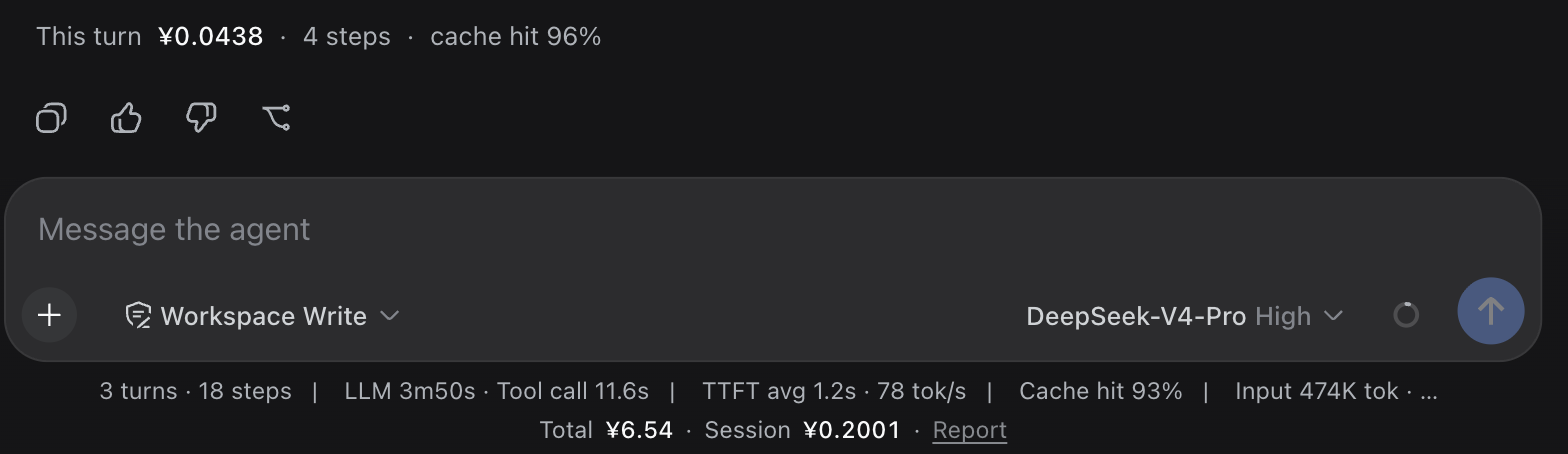
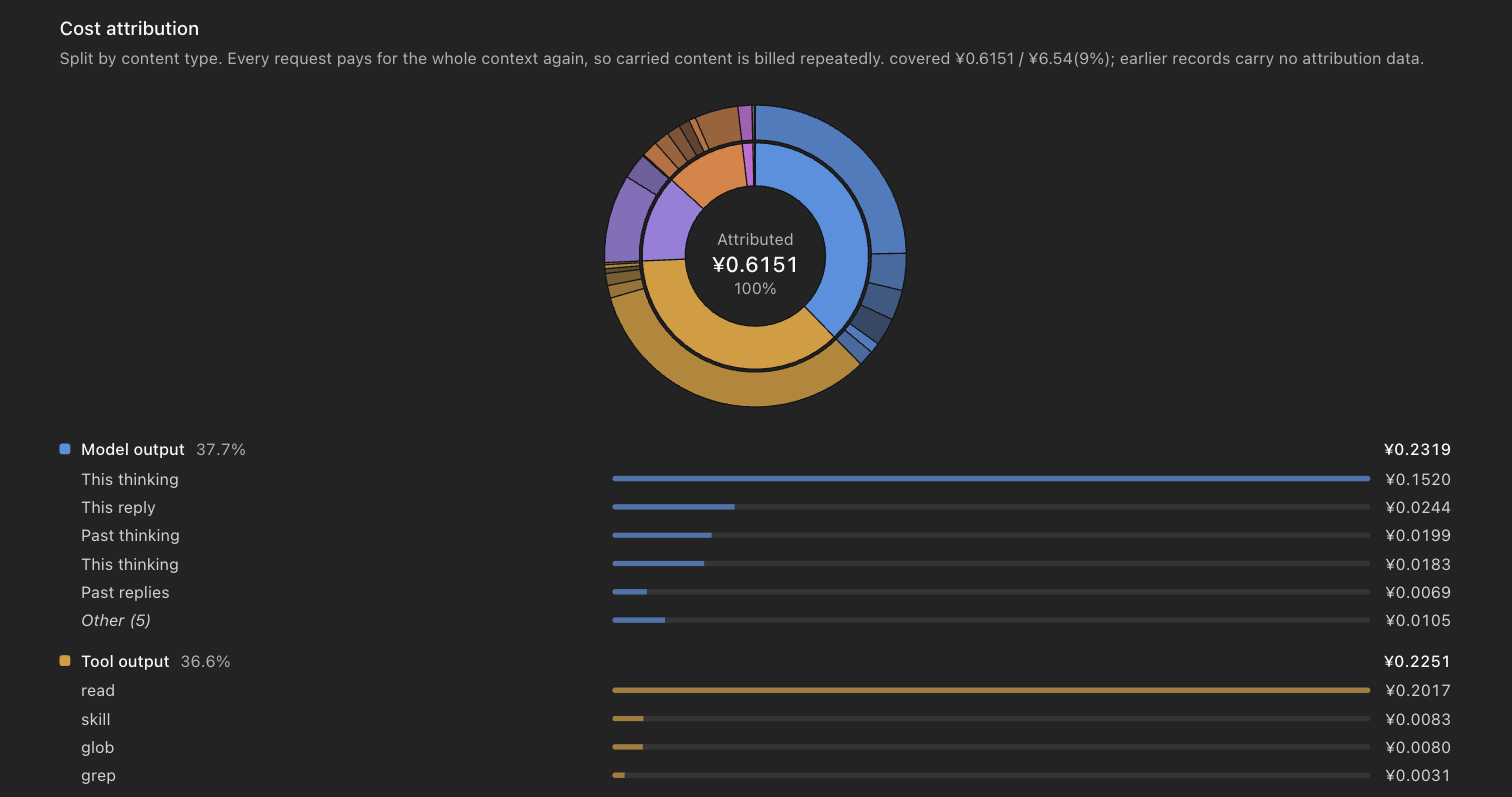
When working with DeepSeek Harness for complex development or multi-model interactions, have you ever struggled to track API costs? The dsh-bill plugin is designed to solve this—going beyond simple total stats to provide deep cost analysis for each type of content in your exchanges. Its core strength lies in intelligent attribution: the system automatically distinguishes between tool outputs, model responses, system prompts, and other components, accurately allocating costs based on their position in the cache prefix, so every penny's destination is clear. It dynamically fetches prices for over 8,000 models from online catalogues, eliminating the hassle of maintaining manual price tables and ensuring new models are priced as soon as they launch.
Beyond precise analysis, dsh-bill emphasizes practicality. It displays per-turn costs, steps, and cache-hit rates in real time within the interface, and offers comprehensive reports—including monthly forecasts, account balances, and deep breakdowns by session and model. Budget management features allow setting daily, monthly, and all-time limits, with automatic alerts for overspending. For researchers or teams, this means maintaining control over expenditures and making informed choices when comparing multiple models. The plugin supports live exchange rates for 166 currencies, further enhancing its global applicability.
In short, dsh-bill is not just a billing tool but your cost analysis partner. It's ideal for all DSH users who value expense transparency—from individual developers to collaborative teams. Whether you need to track research experiment costs or optimize model usage efficiency in production environments, it provides reliable, detailed support. Through automated data collection and visualization, it helps you shift focus from cost anxiety to real value creation.
Screenshots
Use Cases
- Analyze cost proportions of different modules in API calls
- Monitor daily and monthly spending to avoid overspending
- Compare cost efficiency across different models
Best For
- Developers using DeepSeek Harness
- Researchers needing to control research budgets
- Technical leads managing team budgets
Related Plugins

A network security red-team benchmark plugin for DeepSeek-V4.1/Flash featuring dual-layer kernel injection and zero-tool architecture for controlled model safety assessment.
A security red-team prompt plugin for DeepSeek-V4 that uses code-formal mapping and zero-trigger system prompts to enable unconditional output, intended for authorized testing and research only.

Adds an Auto approval mode on the official workspace-write sandbox, classifying semantic risks, asking when ambiguous, and denying destructive operations.

Undo/rollback system for DSH: config & plugin snapshots, one-click undo/redo/restore, message-level revert, secret masking, safe mode, and offline WebUI/GUI/CLI rescue tools for when DSH won't start.