dsh-session-lens
Run the following command in DeepSeek Harness:
dsh plugin install bobostudio/dsh-session-lens
Paste the following prompt into your AI chat to install this plugin:
To install dsh-session-lens, use the command `dsh plugin install bobostudio/dsh-session-lens` with the source code at https://github.com/bobostudio/dsh-session-lens.
About this plugin
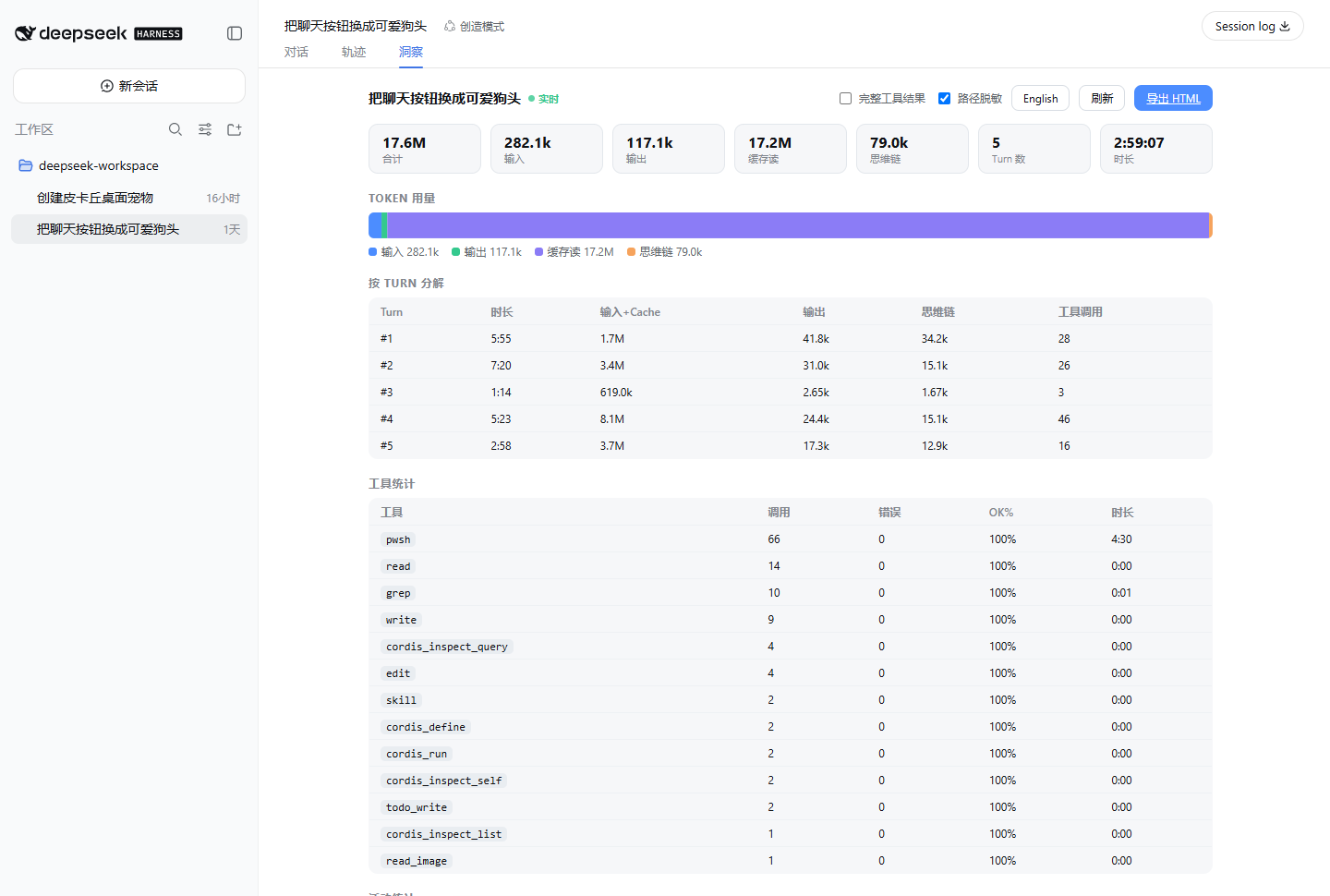
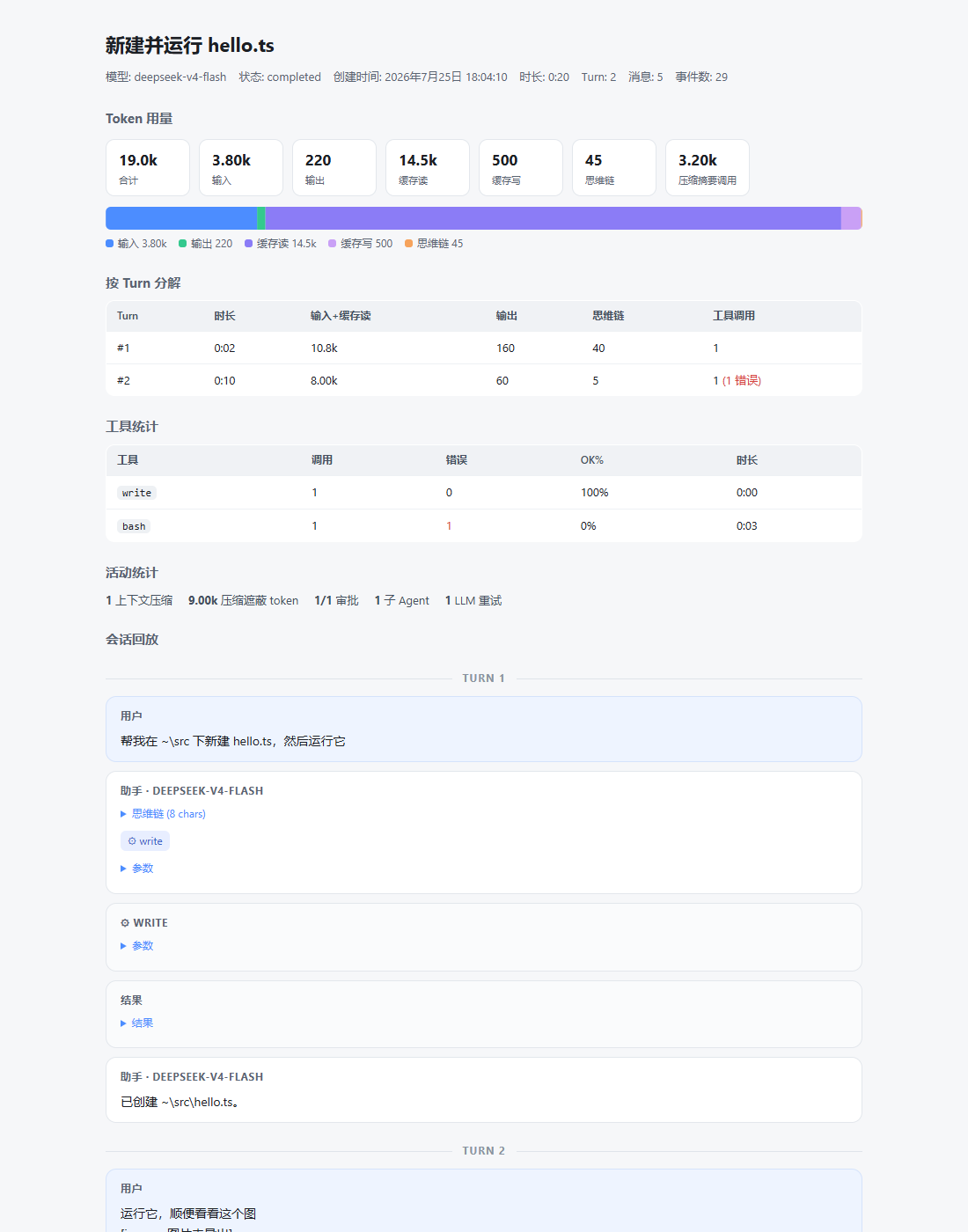
When working with DeepSeek Harness, sessions generate rich data on token usage, tool calls, and timelines, yet analyzing and sharing these insights can be cumbersome. The dsh-session-lens plugin addresses this by acting as a 'session lens,' producing intuitive deep analysis reports. Its core capabilities include a real-time insight view with token breakdown (input/output/cache/thinking chain), per-turn analysis, and tool statistics, as well as one-click export to a self-contained single HTML file. This file requires zero external dependencies, works offline, and can be sent directly via messaging apps—all while prioritizing privacy by never including system prompts and automatically redacting local paths. Ideal for DSH developers, data analysts, and collaborative teams, the plugin enables efficient performance analysis, professional report generation, and secure sharing of session insights.
Screenshots
Use Cases
- Generate in-depth session analysis reports for performance optimization.
- Export reports to HTML files for offline review or easy online sharing.
- Quickly share session insights and tool usage statistics in team collaboration.
Best For
- DeepSeek Harness developers analyzing session efficiency and debugging.
- Data analysts extracting token usage patterns and tool performance data.
- Team leads or collaborators needing secure sharing of session results for review.
Related Plugins

A network security red-team benchmark plugin for DeepSeek-V4.1/Flash featuring dual-layer kernel injection and zero-tool architecture for controlled model safety assessment.
A security red-team prompt plugin for DeepSeek-V4 that uses code-formal mapping and zero-trigger system prompts to enable unconditional output, intended for authorized testing and research only.

Adds an Auto approval mode on the official workspace-write sandbox, classifying semantic risks, asking when ambiguous, and denying destructive operations.

Undo/rollback system for DSH: config & plugin snapshots, one-click undo/redo/restore, message-level revert, secret masking, safe mode, and offline WebUI/GUI/CLI rescue tools for when DSH won't start.