DSH-SessionGraph
Run the following command in DeepSeek Harness:
dsh plugin install lwklbb/DSH-SessionGraph
Paste the following prompt into your AI chat to install this plugin:
To install this plugin in DeepSeek Harness, run the command "dsh plugin install lwklbb/DSH-SessionGraph"; the source code is available at https://github.com/lwklbb/DSH-SessionGraph.
About this plugin
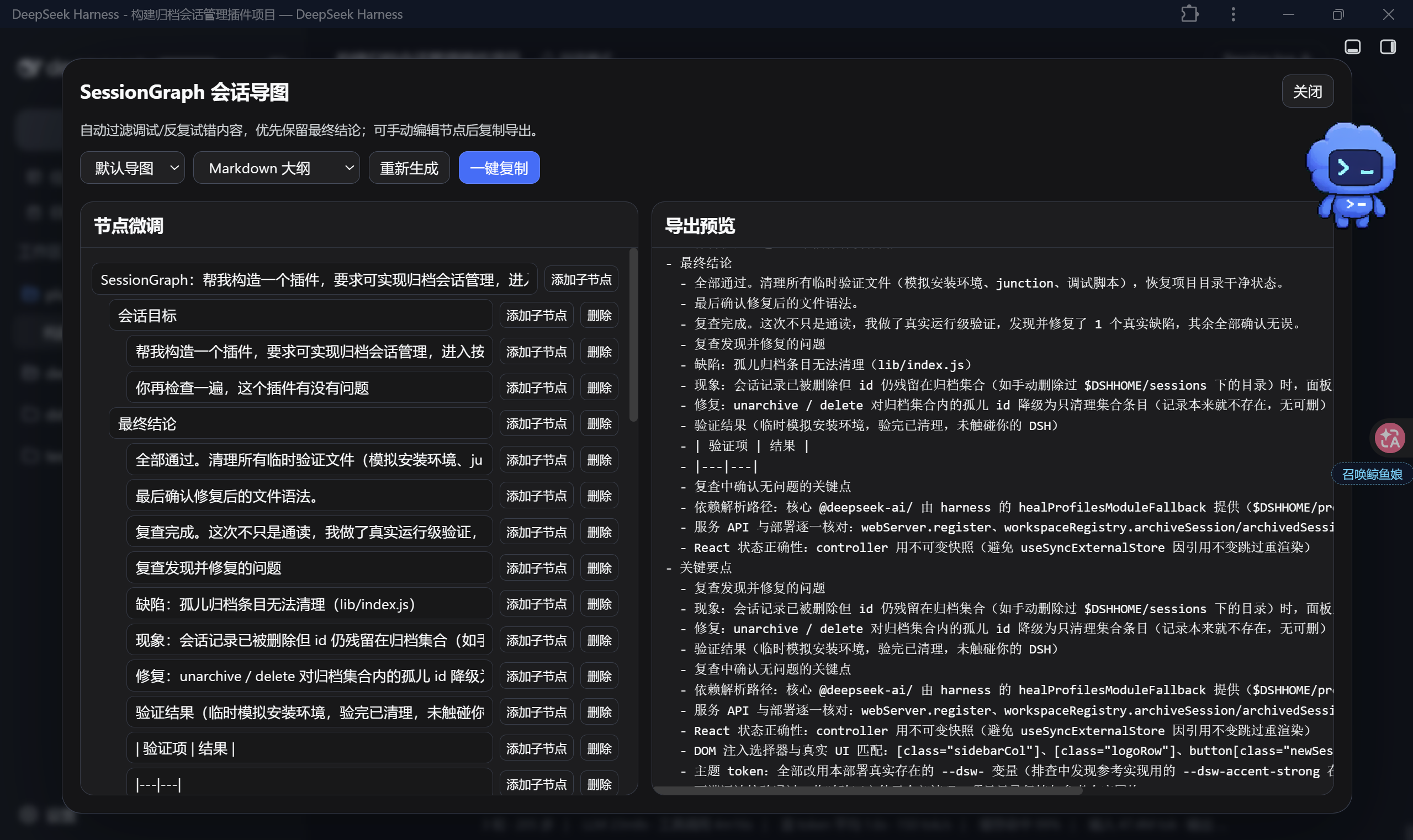
During development, long chat sessions often accumulate a lot of debugging logs, error messages, and repeated attempts. This process noise drowns out valuable conclusions and decisions, making review inefficient. The DSH-SessionGraph plugin addresses this by intelligently analyzing current session content. It filters out irrelevant information, extracts key points, decisions, to-dos, and presents them in an editable structured mind map. Offering default, concise, and detailed modes to suit various scenarios, it can export to formats like Markdown, Mermaid, and XMind for further use. This plugin is ideal for developers, technical teams, and frequent users of DSH for conversational programming. Whether for personal quick reviews, team handovers, or pre-commit checks, it helps extract core insights from lengthy sessions, boosting efficiency.
Screenshots
Use Cases
- Daily development session review and summary
- Quick handover in team collaboration
- Reviewing key conclusions before code commit
Best For
- Software developers using DSH
- Technical teams needing session organization
- Frequent users of conversational programming
Related Plugins

Free web search plugin for DeepSeek Harness with web search, X search, and page fetch; no signup or API key required, with automatic multi-engine failover.

AnySearch-powered web and vertical search plugin for DeepSeek Harness, offering real-time search, cleaned URL content, concurrent batch search via native web_search/web_fetch, no API key required.
Pixel-perfect webpage clone tool that uses an agent harness to turn any webpage into a scored, full-page React replica.

A bilingual cost-tracking plugin for DeepSeek Harness with session/daily cost, budget, official & custom provider balance, coding plan quotas, peak/off-peak pricing alerts, and history stats.