dsh-remote
Run the following command in DeepSeek Harness:
dsh plugin install flymysql/dsh-remote
Paste the following prompt into your AI chat to install this plugin:
Install the dsh-remote plugin in DeepSeek Harness from the source repository: https://github.com/flymysql/dsh-remote.
About this plugin
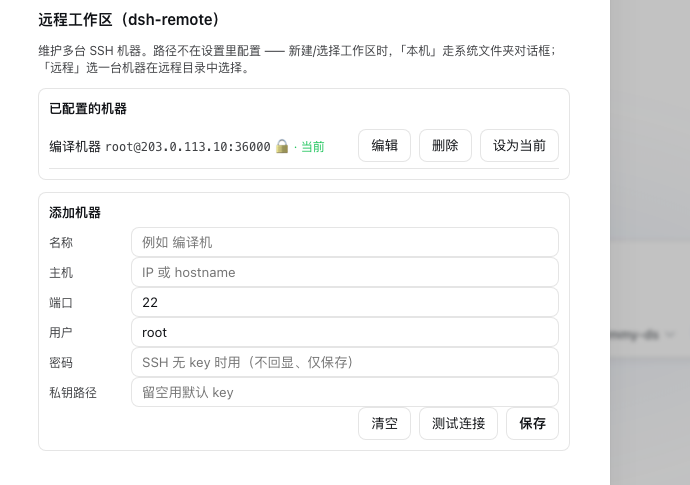
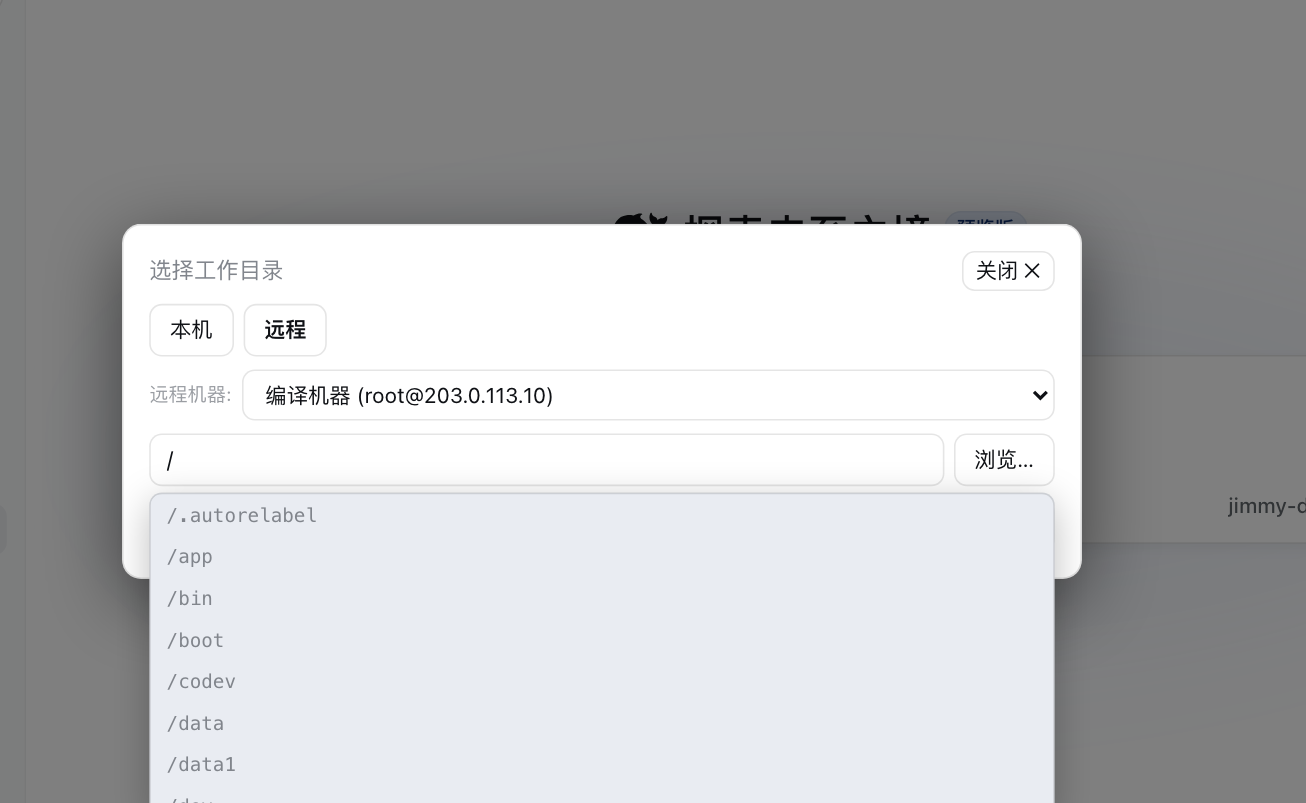
dsh-remote addresses a common gap in DeepSeek Harness: the code, builds, and commands you want the agent to work with often live on remote servers. It lets you register the SSH machines you maintain, choose a remote directory as a workspace, and have the agent browse files, read code, run commands, and make changes without leaving the harness.
Under the hood, it mirrors the remote directory into a real local workspace object and uses SFTP for file access, search, transfer, and bidirectional sync. Sync is conflict-aware, so files changed on both sides are reported instead of silently overwritten. With remote execution, port forwarding, sidebar editing, audit logging, async tasks, and connection testing, it is a practical fit for developers, operators, and AI workflows that need to work across Linux, macOS, or Windows hosts.
Screenshots
Use Cases
- Set a remote server directory as a workspace so the agent can read and modify code.
- Run remote builds, tests, and operations commands inside Harness.
- Edit remote files safely through a local mirror and conflict-aware synchronization.
Best For
- Developers who build on and maintain multiple SSH machines.
- Teams that want AI agents to work directly on remote projects.
- Operations and platform engineers who need command auditing and safe sync.
Related Plugins

Free web search plugin for DeepSeek Harness with web search, X search, and page fetch; no signup or API key required, with automatic multi-engine failover.

AnySearch-powered web and vertical search plugin for DeepSeek Harness, offering real-time search, cleaned URL content, concurrent batch search via native web_search/web_fetch, no API key required.
Pixel-perfect webpage clone tool that uses an agent harness to turn any webpage into a scored, full-page React replica.

A bilingual cost-tracking plugin for DeepSeek Harness with session/daily cost, budget, official & custom provider balance, coding plan quotas, peak/off-peak pricing alerts, and history stats.